
The 12 Best Tools for Social Media Content Creation in 2026
In the fast-paced world of social media, creating standout content consistently is the key to growth. But juggling idea generation, production, editing, and scheduling can feel like a full-time job in itself. The right software and hardware stack doesn't just save time, it unlocks new creative possibilities, automates tedious tasks, and ensures your brand looks polished and professional across every platform.
Whether you're a solo influencer, an e-commerce brand owner, or part of a large marketing team, your toolkit defines your limits. This guide cuts through the noise to reveal the 12 best tools for social media content creation that professionals rely on in 2026. We move beyond generic feature lists to provide a comprehensive resource based on real-world use cases and practical insights.
Inside, you will find a detailed breakdown of platforms and services for every stage of your workflow, including:
- AI-powered studios that generate professional headshots and product photos without a camera.
- Streamlined video editors designed for creating viral-worthy Reels and TikToks.
- Robust planning and scheduling platforms that put your content strategy on autopilot.
- Essential resources for templates, stock assets, and professional-grade equipment.
We'll dive deep into each tool with short pros and cons, clear pricing tiers, and specific recommendations for different types of creators. Each entry includes direct links and screenshots to help you quickly evaluate if a tool is the right fit for your specific needs. Get ready to discover the perfect platforms to elevate your workflow, save precious hours, and captivate your audience like never before.
1. PhotoMaxi
Best For: Automated, studio-quality lifestyle and product photography at scale.
PhotoMaxi stands out as a powerful, all-in-one AI content studio, earning its top spot among the best tools for social media content creation. It’s designed for creators and brands who need to produce high volumes of unique, on-brand visual content without the logistical and financial burden of traditional photoshoots. The platform’s core strength is its ability to transform a single user-uploaded image into a consistent, monetizable AI model. This digital twin can then be placed into infinite scenes, poses, and styles, generating studio-quality photos and videos in minutes.
What sets PhotoMaxi apart is its focus on production-level consistency and control, solving a major pain point of many generative AI tools. While other platforms can struggle with maintaining facial likeness across different images, PhotoMaxi’s technology excels at creating a dependable digital persona. This makes it ideal for building a consistent brand presence on Instagram or generating a series of cohesive product shots for a Shopify store.
Key Features & Use Cases
- Consistent AI Model Generation: Upload one photo to create a reliable digital likeness for use in all future content. This is perfect for influencers creating a steady stream of lifestyle content or for e-commerce brands wanting to showcase apparel on a consistent model.
- Batch Creation & Workflows: The platform is built for efficiency. Users can generate entire photosets for a campaign, create virtual try-on images for Shopify, or produce A/B test ad creatives in a single batch, drastically reducing production time.
- Integrated Editing Suite: PhotoMaxi includes built-in tools for upscaling, relighting, and fine-tuning prompts. This eliminates the need for external software, allowing you to refine your AI-generated assets directly within the platform for a more streamlined workflow.
- Image-to-Video Synthesis: A standout capability is its image-to-video function, which can animate a static AI-generated photo to create short, dynamic video clips perfect for TikTok, Instagram Reels, and other short-form video platforms.
PhotoMaxi's true value lies in replacing entire production cycles. A multi-day, multi-location photoshoot can be replicated in a few hours, giving teams unprecedented creative speed and flexibility.
Pricing:
Plans range from Starter ($9/mo) for personal use to Pro ($29/mo) and Premium ($49/mo) for creators and small businesses. The Ultra ($99/mo) tier is tailored for teams needing maximum output and fidelity. Note that top-tier features like ultra-high likeness, commercial usage, and video generation are reserved for the Premium and Ultra plans, often requiring an annual commitment for the best rates. You can explore a detailed breakdown of features in PhotoMaxi's guide to the best AI photo editing software.
| Feature | Pros | Cons |
|---|---|---|
| Consistency & Control | Excellent facial likeness and character consistency across batches. | Highest fidelity and likeness are locked behind more expensive, upper-tier plans. |
| All-in-One Workflow | Integrated editing, upscaling, and video tools reduce the need for third-party apps. | The learning curve involves mastering prompt engineering to achieve specific, desired results. |
| Scalability & E-commerce | Shopify integration and batch creation are ideal for commercial use. | Monetizing synthetic media requires careful review of terms and potential brand-safety considerations. |
Website: https://photomaxi.com
2. Adobe Express
Adobe Express is the answer for teams and individuals who need the power of Adobe's ecosystem without the steep learning curve of professional tools like Photoshop or Premiere Pro. It's a template-first design and video application built from the ground up for speed and social media efficiency, making it one of the best tools for social media content creation available today. Its primary strength lies in transforming ideas into polished, on-brand content in minutes.
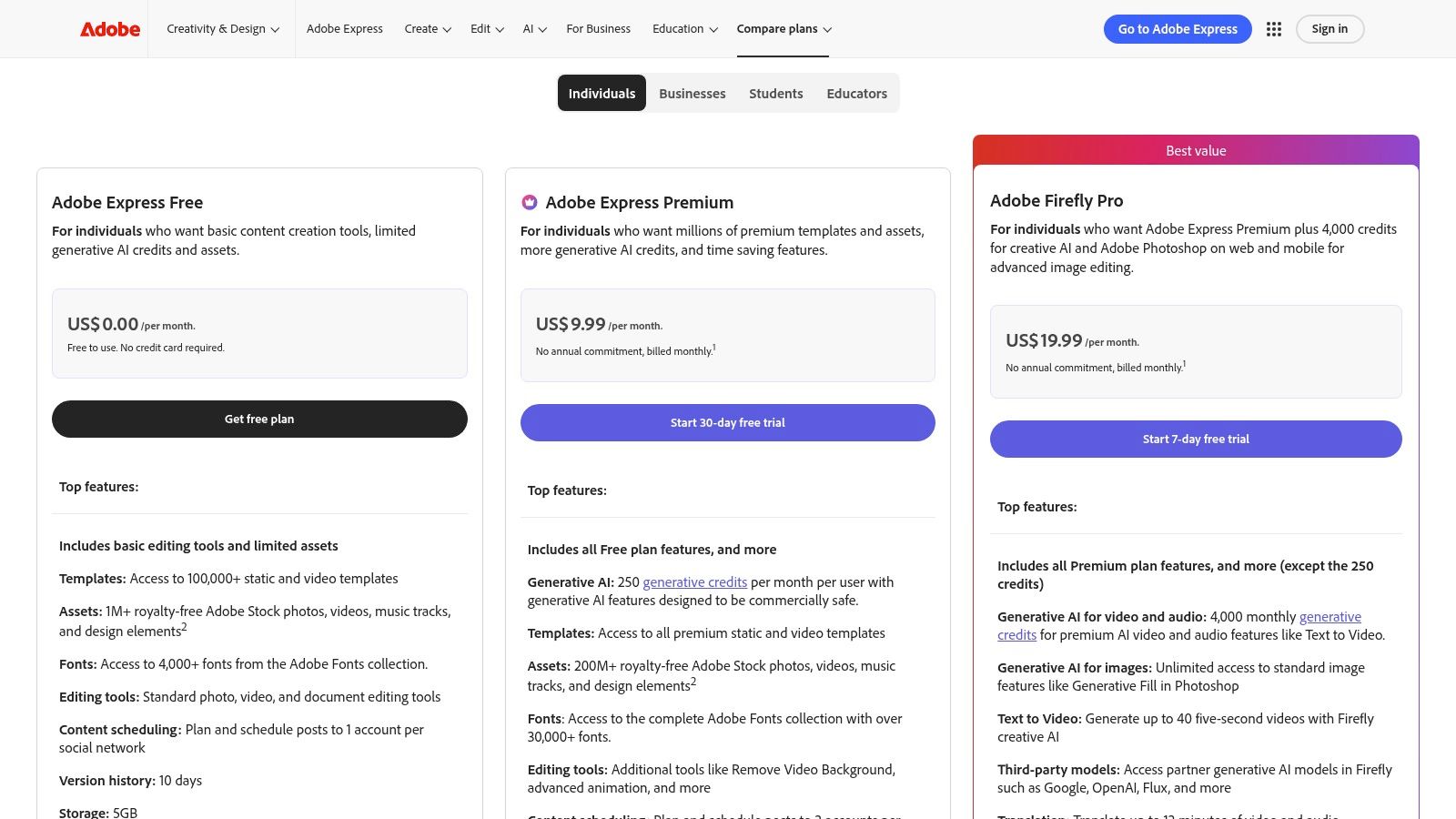
The platform combines an intuitive drag-and-drop editor with a massive asset library. Users on the Premium plan gain access to over 200 million Adobe Stock assets and the full Adobe Fonts library, which is a significant advantage over competitors. It excels at quick, repetitive tasks like resizing a single design for Instagram Stories, TikTok, and X (formerly Twitter) with a single click, or applying a consistent brand kit (logos, colors, fonts) across all creations.
Key Features & User Experience
The user interface is clean and accessible on both web and mobile, ensuring a seamless creation process anywhere. A key workflow involves using AI-generated images (from tools like PhotoMaxi or Adobe's own Firefly) and dropping them into a pre-made, brand-aligned template for immediate use.
- Best For: Social media managers, small business owners, and marketing teams needing a fast, reliable, and brand-consistent content pipeline.
- Standout Feature: Seamless integration with Adobe Stock and Adobe Fonts, providing a premium asset library that outmatches most competitors.
- Pricing: A robust free plan is available. The Premium plan is $9.99/month and includes 250 monthly generative credits, 100GB of storage, and access to all premium assets and templates.
Pros:
- Extensive library of high-quality templates and stock assets.
- Intuitive one-click resizing and brand kit application saves significant time.
- Generous free plan for getting started.
Cons:
- Mobile app lacks some of the more advanced features available on the desktop version.
- Generative credits and stock asset usage are limited depending on the plan.
Website: https://www.adobe.com/express/
3. Canva
Canva has established itself as the go-to platform for non-designers and teams needing an all-in-one graphic and video editor for rapid content creation. It democratizes design with a vast library of templates and an intuitive drag-and-drop interface, allowing anyone to produce professional-looking social posts, carousels, and short videos in minutes. Its core strength is its unparalleled ease of use and collaborative features, making it one of the best tools for social media content creation, especially for those without formal design training.
The platform empowers users with a comprehensive suite of "Magic" AI tools, such as Magic Write for copy generation and Magic Media for creating images from text prompts. These features are designed to accelerate the content workflow significantly. Brand Kits allow teams to maintain consistency by centralizing logos, color palettes, and fonts, while the built-in content scheduler enables users to design and schedule posts directly to their social channels from one place, streamlining the entire process.
Key Features & User Experience
Canva’s user interface is famously simple and accessible, encouraging experimentation and quick learning. A common workflow involves selecting a template, customizing it with brand assets, using the Background Remover to clean up product photos, and then scheduling it for publication. Real-time collaboration makes it ideal for teams needing to provide feedback and get approvals directly within a design. Many creators are exploring its AI tools; you can discover more about how Canva's AI compares to others to see how it fits into a modern workflow.
- Best For: Small business owners, marketing teams, and content creators who need an all-in-one solution for fast, collaborative design and scheduling.
- Standout Feature: The immense template library combined with the "Magic" AI suite provides an incredibly fast path from idea to finished social media asset.
- Pricing: A comprehensive free plan is available. Canva Pro is $14.99/month for one person, and Canva for Teams starts at $29.99/month for the first five people.
Pros:
- Extremely easy to learn and use, with a massive community and resource ecosystem.
- Excellent real-time collaboration and approval features for teams.
- Broad integrations with platforms like Google Drive, Dropbox, and various social media schedulers.
Cons:
- Team pricing has seen significant increases; be sure to check current plan details.
- Asset licensing can be complex, as usage terms sometimes differ from one element to another.
Website: https://www.canva.com
4. CapCut
CapCut has rapidly become the go-to video editor for content creators focused on TikTok, Instagram Reels, and YouTube Shorts. Originally a mobile-first application, it now offers powerful desktop and web-based editors, making it a versatile tool for quick, trend-driven video production. Its core strength is speed, allowing users to move from raw footage to a polished, share-ready video with trending effects and audio in minutes.
The platform is celebrated for its massive library of templates, effects, and text animations that mirror current social media trends. Features like one-click auto-captions, background removal, and automatic beat-syncing significantly reduce editing time. This makes it one of the best tools for social media content creation for anyone needing to produce high volumes of short-form content consistently. Its seamless cross-device project support means you can start a video on your phone and finish it on your desktop without missing a beat.
Key Features & User Experience
The interface is incredibly intuitive, especially for those familiar with social media video apps. A typical workflow involves dropping clips into the timeline, applying a trending template, and using the auto-caption tool to boost accessibility and engagement. For those looking to explore more advanced options, you can learn more about its place among the best AI video creation tools.
- Best For: Social media managers, influencers, and small businesses who need to create daily short-form videos for TikTok and Reels quickly.
- Standout Feature: A vast, constantly updated library of trending templates and effects, plus a highly accurate and fast auto-captioning tool.
- Pricing: A comprehensive free version is available. The CapCut Pro plan is $7.99/month, unlocking all premium effects, templates, cloud storage, and advanced AI features.
Pros:
- Extremely fast workflow for creating social-first video formats.
- Excellent cross-platform support with frequent trend-aligned updates.
- Powerful free version that covers most essential needs.
Cons:
- Pricing and specific promotions can vary by app store and region.
- Some users have reported occasional inconsistencies with subscription management.
Website: https://www.capcut.com
5. Descript
Descript revolutionizes video and audio editing by treating media like a text document. For content creators focused on podcasts, interviews, tutorials, or talking-head videos, it's a game-changer. Instead of wrestling with a traditional timeline, you edit the auto-generated transcript, and the corresponding video and audio cuts are made for you. This unique approach makes it one of the best tools for social media content creation, especially for repurposing long-form content into engaging social snippets.
The platform is built for speed and dialogue-heavy content. Its "Studio Sound" feature can make amateur recordings sound professionally produced with a single click, removing background noise and echo. Likewise, its AI can automatically detect and delete filler words like "um" and "uh," saving hours of tedious manual editing. The ability to record your screen and camera directly into the editor simplifies the creation of tutorials and reaction videos.
Key Features & User Experience
The interface is refreshingly simple, focusing on the transcript as the primary editing tool. A key workflow involves uploading a long webinar or podcast, using the transcript to find key moments, and quickly creating multiple social media clips with animated captions and b-roll. The collaborative features allow teams to leave comments directly on the transcript, just like in a Google Doc.
- Best For: Podcasters, course creators, and marketers who need to quickly edit dialogue and repurpose long-form video/audio content into social shorts.
- Standout Feature: Transcript-based editing, which allows you to edit video and audio by simply editing text.
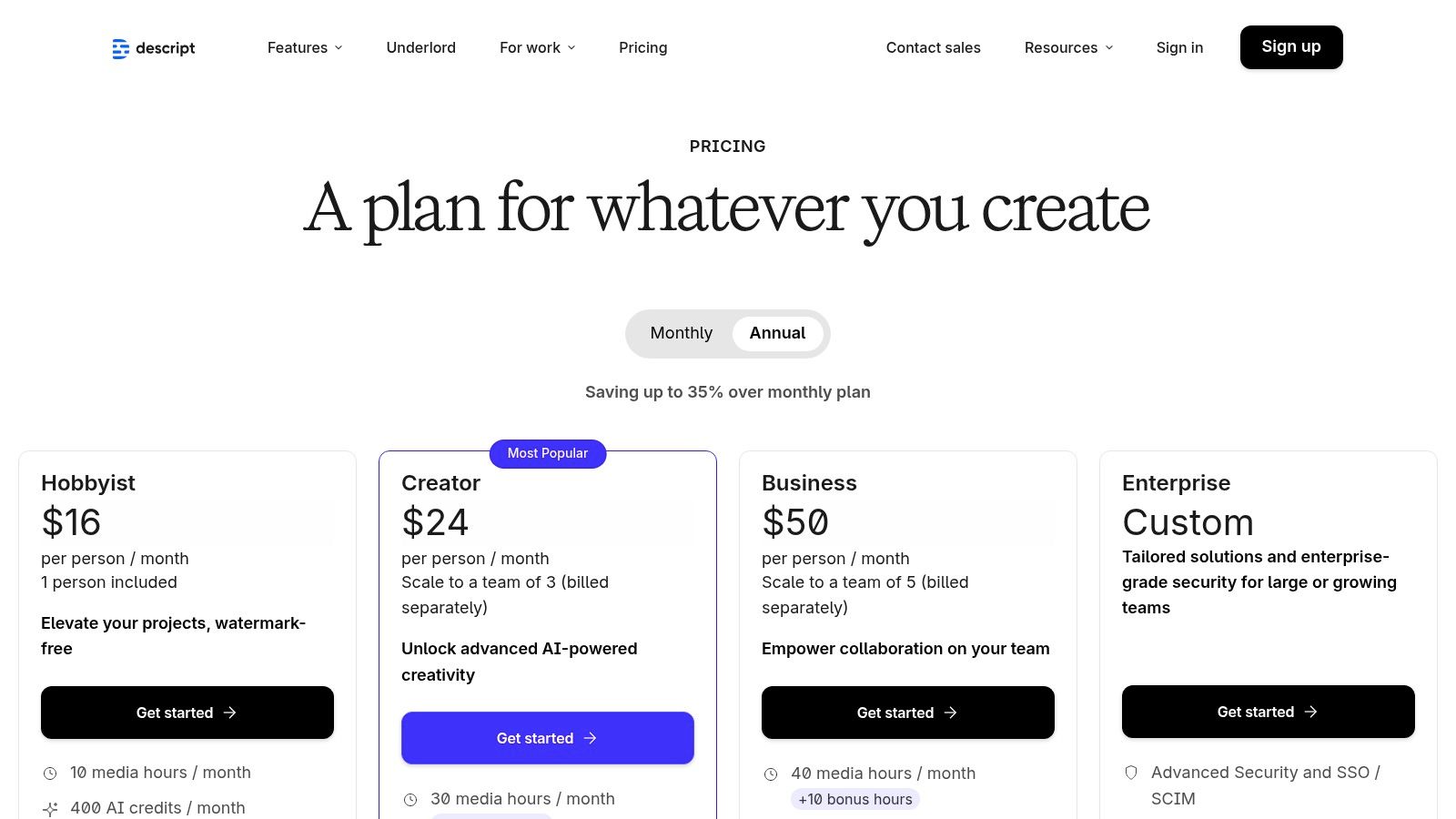
- Pricing: A free plan is available with limited features. The Creator plan is $12/month and includes 10 hours of transcription, while the Pro plan at $24/month offers 30 hours and advanced features like filler word removal.
Pros:
- Dramatically reduces editing time for any dialogue-heavy content.
- Excellent for repurposing webinars, interviews, or podcasts into social media clips.
- Powerful AI features like Studio Sound and filler word removal.
Cons:
- Less suitable for complex visual effects or action-heavy edits; a traditional NLE is better.
- The new credit system of "media minutes" and "AI credits" has a learning curve.
Website: https://www.descript.com/
6. Buffer
Buffer is a streamlined and highly intuitive social media management platform focused on planning, scheduling, and analytics. It stands out for its simplicity and affordability, making it an excellent choice for creators, small businesses, and agencies that don't need the complexity of enterprise-level suites. Its core strength is providing a clean, queue-based system to plan and batch content efficiently across multiple social channels.
While primarily a scheduler, Buffer integrates key creation-adjacent features that place it among the best tools for social media content creation. The built-in AI assistant helps generate and refine post ideas, captions, and repurpose content for different platforms. Its straightforward calendar view and simple batching workflows are designed to help users get their content scheduled and published with minimal friction.
Key Features & User Experience
Buffer’s user experience is famously clean and easy to master. The interface is uncluttered, guiding users through connecting channels, creating posts, and analyzing performance without a steep learning curve. A common workflow involves uploading a set of visuals from an integrated source like Canva or Google Drive and using the AI assistant to quickly draft and schedule captions for the entire week.
- Best For: Small business owners, solo creators, and small marketing agencies looking for a reliable, no-fuss scheduling and analytics tool on a budget.
- Standout Feature: Its transparent and affordable per-channel pricing model, which allows users to scale their plan precisely to their needs without overpaying for unused features.
- Pricing: A generous free plan covers up to 3 channels. Paid plans start with the Essentials plan at $6/month per channel which includes scheduling, analytics, and engagement tools.
Pros:
- Clear, inexpensive pricing per channel is highly scalable and budget-friendly.
- Simple and intuitive user interface is perfect for batching and repurposing content.
- Generous free plan and a helpful AI assistant for caption generation.
Cons:
- Lacks the deep social listening and advanced enterprise features of larger competitors.
- Larger agencies or multi-brand teams may find the feature set too limited as they scale.
Website: https://buffer.com/pricing
7. Hootsuite
Hootsuite is an enterprise-grade social media management platform designed for scale. While it’s known for scheduling and analytics, it has evolved into a robust content creation hub, making it one of the best tools for social media content creation for larger organizations. Its strength lies in its ability to manage complex content workflows, from ideation and creation with its AI assistant to team approvals and publishing, all from a single dashboard.
The platform centralizes content planning with a shared calendar and unified inbox, but its creation tools are what land it on this list. Users can leverage an AI-powered caption writer and image generator to quickly produce draft content. The platform also integrates with tools like Canva, allowing teams to design visuals directly within their Hootsuite workflow. This combination of creation, scheduling, and governance is what makes it a powerhouse for distributed teams.
Key Features & User Experience
Hootsuite’s interface is built around a comprehensive dashboard view, providing a command center for all social media activities. A key workflow involves using the OwlyWriter AI to generate post ideas and captions for a campaign, then assigning those drafts to a designer who creates visuals using the Canva integration. The finished post then moves through a pre-set approval chain before being scheduled.
- Best For: Agencies, mid-to-large marketing teams, and enterprises that require advanced governance, team collaboration, and detailed analytics.
- Standout Feature: Robust team workflows with custom permissions and approval chains, ensuring brand consistency and compliance at scale.
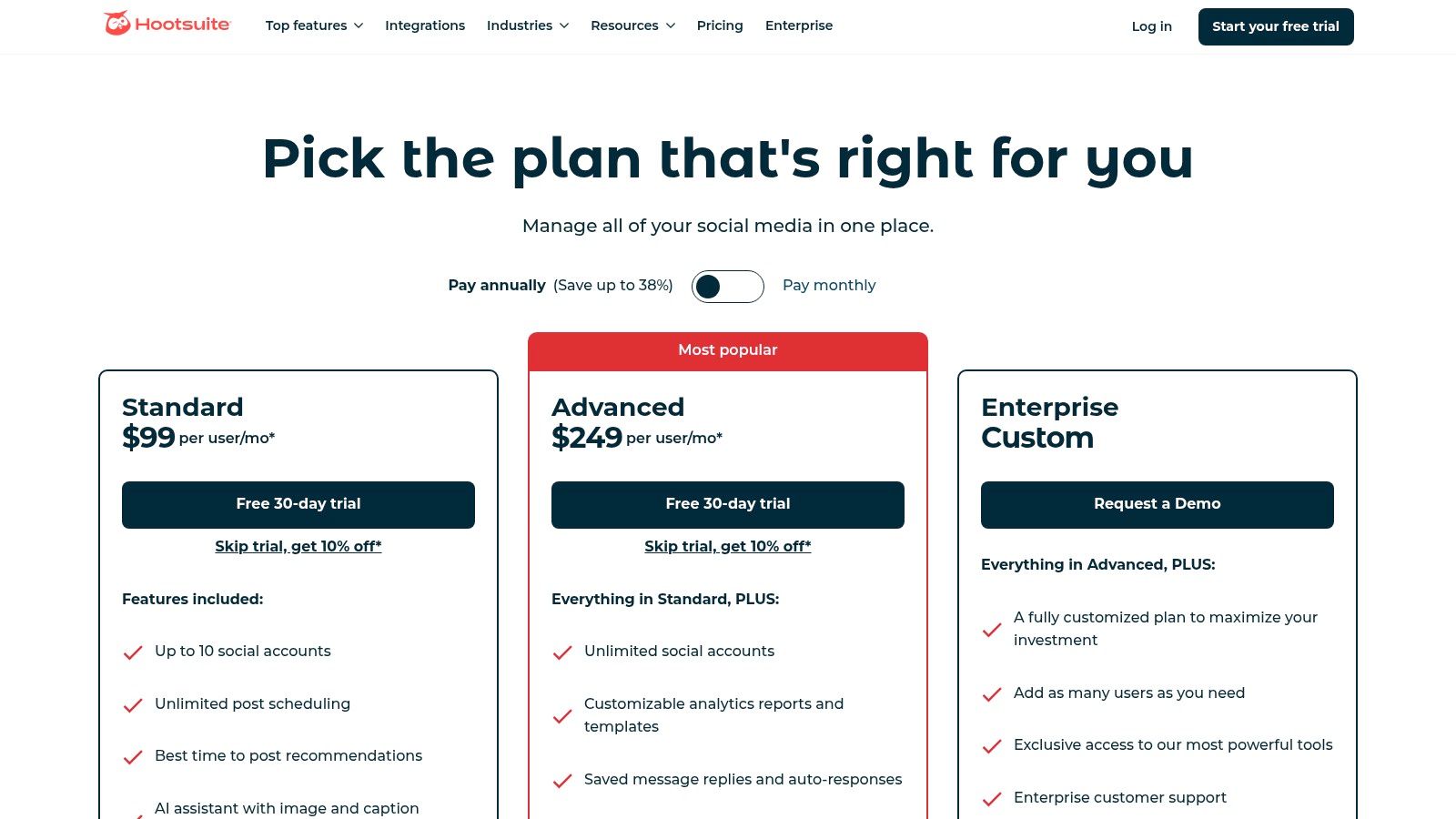
- Pricing: The Professional plan starts at $99/month for one user. The popular Team plan is $249/month for three users and includes roles, permissions, and a content library.
Pros:
- Scales for complex organizations with sophisticated reporting and governance.
- Broad channel coverage and deep integrations with other marketing tools.
- All-in-one platform for creation, scheduling, management, and analytics.
Cons:
- Significantly higher cost compared to more lightweight, creation-focused tools.
- Plan features can be granular and confusing; optional add-ons increase the price.
Website: https://www.hootsuite.com/plans
8. Later
Later has solidified its place as one of the best tools for social media content creation by focusing on a visual-first approach to planning and scheduling. It's an indispensable platform for brands, creators, and marketers who think in terms of aesthetics and grid layouts, especially for Instagram, TikTok, and Pinterest. Its core strength is translating a content strategy into a beautifully organized, drag-and-drop calendar, making content batching and future-planning incredibly efficient.
The platform goes beyond simple scheduling, offering a powerful Link-in-bio tool that turns your social profile into a mini-website and drives traffic effectively. For teams, features like user roles and content approval workflows streamline collaboration, ensuring every post is on-brand. The addition of an AI Caption Writer helps overcome creative blocks, while the ability to manage multiple "Sets" of social profiles makes it scalable for agencies and freelancers handling several clients.
Key Features & User Experience
The user interface is exceptionally clean and intuitive, centered around its visual calendar which allows you to see exactly how your feed will look. A common workflow involves uploading a batch of images and videos, dragging them onto the calendar, using the AI to draft captions, and then scheduling them to auto-publish across multiple channels.
- Best For: Instagram-focused brands, e-commerce stores, influencers, and social media managers who prioritize visual planning and content batching.
- Standout Feature: The Visual Planner provides an unparalleled preview of your Instagram grid, allowing for meticulous aesthetic curation before posts go live.
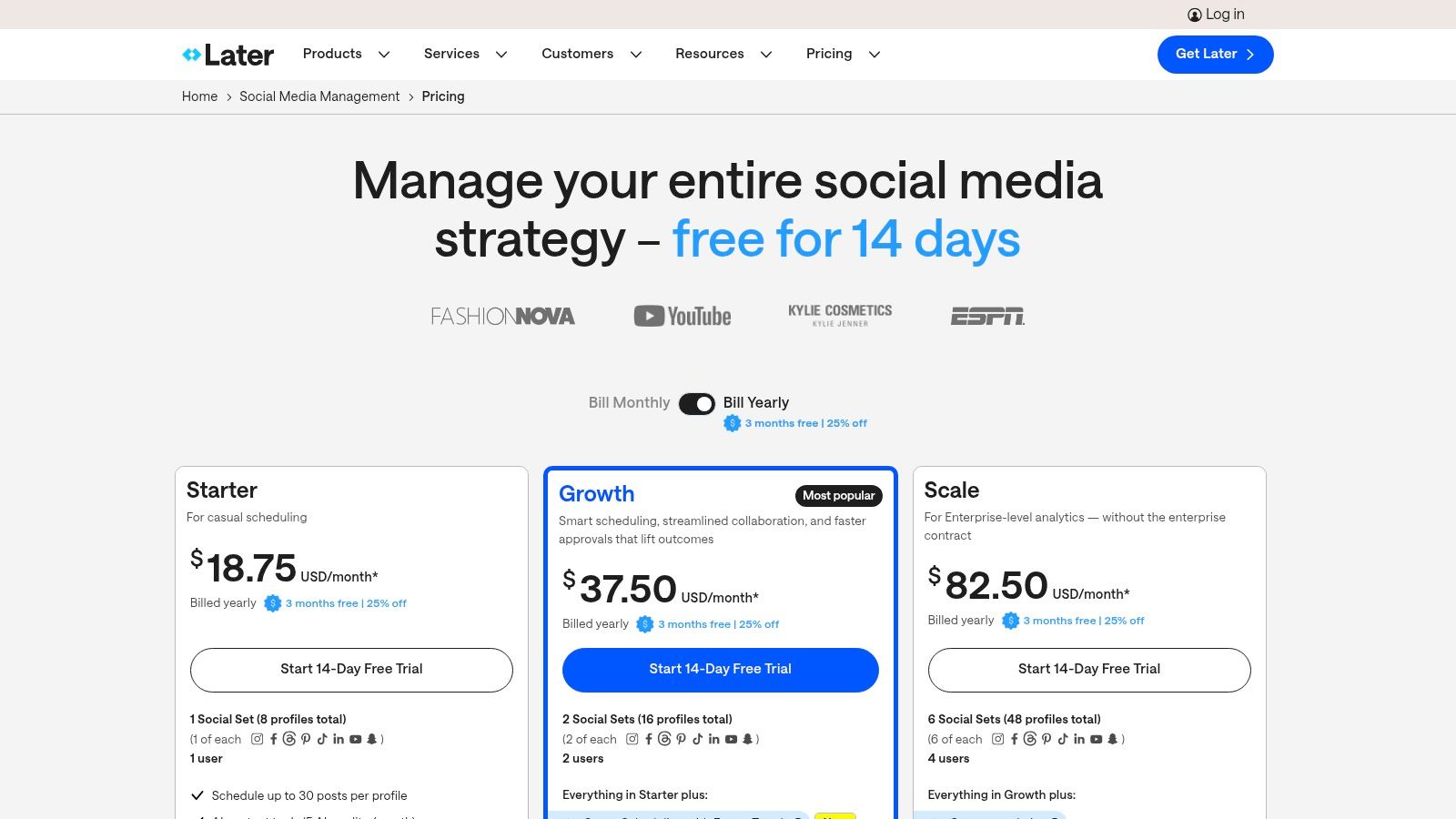
- Pricing: A free plan is available for individuals. Paid plans start with the Starter plan at $25/month for one social set and 30 posts per profile, with options to add more users or AI credits.
Pros:
- Exceptional, clean user experience optimized for visual-first planning.
- Integrated Link-in-bio tool and robust analytics are included.
- Simple add-ons for scaling with extra social sets, users, and AI credits.
Cons:
- Post limits on lower-tier plans can be restrictive for power users.
- Lacks the deep social listening and enterprise features of larger all-in-one suites.
Website: https://later.com/pricing
9. Envato Elements
Envato Elements is the ultimate subscription toolkit for high-volume creators who need a constant supply of diverse digital assets. Instead of purchasing items individually, it offers unlimited downloads from a colossal library of templates, stock video, music, graphics, and fonts. This makes it one of the best tools for social media content creation for agencies and freelancers who need to produce varied, high-quality content without breaking the bank on individual asset licenses.
The platform’s core strength is its sheer volume and variety, with over 26 million creative assets available under a single commercial license. A typical workflow involves finding a dynamic video template for an Instagram Reel, grabbing a trending audio track, and downloading a custom font for the captions, all from the same subscription. Integrations with apps like Premiere Pro, Canva, and Figma further streamline the process by bringing the asset library directly into your preferred editing environment.
Key Features & User Experience
The user interface is a straightforward, searchable marketplace that makes finding specific assets relatively easy. The single, simple commercial license covers all future use of downloaded items in projects created during an active subscription, which removes significant legal friction for commercial work.
- Best For: Creative agencies, YouTubers, and social media managers who regularly need a wide range of assets like video templates, music, and graphics.
- Standout Feature: The "all-you-can-eat" model provides incredible value, granting unlimited access to millions of premium assets for a single monthly fee.
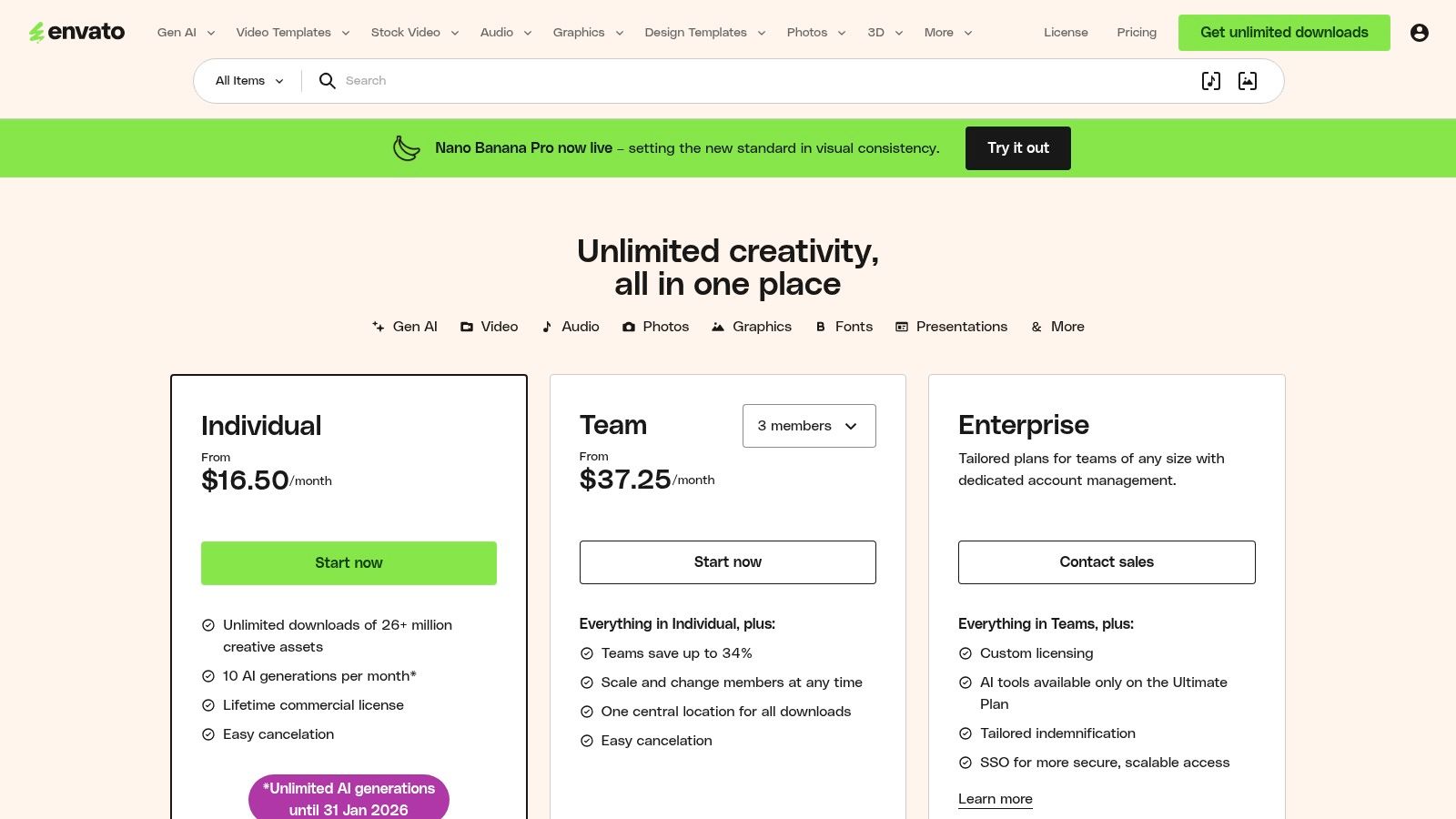
- Pricing: The Individual plan starts at $16.50/month. Custom pricing is available for teams of six or more.
Pros:
- Unbeatable value for creators who frequently use stock assets.
- Massive variety of assets, from video templates and audio tracks to fonts and graphics.
- Simple commercial license for peace of mind.
Cons:
- An active subscription is required to use downloaded assets in new projects.
- Asset quality can be inconsistent, requiring some time to find the best items.
Website: https://elements.envato.com/pricing
10. Epidemic Sound
For video creators, finding high-quality, legally safe music is a constant challenge, which is why Epidemic Sound is one of the best tools for social media content creation. It is a subscription-based music and sound effect library built to eliminate copyright strikes and monetization issues on platforms like YouTube, TikTok, and Instagram. Its core strength is a simple, all-encompassing license that covers your content forever, even if you cancel your subscription, as long as it was published while your plan was active.
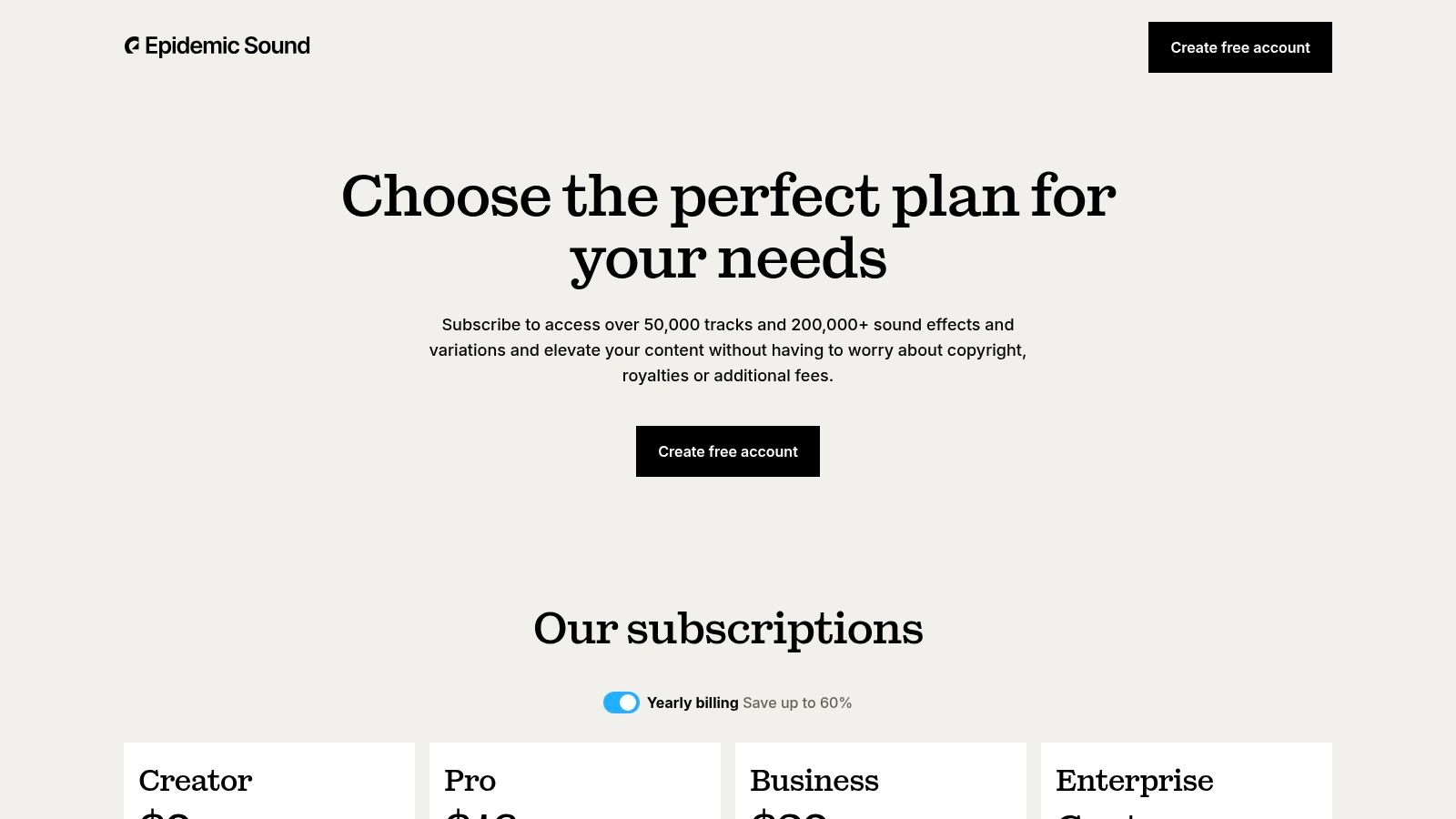
The platform offers a curated catalog of over 50,000 tracks and 200,000 sound effects, with powerful search filters to find the perfect mood, genre, or tempo. Unlike royalty-free libraries where quality can be inconsistent, Epidemic Sound owns all the rights to its music, ensuring every track is pre-cleared for worldwide, multi-platform use. This provides peace of mind for creators who rely on ad revenue and brand partnerships.
Key Features & User Experience
The user experience is centered on discovery and simplicity. You can connect your social channels directly to your account, which automatically clears any videos using their tracks, preventing copyright claims. The interface is intuitive, allowing creators to quickly browse curated playlists, download stems for custom edits, or find SFX that complement their visuals.
- Best For: YouTubers, TikTok creators, podcasters, and marketing agencies who need a reliable and extensive library of copyright-safe music and SFX.
- Standout Feature: The "social-safe" license and channel-linking feature, which automates copyright clearance and protects content monetization indefinitely.
- Pricing: Plans start with Personal at $14.99/month for one channel per platform. The Pro plan is $29.99/month and covers up to three channels per platform plus monetization on all.
Pros:
- Simple, worry-free licensing that covers all major social platforms.
- High-quality, curated library of exclusive music and sound effects.
- Content published during a subscription remains cleared forever.
Cons:
- Subscription cost can be higher than some smaller royalty-free sites.
- The catalog's modern, creator-focused style may not fit every corporate brand.
- Some users report renewal terms can be confusing; always double-check.
Website: https://www.epidemicsound.com/our-plans/
11. B&H Photo Video
While software handles post-production, high-quality social media content starts with reliable hardware. B&H Photo Video is a cornerstone retailer for creators, offering a comprehensive catalog of cameras, microphones, lighting, and studio accessories. It’s not just a store; it's an essential resource for building or upgrading a production kit, making it one of the best tools for social media content creation from a foundational perspective. Its strength lies in its pro-grade selection and expert support system.
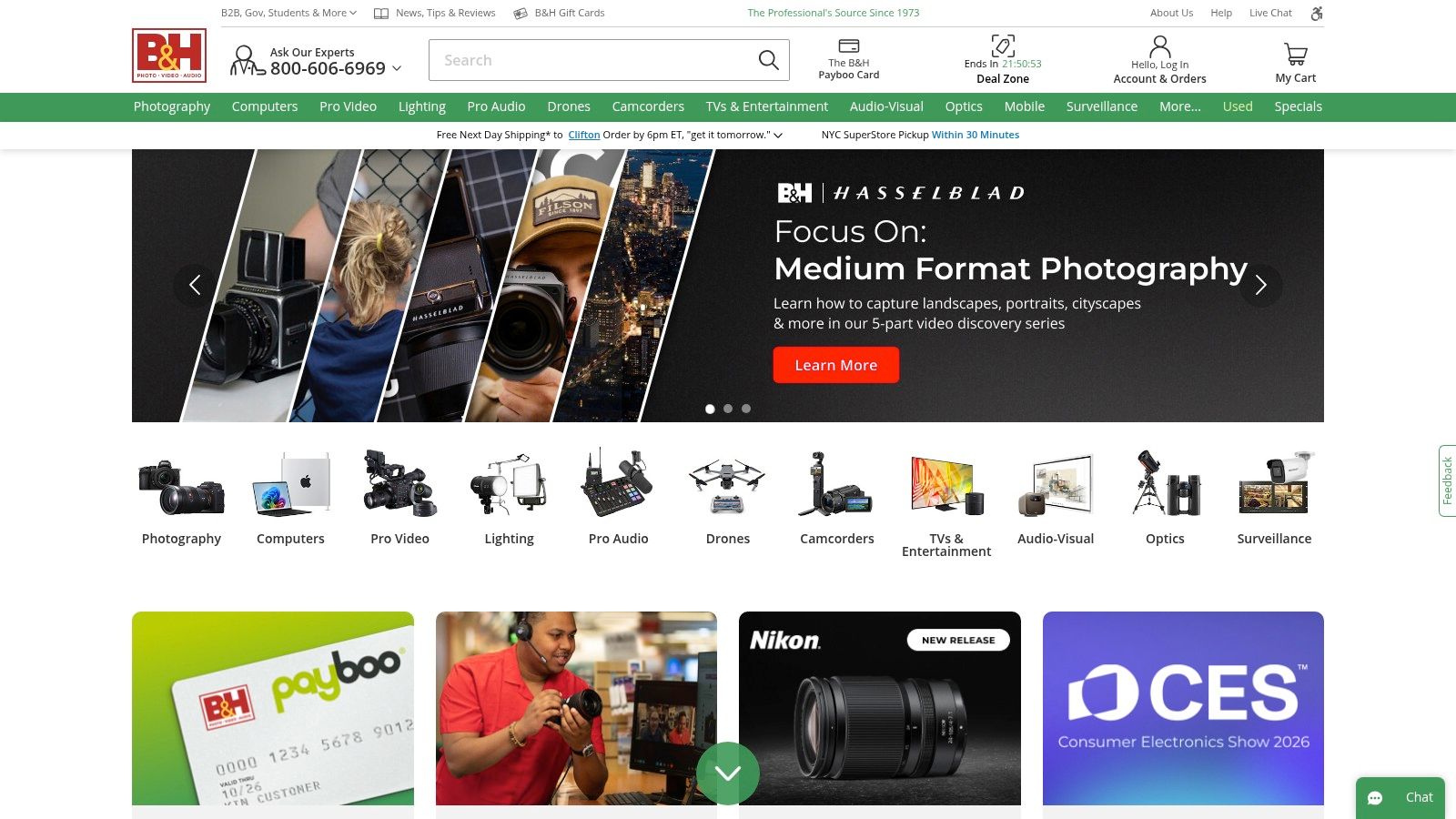
The platform curates gear specifically for modern creators, from complete vlogging kits to specialized lighting bundles for TikTok or YouTube studios. Unlike mass-market retailers, B&H provides extensive educational content, detailed product specifications, and live expert chat to help you select the right equipment. This guidance is invaluable for creators ready to move beyond smartphone-only production and invest in gear that elevates their content's look and sound.
Key Features & User Experience
Navigating the vast inventory is straightforward, with well-organized categories and powerful filters. A typical workflow involves researching a new camera, using the live chat to confirm lens compatibility for specific social media formats, and bundling it with a tripod and microphone for a complete setup, all in one order.
- Best For: Content creators and marketing teams looking to invest in professional-grade camera, audio, and lighting equipment.
- Standout Feature: Curated creator kits and access to knowledgeable support staff via live chat, email, or phone, providing guidance you can’t get from big-box stores.
- Pricing: Product prices vary. The Payboo Card program offers a sales tax credit or special financing, which can result in significant savings on large purchases.
Pros:
- Pro-grade selection with knowledgeable support.
- Excellent availability of accessories and well-priced kits.
- Extensive educational resources and expert advice.
Cons:
- May not always be the lowest price versus mass retailers.
- Popular items can backorder quickly during new product launches.
Website: https://www.bhphotovideo.com
12. Best Buy
While not a software tool, Best Buy is an essential resource for acquiring the physical hardware that makes high-quality social media content possible. It stands out for its immediate, local access to creator-focused gear, allowing creators to assemble beginner or advanced kits with cameras, microphones, and lighting without waiting for shipping. This makes it an indispensable part of the content creation ecosystem, especially when a critical piece of equipment fails and needs to be replaced the same day.
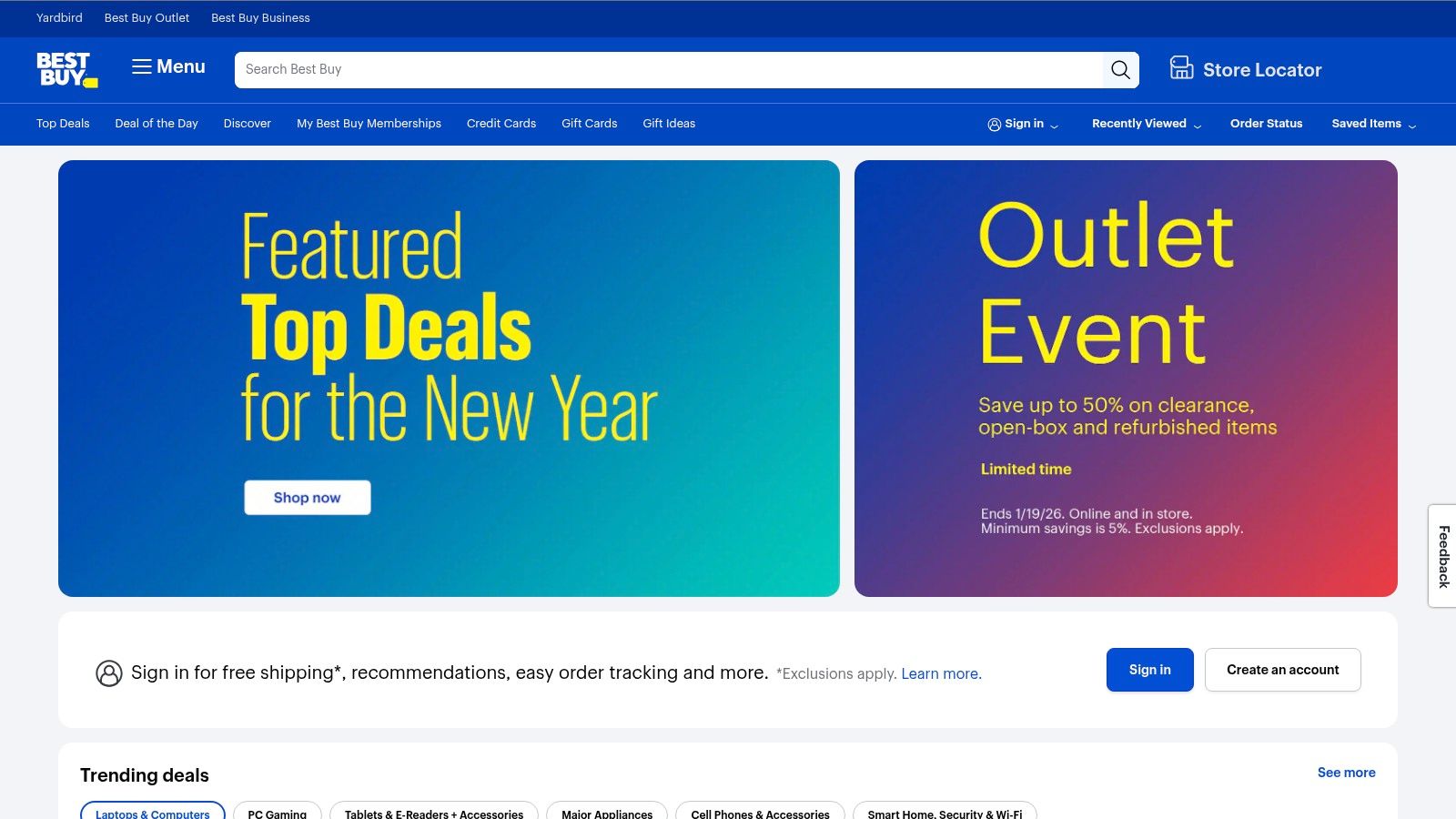
The retailer has leaned into the creator economy by curating specific "Content Creator" equipment categories and storefronts on its website, simplifying the gear selection process. For those assembling their first kit, the ability to see and handle products in-store is a major advantage over online-only retailers. Furthermore, its easy return policy and optional Geek Squad protection offer peace of mind for significant hardware investments, a key consideration when choosing the best tools for social media content creation.
Key Features & User Experience
The online experience is streamlined with dedicated sections for creator kits, while the nationwide physical footprint offers unparalleled convenience for immediate needs. A common workflow is researching gear online, checking local store availability, and using in-store pickup to get started creating within hours.
- Best For: Content creators of all levels needing immediate access to physical hardware, from cameras and lighting to microphones and laptops.
- Standout Feature: The combination of curated online creator bundles and nationwide in-store pickup for instant gear acquisition and hassle-free returns.
- Pricing: Varies by product. Frequent sales, open-box deals, and a price-match guarantee offer opportunities for savings.
Pros:
- Local availability for same-day pickup and easy returns across the U.S.
- Frequent sales and significant discounts on open-box items.
- Curated sections make it easy for beginners to find starter kits.
Cons:
- In-store stock and selection can vary significantly by location.
- The range of highly specialized, pro-level accessories is smaller than dedicated camera stores.
Website: https://www.bestbuy.com
Top 12 Social Media Content Tools Comparison
| Product | Core features | Quality (★) | Price/Value (💰) | Target (👥) | Unique (✨) |
|---|---|---|---|---|---|
| PhotoMaxi 🏆 | Single‑image → synthetic models; image→video; virtual try‑ons; editing/upscale/relight; batch studio shots | ★★★★★ | 💰 $9–$99/mo (annual tiers); higher tiers = commercial rights & priority | 👥 Creators, DTC brands, teams, agencies | ✨ Single‑photo likeness, cinematic image‑to‑video, Shopify try‑ons |
| Adobe Express | Template‑first design + one‑click resize, brand kits, Adobe Stock access | ★★★★ | 💰 Free → Premium (stock + generative credits) | 👥 Social teams, marketers, fast designers | ✨ Large stock + Adobe ecosystem integration |
| Canva | Massive templates/elements, Magic AI tools, brand kits, collaboration | ★★★★ | 💰 Free → Pro/Teams (rising team costs) | 👥 Non‑designers, collaborative teams | ✨ Magic Write/Media + huge template library |
| CapCut | Short‑form editor: auto captions, beat sync, templates, effects | ★★★★ | 💰 Free + in‑app premium features | 👥 TikTok/Reels creators, short‑form editors | ✨ Trend presets, beat‑sync and mobile→desktop flow |
| Descript | Transcript‑first audio/video editing, AI cleanup, overdub, repurposing | ★★★★ | 💰 Subscription with media minutes & AI credits | 👥 Podcasters, talking‑head creators, educators | ✨ Edit like a doc + overdub voice cloning |
| Buffer | Queue scheduler, AI captioning, basic analytics, batching tools | ★★★ | 💰 Budget‑friendly; free plan for 3 channels | 👥 Small brands, solo creators, freelancers | ✨ Simple UX for fast batching & repurposing |
| Hootsuite | Enterprise scheduling, unified inbox, analytics, team workflows | ★★★★ | 💰 Higher cost; add‑ons for listening/compliance | 👥 Agencies, mid→large marketing teams | ✨ Scalable governance, advanced reporting & integrations |
| Later | Visual planner, auto‑publish, link‑in‑bio, multi‑profile “Sets” | ★★★★ | 💰 Freemium → paid tiers (post caps on entry plans) | 👥 Instagram‑first creators, freelancers, DTC | ✨ Visual calendar & multi‑profile planning |
| Envato Elements | Unlimited downloads: templates, video, audio, fonts, graphics | ★★★★ | 💰 Subscription — high value for frequent asset users | 👥 Designers, motion teams, content producers | ✨ 26M+ assets + single commercial license while subscribed |
| Epidemic Sound | Music & SFX library pre‑cleared for social platforms | ★★★★ | 💰 Subscription; channel linking for clearance | 👥 Video creators, brands, monetized channels | ✨ Platform‑cleared licensing for monetization |
| B&H Photo Video | Pro retail: cameras, lighting, mics, curated creator kits | ★★★★ | 💰 Retail pricing; pro selection, fast US shipping | 👥 Professional creators building kits | ✨ Expert support, curated creator/vlogging kits |
| Best Buy | Nationwide retailer with creator storefronts, in‑store pickup | ★★★ | 💰 Retail with frequent sales & open‑box deals | 👥 Local shoppers, beginners, quick pickups | ✨ In‑store pickup, Geek Squad protection |
Choosing Your Perfect Content Creation Stack
Navigating the expansive universe of social media tools can feel overwhelming, but building the right content creation stack is the single most impactful step you can take toward a more efficient, creative, and successful online presence. We've explored a wide range of solutions, from all-in-one design platforms like Canva and Adobe Express to specialized video editors like CapCut and Descript, and powerful scheduling tools such as Buffer and Later. The core lesson is clear: there is no single "best" tool, only the best combination of tools for your specific needs.
Your journey to finding the best tools for social media content creation starts with a candid assessment of your workflow. The goal is to assemble a synergistic toolkit where each component solves a distinct problem, moving you seamlessly from initial idea to final published post.
Identifying Your Core Needs and Bottlenecks
Before you commit to a subscription, map out your current content creation process. Where do you lose the most time? What tasks feel the most repetitive or creatively draining?
- For the Solo Creator or Influencer: Your primary bottleneck is likely time. You need tools that are fast, intuitive, and mobile-friendly. A stack combining CapCut for quick video edits, Later for visual planning and scheduling, and PhotoMaxi for generating unique lifestyle shots without a photoshoot can dramatically accelerate your output.
- For the Ecommerce Brand or Shopify Merchant: Product visualization and brand consistency are paramount. Your biggest challenge is creating a high volume of professional, on-brand imagery that doesn't look stale. This is where AI-driven tools shine. Using PhotoMaxi to place your products in infinite virtual settings or create consistent model imagery, paired with Canva for branded templates, creates a powerful engine for compelling ad and social content.
- For the Marketing Agency or Team: You juggle multiple clients, brand guidelines, and approval workflows. Your focus should be on collaboration, organization, and scalability. A robust stack might include Hootsuite for comprehensive channel management and analytics, Descript for collaborative video/audio editing with transcripts, and Envato Elements for a vast library of creative assets to serve diverse client needs.
Building Your Stack: A Strategic Approach
Think of your tool stack like a well-oiled machine with interchangeable parts. You need a core "hub" and several specialized "spokes." For many, a design platform like Canva or Adobe Express serves as the central hub for creating static graphics and simple videos.
From there, you add specialists. If audio and video interviews are your bread and butter, Descript is a non-negotiable addition for its transcription-based editing. If your brand relies on authentic, high-quality visuals but you lack the budget for constant photoshoots, an AI image generator like PhotoMaxi becomes your secret weapon. It eliminates the logistical and financial hurdles of traditional photography, giving you complete creative control.
The key is to avoid redundancy. Don't pay for two tools that do the same thing. Instead, find platforms that integrate well or complement each other's weaknesses. For example, you might use Buffer's powerful scheduling capabilities to distribute content you created in Canva and edited in CapCut.
Final Thoughts on Your Creative Toolkit
The landscape of social media is in constant flux, and the tools that support it are evolving at a breakneck pace. The most successful creators and brands are not those who master a single platform, but those who remain agile, continuously evaluating and refining their toolkit.
Use this list as your starting point. Experiment with the free trials offered by these platforms. See how they feel, how they fit into your daily routine, and how they empower your creativity. The perfect stack is one that feels less like a set of tools and more like a natural extension of your creative vision, freeing you up to focus on what truly matters: connecting with your audience through compelling content.
Ready to revolutionize your visual content strategy? If your biggest challenge is creating high-quality, on-brand photos without the time and expense of traditional shoots, PhotoMaxi is your solution. Stop sourcing generic stock photos and start generating a limitless supply of custom visuals that perfectly match your aesthetic. Explore PhotoMaxi today and see how AI can become your most powerful creative partner.
Related Articles


Ready to Create Amazing AI Photos?
Join thousands of creators using PhotoMaxi to generate stunning AI-powered images and videos.
Get Started Free