
Your Guide to Photorealistic AI Image Generator Mastery
So, what exactly is a photorealistic AI image generator? Think of it as a tool that can take a simple text description and conjure an image so real it could easily pass for an actual photograph. We're not talking about slapping a filter on an existing picture. These generators create completely new visuals from the ground up, based entirely on your words.
They act like a personal digital photographer, one that can produce any image you can dream up, instantly.
How Photorealistic AI Image Generators Create Reality
At its heart, a photorealistic AI image generator works like a master artist who has spent a lifetime studying every photograph ever taken. It doesn't just cut and paste pieces of old images together; it has a deep, almost intuitive understanding of the rules of photography. It knows how light bounces off a wet street, how shadows stretch during sunset, and how a high-end camera lens creates that beautiful, blurry background.
When you type in a text prompt, you’re not giving a command so much as a creative brief. The AI then taps into its massive visual library to build an original image that brings your idea to life. It's less about programming and more about a new kind of digital art, with you as the director.
Turning Words into Lifelike Visuals
The real power here is how the AI translates the subtleties of language into pixels. A vague prompt like "a person smiling" will get you a generic, uninspired result. But get specific, and you unlock a stunning level of realism.
You can direct your AI photographer with incredible precision. Here are a few things it understands:
- Lighting Conditions: Ask for "golden hour sunlight," "dramatic studio lighting," or "soft morning window light" to completely change the mood.
- Camera and Lens Effects: Mentioning something like "shot on a Sony A7 IV, 85mm f/1.4 lens" tells the AI to mimic the unique depth of field and sharpness of professional camera gear.
- Material and Texture: Using phrases like "worn leather jacket," "dew-covered grass," or "rain-slicked pavement" pushes the AI to render surfaces that look and feel real.
By translating these specific photographic and descriptive terms into visual data, the AI constructs an image pixel by pixel, making sure every detail aligns with the physics of a real-world photo.
Making Advanced Technology Accessible
While the technology behind all this is incredibly complex, tools like PhotoMaxi are built to make it easy for anyone to use. You don't need a background in AI or computer science to get incredible results; you just need an idea.
PhotoMaxi gives you a straightforward interface that puts the full power of a photorealistic AI image generator at your fingertips. This means creators, marketers, and businesses can produce amazing, on-brand content without the time, cost, and logistical headaches of a traditional photoshoot. By the time you finish this guide, you’ll know exactly how to do it yourself.
Understanding the AI Technologies Behind the Magic
To really get the most out of a photorealistic AI image generator, it helps to peek under the hood and see what makes it all tick. You don't need a PhD in computer science, though. Simple analogies can make it clear how your words get turned into breathtakingly real pictures.
The whole field is moving at an incredible pace. The global AI image generator market jumped from USD 257.2 million in 2022 and is on track to hit USD 917.4 million by 2030. That explosive growth is all thanks to the very technologies we're about to break down.
Diffusion Models: The Digital Sculptor
One of the most powerful techniques driving modern AI art is the Diffusion Model. Picture a sculptor starting with a rough, shapeless block of marble. The artist doesn't add anything to it; instead, they carefully chip away the excess stone to reveal the stunning statue hidden inside.
That's pretty much how a diffusion model works. It begins with a screen full of pure digital static—just random noise. Then, using your text prompt as its guide, the AI meticulously removes the noise layer by layer. With each step, it refines the chaos until a sharp, detailed, and photorealistic image emerges. This methodical process is why diffusion models excel at creating incredibly rich textures and fine details.
This flow from a simple idea to a complex image is what it's all about.
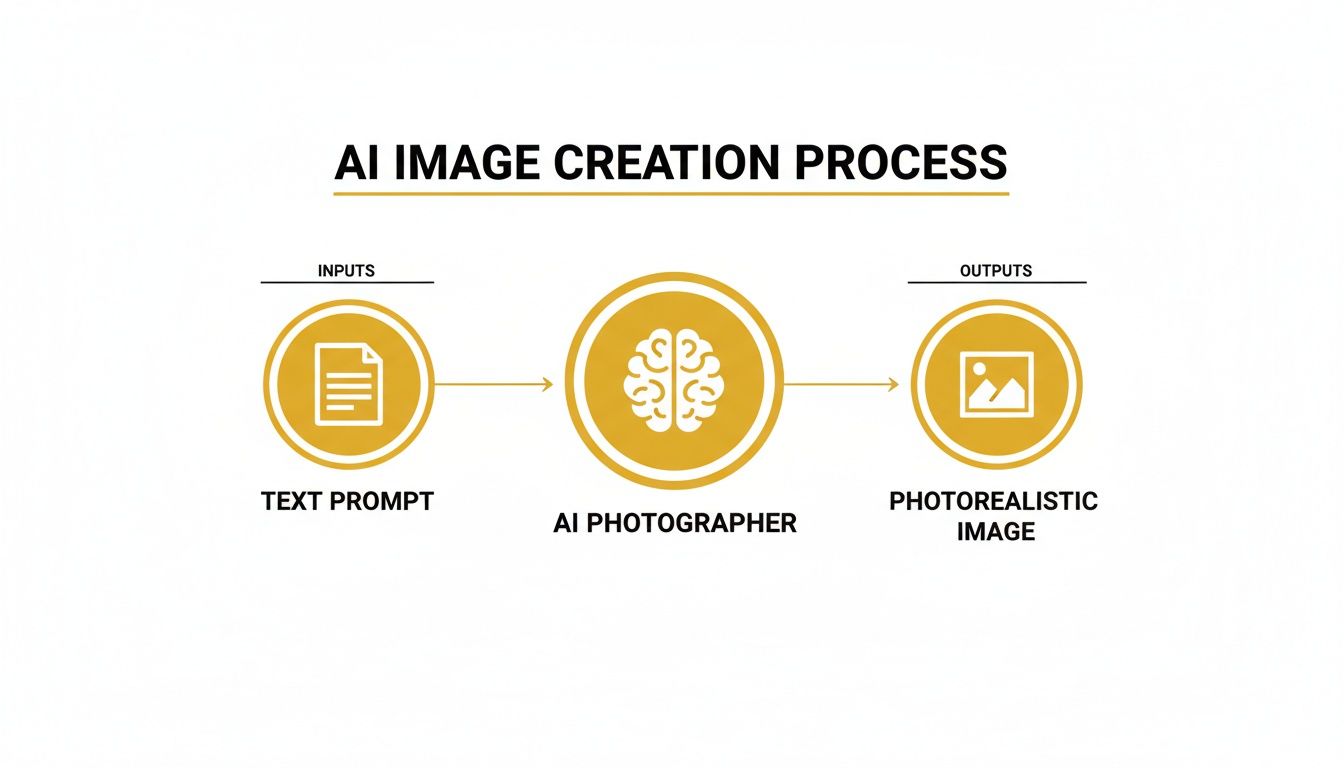
As you can see, the journey from your text prompt to the final AI-generated visual is a surprisingly direct one.
Generative Adversarial Networks: The Artist and The Critic
Another fascinating approach is the Generative Adversarial Network, or GAN. The best way to think about a GAN is as a creative battle between two AIs: one is the "Artist" (the Generator) and the other is the "Critic" (the Discriminator).
The Artist's only job is to create an image that looks completely real. At the same time, the Critic's job is to spot the fakes. At first, the Artist is clumsy, and the Critic easily calls out its forgeries.
But here’s where it gets clever. With every attempt, the Critic gives feedback, and the Artist learns from its mistakes. This cycle of creating and critiquing happens millions of times, forcing both AIs to get smarter and more sophisticated. Eventually, the Artist gets so good that its creations can fool the highly-trained Critic, leading to images that are often indistinguishable from real photos.
This constant competition is what pushes GANs to produce such a high level of realism. The system is essentially training itself to find and fix even the tiniest flaws that a human eye might otherwise miss.
Image-to-Image Translation: The Style Transformer
Finally, we have Image-to-Image Translation, a technique that lets you use an existing photo as a launchpad for something entirely new. This is a game-changer and a core feature in tools like PhotoMaxi. You can upload a single image of a person, for instance, and then generate countless variations with different outfits, backgrounds, and styles.
This isn't just slapping on a simple filter. The technology truly understands the key elements of the source image—like a person's face or the shape of an object—and then intelligently reimagines it based on your new instructions. For creators who need to maintain a consistent look and feel, this is a massive advantage. To get a better sense of this, you can learn more about how to create AI models for consistent results. It's the secret to turning one good photo into a whole library of on-brand content.
To make sense of these different methods, it helps to see them side-by-side. Each has its own strengths, depending on what you're trying to create.
Key AI Image Generation Techniques at a Glance
| AI Technology | How It Works (Simple Analogy) | Best For |
|---|---|---|
| Diffusion Models | A sculptor carving a masterpiece out of a block of noisy static. | Creating highly detailed, textured, and complex images from text prompts. |
| GANs | An artist and a critic in a duel, pushing each other to achieve perfection. | Generating hyper-realistic faces, objects, and scenes where every detail must be perfect. |
| Image-to-Image | A creative chameleon that can transform one image into another style or context. | Maintaining subject consistency for things like virtual try-ons or brand campaigns. |
Understanding these core engines gives you a much better feel for which tool or technique to reach for, helping you get exactly the image you have in your head.
Crafting Prompts for Flawless Photorealism
Getting an AI image generator to spit out a picture that looks like a real photograph isn't about magic; it's about the prompt. The gap between a bland, obviously AI-generated image and one that makes you do a double-take is bridged by the words you choose. To get those jaw-dropping results, you need to stop thinking like a user typing a command and start thinking like a photographer setting up a shot.
The secret? Speak the language of photography. These AI models have devoured millions of real-world photos, learning from all the metadata attached to them—camera settings, lighting styles, lens types, and all. When you use those specific terms in your prompt, you're tapping directly into that knowledge and guiding the AI toward the exact aesthetic you have in your head.
Let's break down the practical building blocks you can use to transform your prompts and start creating stunningly realistic images, every single time.
Specify Camera and Lens Settings
One of the quickest ways to dial up the realism is to tell the AI what "camera" it should be using. Different lenses create completely different effects, and specifying them immediately pulls your image away from that generic "AI look" and toward something with professional polish.
Think about the mood you're after. A wide-angle lens can give a scene a sense of epic scale and drama, while a classic telephoto lens can isolate your subject against a beautifully blurred background (what photographers call bokeh).
Here are a few go-to examples to get you started:
- For portraits: "85mm f/1.4 lens" is your magic phrase for that classic portrait look with a shallow depth of field. It makes the background melt away into a soft, dreamy blur.
- For landscapes: Try "24mm wide-angle lens, f/11." This will give you a sharp, expansive scene where everything from the flowers at your feet to the mountains in the distance is crisp and in focus.
- For cinematic shots: Using "Anamorphic lens, cinematic teal and orange color grade" will instantly give your image that popular, film-like quality.
Even adding a simple detail like "shot on a Sony A7R IV" or mimicking a "Kodak Portra 400 film stock" gives the AI a powerful, real-world reference point to work from.
Master the Language of Light
You've heard it a million times in photography, and it's just as true here: light is everything. It single-handedly sets the mood, carves out shapes, and creates depth. A vague prompt will likely give you flat, boring lighting, but a descriptive one can conjure a breathtaking atmosphere.
Don't just say "daytime." Get specific. Is it the harsh, direct light of high noon, or the soft, diffused light of a cloudy afternoon? Each one tells a completely different story.
A well-described lighting condition is the single biggest lever you can pull to influence the mood and realism of your final image. It’s what separates a snapshot from a carefully composed photograph.
Here’s how to start describing light like a pro:
- Golden Hour: That gorgeous, warm light right after sunrise or before sunset. Use prompts like "dramatic golden hour glow" or "warm evening sun casting long shadows."
- Blue Hour: The cool, moody light just before the sun rises or right after it sets. Try something like "serene blue hour lighting, city lights beginning to twinkle."
- Studio Lighting: For clean, controlled commercial looks. Prompts like "three-point studio lighting, sharp key light" or "softbox lighting for a product shot" are incredibly effective.
- Natural Light: Describe how it's interacting with the scene. For instance, "soft morning window light filtering through sheer curtains."
Focus on Rich Textures and Materials
The final piece of the realism puzzle is texture. Our eyes are incredibly good at spotting things that look too perfect, too smooth, or just a bit too digital. When you specify materials and their conditions, you're forcing the AI to render the tiny imperfections that make an object feel real and tangible.
Don't just ask for "a leather jacket." Describe it. A "worn, cracked brown leather jacket" tells the AI to add subtle highlights, scuffs, and creases that absolutely sell the illusion.
This simple table shows just how powerful a little detail can be:
| Basic Prompt | Detailed Prompt for Photorealism |
|---|---|
a person walking on a street |
A person walking on rain-slicked asphalt pavement, reflections of neon signs shimmering in puddles. |
a cup of coffee on a table |
A ceramic mug of black coffee on a rustic, weathered oak table, steam gently rising. |
a model wearing a dress |
A model wearing a flowing silk dress, the fabric catching the soft backlight, showing intricate textures. |
Using Negative Prompts for Precision Control
Telling the AI what you want is only half the battle. Telling it what you don't want is where you really gain control. This is where negative prompts come in. Think of them as a filter that removes all the unwanted stuff—be it a style, an object, or a common AI artifact.
This is your quality control. If you notice your images are looking a bit too much like a video game cutscene or a digital painting, you can use a negative prompt to steer the AI back toward reality. Platforms like PhotoMaxi give you a dedicated space to list these exclusions.
Some of the most common negative prompts for enhancing photorealism include:
cartoon, anime, drawing, painting3D, render, CGI, unrealisticblurry, grainy, out of focusdeformed, distorted, ugly, bad anatomy
When you combine a highly detailed positive prompt with a few well-chosen negative prompts, you gain an incredible amount of influence over the final output. It’s how you get your photorealistic AI image generator to deliver flawless, believable results, time and time again.
Putting Photorealistic AI to Work in Your Industry
The tech behind these tools is fascinating, but what really matters are the results. Across different industries, photorealistic AI image generators are quickly shifting from a cool novelty to an essential part of the toolkit for creators, marketers, and entrepreneurs. They're a direct answer to the classic headaches of content creation: time, cost, and logistics.
Think about it. Instead of organizing photoshoots, hiring models, and booking studios, businesses can now generate entire campaigns from a dashboard. This gives them an incredible amount of creative agility, letting them jump on market trends in hours, not weeks. Platforms like PhotoMaxi are leading the charge here, turning complex AI into practical, industry-specific tools that actually drive business forward.
A New Era for Ecommerce and Product Photography
If you run an e-commerce brand, you know the visual treadmill is relentless. Every new product needs a whole suite of images for your store, your ads, and your social feeds. This is where AI is already making a huge impact, especially for merchants on platforms like Shopify.
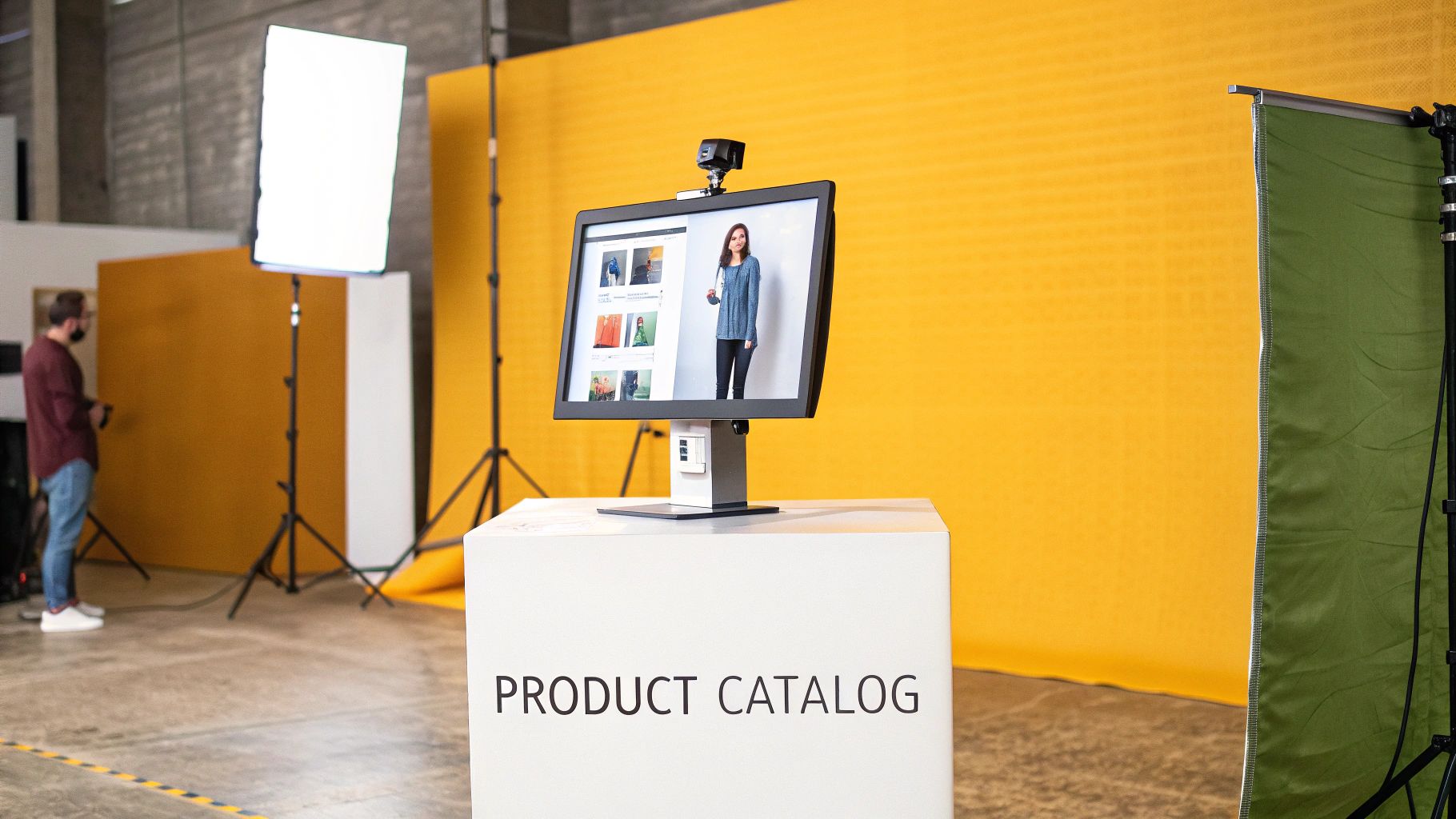
With a tool like PhotoMaxi, an online store can create an entire product catalog without ever holding a physical photoshoot. You can design a consistent AI model—your brand’s virtual face—and showcase clothing, accessories, or cosmetics on a diverse range of people who perfectly match your aesthetic. It's a process that saves thousands of dollars and slashes the time it takes to get a new collection live.
The e-commerce boom is pouring fuel on the fire for the AI image generator market. Just look at the numbers: in the first quarter of 2024, U.S. retail e-commerce sales hit USD 289.2 billion, a 2.1% jump from the last quarter. This insatiable demand for visuals is pushing the market—valued at USD 336.3 million in 2023—toward a projected annual growth rate of over 17.5% through 2032 as retailers go all-in on AI. You can dig into the research behind these AI image generator market trends to see where things are headed.
By swapping traditional photography for AI-generated scenes, brands can instantly drop their products into any environment imaginable—a sun-drenched beach, a moody urban café—all without leaving the office.
Supercharging Content for Social Media Creators and Influencers
For anyone building a brand on Instagram or TikTok, a high-quality, consistent feed is everything. But the grind of constantly producing fresh, on-brand content is real. It's exhausting and can get expensive fast. This is where a photorealistic AI image generator becomes a creator's best friend.
You can use platforms like PhotoMaxi to generate hundreds of images of yourself—or a unique AI persona—with a consistent facial likeness. Think about it: you can create a digital twin and place them in endless scenarios, outfits, and locations. Imagine pumping out a week's worth of travel content without booking a single flight.
- Consistent Branding: Lock in your aesthetic so every single post feels like you.
- Endless Variety: Create visuals for any trend, holiday, or promotion in minutes.
- Time and Cost Savings: Spend less time on shoots and more time on strategy and engaging with your audience.
The ability to create realistic, consistent portraits is a massive advantage for personal branding. If you want to explore the tools that do this best, take a look at our guide on the best AI portrait generators.
Scaling Creative Production for Marketing Agencies
Marketing agencies are constantly juggling multiple clients, each with their own brand identity and campaign goals. AI image generation gives them the speed and flexibility they need to produce diverse, inclusive advertising content at scale. Agencies can create visuals with models of different ethnicities, ages, and body types, making sure their campaigns connect with audiences all over the world.
The tech is also perfect for rapid A/B testing. Instead of shooting two or three versions of an ad, an agency can generate dozens. Each one can have subtle tweaks—a different model expression, a new background, a slightly altered color palette—to find out exactly what works. This data-first approach leads to more effective campaigns and a much better ROI for clients. From the first spark of an idea to the final ad, AI is becoming a vital partner in any modern creative workflow.
Navigating Quality Control and Ethical Use
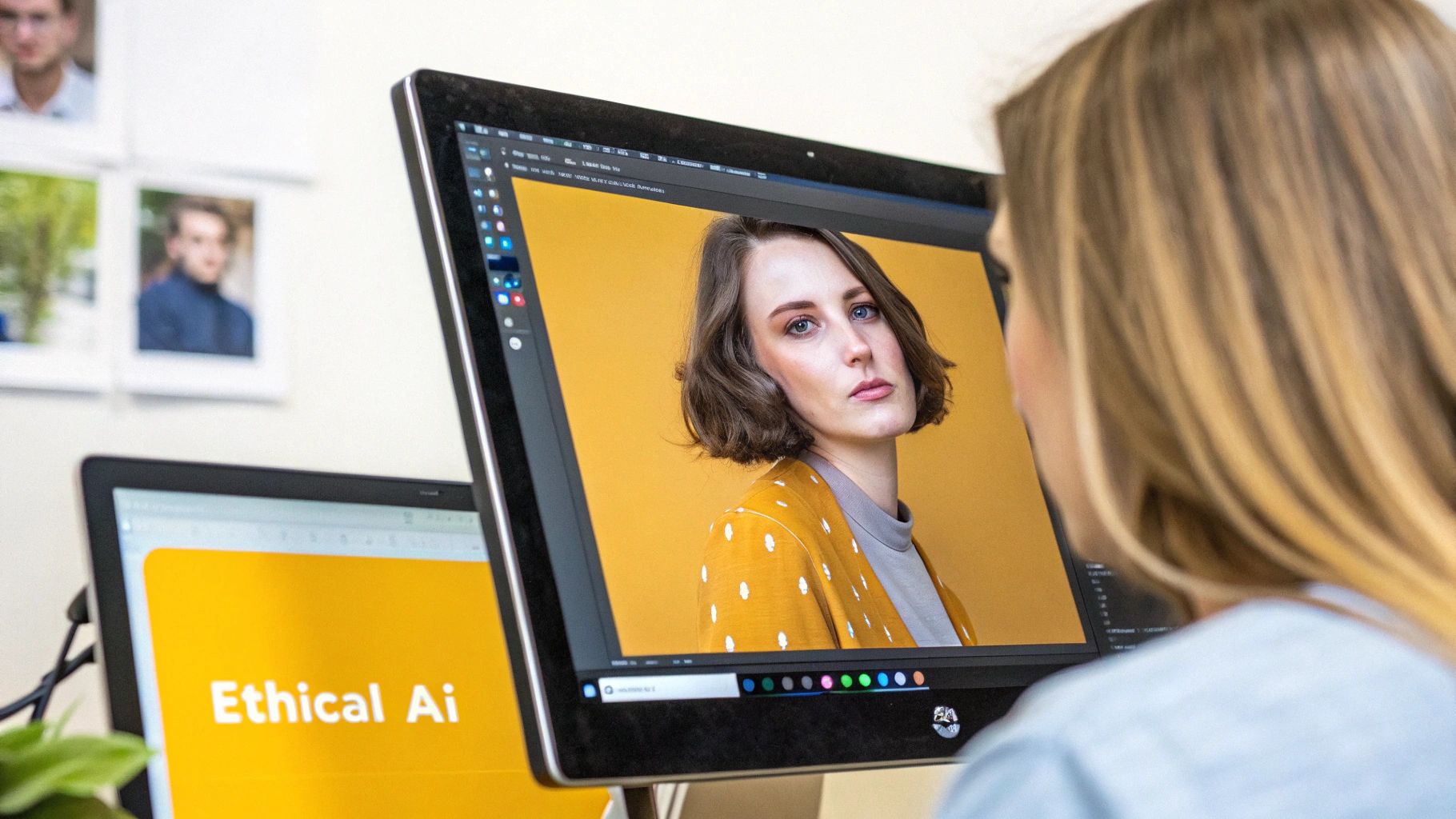
As incredible as a photorealistic AI image generator is, using it wisely means getting real about its technical quirks and ethical responsibilities. Getting that perfect shot isn't always a one-and-done deal. And more importantly, if you're a serious creator or business, making sure your content is legal, transparent, and respectful is non-negotiable.
This is about thinking bigger than just the prompt. It's about managing the entire creative process, from the initial spark of an idea to the final image you publish. Let’s walk through how to handle both the quality control and the ethical side of your AI visuals.
Polishing Your AI-Generated Images
Even the most sophisticated AI models can have an off day. You’ve probably seen the tell-tale signs: a hand with a few too many fingers, background elements that blend together strangely, or just a weird visual texture that doesn't feel right. These are common hiccups, but they’re not dealbreakers.
The best way to think about it is this: the initial AI output is your raw footage or first draft. It gets you 90% of the way there, and a little post-production work is all it takes to stick the landing. Most professional platforms, PhotoMaxi included, build these clean-up tools right into the workflow.
- In-Platform Editing: Many generators have built-in editing suites to fix minor glitches. For example, if a stray object pops up in an otherwise perfect scene, you can often erase it on the spot. Our guide on how to remove objects from photos with AI digs into exactly how that works.
- Upscaling for Detail: An image might look fantastic as a thumbnail but turn fuzzy when you blow it up. AI upscalers are built for this, intelligently increasing resolution to add sharpness and detail without that dreaded pixelated look. This makes your images ready for high-res screens or even print.
- Regenerating Sections: Sometimes, just one small area is the problem. Instead of ditching the whole image, you can use tools like inpainting to select the flawed spot and have the AI take another crack at just that section. It’s a huge time-saver.
Understanding the Ethical and Legal Landscape
Beyond a picture-perfect finish, the ethics of AI content is a conversation we all need to be having. The images you create don't just exist online; they have real-world impact, especially when they’re tied to a brand or business. Getting this right comes down to a few key principles.
Using AI-generated content responsibly is about more than just technology; it's about building trust with your audience and ensuring your work is legally sound for business. Transparency is your most valuable asset.
First up is commercial usage rights. Not every AI image generator lets you use your creations for business. Many free tools come with licenses that limit you to personal projects only. On the other hand, platforms like PhotoMaxi are designed for professional use and offer plans with clear commercial rights, so you can confidently use your images in ads, on products, and in marketing campaigns without looking over your shoulder.
Next, transparency is everything, especially when generating images of people. AI models can be an amazing asset for creating diverse and representative content, but it's vital to be upfront that these individuals aren't real. This prevents you from misleading your audience and shows respect for the ongoing dialogue around digital identity.
Finally, remember that the wider legal world of copyright and data privacy is still catching up. Always take a few minutes to read a platform’s terms of service. You need to know how your data is being used and who ultimately owns the images you create. A little due diligence here ensures your work is not only visually stunning but also built on a solid ethical foundation.
So, Why Choose PhotoMaxi?
Diving into the world of AI image generation can feel like a lot to take in. You're not just looking for a novelty toy; you need a tool that delivers professional, consistent results without a massive learning curve. That’s exactly why we built PhotoMaxi. Think of it less like a complex piece of software and more like your own dedicated AI photographer, designed to solve the real problems creators and brands face every day.
One of the biggest headaches with many AI tools is character consistency. You create a great face, but the next prompt gives you someone completely different. We engineered PhotoMaxi from the ground up to fix this. Our platform is all about dependable facial consistency, letting you create a unique, monetizable AI model from a single photo and then use that same face across hundreds of different scenes. The results are reliable, every single time.
A Practical Tool for Real-World Work
We've also stripped away the complexity from the creative process. Instead of getting bogged down in confusing settings and technical jargon, you get a straightforward workflow that turns your ideas into studio-quality images in hours, not weeks. Whether you're batch-creating social media content with a specific aesthetic or generating an entire product catalog, PhotoMaxi is the practical engine that gets the job done.
Here’s what sets PhotoMaxi apart:
- Monetizable Models: You can create completely synthetic personalities that are legally yours to use for commercial projects, with clear usage rights from the start.
- One-Click Consistency: Keep your model’s likeness locked in across countless poses, styles, and lighting setups without any extra effort.
- Simplified Workflow: Get pro-level results without needing to become an expert prompt engineer.
Built to Help You Scale
The demand for great visuals is absolutely exploding. The market for photorealistic AI image generators is expected to jump from USD 9.10 billion in 2024 to an incredible USD 63.29 billion by 2030. With millions of AI-generated images hitting social media daily, quality and consistency are what will make you stand out. You can read more about these projections for the AI image generator market to see just how big the opportunity is.
PhotoMaxi is your partner in this new creative economy. We bridge the gap between powerful AI and your practical business needs, ensuring you can create stunning, on-brand content that is both high-quality and legally sound.
Our plans are designed to scale with you, whether you're a solo creator just starting or a large agency juggling multiple clients. As your content needs grow, PhotoMaxi grows with you, delivering the credits, speed, and features you need to keep things moving.
Don’t let technical roadblocks and inconsistent results hold you back. Give PhotoMaxi a try and see what a truly dependable photorealistic AI image generator can do for your creative workflow.
Frequently Asked Questions
Even after you've got a handle on the tools and techniques, a few questions always pop up when you start using AI image generators for real projects. Let's tackle some of the most common ones so you can get creating with confidence.
Can I Actually Use AI-Generated Images for My Business?
Yes, but this is a big one—it all comes down to the platform you're using. Many of the free or experimental tools out there have licensing terms that explicitly forbid any kind of commercial use. They're great for personal projects, but that's where it ends.
This is where professional platforms like PhotoMaxi are a different beast entirely. They're built for business from the ground up. Their paid plans come with clear commercial usage rights, giving you the legal all-clear to use your images for marketing, product mockups, ads—you name it. The golden rule is to always, always read the terms of service before you bake a tool into your workflow.
How Do I Keep My AI-Generated People Looking the Same?
Ah, the consistency problem. This is probably the biggest headache for anyone trying to use AI for professional work. You generate a great face, but in the next image, it's a completely different person. It can kill a brand campaign before it even starts.
The secret is using a tool that's specifically built to solve this. A dedicated photorealistic AI image generator like PhotoMaxi uses your own uploaded photo as a powerful anchor. The tech is designed for what's called high "likeness fidelity," which just means it does a fantastic job of locking onto the key facial features. The result? You can generate hundreds of images with your model in different outfits, poses, or locations, and the face remains recognizably the same.
This is the feature that really elevates AI from a fun gimmick to a serious production tool. It lets you build a real brand identity with a virtual model your audience can actually recognize and connect with.
What’s the Trick to Making an AI Image Look Real vs. Artistic?
The line between a realistic photo and a digital painting is drawn with the words you choose for your prompt. To get true photorealism, you have to speak the language of photography, not art.
Instead of just saying "a person smiling," you need to feed the AI the technical details a photographer would think about. Think in terms of:
- Camera gear: "shot on an 85mm f/1.8 lens"
- Light source: "lit by soft morning window light"
- Tiny details: "showing subtle skin pores and detailed fabric weave"
By loading your prompt with this kind of photographic language—and steering clear of words like "fantasy," "watercolor," or "surreal"—you're telling the AI your target is an image that could fool anyone into thinking it was captured with a real camera.
Ready to stop wrestling with inconsistent results and start creating stunning, on-brand visuals in minutes? PhotoMaxi provides the dependable facial consistency and professional tools you need to elevate your content. Try PhotoMaxi today and experience the future of content creation.
Related Articles


Ready to Create Amazing AI Photos?
Join thousands of creators using PhotoMaxi to generate stunning AI-powered images and videos.
Get Started Free