
AI for Content Creation A Guide to Automating Visuals
Think about the old way of creating content. It was a massive headache, right? You had to juggle expensive photoshoots, chaotic logistics, and turnaround times that dragged on forever. Now, imagine a different world—one where you can create stunning, studio-grade visuals in minutes, all from your desk. That's not science fiction; it's the reality of using AI for content creation.
The End of the Traditional Photoshoot
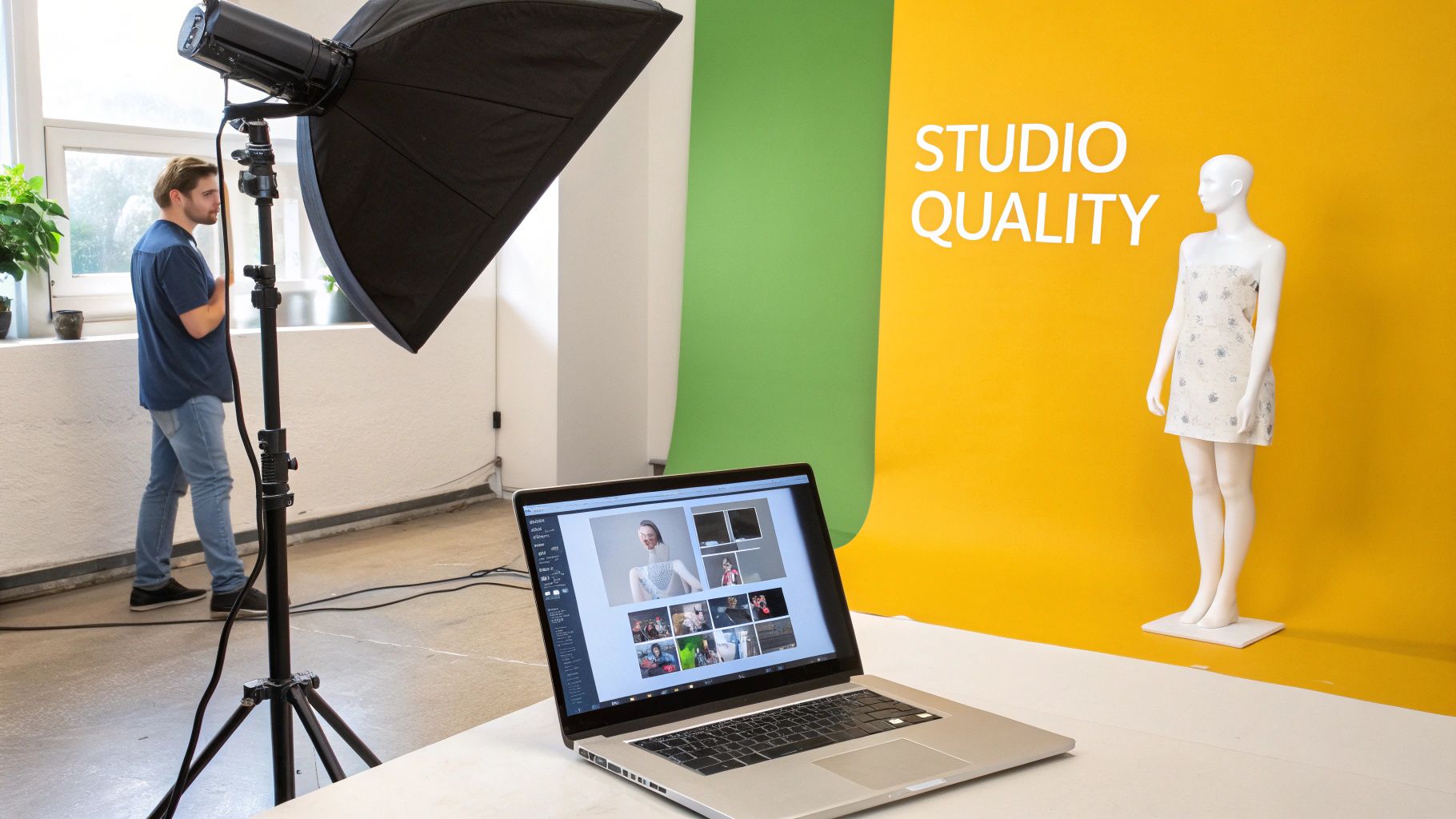
For years, making great visual content was a rigid, costly process. Brands and creators ran into the same old walls: lining up schedules, booking models, finding the right locations, and somehow managing huge production budgets. The whole thing was slow, inflexible, and usually left you with a handful of images that felt dated almost as soon as you got them.
That old-school approach just doesn't work anymore. Today’s market demands a constant flow of fresh, interesting content. Creative teams are stretched thin, trying to feed every channel from Instagram stories to e-commerce listings.
A Modern Solution to Timeless Problems
AI tools like PhotoMaxi aren't some far-off idea; they're here now, solving these exact problems. Instead of renting a physical studio, you can take a single photo and spin it into thousands of unique, on-brand images. This completely sidesteps the issues that have been tripping up creators for years.
- Sky-high Production Costs: Forget paying for photographers, models, locations, and gear rentals.
- Painful Logistics: What used to take weeks of planning and shooting now takes just a few minutes.
- Wobbly Branding: You can lock in a consistent look for everything—from the model's appearance to the lighting—ensuring every image feels like it belongs to your brand.
This isn't just a minor update; it’s a total overhaul of how we make visual content. The numbers back it up, too. Already, 89% of B2B marketers are using AI for writing copy, and an impressive 53% are using AI to generate creative assets like images and videos.
This technology lets you work at the speed of culture. You can create relevant, high-quality visuals without being tied down by physical limitations. It's like having a virtual photo studio on your laptop, ready to go whenever you are.
The game has changed. It's no longer just about making pretty pictures. It's about doing it quickly, consistently, and on a massive scale. By using AI, you can generate incredibly realistic AI photos that keep the same character and style across countless different scenes. This guide will walk you through how to weave these powerful tools into your everyday work, completely changing your content strategy from the inside out.
How AI Is Rewriting the Rules for Visual Content
Let's put this shift into perspective. Think of a traditional photoshoot as building a custom car from the ground up every single time you need to take a trip. You have to find all the right parts—the models, the perfect location, the photographer, the lighting crew—and then spend a ton of time and money assembling everything, just hoping it all comes together in the end.
An AI-powered workflow is a whole different ballgame. It's less like building a car and more like using a hyper-realistic vehicle simulator. You can instantly conjure any car, place it on any track, and set the weather to a perfect sunny day or a dramatic downpour, getting a flawless result in seconds. That's the essence of AI for content creation: shifting the work from physical logistics to digital direction.
The Magic Behind the Curtain: Generative Models
So, how does this actually work? The technology is built on what are called generative models. The easiest way to think of them is as incredibly talented digital artists who learn at lightning speed.
You don't give them a step-by-step manual. Instead, you show them millions of reference photos—images of people, products, landscapes, you name it. Through this massive exposure, they start to intuitively grasp the underlying patterns, textures, lighting, and composition that make an image feel real.
This deep learning allows the AI to generate brand-new visuals that are completely original yet look totally authentic. It’s not just stitching old pixels together; it’s true digital creation born from a sophisticated visual understanding.
From a Single Image to Infinite Variations
Here’s where it gets really powerful for brands and creators. With a platform like PhotoMaxi, you can upload a single image—of a person, a product, anything. This image acts as the "seed" for the AI. You then train a model to recognize that specific subject in a process often called likeness training.
Once the AI knows your subject, the creative floodgates open. You can place that person or product into countless new contexts without ever picking up a camera again.
- Swap the scene: Instantly move your model from a studio backdrop to a Parisian café.
- Control the light: Go from a soft, indoor glow to the harsh light of a desert sun.
- Direct the pose: Have your subject look directly at the camera, laugh, or strike an action pose.
- Change the entire vibe: Apply a grainy, black-and-white film look or a clean, futuristic aesthetic.
This completely flips the script on content production. That's why the global AI market is absolutely exploding, with experts predicting an annual growth rate of 36.6% between 2024 and 2030. This isn't just a niche trend; it reflects a fundamental change in business, with AI adoption across companies expected to reach 72% in 2025. You can dig deeper into these powerful business trends and their economic implications.
The old workflow was a one-to-one exchange: one day of shooting produced one set of photos. The new AI workflow is a one-to-many model: one training image produces a nearly infinite library of content.
To see just how different these two approaches are, let's break them down side-by-side.
Traditional vs AI Content Creation Workflow
The table below gives you a clearer picture of the time, cost, and effort involved in each process. Notice how the AI workflow front-loads a small amount of digital setup to unlock massive downstream efficiency.
| Stage | Traditional Photoshoot | AI-Powered Workflow (with PhotoMaxi) |
|---|---|---|
| Concept & Planning | Weeks of mood boarding, location scouting, casting, and scheduling. | Hours of defining creative direction and sourcing training images. |
| Production | 1-3 full days of on-location or in-studio shooting with a large crew. | 30-60 minutes to train a custom AI model on a specific subject. |
| Asset Creation | Photographer captures a few hundred raw images. | Generate thousands of unique, on-brand image variations in minutes. |
| Post-Production | Days or weeks of photo selection, color grading, and retouching. | Instant asset generation. Minimal retouching needed. |
| Revisions & Reshoots | Extremely costly and time-consuming. Often requires starting over. | Fast and easy. Generate new variations with different prompts in seconds. |
| Total Time | 2-4 weeks from concept to final assets. | 1-2 days from concept to a library of assets. |
| Estimated Cost | $5,000 - $50,000+ per shoot. | $50 - $500 per model/product trained. |
As you can see, the new workflow doesn’t just speed things up—it transforms the entire creative paradigm. Instead of being held back by budgets and logistics, the only real limit is your imagination. This unlocks a level of creative freedom and efficiency that was simply out of reach before, letting you test a dozen visual campaigns in the time it once took to book a single flight for a photographer.
Practical AI Workflows for Modern Marketing
It's one thing to talk about AI for content creation in theory, but seeing it work in the real world is where the magic really happens. Let's move past the buzzwords and look at some tangible, step-by-step workflows that marketing teams are putting into practice right now. These examples show how AI isn't just a fun new toy—it's becoming a central part of creating better, more efficient content.
Think of each of these workflows as a mini-case study. They're designed to show you exactly how a tool like PhotoMaxi can tackle specific, everyday marketing headaches, from a never-ending social media calendar to the high costs of e-commerce photography.
Workflow One: Create a Month of Social Media Content
If you're a social media manager, you know the feeling. The content treadmill is always on, and the pressure to produce a steady flow of high-quality, on-brand visuals is immense. An AI workflow can turn this grind into a genuinely creative and manageable process.
Let's say you need 30 unique Instagram posts for the coming month, all featuring your brand's go-to human model.
- Train Your Model: First, you'll upload a handful of good photos of your model to PhotoMaxi. The AI gets to know their face and features, creating a digital version you can use again and again.
- Map Out Your Campaigns: Next, organize your month into themes. Maybe week one is all about "Cozy Autumn Vibes," week two is "Urban Exploration," and week three is a "Product Showcase."
- Generate in Batches with Prompts: For that first theme, you could use a prompt like, "A woman in a chunky knit sweater, smiling, sitting in a rustic café with warm lighting." For the next theme, try "Same woman walking through a bustling city street at golden hour, candid shot."
- Refine and Schedule: The AI will generate dozens of options for each theme. All you have to do is pick the best shots, make sure they match your brand's look and feel, and load them into your scheduler for the month. A task that used to involve multiple expensive photoshoots can now be wrapped up in a single afternoon.
This diagram really drives home the difference between the old way and the new AI-powered approach, showing just how much time and money you can save.
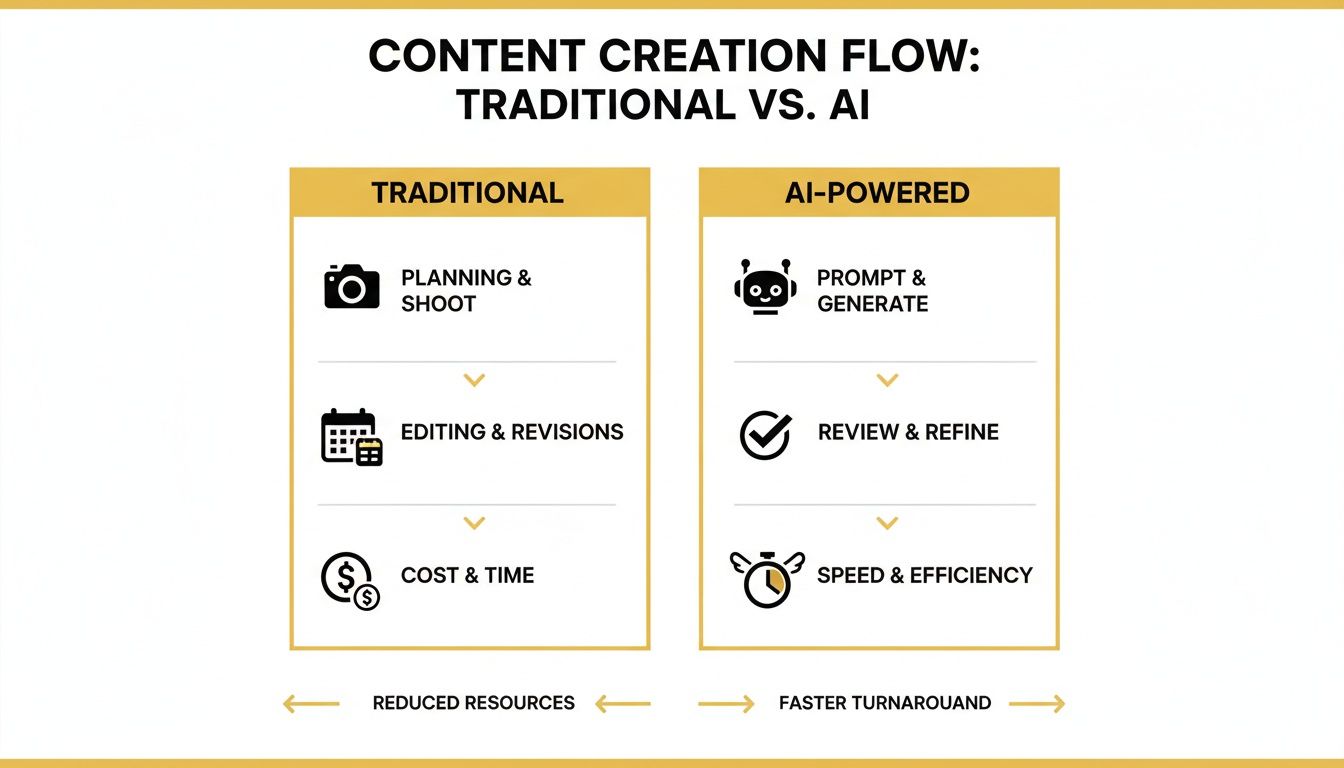
The big takeaway here is the shift away from a slow, expensive, one-and-done process. Instead, you get a flexible system that lets you scale up your creativity without blowing your budget.
Workflow Two: Supercharge E-commerce Product Visuals
If you run an e-commerce brand, you're constantly trying to solve one big problem: how to sell a physical product through a digital screen. Great product photography is essential, but it's also incredibly expensive and a logistical nightmare—especially if you're an apparel brand that needs models.
This is where an AI workflow, particularly one that works with a platform like Shopify, completely changes the game.
By using AI for virtual try-ons, an online fashion retailer can display their entire clothing line on a diverse range of models without a single physical photoshoot, dramatically reducing costs and increasing conversion rates.
Here’s a simple way an apparel brand can use PhotoMaxi to create compelling product listings:
- Get Your Product Shots: Start by taking clean, well-lit photos of your clothes, either on a mannequin or as a flat lay.
- Create Your Virtual Models: Generate a diverse cast of on-brand AI models that look like your actual customers.
- Combine and Create: Use AI to place your clothing onto your virtual models. Instantly, you have a virtual try-on experience. You can generate hundreds of images showing the same shirt on different body types and in different settings, from a clean studio background to a sunny beach.
This approach can save tens of thousands of dollars in photography costs. It also opens the door to endless A/B testing, so you can figure out exactly which visuals convince shoppers to click "add to cart." To see what else is out there, check out our guide on the best AI tools for marketing teams.
Workflow Three: Transform Static Images into Dynamic Video
Everyone knows that video gets more engagement, but actually producing it can feel like a huge hurdle. AI can help videographers and marketing teams close that gap by turning a series of static images into a captivating video sequence.
This workflow is fantastic for creating short, punchy promotional videos, social media ads, or animated brand stories.
- Generate Your Key Frames: Start by creating a set of high-resolution images in PhotoMaxi that tell a simple story. For example, one image could show your AI model looking thoughtful, the next could show them smiling, and the last could show them using your product.
- Animate with AI: Use an image-to-video tool to bring these keyframes to life. The AI can create smooth motion between the images, add subtle changes in facial expressions, and even simulate camera movements like a pan or a zoom.
- Add the Final Touches: Drop these short animated clips into your favorite video editor. From there, you can add music, text overlays, and sound effects to finish off a professional-looking video—all built from just a few AI-generated images.
Weaving AI Into Your Production Pipeline
Alright, let's get down to brass tacks. Moving from talking about AI to actually using it is where the magic happens. Bringing a tool like PhotoMaxi into your workflow isn’t about firing your creative team—it's about handing them a new superpower.
The whole process starts with one crucial step: teaching the AI what your brand looks and feels like. This is what separates professional, on-brand results from generic, soulless images. You're not just generating random pictures; you're creating a digital twin of your brand's unique aesthetic that can produce authentic content on demand.
Training AI for Rock-Solid Brand Consistency
First things first, you have to train the AI on your own assets. This means feeding it a curated collection of high-quality images, whether that’s a specific human model, a product line, or a particular artistic style. Think of it like giving a new photographer an exhaustive mood board and your brand bible. The AI soaks it all in, learning every nuance of your visual language.
For the best results, the quality of your training data is everything. If you're training on a person, you'll want clean, well-lit photos from multiple angles. Once the AI learns that person's likeness, it can replicate it with stunning accuracy in thousands of different scenarios. We break this down in detail in our guide on how to create AI models built for real-world campaigns.
Getting this training right is the foundation for everything that follows. It's how you guarantee that every single image the AI creates feels like it came directly from your in-house team.
Taking the Director's Chair with Prompt Engineering
Once your custom AI model is ready, prompt engineering becomes your new best friend. A prompt is just a text command telling the AI what you want, but getting good at it is an art form. It’s like learning how to talk to a brilliant artist who takes everything you say completely literally. The more specific your instructions, the better the final image.
Great prompting isn't about one-liners. It’s about layering details to get exactly the shot you have in your head.
- Subject and Action: Nail down who’s in the shot and what they're doing. (e.g., "A woman laughing while jogging through a park.")
- Setting and Environment: Paint a picture of the background and atmosphere. (e.g., "...at sunrise, with misty morning light filtering through the trees.")
- Lighting and Mood: Use light to set the emotional tone. (e.g., "...cinematic, warm, golden hour lighting.")
- Composition and Style: Direct the camera and overall aesthetic. (e.g., "...candid shot, shallow depth of field, photorealistic style.")
By combining these elements, you stop being a button-pusher and become a creative director. This is how you turn a vague idea into a polished, production-ready visual in a matter of seconds.
The payoff goes beyond just speed. For instance, recent data shows that 65% of businesses see better SEO performance after bringing in AI tools, often because they can churn out more relevant, optimized visual content. It’s a big reason why 50% of businesses are already using AI for website content—it saves a ton of time while helping them climb the search rankings.
Building and Taming Your AI Asset Library
The last piece of the puzzle is managing all the great content you're creating. As you generate visuals, you'll quickly build a massive library of on-brand assets. Without a good system, you'll drown in your own success.
A little organization upfront will save you countless headaches later. We recommend a simple, structured approach.
- Organize by Campaign: Create folders for specific projects, like "Summer Sale 2024" or "Holiday Promotion."
- Sort by Channel: Keep assets for different platforms separate, such as "Instagram Stories," "Blog Post Images," and "Facebook Ads."
- Tag with Keywords: Use descriptive tags so you can find what you need in an instant (e.g., "smiling," "outdoor," "product-in-use," "blue-background").
This library becomes an incredible, evergreen resource. Instead of starting from scratch every time, your team can pull from a huge collection of pre-approved, on-brand visuals, slashing your production time from days to minutes.
Measuring the ROI of Your AI Content Strategy
Bringing any new tool into your workflow means taking a hard look at the numbers. When it comes to AI for content creation, the return on investment (ROI) isn't just about getting cheaper images. It’s about completely rethinking how you use your budget, time, and creative energy. Calculating this value gives you a clear, undeniable picture of the impact on your business.
The most obvious win is cost reduction. A single traditional photoshoot for a marketing campaign can easily cost between $5,000 and $50,000 when you add up the photographers, models, location fees, and gear. Compare that to an annual subscription for a powerful AI tool like PhotoMaxi, which can generate thousands of assets for a tiny fraction of that cost. Many brands see savings of over 90% on production expenses alone.
Quantifying Time Savings and Productivity Gains
Time is the one resource you can never get back, and this is where the ROI of AI gets truly exciting. A project that once took weeks of planning, shooting, and editing can now be wrapped up in a single afternoon. This isn't just a small step forward; it’s a complete overhaul of what your team can achieve.
Instead of getting bogged down in logistical nightmares, your team can finally focus on high-level creative strategy and campaign performance. Imagine a social media manager who used to struggle to get a week's worth of content ready. Now, they can batch-produce an entire month of on-brand visuals in just a few hours. This massive productivity leap means the same team can easily triple its output without adding a single person to the payroll.
The real value isn't just doing the same work faster. It's about unlocking the ability to execute more ideas, test more campaigns, and respond to market trends in near real-time.
For instance, an e-commerce brand can dream up a flash sale or holiday promotion and have all the visuals ready to go the very same day. This kind of speed allows you to jump on opportunities that would have been impossible with a slow, traditional production pipeline.
Measuring Uplift in Content Performance
When you can create more content, you create more opportunities to test, learn, and optimize. With AI, you can afford to generate dozens of visual variations for a single ad campaign to discover what actually connects with your audience. This data-driven approach has a direct, measurable impact on your most important key performance indicators (KPIs).
Here are a few performance-based metrics to track:
- Increased Engagement: Can you draw a line from a higher posting frequency to more likes, shares, and comments?
- Higher Conversion Rates: A/B testing different product shots on your e-commerce site can quickly show you which images lead to more sales.
- Improved Ad Performance: By constantly testing new ad creatives, you can lower your cost-per-click (CPC) and boost your return on ad spend (ROAS).
To bring this all together, let’s look at a side-by-side comparison for a typical quarterly marketing campaign.
Sample ROI Calculation PhotoMaxi vs Traditional Photoshoot
This table provides a breakdown of the cost and productivity gains when using PhotoMaxi for a quarterly marketing campaign compared to traditional methods.
| Cost/Metric | Traditional Photoshoot (Quarterly) | PhotoMaxi (Quarterly Subscription) | Net Savings/Gain |
|---|---|---|---|
| Direct Production Cost | $15,000 | $300 | $14,700 Saved |
| Team Hours Spent | 120 hours | 10 hours | 110 Hours Saved |
| Unique Visual Assets | 50 final images | 500+ unique images | 450+ More Assets |
| Campaigns Supported | 1 major campaign | 3-5 campaigns/tests | 4x More Campaigns |
The numbers really do speak for themselves. An investment in AI for content creation pays for itself not just in direct cost savings, but in reclaimed time, explosive output, and ultimately, better marketing results that drive real business growth.
Ethical Considerations and Best Practices in AI Content
Bringing AI into your content workflow is more than just a tech upgrade—it's a strategic decision that carries new responsibilities. To do it right, you need to think through the ethical and legal side of things from the start. This is how you build lasting trust with your audience and protect your brand at the same time.
It helps to first understand what kind of AI you're working with. Professional tools like PhotoMaxi are often built on what are called fully synthetic models. In simple terms, this means the people in the images aren't real. That's a huge advantage, as it completely sidesteps the complicated and often expensive world of model releases and consent forms that comes with traditional photoshoots. Using these platforms typically grants you full commercial rights, giving you a clear, legal path to use the content.
Being Upfront: The Transparency Talk
The big question on everyone's mind is disclosure. Do you need to tell your audience that a piece of content was made with AI? The short answer is yes, you probably should. If authenticity is a cornerstone of your brand, hiding your use of AI can backfire and erode trust if your audience finds out later.
There are a few simple ways to be transparent:
- Subtle Watermarks: A small, tasteful mark on the image indicating it's AI-assisted.
- Clear Captions: A quick note in a social media caption, like "#AIgenerated" or "Image created using AI."
- A Policy Page: A dedicated page on your website that explains how your team uses AI tools. It shows you've thought it through.
Being open about it isn't a weakness. It positions AI as just another tool in your creative toolbox and shows you respect your audience's intelligence.
A Tool to Augment, Not Automate
It’s easy to get caught up in the idea of AI replacing human work, but that’s the wrong way to look at it. The best results come from treating AI as a powerful assistant, not an employee you can fire and forget. It's brilliant at handling the grunt work—the tedious, repetitive tasks that eat up precious time. This frees up your creative team to focus on what they do best: strategy, storytelling, and adding that final polish.
An AI can spit out a hundred different visual concepts in the time it takes to make a coffee, but it still needs a human art director to pick the right one, add the necessary context, and make sure it actually fits the brand’s voice.
Think of it like a co-pilot. The AI can run the systems and calculate the flight path at lightning speed, but the human pilot is still the one choosing the destination and making the final call when it matters most.
This partnership is the sweet spot. You get the incredible scale and efficiency of a machine combined with the nuance, emotional intelligence, and strategic thinking that only a person can bring to the table. By embracing this mindset, you can use AI confidently, ethically, and responsibly.
Got Questions About AI Content Creation? We've Got Answers.
Jumping into a new way of working always brings up a few questions, especially when it comes to creating important visuals for your brand. Even with the workflows and ROI laid out, it's smart to dig a little deeper. Let's tackle some of the most common things we hear from teams thinking about using AI for content creation.
We'll clear up the practical stuff, from keeping your brand look on-point to the legal side of using the images you create.
How Can AI Keep My Brand Looking Consistent?
This is probably the biggest concern for any brand, and for good reason. The good news is that professional-grade AI platforms are built specifically to solve this. We're not talking about tools that just spit out random images. A platform like PhotoMaxi lets you train the AI on a very specific likeness—whether that's a person, a product, or even a unique artistic style.
Think of it like teaching a photographer your brand's visual rulebook. Once that initial training is done, every image it creates will have your brand’s DNA baked right in. From there, you use precise text prompts and even reference images to dial in the details—color palettes, lighting, backgrounds—ensuring every asset feels like it belongs in the same campaign. It’s the end of that disjointed look you sometimes get from patching together generic stock photos.
Will AI-Generated Images Hurt My SEO?
Not at all. In fact, they can help. Search engines like Google care about one thing above all else: high-quality, relevant content that helps the user. They don't care if a human or an AI made the visuals.
Here’s how it can actually give your SEO a boost: AI allows you to create a ton of unique, high-quality images for your blog posts, product pages, and social feeds. More custom visuals can lead to better engagement—like people spending more time on your page—and those are exactly the kinds of signals that tell search algorithms your content is valuable.
The real question isn't how the image was made, but how well it serves the user. An AI visual that explains a concept clearly or shows off a product better is a big win for SEO.
What Makes PhotoMaxi Different From Other AI Image Generators Out There?
It’s a fair question, as there are a lot of tools popping up. The simplest way to put it is that PhotoMaxi is designed to be your personal AI photographer, not just a random image machine. It's built for consistency and realism.
Here are the main things that set it apart:
- It actually keeps faces consistent. This is a huge one. PhotoMaxi is fantastic at maintaining the same face and character across tons of different images, poses, and scenes. That’s where most other tools fall flat.
- It’s designed for real-world marketing. The platform has practical workflows built right in, like creating images in batches for social media or integrating directly with Shopify for virtual try-ons.
- The pro tools are included. Features like upscaling, relighting, and super-detailed prompt controls are all part of the package. You don't have to jump between a bunch of different apps to get the final image right.
Basically, PhotoMaxi was built to solve the classic AI problems like "weird hands" and inconsistent faces that make generated images unusable for professional work.
Can I Actually Use These AI Images for My Business Legally?
Yes, provided you're on the right plan. This is a super important point for any business. PhotoMaxi has different tiers, and its professional plans come with full commercial usage rights.
This means you are legally cleared to use the fully synthetic, monetizable models and the content you create for any business purpose—marketing campaigns, product listings, ads, you name it. It's a massive advantage that sidesteps the legal headaches and high costs of traditional model release forms and complicated stock photo licenses. Just be sure to double-check the terms of your specific plan to confirm you have the rights you need.
Ready to stop scheduling photoshoots and start creating? With PhotoMaxi, you can generate a whole library of on-brand visuals in minutes, not months. Start creating with your personal AI photographer today.
Related Articles


Ready to Create Amazing AI Photos?
Join thousands of creators using PhotoMaxi to generate stunning AI-powered images and videos.
Get Started Free