
Your Guide to the Best AI Profile Picture Maker
An AI profile picture maker is a piece of software that uses artificial intelligence to turn your everyday photos into professional, studio-quality portraits. It's a way to create a polished, consistent digital identity for platforms like LinkedIn without ever stepping in front of a photographer's camera.
Why AI Profile Pictures Are Taking Over
Let's be honest, organizing a professional photoshoot is a pain. The cost, the scheduling, the time it takes—it's a lot of friction for something as essential as a good headshot. In a world where your digital presence on social media, professional networks, and personal websites is paramount, traditional methods just don't keep up. This is precisely the problem an AI profile picture maker solves. It makes top-tier photography accessible to everyone.
This isn't just a matter of convenience. It's a whole new way of thinking about and managing your personal brand online. Instead of being stuck with one or two headshots for years, you can generate dozens of options for any situation. You can have a sharp, corporate look for LinkedIn, a more creative and colorful shot for Instagram, and a warm, friendly photo for your personal blog—all created in minutes.
The End of Traditional Photoshoot Hassles
Think back to the last time you needed a professional headshot. You had to find a photographer, book a session that fit both your schedules, travel to a studio, and then wait—sometimes weeks—for the final, edited photos. The whole process can easily cost hundreds of dollars for just a handful of images.
An AI tool like PhotoMaxi completely sidesteps these obstacles.
- It's incredibly cost-effective. You can generate hundreds of high-quality photos for less than the cost of a single conventional photoshoot.
- The speed is unmatched. You can go from uploading a few casual selfies to downloading polished headshots in under an hour. Not days or weeks.
- You have total creative freedom. Feel free to experiment with endless styles, different lighting, and a variety of backgrounds without needing any photography know-how.
The results speak for themselves. This example from the PhotoMaxi gallery shows just how professional and realistic the final images can be.
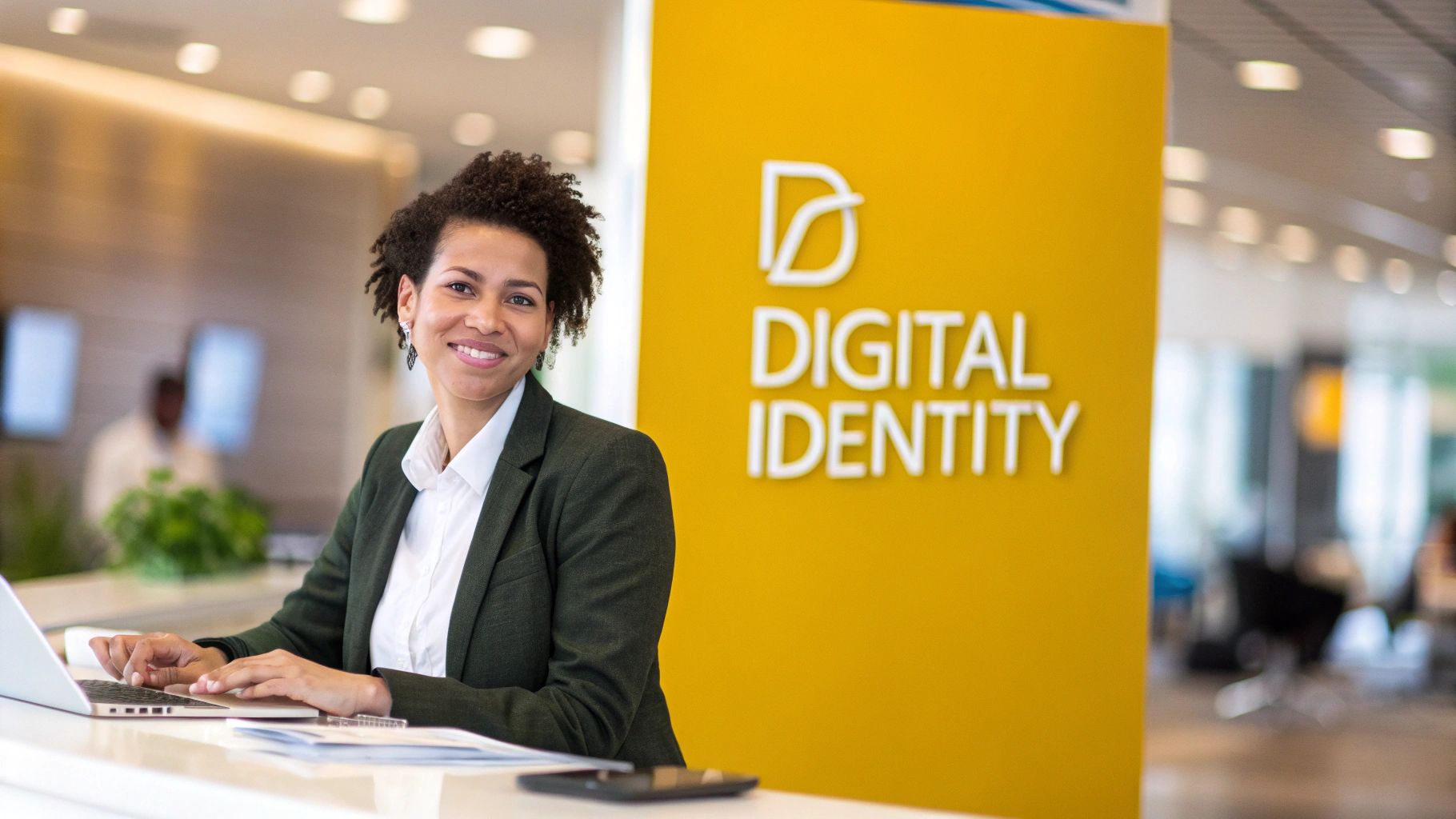
This image is a perfect example of the AI's power. It creates a brand-new, photorealistic portrait that keeps the person's likeness while putting them in a completely different professional setting with perfect lighting and attire.
To put it in perspective, let's break down the differences.
Traditional Photoshoot vs AI Profile Picture Maker
| Factor | Traditional Photoshoot | AI Profile Picture Maker |
|---|---|---|
| Cost | $200 - $1,500+ per session | $15 - $50 one-time fee |
| Time Investment | 3-6 hours (travel, shoot) + 1-2 weeks for edits | ~1 hour from upload to download |
| Variety | 5-10 edited images per outfit | 100+ images in various styles and settings |
| Convenience | Requires scheduling and travel to a physical location | Can be done from anywhere, anytime on your computer |
| Revisions | Limited or costly reshoots | Rerun with new prompts or settings instantly |
The comparison makes the appeal clear. The AI approach offers a level of speed, affordability, and creative control that traditional photography simply can't match for this specific use case.
A Rapidly Growing Market
This shift toward AI-generated portraits isn't just a small trend; it's a market that has seen massive growth. As more professionals and creators see the benefits, the AI profile picture maker industry has quickly evolved from a novelty into a serious, rapidly expanding sector. You can discover more insights about this market growth and what it signals for the future of digital identity.
This technology gives you complete control over your digital first impression. It’s all about presenting the absolute best version of yourself, consistently and affordably, wherever you show up online.
Ultimately, using an AI tool for your profile pictures is a smart, strategic move. It saves you time and money while giving you a degree of creative power that was once reserved for those with big budgets. It’s the modern way to build a powerful personal brand when your online image is your new business card.
How to Select Source Photos for Perfect Results
Let’s be honest: the quality of your AI-generated profile picture comes down to one thing—the quality of the photos you feed it. Think of it like giving an artist reference material. The better the input, the more lifelike and accurate the final portrait will be. A great ai profile picture maker like PhotoMaxi needs clear data to really understand your facial structure, so let's walk through how to pick the perfect set of images.
This part is simple, but it does require a little bit of thought. Just grabbing the first ten photos from your camera roll probably won't get you the stunning, studio-quality results you’re after. The goal here is to give the AI a diverse, clear, and unobstructed look at your face from all angles.
Good Lighting and Clear Views are Non-Negotiable
First things first, the AI has to actually see your face clearly. This means you should steer clear of photos with harsh, direct sunlight that creates deep shadows or completely blows out your features.
Soft, even lighting is your best friend. Picture the light on a slightly overcast day or from a window that isn't getting direct sun—that’s the kind of light that illuminates your face without creating distracting contrasts.
Variety is also key. The AI is essentially building a 3D model of your face, so it needs to see it from multiple angles. Make sure to include photos where you're looking straight ahead, slightly to the left, slightly to the right, and even a few profile shots. This variety gives the model a complete picture of your unique features.
A Practical Checklist for Selecting Your Photos
To make this dead simple, here’s a quick checklist of do's and don'ts. Following these guidelines is the single most important thing you can do to make sure you love the final images.
Photo Selection Do's:
- Provide Variety: Use 10-20 different photos. These should be from different days, with different lighting and backgrounds. This is crucial to stop the AI from "overfitting" to one specific look.
- Show Different Expressions: A mix of smiles and neutral expressions is ideal. A neutral face gives the AI a fantastic baseline to work from, making it easier to generate other looks later on.
- Ensure High Resolution: Use clear, non-blurry photos. The AI needs to see the details in your eyes, skin texture, and hair to replicate them accurately.
- Keep it Simple: Your face should be the star of the show. Simple backgrounds are best so the AI doesn't get distracted by other people or busy scenery.
The most common mistake I see is people using photos all from the same photoshoot. The AI needs diverse data. It's like a student trying to learn a subject by only studying one page of a textbook—they'll know that one page perfectly, but nothing else.
Photo Selection Don'ts:
- No Sunglasses or Hats: Anything that covers your eyes, forehead, or hair will get in the AI's way. The same goes for having your hands touching your face.
- Avoid Heavy Makeup: Your everyday makeup is perfectly fine, but anything overly dramatic can be misinterpreted by the AI as being part of your natural facial features.
- Skip the Filters: Do not use photos with heavy Instagram or Snapchat filters. They alter your features and will lead to some very strange and inaccurate results.
- No Group Photos: Make sure you're the only one in the picture. Even if you crop someone else out, it often leaves behind little artifacts that can confuse the AI.
By carefully curating your input photos, you’re basically directing the final outcome. You're giving the AI a rich, detailed dataset to learn from, and that’s the real secret to generating professional portraits that actually look like you.
For those ready to dive deeper into the creative side, our guide on how to create an AI avatar from a photo has even more tips for personalizing your new digital identity.
Time to Make Your First AI Portrait
Alright, you've got your source photos prepped and ready to go. Now for the fun part: actually creating your first professional headshot. Don't worry, this isn't some super technical process. Think of it more like stepping into your own private photo studio where you call all the shots. We'll walk through everything together, from upload to final image, using a real-world goal: creating a killer new headshot for your LinkedIn profile.
Getting started is refreshingly simple. When you get to the PhotoMaxi creation dashboard, it'll ask you to upload the 10-20 source images you picked out. Once you do, the platform gets to work training your personal AI model. This usually takes less than an hour, and you only have to do it once. This initial training is what gives the ai profile picture maker the ability to generate a limitless number of photos that always look exactly like you.
Getting Around the Creation Dashboard
After the AI has learned your face, you'll land on the main creation dashboard. This is your control center for everything you'll make from here on out.
Here’s a peek at what you'll see. They've done a good job of keeping it clean and intuitive.
As you can see, styles, poses, and settings are laid out logically, so you can find what you're looking for without getting buried in menus. A clean layout like this makes a huge difference in letting you experiment quickly and have fun with it.
It's pretty wild to think about how mainstream this has become. People are now generating a staggering 34 million AI images every single day. Since 2022, the grand total is over 15 billion images created. This is no longer just a niche tech hobby; it’s a standard tool in the creative kit for millions. You can get a sense of the massive scale of AI's normalization in digital trends if you want to dive deeper.
Choosing Your Core Styles and Poses
For a LinkedIn headshot, the name of the game is professional but approachable. You don’t need to start with complicated custom prompts. The best way to begin is by exploring the curated style library, which has tons of pre-built setups ready to go.
Here's my go-to strategy for a first run:
- Hit the Style Library: Start by browsing categories like "Professional," "Corporate," or "Studio." These presets are specifically designed to give you that clean, well-lit headshot look that works perfectly for business profiles.
- Pick a Foundational Pose: Grab a few classic, simple poses. Think a straight-on shot, a slight three-quarter turn, or a subtle head tilt. These are your bread and butter.
- Select Your Lighting: Look for lighting options described as "Soft Light," "Studio Lighting," or "Natural Light." These settings do a great job of mimicking what a real photographer would use, giving you a flattering portrait without any weird, harsh shadows.
Pro Tip: For your very first batch, just stick to one or two classic styles. This lets you make sure the AI has really nailed your likeness before you go off the deep end with more artistic or creative experiments.
By starting with these basic building blocks, you'll have a batch of high-quality, usable images in no time. This first set gives you a fantastic baseline and, honestly, you'll probably get several great options right out of the gate.
From Simple Clicks to Polished Results
Let's stick with our LinkedIn scenario. You've uploaded your photos and you're staring at the dashboard. Instead of trying to write a perfect prompt from scratch, just click on the "Modern Office" style, select a "Confident Pose," and hit generate.
That’s it. The ai profile picture maker takes over from there. It interprets those simple choices to build a complete scene: it puts you in a professional-looking office, gives you a sharp business outfit, and applies perfect studio lighting to your face—all while keeping your likeness spot-on.
This is what makes a well-designed tool so powerful. You don't have to be a prompt-writing wizard to get fantastic results. A few clicks are often all it takes to create a headshot that looks like it came from a photoshoot that would've cost you hundreds of dollars. Once you have these first images, you can start tweaking and customizing to really fine-tune your look.
Crafting Unique Styles with Custom Prompts
While the built-in styles are a great way to get your feet wet, the real magic happens when you start writing your own custom prompts. This is where you go from just using the tool to directing it. Think of yourself as a creative director guiding an artist—you're providing the vision, and the AI is bringing it to life, detail by detail. It's less like coding and more like painting a picture with words.
Your prompt is basically a recipe. The more specific your instructions, the better the final result will be. If you're vague, you'll get something generic. But with rich, descriptive language, you can dial in the exact mood, lighting, and aesthetic you're aiming for. This is how you craft a look that's genuinely one-of-a-kind.
The Anatomy of an Effective Prompt
A killer prompt usually weaves together a few key elements. You don't always need every single one, but understanding these building blocks will seriously level up your images.
- Subject and Attire: Start simple. The AI knows what you look like from your source photos, so tell it what you should be wearing. Something like, "A professional woman in a sharp navy blue blazer," sets a clear foundation.
- Setting or Background: Where are you? Be specific. Don't just say "office." Try "a modern, minimalist office with a blurred background of a cityscape through a large window." See the difference?
- Lighting Description: This is my favorite part because it's where you can really shape the mood. Words like "dramatic sidelight," "soft morning light," or "warm golden hour lighting" can completely transform the feel of a portrait.
- Artistic Style: Are you going for realism or something more stylized? Use keywords to define the look. "Hyper-realistic photo," "cinematic color grading," "shot on 35mm film," or "black and white portrait" tell the AI exactly what visual style to emulate.
This simple workflow—upload, style, and generate—is the core of the creative process. You provide the raw material, define the vision, and let the AI do the heavy lifting.
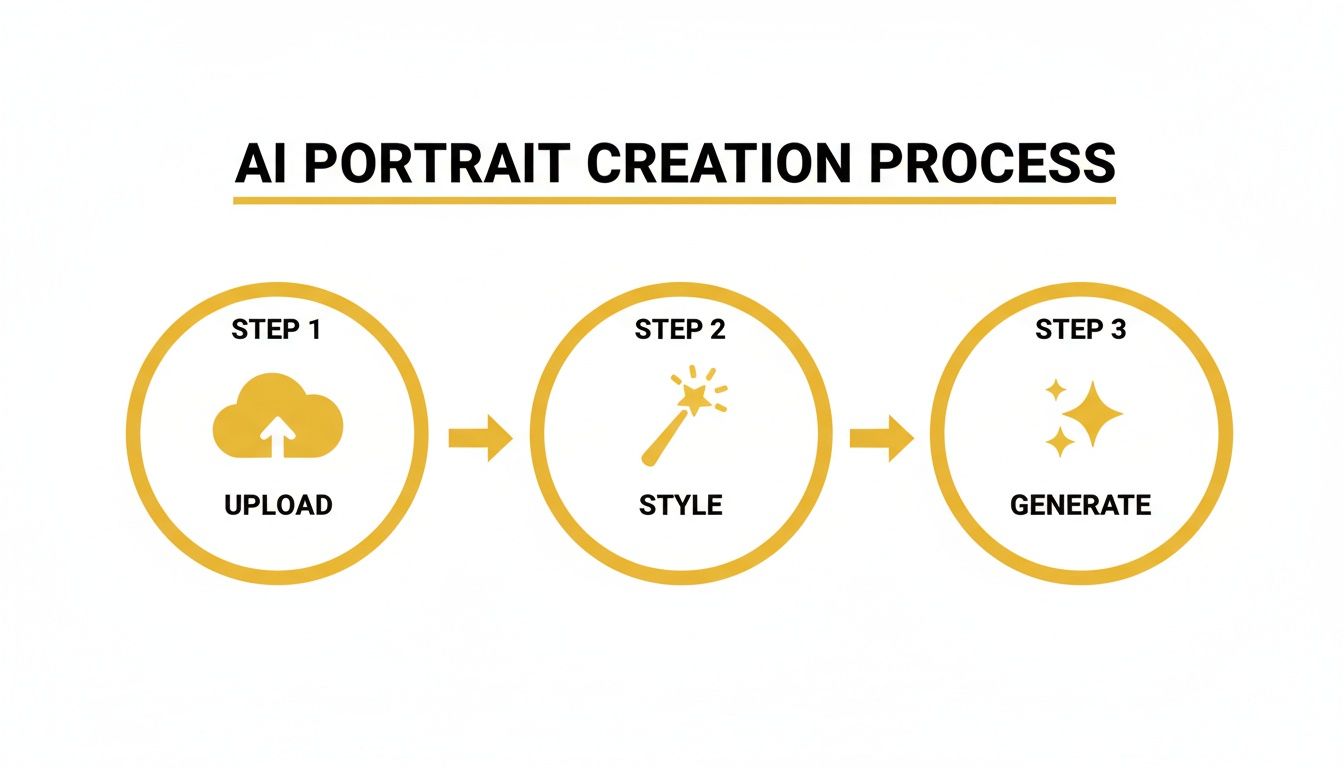
As you can see, it's a straightforward loop. You feed in your photos, tell the AI what you want, and then refine from there.
Balancing Likeness and Creativity
Here's a concept that's crucial to get right: the trade-off between likeness fidelity and creative freedom. Likeness fidelity is just a fancy term for how much the AI sticks to your actual facial features. If you crank it up, the result will be a spitting image of you—perfect for a corporate headshot.
But what if you want something more artistic? That's when you might dial the fidelity back just a touch. This gives the AI a bit more interpretive wiggle room, which can lead to amazing results for social media avatars or more abstract concepts. The PhotoMaxi prompt editor gives you sliders for this, so you can fine-tune that balance perfectly.
My rule of thumb: High fidelity is for your LinkedIn profile. A slightly lower fidelity is for that cool, painterly-style Instagram picture you've been wanting. It’s all about matching the tool to the task.
Example Prompts and Their Visual Outcomes
To really bring this home, let’s look at how a few keywords can produce wildly different images. It all comes down to using descriptive language that paints a clear picture. For a deeper dive, our guide on creating stunningly real images with a realistic AI photo generator is packed with more advanced tips.
This table breaks down how to tailor your prompts for different situations.
| Desired Outcome | Example Prompt Snippet | Resulting Visual Style |
|---|---|---|
| Corporate Headshot | professional headshot, modern office background, soft studio lighting, sharp focus |
A clean, bright, and highly realistic portrait perfect for business profiles. |
| Creative Social Media Post | cinematic portrait, dramatic sidelight, moody color grading, shallow depth of field |
A high-contrast, artistic photo with a film-like quality and an emotionally engaging mood. |
| Casual Lifestyle Photo | candid photo, sitting in a cozy cafe, warm morning light, shot on 35mm film |
A relaxed, authentic-looking image with a slightly grainy, nostalgic film texture. |
| Futuristic Avatar | cyberpunk style, neon city lights background, reflective clothing, vibrant colors |
A stylized, high-energy portrait with a sci-fi aesthetic, great for a gaming profile. |
Once you start experimenting with these building blocks, you'll quickly move beyond the presets and begin creating visuals that are truly your own. Every prompt is a new opportunity to discover a look you never even thought of, giving you a limitless supply of unique, on-brand content for any channel you can imagine.
Using AI Portraits for Your Brand and Business
Once you have that first batch of AI portraits, you’re holding more than just a new profile picture. It’s a powerful business asset. The real magic of a tool like PhotoMaxi happens when you stop thinking about a single image and start seeing it as a content engine for your entire brand.
This mental shift is everything. Instead of a one-off chore, creating professional photos becomes an on-demand part of your marketing workflow. You can generate a whole suite of on-brand images for every place your audience might see you, locking in a cohesive and polished presence.
Establishing Visual Consistency Across Channels
Nothing builds trust and recognition like brand consistency. Your profile picture is often the very first thing people connect with you or your business, whether it's on LinkedIn, Instagram, or your company's "About Us" page. When those images don't match, it can look disjointed and amateurish.
This is exactly what PhotoMaxi’s batch creation feature was built to solve. In a single session, you can generate dozens of images using the same styles, lighting, and even outfits.
- For Social Media Managers: Build a library of headshots for your entire team. Suddenly, every employee's profile on the company website looks uniform and professional.
- For Personal Brands: Create a "look book" of images for different platforms. Think a sharp, corporate style for LinkedIn and a more creative, relaxed vibe for Instagram, all while looking like you.
- For Marketing Campaigns: Need themed profile pictures for a holiday promotion or a new product launch? You can produce them in minutes, not days, and update all your channels at once.
Take a look at how the batch creation interface makes this happen. It’s designed to let you queue up multiple variations in one go.
The whole point is to make it easy to select multiple styles and poses simultaneously. This turns what used to be a production headache into a streamlined, efficient task, freeing you up to focus on creative strategy instead of logistics.
E-commerce Workflows and Product Visualization
For anyone running an e-commerce brand, the possibilities go way beyond simple headshots. You can integrate this technology directly into your sales and marketing, especially if you sell apparel, accessories, or beauty products. This has become a lot more practical now that AI tools are being built directly into major platforms.
The integration of AI image generators into e-commerce giants like Shopify has made these powerful tools accessible to everyone. It’s no longer just for tech experts, which is driving major growth in the AI image generator market.
Just imagine these real-world scenarios:
- Virtual Try-Ons: An online clothing store can train an AI model on a real person, then generate images of them "wearing" every new item in the collection. This gives customers realistic product photos without the massive cost of a photoshoot for every single piece.
- Diverse Model Representation: A small cosmetics brand can show its products on a wide range of AI-generated models with different skin tones and facial features. This promotes inclusivity without the expense of hiring dozens of different models.
Your AI model isn't just a digital version of you; it's a versatile actor that can star in any marketing visual you can imagine. This transforms content creation from a costly, time-consuming project into a simple, creative exercise.
Understanding Commercial Use Licensing
Here’s where a professional tool really separates itself from a novelty app. Any time you use an image for your business—in an ad, on your website, or in a product listing—you absolutely must have the legal right to do so.
PhotoMaxi’s business-tier plans come with a full commercial use license. This is your legal permission slip to use your AI-generated portraits for any business purpose, and for any serious brand or creator, it's non-negotiable. Without it, you’re opening yourself up to legal trouble down the road.
This license gives you peace of mind, knowing your amazing new visuals are cleared for takeoff in any campaign. And as you scale, you can even expand from still images to motion—check out our guide on how to create AI videos starring your digital self.
Common Questions About AI Profile Pictures
It's totally normal to have questions when you're getting into AI-generated portraits. The tech is moving incredibly fast, so it’s smart to get a feel for the details before you jump in. Let’s tackle some of the most common things people wonder about when using an AI profile picture maker.
We'll clear up any uncertainties around data security, who owns the images, and just how real these pictures look.
Are AI Profile Pictures Realistic Enough for Professional Use?
This is the big one, and the short answer is: absolutely, yes. Today's tools like PhotoMaxi are built to create incredibly high-fidelity images that are often impossible to tell apart from a professional studio shot. We're a long way from the distorted or cartoony results of just a few years ago.
The secret sauce, as we've talked about, is feeding the AI a solid set of source images. When the system has clear, varied photos to learn from, it can nail your features with uncanny accuracy. Recruiters and clients on platforms like LinkedIn see AI-assisted headshots all the time now. The focus isn't on how the photo was made, but whether it's professional, authentic, and looks like you—which is exactly what these tools deliver.
What Happens to My Uploaded Photos?
Data privacy is a huge deal, and it's a completely fair question to ask. Any reputable platform will handle your photos with care and be transparent about it. When you give your images to PhotoMaxi, they have one job and one job only: to train your personal AI model.
Here’s how it works, so you can have complete peace of mind:
- Your Model is Your Model: Your photos are only used to build a model of your likeness. They never get mixed with anyone else's data or used to train the main AI.
- Never Shared or Sold: Your images are your property. They won't be shared, resold, or used for anything other than generating your pictures.
- You're in Control: You can delete your photos and your trained AI model from the servers whenever you want. Once you hit delete, they're gone for good.
Think of it like a temporary loan. You're just letting the service borrow your photos long enough to learn your face, and then you get them back. Your privacy and control always come first.
Can I Use the Images I Create for My Business?
Of course! That's one of the best reasons to use a professional-grade AI profile picture maker. Most high-quality services, PhotoMaxi included, offer plans that come with a full commercial license for any image you create.
This license is non-negotiable for business use. It's what gives you the legal green light to use your AI portraits for pretty much anything, including:
- Marketing materials like flyers and brochures
- Social media ad campaigns
- Website headshots and team pages
- E-commerce product mockups and visuals
Trying to use AI images for your business without a commercial license is a legal risk you don't want to take. By choosing a plan with the right permissions, you unlock a nearly infinite supply of on-brand content that's fully cleared for commercial use.
How Many Source Images Do I Need for the Best Results?
You can sometimes get away with less, but the magic number for truly realistic portraits is somewhere between 10 and 20 high-quality source images. There's a reason for that number—it gives the AI enough different data points to build a truly accurate 3D model of your facial structure.
What's even more important than the exact number is the variety. The AI needs to see your face from multiple angles, with different lighting, and showing a few different expressions. Honestly, 15 great photos taken on different days will give you far better results than 30 selfies all taken in the same five-minute span.
Giving the AI this variety stops it from getting stuck on a single look, which is what allows it to generate consistent, believable portraits in all sorts of styles and scenes.
Ready to direct your own virtual photoshoot? PhotoMaxi puts the power of a photography studio right at your fingertips, letting you create everything from sharp corporate headshots to creative brand visuals in minutes. Start generating your perfect profile pictures today!
Related Articles


Ready to Create Amazing AI Photos?
Join thousands of creators using PhotoMaxi to generate stunning AI-powered images and videos.
Get Started Free