
Your Guide to the Best AI Profile Picture Generator
Ever wondered how people get those incredibly sharp, studio-quality headshots without spending a fortune on a photographer? Chances are, they're using an AI profile picture generator. These tools use machine learning to transform your casual selfies into professional, polished images.
It's a fast, surprisingly affordable, and flexible way to get a whole gallery of high-end photos in different styles, all from the comfort of your desk.
Why AI Profile Pictures Are Taking Over
The move towards AI-generated profile pictures is more than just a passing fad—it's a real shift in how we build and manage our online personas. Professionals of all stripes, from startup founders to people on the job hunt, are leaning on these tools to create a sharp, consistent digital presence. The appeal is pretty clear: you get the look of a professional photoshoot without the cost, scheduling chaos, and logistical nightmares that come with it.
Think about it. You land a last-minute speaking gig or decide it's finally time to refresh your LinkedIn profile. Instead of frantically trying to book a photographer, you can generate a dozen great options in a matter of minutes. That kind of speed and control lets you put your best foot forward, everywhere online.
The Driving Forces Behind the Movement
A few key things are pushing this trend forward. With remote work becoming the norm, your digital first impression is everything. Your profile picture is often the first thing a potential client, employer, or collaborator sees. A clean, professional image instantly signals that you're competent and pay attention to the details, all before you’ve even said hello.
The market numbers back this up. The AI headshot generator space has already blown past $200 million and is on track to hit $350 million. Digging into the data, we see that 39% of users are specifically using these tools to polish their CVs and resumes, while another 32% are upgrading their social media profiles on platforms like Instagram. If you're curious, you can find more details about these market trends and what they mean for personal branding.
This isn't about replacing photographers. It's about making professional-grade personal branding accessible to everyone, regardless of their budget or location. It democratizes the ability to create a powerful first impression.
A quick comparison highlights just how much of an advantage AI generators offer.
Key Benefits of Using an AI Profile Picture Generator
| Benefit | AI Generator Advantage | Traditional Photoshoot Limitation |
|---|---|---|
| Cost | A fraction of the price, often a one-time fee for dozens of images. | Can cost hundreds or thousands of dollars for a single session. |
| Speed | Results are ready in minutes or hours, not days or weeks. | Requires booking in advance, travel, and post-production time. |
| Variety | Generate endless styles, outfits, and backgrounds from one set of photos. | Limited to the outfits and location of the shoot day. |
| Convenience | Create headshots from anywhere, at any time, using existing photos. | Dependent on photographer availability and a physical location. |
| Control | Fine-tune prompts and styles to get the exact look you want. | Creative direction is shared with the photographer. |
As you can see, the benefits go far beyond just saving a little money.
More Than Just a Pretty Picture
It’s not just for individuals, either. An AI profile picture generator is a game-changer for teams and businesses. Companies can easily create a unified, on-brand look for every employee, ensuring a consistent and professional appearance across their website, LinkedIn, and other professional networks. This is a lifesaver for remote or distributed teams where a group photoshoot is a logistical impossibility.
At the end of the day, these tools solve a very modern problem: the constant demand for fresh, high-quality, and versatile images to support our personal and professional lives. This guide will walk you through mastering the entire process, from picking the right source photos to generating polished assets that are ready to use and even monetize.
Picking the Right Photos for Your AI Headshots
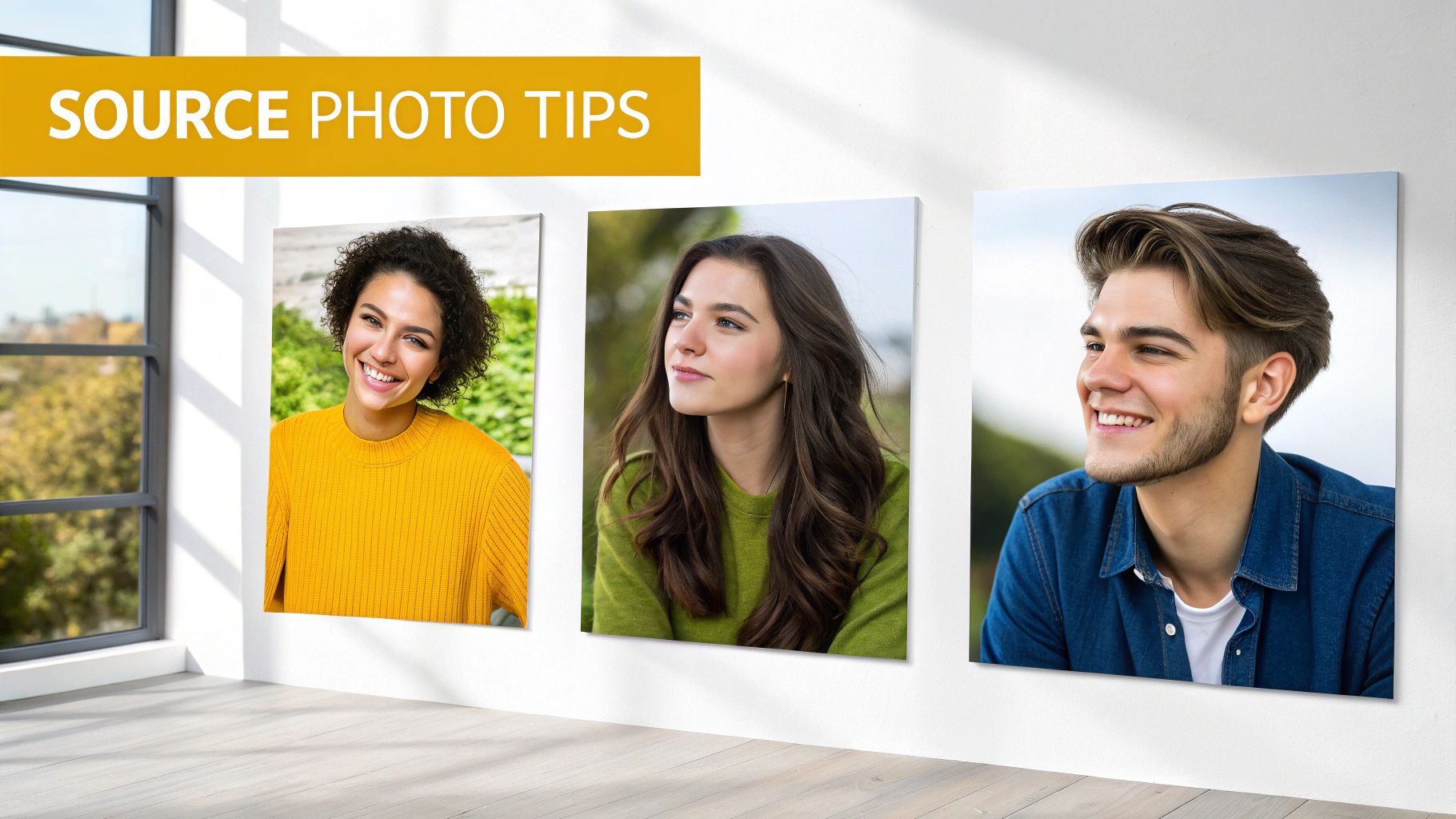
The quality of your final AI profile pictures hinges almost entirely on the photos you feed the machine. This is the single most critical step, and it’s a perfect example of "garbage in, garbage out." An impressive tool can work wonders, but it can't invent facial details it was never shown.
Think of this part of the process as training a tiny, personalized AI model on your own face. The more clean, varied data you provide, the better it learns your true likeness. Taking your time here will pay off tenfold in the final results.
Good Lighting is Everything
Before you even start digging through your camera roll, let's talk about the non-negotiable element: lighting. Good light is what defines the structure of your face—the shape of your nose, your cheekbones, the details in your eyes. Bad lighting hides all that crucial information, forcing the AI to guess, and that's when you get generic, "not-quite-you" results.
Your best bet is always soft, diffused natural light. Try facing a window on an overcast day or find a spot in open shade. This kind of light smooths out harsh shadows and illuminates your features evenly.
Stay away from these common lighting traps:
- Harsh, direct sunlight: This creates unflattering shadows and will likely make you squint.
- Overhead indoor lights: These often cast weird, dark shadows under your eyes and nose.
- Backlighting: If the main light source is behind you, your face will be a dark silhouette. The AI needs to see detail, not just your outline.
Variety Is the Key to Realistic Results
Uploading ten photos of you making the exact same smile from the same angle is a recipe for failure. You won't give the AI enough data to work with. The goal is to build a complete picture of you so the generator can create headshots that are both realistic and versatile.
Start by gathering photos that show a range of expressions. Don't just stick to a big, toothy grin. You should include pictures where you're:
- Smiling gently with your mouth closed
- Looking neutral and professional
- Appearing thoughtful or serious
- Laughing genuinely
This variety teaches the AI how your facial muscles move, which leads to far more dynamic and believable final images. In the same way, you need to show your face from multiple angles to capture its three-dimensional structure.
Your goal is to give the AI a 360-degree understanding of your face. Provide shots from straight on, three-quarter views from both the left and right, and even slightly from above or below. This prevents the AI from creating flat, passport-style images.
The Technical Checklist for Your Source Photos
Once you've got a solid collection of photos with great lighting and variety, it's time for a final quality check. A powerful generator like PhotoMaxi thrives on clear data, so hitting these technical marks is crucial.
1. Go for High-Resolution and Sharp Focus Your photos need to be sharp and clear. If an image is blurry, pixelated, or overly grainy, you're hiding the fine details of your eyes, skin texture, and hair. The AI can’t replicate what it can't see. A quick test: zoom in on your eyes in the photo. If they're a blurry mess, find a different picture.
2. Make Sure Your Face Is Unobstructed The absolute focus must be on you. Your face needs to be the star of the show, without anything getting in the way.
- No sunglasses or deep shadows: The AI needs a clear view of your eyes.
- Ditch the hats: Headwear can obscure your hairline and the true shape of your head.
- Keep your hands away from your face: Don’t use shots where your hand is covering your chin or cheek.
3. Simple Backgrounds Work Best A busy, cluttered background can seriously confuse the AI. I’ve seen it try to merge a houseplant into someone's hair. A plain wall or a simple backdrop is perfect because it helps the model isolate your face without any distractions.
By carefully curating a set of 10-20 high-quality images that meet these standards, you're giving the AI the best possible raw material to work with. This groundwork is what separates a decent AI headshot from one that looks genuinely like you.
Writing Prompts That Generate Amazing Results
Now that you have your source images squared away, we get to the fun part: writing the prompt. This is where you stop being a user and start being an art director, telling the AI precisely what you want it to create. A great prompt is the secret ingredient that turns a generic, slightly-off image into a stunning, hyper-realistic headshot that nails your professional brand.
Forget just typing "professional headshot." That’s like asking a chef to "make some food." To get incredible results from an AI profile picture generator, you have to get specific and leave nothing to chance.
The Anatomy of a Powerful Prompt
I like to think of a good prompt as a recipe with four main ingredients. When you combine them, you're essentially building a detailed blueprint for the AI to follow, guiding everything from the overall vibe to the tiniest details.
Here are the four parts I always include:
- Subject: Who is this person? Describe their profession, their attitude, even their expression.
- Style: What’s the aesthetic? Are we going for corporate and clean, or artistic and moody?
- Lighting: How is the scene lit? This is your most powerful tool for setting the mood.
- Composition & Background: How is the person framed, and what’s going on behind them?
Putting these pieces together is what gives your prompt its power. A vague request like "headshot of a man" will get you a generic, forgettable result. But a detailed prompt gives the AI a crystal-clear vision to work with.
Here’s a real-world example: "Corporate headshot of a confident female software engineer, professional and approachable, modern office background with soft focus, bright and clean studio lighting, wearing a simple gray polo shirt, looking directly at the camera."
See the difference? That level of detail ensures the AI understands not just the who, but the entire context and feeling you’re trying to capture.
This whole industry is exploding. The AI image generator market, currently valued at USD 418.5 million, is expected to skyrocket to USD 2,633.2 million by 2035. This growth is all thanks to huge leaps in Generative Adversarial Networks (GANs)—the tech that makes AI-generated faces so realistic they're perfect for professional sites like LinkedIn. You can read more about this market's impressive growth and the technology driving it.
Building Your Style Library
The "style" part of your prompt is where you really get to inject some personality. The keywords you choose here can completely change the final image. A creative director will want a very different headshot than a corporate lawyer, and your prompt needs to reflect that.
I suggest keeping a running list of stylistic keywords you can pull from for different situations. Think about where the photo will be used and who you're trying to connect with.
For LinkedIn or a Corporate Website
- Keywords: Professional, clean, corporate, minimalist, approachable, warm natural light, soft lighting.
- Example: "Headshot of a friendly marketing director, approachable expression, minimalist office background, shot with a Canon EOS R5, warm natural light."
For a Creative Portfolio or Social Media
- Keywords: Cinematic, dramatic lighting, moody, high contrast, vibrant colors, editorial style, shallow depth of field.
- Example: "Cinematic portrait of a male graphic designer in a creative studio, moody side lighting creating high contrast, vibrant colors, shallow depth of field."
Pro Tip: Mentioning specific camera gear like "shot with a Canon EOS R5" or an "85mm lens" can trick the AI into pulling from its vast dataset of professional photos, often leading to a higher-quality, more photorealistic result.
Mastering Lighting and Composition
Lighting is everything when it comes to mood. It can make someone look trustworthy and open, or mysterious and thoughtful. Don’t just say "good lighting"—get specific about the type of light and the effect you want.
- Studio Lighting: Your go-to for clean, even, professional looks. Perfect for corporate headshots.
- Natural Light: Gives a soft, warm, and approachable vibe. Great for coaches, therapists, or lifestyle brands.
- Golden Hour Light: That beautiful, warm light just after sunrise or before sunset. It's incredibly flattering and creates a friendly feel.
- Dramatic Side Lighting (Rembrandt Lighting): Creates depth and a sense of importance. Awesome for authors, artists, or thought leaders who want to make a statement.
Finally, don't forget to direct the composition. Tell the AI what the background should look like and how the subject should be framed. Adding little details like "soft focus background" or "blurred city lights" creates a sense of depth and makes your profile picture look like it was taken by a pro.
When you start combining all these specific instructions, the AI profile picture generator transforms from a simple tool into your personal digital photographer.
Refining Your AI Headshots Like a Pro
Getting that one great image is a good start, but the real magic happens when you can create a whole set of consistent, high-quality headshots. This is where you graduate from simply generating images to truly refining them. The idea is to turn interesting AI creations into polished, professional assets you can use anywhere with confidence.
It's all about a few key techniques: locking in consistency across multiple images, cleaning up the inevitable AI glitches, and adding a touch of post-production polish. This isn't about becoming a Photoshop wizard; it's about making smart, targeted adjustments.
Achieving Consistency with Seed Numbers and Batch Generation
Ever generate an image you absolutely love, only to find you can never quite get that specific style or angle back again? It's a common frustration, but there's a solution. Most serious AI platforms, including PhotoMaxi, use what's called a "seed number"—basically, a unique ID for the random starting point of each image generation.
By reusing the same seed number with a slightly different prompt, you can keep the core elements—like the composition and lighting—while just changing the outfit or background. This is a game-changer for creating a cohesive set of headshots, say, for your company's "About Us" page.
Batch generation is your other best friend for efficiency. Instead of making images one by one, you can tell the AI to generate multiple variations from a single prompt. This lets you quickly survey the field, pick the strongest candidates, and save a ton of time.
Key Takeaway: Think of a seed number as a creative "template." It gives you a reliable foundation to build on, ensuring your headshots share a consistent vibe without being carbon copies.
For a closer look at platforms that offer these advanced features, check out our guide on the best AI headshot generator tools out there.
Fixing Common AI Quirks and Flaws
Let's be honest: even the best AI gets things wrong sometimes. The most common slip-ups are in the tiny details that our human eyes catch instantly. But don't toss out an otherwise fantastic image because of one little flaw; most of them are surprisingly easy to fix with free tools.
Here are the usual suspects and how to deal with them:
- Uncanny Eyes: AI-generated eyes can sometimes look a bit glassy, asymmetrical, or have bizarre reflections. An easy fix is to pop the image into a free editor like Photopea or GIMP and subtly adjust the highlights. You can even clone a pupil from one eye to the other to guarantee they're a perfect match.
- Weird Hands: Hands are notoriously tricky for AI. If a hand looks mangled in an otherwise perfect shot, your best move is often to just crop the image tighter. Focus on your face and shoulders, and nobody will ever know.
- Minor Artifacts: You might spot small, illogical glitches—a stray pixel, a piece of jewelry that blends into the skin, or an odd texture on a shirt. The "spot healing" or "clone stamp" tool in most editors can make these blemishes disappear in seconds.
Your first line of defense against these issues, of course, is a well-structured prompt.
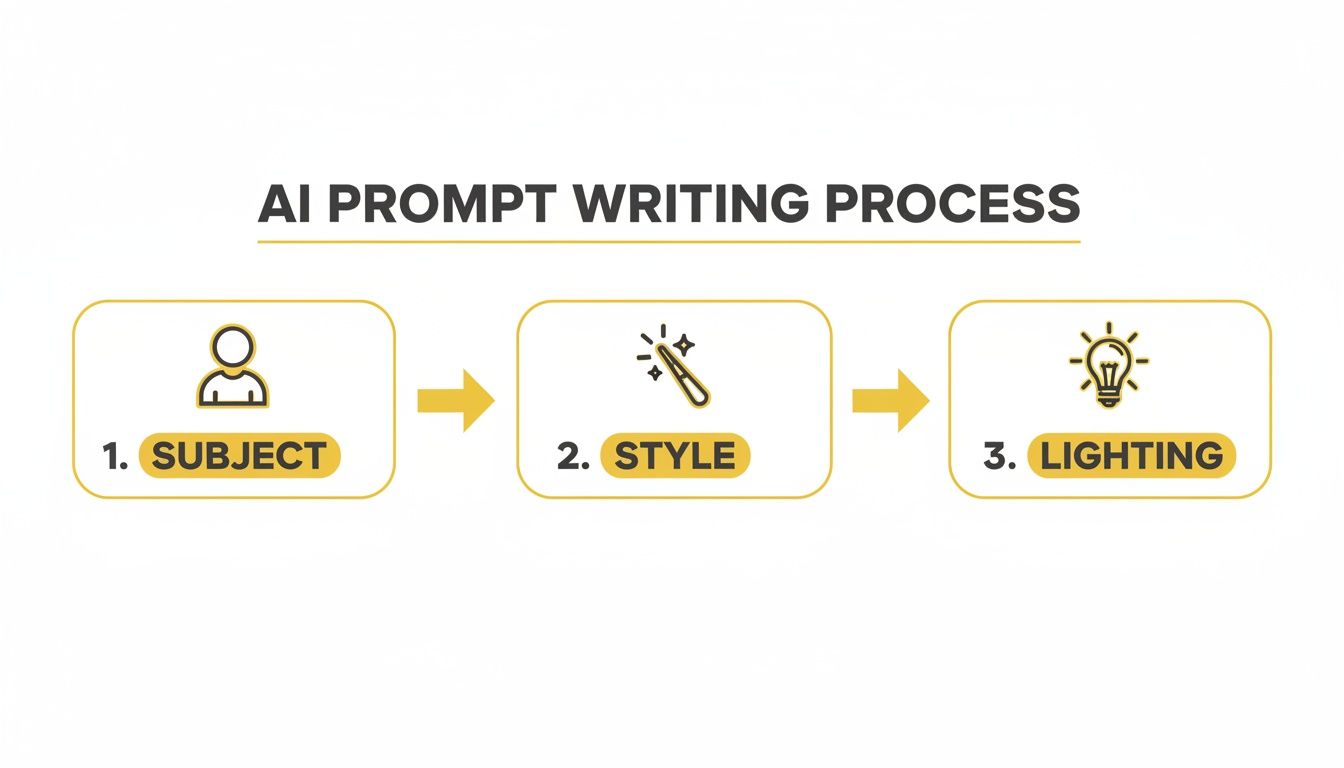
As this flowchart shows, thinking through the subject, style, and lighting from the start gives the AI less room to go off the rails, meaning less cleanup work for you later on.
Upscaling and Final Touches
The last step is getting your image ready for the real world. Most AI generators output images at a standard web resolution, like 1024x1024 pixels. That's perfectly fine for a small social media icon, but it will look fuzzy if you try to use it for a website banner or a print project.
This is where an AI upscaler becomes essential. These tools use machine learning to intelligently increase the resolution without making the image blurry—in fact, they often enhance the details. Many generators have a built-in upscaler, letting you 2x or 4x the image size with a single click.
Once it's upscaled, give it one final lighting check. A quick tweak to the contrast can make the whole image pop. Gently lifting the exposure or shadows can brighten your face, making you the undeniable focus. These small, final adjustments are what separate a good AI profile picture from a great one.
Understanding Commercial Use and Copyright
So you've generated a fantastic set of AI headshots. They look sharp, professional, and ready to go. Before you start using them on your business website or in your next big marketing campaign, we need to talk about something crucial: Do you actually have the right to?
The legal ground under AI-generated content is still settling, which means you have to be smart about it. When you use any AI generator, you’re not just uploading photos; you’re agreeing to that platform's Terms of Service. Think of it as the rulebook for your creations. Ignoring it can cause real headaches later.
The main thing to get straight is the difference between personal use and commercial use.
- Personal Use: This is pretty straightforward. It’s for anything that doesn't make you money. Using an AI headshot for your personal Facebook profile, a dating app, or your private Instagram account all fall under this umbrella.
- Commercial Use: This is any scenario where the image helps you earn or promote a business. Slapping it on your company's "About Us" page, featuring it in an ad, or using it on product packaging—that's all commercial.
So, Who Actually Owns the Image?
This is the big question, and honestly, the answer is a bit messy. Copyright law in most places wasn't written with AI in mind, and it generally doesn't grant ownership to non-human creators. So, the AI can't own the image.
This leaves ownership in a legal gray area. Some platforms will grant you a very broad, royalty-free license, essentially letting you use the images for almost anything you want, including commercial projects. Others might hold onto certain rights or state that while you can use the image, you can't claim copyright on it yourself.
Don't underestimate how important this is. The AI image market is exploding, projected to jump from USD 8.7 billion to USD 60.8 billion by 2030. Just look at Adobe Firefly—it's churned out over 7 billion images since March 2023. That massive scale means clear rules are more important than ever.
Crucial Takeaway: Never, ever assume you have commercial rights. Always check the platform's policy. Using an image for business without the right license is a breach of their terms and could get your account shut down or worse.
How to Check a Platform's Licensing Rules
Before you even start generating images on a service like PhotoMaxi or any competitor, do a little homework. I know, nobody loves reading legal documents, but a few minutes here can save you a world of trouble.
Find their "Commercial Use," "Licensing," or "Terms of Service" page. Once you're there, use Ctrl+F (or Cmd+F on a Mac) to search for a few key terms:
- "Commercial": See if it explicitly gives you the green light for commercial use.
- "License": What kind of license do you get? Is it perpetual? Royalty-free?
- "Ownership": Who do they say owns the final product? You, them, or nobody?
- "Restrictions": Look for what you can't do. Many services prohibit using images for logos, trademarks, or illegal activities.
For anyone using these images professionally, picking a generator with a clear and generous commercial use policy is non-negotiable. If you want to see how different platforms stack up, our breakdown of the best AI photo generator options compares their licensing terms. A quick check upfront means you can build your brand with confidence, free from any legal worries down the road.
Common Questions About AI Profile Pictures
Even with the best tools, jumping into AI image generation can feel like stepping into a new world. It's totally normal to have questions. From safety concerns to practical "how-to"s, getting a handle on the process is key. This section tackles the most common questions we see, giving you straight answers so you can create with confidence.
Getting these details right is what separates a frustrating afternoon from a fantastic result. Let's clear up a few things.
Can an AI Profile Picture Actually Look Like Me?
Yes, it absolutely can. The magic trick here isn't just the AI—it's the quality and variety of the photos you feed it. Modern AI models are incredibly good at picking up on the unique details that make you, you. But they can only work with what you give them. Think of it like you're training a mini-AI model on your own face.
For the best results, aim to upload 10-20 clear photos of yourself. You'll want a good mix:
- Different expressions: Don't just stick with a standard smile. Throw in some neutral looks, thoughtful expressions, maybe even a laughing shot.
- Various lighting conditions: Mix it up with photos taken indoors and outdoors. This helps the AI understand how light and shadow play across your face.
- Multiple angles: Ditch the straight-on selfies. Include three-quarter views from both the left and right to give the AI a true sense of your facial structure.
When you provide this kind of rich, varied dataset, the AI has everything it needs to create profile pictures that are not just cool-looking but are also unmistakably you.
What Are the Most Common Mistakes to Avoid?
I see people run into the same few hurdles time and time again, and they're almost always what lead to disappointing results. The good news is they’re all easy to sidestep once you know what to look for.
The three biggest mistakes are:
- Using Poor Source Images: This is, without a doubt, the number one culprit. If you upload blurry, low-resolution, or heavily compressed photos, the AI has to guess at your features. The result? A generic, "plastic" look that doesn't feel authentic.
- Writing Vague Prompts: Just telling the AI "a person in a suit" is like asking a photographer to "take a picture." You need to be the director. Get specific about the style, the lighting, the background, and the mood you're after.
- Skipping Post-Generation Edits: Even the best AI can produce tiny flaws—an oddly shaped earring, a weird reflection in an eye. A quick touch-up in an editing tool is often all it takes to turn a good image into a great one.
A great AI profile picture is a collaboration between you and the machine. You provide the high-quality data and clear direction, and the AI handles the complex rendering. Neglecting your part of the job leads to subpar outcomes.
Is It Safe to Upload My Photos to an AI Generator?
This is a completely valid and important question. Any reputable AI generator platform understands just how personal your photos are. They should have a clear, easy-to-find privacy policy that explains exactly how your data is handled. It's crucial to give that a read before you upload anything.
Typically, your photos are used only for the immediate task of training the AI for your specific request. After your images are generated, most platforms will delete your source photos from their servers within a set period—often somewhere between 24 hours and 30 days.
To be safe, stick with well-known and trusted platforms. A transparent privacy policy is one of the best signs of a service you can trust.
How Can I Make Money with AI Generated Headshots?
This is where things get really exciting. If the generator you're using grants you full commercial rights, there are several ways to turn this skill into a real income stream. The demand for high-quality, affordable headshots is booming, and you can step in to meet it.
Here are a few ideas that are working for people right now:
- Offer AI Headshot Services: Set up a gig on a freelance platform like Fiverr. You can create amazing headshots for clients who don't have the time or technical know-how to do it themselves.
- Create Team Headshots for Businesses: Approach small and medium-sized businesses and offer to generate a consistent, on-brand set of headshots for their entire team to use on their website and LinkedIn.
- Develop Stylized Avatar Packs: Niche communities in gaming, streaming, or social media influencing are always looking for unique avatars. You can create themed packs specifically for these markets.
And that's just scratching the surface. The technology is moving fast, and as the tools get even better, whole new creative careers are opening up. If you're interested in what's next, you can learn more about how to make AI videos, which builds on many of the same skills.
Ready to create stunning, professional headshots in minutes? PhotoMaxi gives you the tools to direct your own AI photoshoot, ensuring you get the perfect look every time. Start generating your new profile pictures today.
Related Articles


Ready to Create Amazing AI Photos?
Join thousands of creators using PhotoMaxi to generate stunning AI-powered images and videos.
Get Started Free