
Finding the Best Free AI Image Upscaler for Flawless Photos
Let's be honest, hunting for the best free AI image upscaler can feel like a chore. You're usually looking for a sweet spot: a tool that delivers impressive results without hidden costs or annoying watermarks. For creators, finding that perfect upscaler means you can quickly get your photos ready for Instagram, a print run, or your professional portfolio.
The goal is simple: find a service that gives you top-notch quality without a complicated, clunky process.
Your Guide to the Best Free AI Image Upscalers
Alright, let's get straight to it and find the right tool for you. AI image upscaling isn't just about stretching a picture to make it bigger; it's about smart technology filling in the gaps, adding believable detail and sharpness where there was none. For anyone working with visuals, this is huge. It means you can salvage a low-resolution image and turn it into something crisp and totally usable.
I'll kick things off with a simple comparison of the best free options out there, focusing on the features that actually matter in a real-world workflow. We'll look at the key things to watch for so you can quickly see what fits your needs, whether you're touching up product shots, rescuing old family photos, or getting an image ready for a 4K display.
What to Look For in a Free Upscaler
When you're trying out different tools, keep these three things front and center:
- Upscaling Limit: How big can you actually make your image? Most free tools offer 2x or 4x, which is great for web use. If you need something for a large print, you'll want a tool that can push the limits even further.
- File Support: Check that the upscaler handles the file types you work with, like JPG, PNG, or even WebP. Good format support saves you the headache of having to convert files first.
- Ease of Use: You shouldn't need a PhD to upscale a photo. A simple drag-and-drop interface is a good sign. The process should feel intuitive, not like a puzzle.
The best free upscalers get you in and out quickly. They give you a genuinely better image without branding it with a watermark or forcing you through a maze of sign-up forms. They put professional-level tech in your hands, no strings attached.
This table breaks down the essential features of some of the top free AI upscalers to help you compare them at a glance. I've also included notes on how a more integrated platform like PhotoMaxi handles these tasks, which is useful if your workflow involves more than just a quick upscale.
Comparing Top Free AI Image Upscalers at a Glance
This table breaks down the essential features of leading free AI upscaling tools to help you choose the best option for your workflow.
| Tool Feature | What It Means for You | Typical Free Offering | PhotoMaxi Advantage |
|---|---|---|---|
| Max Upscale | How much you can enlarge your image. 4x is good for digital; 8x+ is better for print. | 2x to 4x resolution increase. | Go up to 16x for massive prints or detailed crops. |
| Watermarks | Logos or text added to your final image, making it unusable for professional work. | Often "No Watermarks" is a key feature of the best free tools. | Zero watermarks, always. Your creations are yours. |
| Batch Processing | The ability to upscale multiple images at once instead of one by one. | Usually not included in free plans; a major time-sink. | Upscale entire folders at once to speed up your workflow. |
| File Types | The formats you can upload and download (e.g., JPG, PNG, WebP). | Limited to common formats like JPG and PNG. | Broad support for JPG, PNG, WebP, and more. |
| Usage Limits | How many images you can process per day or month. | Typically 3-10 images per day/month. | Generous free credits with options for more as you need them. |
| Additional Tools | Other editing features like background removal, color correction, or object removal. | Almost always a separate, paid feature or a different tool entirely. | All-in-one editor: upscale, remove backgrounds, adjust colors, and more in one place. |
This quick comparison is designed to cut through the noise. Instead of bouncing between a dozen different websites, you can see how the most popular free AI image upscalers stack up on the features that will actually impact your work.
How AI Image Upscaling Actually Works
Ever wondered how an AI can pull sharp details out of a fuzzy image, seemingly from thin air? It's not magic, but it's pretty close. Think about traditional resizing—it's like stretching a photograph. The image gets bigger, sure, but it also becomes a blurry, pixelated mess. All you're doing is making the original pixels larger and spreading them thin.
AI upscaling takes a completely different approach. It’s less like stretching and more like commissioning a master art restorer to fill in the missing pieces of a faded painting. The AI doesn’t just guess; it intelligently reconstructs the image.
How? The AI model has been trained on a massive library of low- and high-resolution image pairs. Through this training, it learns to recognize patterns—the texture of brick, the fine strands of hair, the glint of light in an eye. When you give it a low-quality image, it uses that deep knowledge to predict and generate the missing pixels, effectively "painting" in the details with incredible accuracy.
The Brains Behind the Brush
So, what's happening under the hood? Many of the most powerful upscalers today rely on a clever type of model called a Generative Adversarial Network, or GAN. The name sounds intimidating, but the concept is surprisingly elegant. A GAN is essentially two AI models working against each other.
- The Generator: Its only job is to create the new, upscaled image. It does its best to produce a result so convincing that it looks like a real, original high-resolution photo.
- The Discriminator: This one plays the role of a skeptical art critic. It's been trained to tell the difference between authentic high-res images and the fakes created by the Generator.
These two are locked in a competitive loop. The Generator continuously refines its technique to fool the Discriminator, while the Discriminator gets better and better at spotting imperfections. This constant back-and-forth forces the Generator to produce stunningly realistic and detailed images. If you're curious to go deeper, we cover the specifics in our guide on image-to-image AI.
For the user, this complex dance is boiled down to a simple, three-step process.
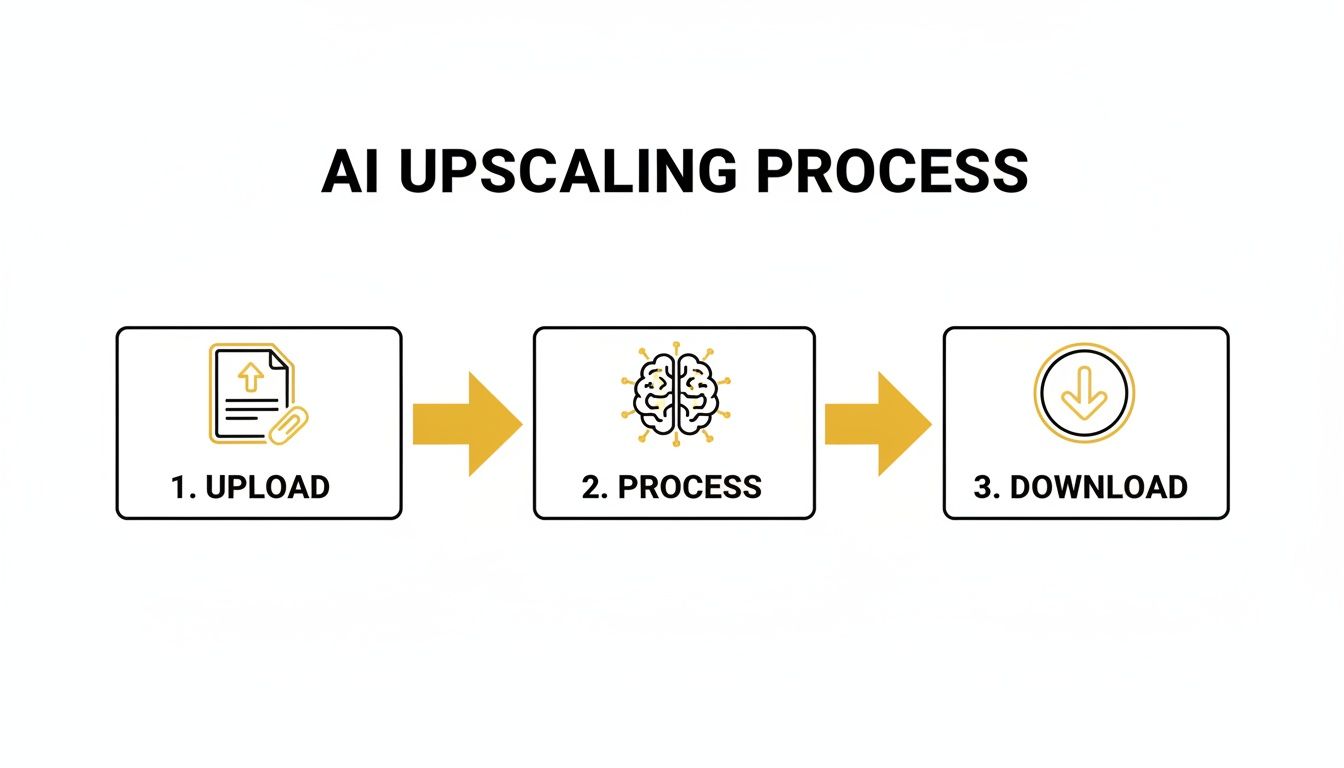
This elegant workflow hides all the heavy lifting, giving you a powerful restoration tool that's incredibly easy to use.
At its core, AI upscaling isn't guesswork. It's about making highly educated inferences based on a vast visual database. The AI logically reconstructs detail—adding texture to fabric or sharpening a distant tree—because it has already seen those elements in thousands of high-quality images.
This predictive power is precisely what separates the best upscaling tools from old-school resizing methods. It’s the difference between a blurry blow-up and a genuine digital restoration.
How to Spot a High-Quality AI Upscale
Not all upscaled images are created equal. As you start trying out different free AI image upscalers, you'll need to develop a sharp eye for what makes a result genuinely good. It's about moving past a simple "sharper is better" mentality and learning to judge the output like a pro.
A truly high-quality upscale strikes a delicate balance. The AI’s job is to intelligently add new detail without introducing weird, distracting flaws. You're aiming for an image that looks like it was captured in high resolution from the start, not one that screams, "I've been digitally manipulated."
Avoiding Common AI Flaws
When you get an upscaled image back, it's time to play detective. Zoom right in. Poorly trained or overly aggressive AI models tend to leave behind obvious clues that give them away. Knowing what to look for is the key to separating the great tools from the mediocre ones.
Here are the three most common flaws to keep an eye out for:
- Digital Artifacts: Look for odd, blocky distortions or strange, wavy patterns. You’ll often spot these in areas that should be smooth, like a clear sky or a painted wall. A good upscale renders clean gradients and textures, not a pixelated mess.
- Unnatural Halos: Check the edges of objects against contrasting backgrounds—think of a person standing against a bright sky. Lower-quality upscalers often create a faint, glowing outline or "halo" around the subject. It's a dead giveaway of clumsy processing.
- The "Plastic" Look: This is a huge problem, especially with faces and organic textures. A bad AI might smooth skin so much it looks like a mannequin, or it can turn a field of grass into a uniform green smear. The best tools know how to preserve or realistically recreate those fine details.
A great AI upscale is subtle. It enhances what's already there without inventing a new, artificial reality. The details it adds should feel authentic, keeping the original character of the photo while boosting its clarity.
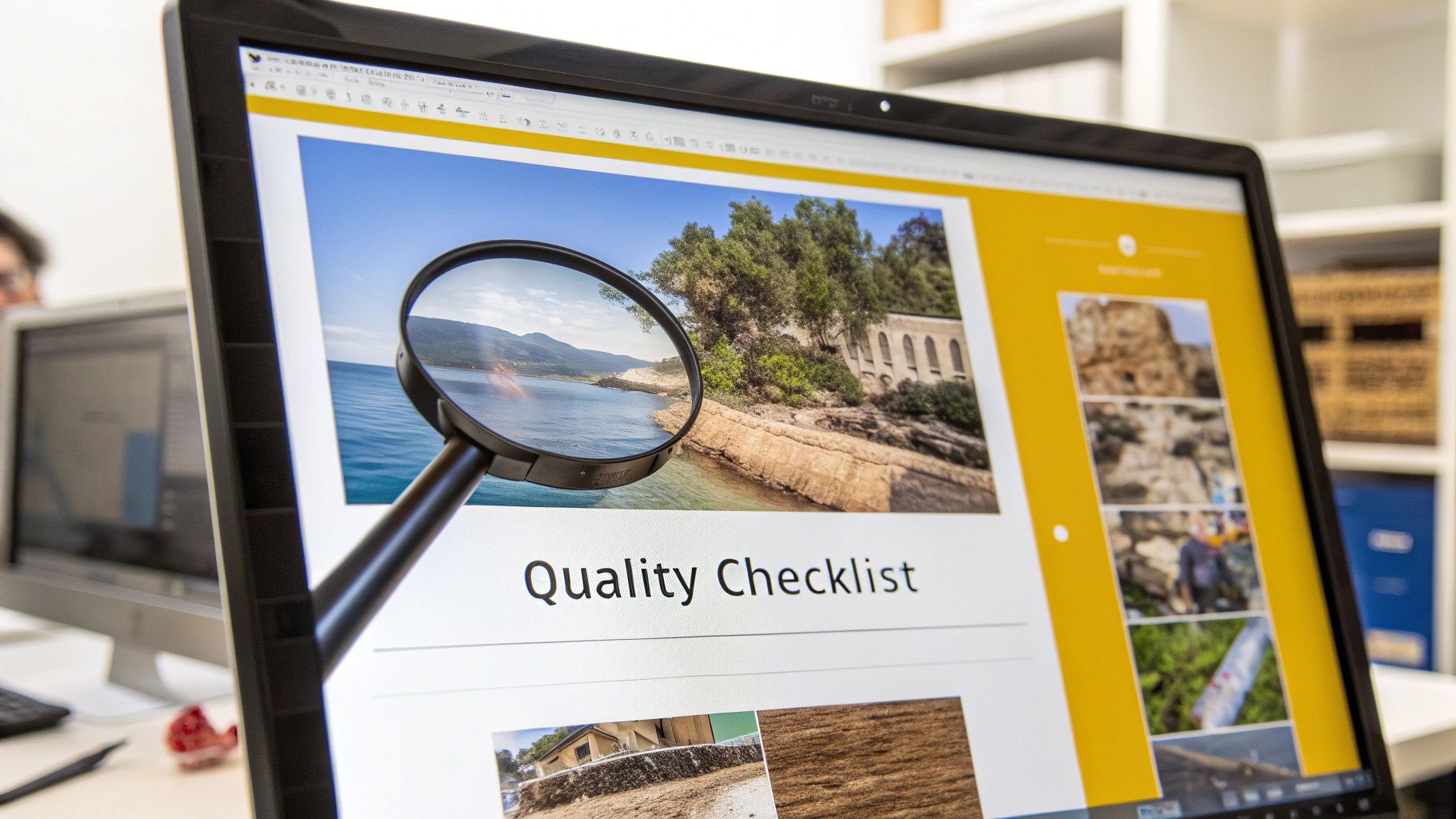
Your Visual Quality Checklist
To make things easier, run through this quick checklist. Pull up your original and the upscaled version side-by-side and ask these questions. A top-tier tool should earn a "yes" on all of them.
- Are fine details preserved? Look closely at delicate things like individual strands of hair, the weave of a fabric, or the tiny print on a sign. The AI should sharpen these elements, not smudge them together.
- Do textures look realistic? Zoom in on surfaces like wood grain, brick walls, or skin. Does the upscaled version have a believable texture, or does it look unnaturally smooth and fake?
- Is the overall look coherent? The entire image should feel natural and cohesive. If some parts are hyper-sharp while others are still blurry, the AI hasn't done its job properly.
Learning to spot these subtle but critical differences will give you the confidence to test any upscaler and know whether it’s any good. It’s how you’ll find the tool that consistently delivers the clean, detailed, and realistic results your projects demand.
What to Look For in a Free AI Upscaler
A killer upscaling algorithm is great, but if the tool is a pain to use, you'll never stick with it. The best free AI image upscalers don't just make your pictures bigger; they make your life easier. It's the practical, thoughtful features that separate a decent tool from one that actually slots right into your creative process.
For anyone working with more than one photo at a time, batch processing is an absolute must-have. Seriously, can you imagine uploading, upscaling, and downloading 50 product photos one by one? It’s a workflow killer. A good upscaler with batch functionality turns what could be a multi-hour headache into a simple, set-it-and-forget-it task.
Usability and Technical Specs
Beyond just getting a job done faster, you need to make sure a tool's technical specs actually match what you need to do. A great free upscaler gives you flexibility instead of forcing you into a corner with frustrating limitations.
Here are the key things to check:
- Supported File Types: Can it handle the files you actually use? Look for support for common formats like JPG, PNG, and WebP. The more formats it supports, the less time you'll waste on tedious file conversions before you can even get started.
- Maximum Enlargement Levels: While 2x and 4x are pretty standard, some of the better free tools can push it to 8x or even higher. Knowing these limits upfront tells you whether it's suitable for that huge print you're planning or just for screen use.
- Intuitive User Interface (UI): You shouldn't need to read a manual to figure out how to upscale a photo. A clean, simple interface, especially with drag-and-drop support, makes the entire process feel effortless.
This kind of functionality is in high demand. The AI image enhancer market was already valued at a staggering USD 2.6 billion in 2024 and is expected to keep growing. This isn't just a niche trend; these tools have become fundamental for creators and businesses everywhere. You can discover more about this market growth and its future projections.
Specialized AI Models
Finally, the most sophisticated upscalers understand a simple truth: not all images are created equal. A generic, one-size-fits-all algorithm will inevitably fall short when faced with unique challenges, like restoring a faded family photo or sharpening the intricate details of AI-generated art.
This is where specialized models come in. The best free AI image upscaler will often give you options. You might find one model trained specifically to reconstruct human faces with uncanny realism, while another is purpose-built to eliminate digital noise and ugly compression artifacts without smearing away important details.
Having the ability to choose the right AI for the right job is what separates a basic utility from a professional-grade tool. It gives you the control you need to get the best possible result, every single time. For a deeper dive into how AI enhances photos, check out our complete guide to the best AI photo editing software.
Why an Integrated Upscaler Makes Your Workflow So Much Smoother
We’ve all been there. You’re juggling three different apps just to get one image ready. One to create it, another to tweak it, and a third to finally upscale it. It’s a clunky, disjointed process that drains your creative energy.
Imagine you've just spent hours generating a dozen fantastic AI product shots. With a standalone upscaler, your work has just begun. Now you have to download every single image, open a new browser tab, upload them all again, wait for the processing to finish, and then download the final high-res versions. It’s not just a time sink; it’s an open invitation for file management chaos.
The Problem with Standalone Tools
The real enemy here is workflow friction. Every time you switch apps, you add another step, another chance for something to go wrong. Did you grab the right file? Did you accidentally use the low-res version? This friction kills your creative momentum and buries you in administrative busywork.
Let's break down the common headaches:
- It’s a Time Vampire: The constant download-upload cycle eats up a shocking amount of time, especially when you’re dealing with more than a few images at a time.
- File Management Nightmares: Soon your desktop is littered with "product-shot_final," "product-shot_upscaled," and "product-shot_final_final_v2." It’s a recipe for confusion and using the wrong asset.
- Inconsistent Tools: Every separate app has its own quirks and limitations. You're forced to constantly switch gears instead of staying in your creative zone.
This is exactly why an integrated toolset like PhotoMaxi is such a game-changer. By bringing everything you need under one roof, you can glide from one task to the next without hitting these frustrating roadblocks.
The Power of a Unified Platform
When the best free ai image upscaler is built right into your creative suite, a tedious, multi-step chore becomes a one-click task. After you’ve generated your images, you can instantly upscale, edit, and prep them for publishing—all without ever leaving the platform. This isn't just a nice-to-have; it's a real strategic advantage.
The industry is clearly moving in this direction. The specialized AI image upscaler market was already valued at USD 500 million in 2024 and is expected to keep growing, which shows a massive demand for smarter, all-in-one solutions.
An integrated workflow keeps your creative momentum going. Instead of getting sidetracked by technical hurdles, you can stay focused on what really matters: creating amazing, on-brand content.
This unified approach ensures your final assets are always sharp, high-resolution, and ready for anything. To see how this can directly impact your projects, check out our guide on using AI for content creation. The end result is simple: a faster, more reliable process that helps you produce better content with far less hassle.
The Future of AI Image Enhancement
The technology behind AI upscaling is moving incredibly fast. What we can do today is just a glimpse of what's coming, and it's fantastic news for creators. We're on the verge of leaving simple resolution boosts behind and entering a new era of smart, context-aware image reconstruction, all thanks to better hardware and more intelligent algorithms.
A huge part of this leap forward comes from the development of dedicated AI chips. These specialized processors are finally making real-time, high-res enhancement possible on our everyday devices, not just on powerhouse workstations. In fact, the market for AI image upscaling chips is expected to hit USD 4.49 billion by 2030, which shows just how much is being invested in this space. Learn more about these key industry trends.
This new hardware is paving the way for smarter AI models, which will soon become standard in the best free AI image upscaler tools available.
Beyond Pixels to Picture Perfect
In the near future, AI models won't just be adding more detail—they’ll actually understand the meaning of an image. Picture an upscaler that doesn't just sharpen a portrait but also subtly fixes bad lighting, rebalances the color, and maybe even refines the overall composition.
These breakthroughs will give creators tools that are not only more powerful but also faster and way more intuitive to use. This next wave of innovation is focused on three main areas:
- Contextual Understanding: The AI will know it’s working on a landscape photo versus a product shot and will apply the right kind of enhancements for a natural, believable result.
- Intelligent Correction: Instead of just sharpening what's there, the AI will proactively fix problems like digital noise and motion blur as part of the upscaling process.
- Real-Time Video Upscaling: Before long, enhancing an entire 4K video clip will feel just as easy and seamless as upscaling a single photo does today.
The next generation of AI image enhancement is all about holistic improvement. The end goal is to produce an image that looks like it was captured perfectly in the first place, not just digitally patched up.
For anyone creating content, this is a big deal. Sticking with platforms like PhotoMaxi, which are already working on this next wave of technology, means you'll always have the best tools in your kit. Getting ahead of the creative curve means choosing solutions that are built for the powerful capabilities right around the corner.
A Few Common Questions About Free AI Image Upscalers
Even with the best tools in hand, you probably still have a few questions. The world of AI upscaling can feel a bit confusing at first, so let’s tackle some of the most common sticking points. Getting these cleared up will help you move forward and create with confidence.
Knowing the answers helps you pick the best free AI image upscaler for what you actually need to do. That way, you can spend more time creating and less time wrestling with the tech.
Can a Free AI Upscaler Really Match Paid Software Quality?
For most day-to-day creative work, the answer is a resounding yes. The best free AI upscalers are built on sophisticated models that deliver results virtually identical to their paid cousins, especially for standard 2x or 4x enlargements. You can absolutely get professional-level sharpness and detail without opening your wallet.
So, what's the catch? The trade-offs with free tools usually come down to limitations. You might find caps on how many images you can process at once (batch processing), a ceiling on the maximum output resolution, or daily usage limits. A busy creative agency pumping out hundreds of images a day will likely need a paid plan, but a good free tool gives most content creators and marketers more than enough horsepower.
What Kind of Images Work Best for AI Upscaling?
AI upscalers do their best work on images that are small but clear, not photos that are fundamentally blurry or out of focus. It helps to think of the AI as a master detail artist, not a miracle worker who can fix severe camera shake.
You'll see the most impressive results with images that already have some defined lines and textures for the AI to work with.
- Portraits and Headshots: The AI is brilliant at reconstructing fine details like individual hairs and realistic skin texture.
- Architectural Photos: It does an amazing job sharpening clean lines, brick patterns, and window details.
- Product Shots: It can make the textures on a product or the lettering on a brand logo pop with incredible clarity.
Heavily compressed JPEGs with lots of digital "artifacts" are tougher, but even here, modern AI models are getting much better at cleaning up that noise as part of the upscaling process.
Is It Legal to Use AI Upscaled Images for Commercial Purposes?
Generally, yes, but this really hinges on two things: the terms of the specific tool you're using and your rights to the original image. You have to own or have the legal right to modify the source image to begin with.
Most well-known upscaling tools grant you full commercial rights to the final image you create. Still, it’s always a smart move to spend two minutes scanning the platform’s terms of service. This quick check gives you peace of mind, ensuring you can use your newly sharpened images for your business, marketing, or online store without any legal headaches later on.
Ready to stop juggling apps and start creating stunning, high-resolution content in one place? PhotoMaxi integrates a powerful AI upscaler directly into your workflow, turning a tedious task into a seamless, one-click operation. Experience the difference at https://photomaxi.com.
Ready to Create Amazing AI Photos?
Join thousands of creators using PhotoMaxi to generate stunning AI-powered images and videos.
Get Started Free