
Image to image ai: Transform Your Visual Content

Think of it like handing a reference photo to a sketch artist, but instead of asking for a perfect copy, you ask them to reimagine it in a completely different style. That’s the magic of image to image AI. You give the AI a starting image and a text prompt, and it generates something new while keeping the essence of your original photo.
What Exactly Is Image to Image AI?
At its core, image to image AI is a creative collaboration between you and the machine. It’s not about tweaking pixels like you would in Photoshop; it’s about generating entirely new ones based on both a picture and a prompt. It’s like having an AI photographer who can take one shot and spin it into endless variations.
This approach gives you the power to change an image’s entire vibe with just a few words. You can swap a photorealistic style for an anime one, transport your subject from a living room to a sci-fi cityscape, or even change their outfit and pose. For creators and businesses, this unlocks a universe of visual possibilities without the hassle of expensive photoshoots or complicated software.
From Simple Photos to Monetizable Assets
The real game-changer here is the ability to produce consistent, high-quality visuals on a massive scale. Platforms like PhotoMaxi essentially act as your personal AI model. After learning your facial features from just a handful of uploads, your "digital double" is ready to be placed into any scene you can dream up, churning out on-brand content for social media, ads, or your online store.
This has some serious perks:
- Speed and Efficiency: Generate hundreds of unique images in the time it would take to organize a single photoshoot.
- Cost Savings: Say goodbye to the high costs of hiring photographers, models, renting locations, and buying equipment.
- Creative Freedom: Test out concepts, styles, and aesthetics that would be wildly impractical or flat-out impossible to create by hand.
The staggering growth of the AI image generator market highlights just how impactful these tools have become. The market is expected to jump from USD 15.18 billion in 2026 to USD 88.71 billion by 2032, signaling a huge shift from niche experimentation to mainstream business use. This trend perfectly complements PhotoMaxi’s ability to turn a simple upload into a full-blown studio-quality photoshoot. You can find more details on this growth in the AI image generator market report.
This technology makes high-end visual creation accessible to everyone, no matter their technical skill level. Whether you’re an influencer building a personal brand or a merchant who needs fresh product photos for your Shopify store, image-to-image AI gives you the tools to create professional, monetizable assets from a single starting point. The focus shifts from merely editing an image to directing its complete reinvention.
How Image-to-Image AI Works Under the Hood
To really get what’s happening with image-to-image AI, we have to look behind the curtain. The technology itself is incredibly complex, but the core idea is actually pretty intuitive. It’s not just fancy photo editing; it's about teaching a machine to see, understand, and then create something entirely new based on what it’s learned.
The whole process relies on a powerful technology called a diffusion model. The best way to think about it is like a sculptor, but instead of starting with a clean block of marble, they start with a chaotic block of digital "noise"—basically just a screen full of random pixels. The AI’s job is to carefully chip away at this noise, using both your input image and your text prompt as its guide, until a clear, new picture emerges from the static.
This "chipping away" process happens in a series of small steps. The AI progressively removes the noise, making decisions at each stage about what the final image should look like. It’s constantly checking back with the composition of your source photo and the instructions in your prompt to make sure the end result is a perfect blend of both.
The Magic of Diffusion Models
Diffusion models are so good at creating photorealistic and detailed images because they learn how to create by learning how to destroy. During their training, these models are shown millions of images and taught how to systematically add noise until nothing but static is left. By mastering how to deconstruct an image, they become experts at reconstructing one from scratch.
When you provide a source photo, you're giving the diffusion model a massive head start. Instead of beginning with pure, random noise, it starts with a "noisy" version of your image. This is key because it ensures the final output keeps the important structural elements—like the shape of a face or the layout of a room—while still giving it the freedom to transform based on your text prompt.
Key Takeaway: Image-to-image AI doesn't just paint over your photo. It uses your image as a foundational blueprint, then builds a completely new creation from digital noise, guided by your text commands.
ControlNet: The Director's Chair
This is where you get to take charge. What if you love the pose in your original photo but want to change everything else? That's where a brilliant piece of technology called ControlNet comes in. It acts as a set of precise instructions that "lock in" specific elements from your source image.
Think of it as laying a stencil or a wireframe over the AI’s creative process. ControlNet can extract specific data from your input photo, like:
- Pose: It can detect the exact position of a person's limbs and body, forcing the generated character to match it perfectly.
- Depth: It can understand how far objects are from the camera, preserving the three-dimensional feel of the original scene.
- Edges: It can trace the outlines of objects (often called canny edges) to maintain the overall composition and structure.
This conceptual diagram shows the simple yet powerful flow of combining your image with a prompt to kickstart the AI transformation.
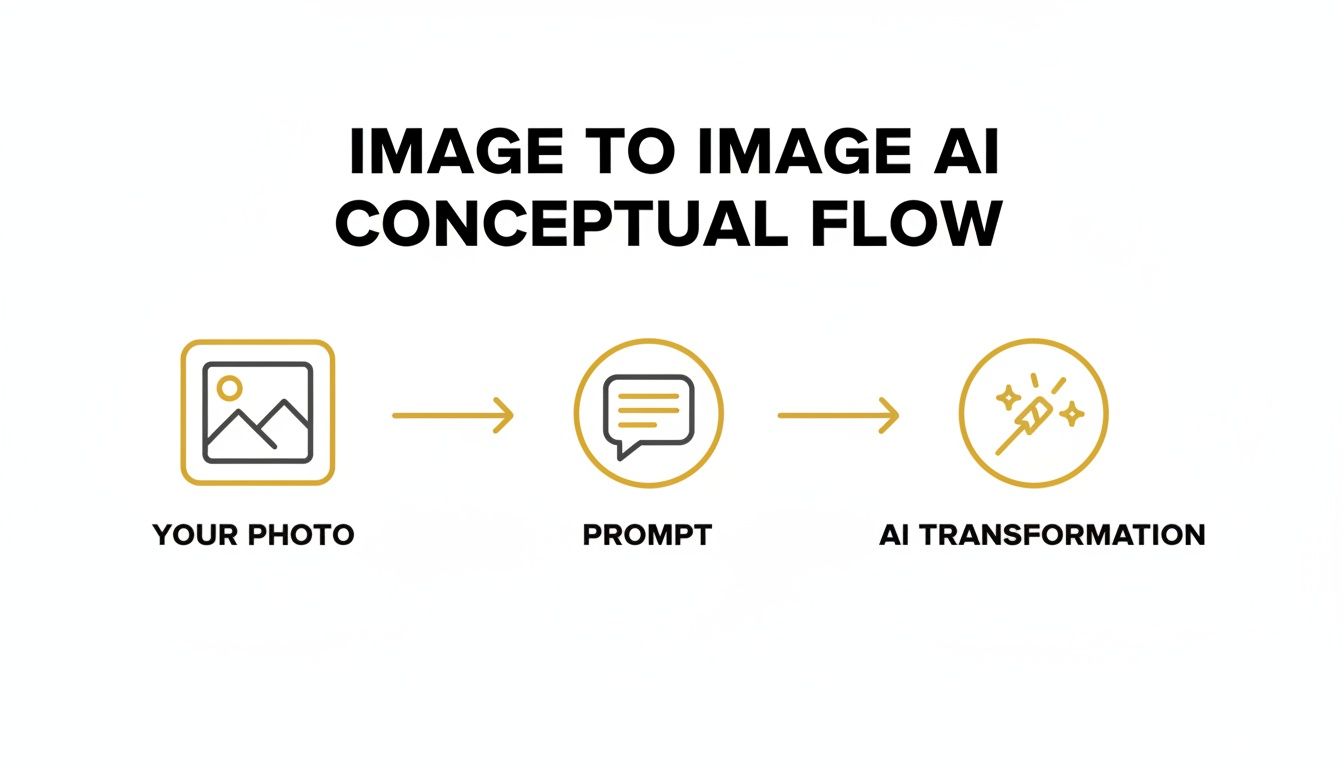
This partnership between your image, your prompt, and a control model is what makes it possible to get such consistent and controllable results. By using ControlNet, platforms like PhotoMaxi can ensure your AI model maintains a consistent pose, facial structure, and likeness across hundreds of generated images. If you want to go deeper, our guide on how to create AI models explores this concept further. It essentially puts you in the director’s chair, giving you final say over the scene.
Where Image-to-Image AI Really Shines for Creators and Brands
Okay, we've got the theory down. But where does image-to-image AI actually make a difference in the real world? This isn't just a cool tech demo; it’s a production powerhouse that gives creators and brands incredible speed, creative freedom, and cost savings. Workflows that used to take weeks of planning and execution can now be wrapped up in just a few hours.
For individual creators, the most obvious win is generating an endless stream of professional portraits from a single photo. Think about it: you can take one solid headshot and turn it into hundreds of unique images. You in different outfits, with new hairstyles, under dramatic lighting, or even in exotic locations you've never visited. It completely removes the need for expensive photoshoots, stylists, and travel.
A New Era for E-commerce and Product Photography
The impact on e-commerce is even bigger. Brands can now create countless lifestyle product shots without the logistical nightmare of shipping items, booking models, or renting out studios. Take a standard photo of a handbag on a white background, and you can instantly see it being carried through Paris, sitting on a sandy beach, or styled in a high-fashion magazine spread.
This is a huge reason why the AI image editor market has exploded to USD 279.2 billion in 2024 and is on track to hit an eye-watering USD 1.81 trillion by 2030. This boom is all about AI’s ability to generate synthetic models, relight scenes, and power virtual try-on features from a simple image upload. For online retailers, this means more dynamic and engaging product visuals, which leads directly to better conversion rates—at a tiny fraction of the old-school cost. You can dive deeper into these trends in AI image statistics.
And it doesn't stop with static pictures. This same tech is the key to creating dynamic content. By generating a sequence of images with small changes in pose or expression, you can build compelling visual stories. If that sparks your interest, you should check out our guide on how to create AI videos using your AI-generated assets.
Creative and Artistic Exploration
Beyond marketing and social media, artists and designers are finding a powerful new creative partner in image-to-image AI.
- Sketch to Reality: A simple digital sketch or even a rough line drawing can be fleshed out into a photorealistic masterpiece. This lets artists visualize complex ideas in minutes, not hours.
- Style Transfer: Ever wonder what your photo would look like if painted by Van Gogh? You can apply the aesthetic of a famous painting to a modern photograph, creating a unique hybrid of classic and contemporary.
- Concept Art: Game developers and filmmakers can churn out tons of concept art for characters, environments, and props, massively accelerating the entire pre-production phase.
By providing a strong visual starting point, image-to-image AI gives you directorial control over the final output. It's less about generating random art and more about guiding the AI to refine and execute a specific creative vision.
This control is what makes the output not just visually interesting, but also commercially useful and aligned with specific brand guidelines. For anyone using a platform like PhotoMaxi, this means you can create consistent, monetizable assets for everything from social media posts to full-blown product launches, all from one reliable AI model. It's a truly scalable solution for any visual content you can imagine.
Getting Consistent, High-Quality Results from Your Prompts
Think of an image-to-image AI model as an incredibly talented artist who’s also a bit of a mind-reader—but not a very good one. It has all the technical skill in the world, but it needs clear, specific directions from you to create a masterpiece. Your words are the bridge between your starting photo and the final creation, and getting them right is the secret to consistently great results.
A great prompt doesn't just describe what you want to see; it sets the mood, defines the style, and nails the details. Vague instructions like "a woman in a professional setting" are a gamble. You might get lucky, but you'll probably get something generic.
A much better approach? Get specific. Try "professional headshot of a woman, corporate office background with soft natural light, wearing a navy blue blazer, smiling confidently." See the difference? The more detail you feed the AI about the subject, setting, lighting, and mood, the more control you have over the final image. This precision is what turns random generations into a curated set of on-brand assets.
Finding the Right Creative Balance
One of the most powerful tools at your disposal is the balance between your original image and your text prompt. Most image-to-image platforms have a slider or setting for this, often called "image guidance" or "image strength." Think of it as a creativity dial that lets you decide how much the AI should stick to the source photo.
High Image Guidance (Low Creativity): Cranking this value up (say, to 0.8 or higher) tells the AI to follow the original image's composition, colors, and structure very closely. This is perfect when you just want to make subtle tweaks, like changing an outfit or swapping a background, without altering the person's face.
Low Image Guidance (High Creativity): Turning this value down (to 0.5 or lower) gives the AI more artistic license. It'll treat your source image as more of a loose suggestion and lean heavily on your text prompt. This is where you can get some really dramatic stylistic transformations.
Experimenting here is crucial. If you're creating consistent portraits and need to keep the facial likeness stable, a higher guidance value is your best friend. For more artistic or abstract work, feel free to dial it down and see what happens.
The Power of Negative Prompts
Telling the AI what you want is only half the battle. Just as important is telling it what you don’t want. This is where negative prompts come in. These are simply keywords or phrases that instruct the AI to avoid certain elements, helping you weed out common flaws and get a much cleaner, more professional look.
For instance, if you keep getting images with mangled hands or a blurry background, a quick negative prompt can steer the AI away from those problems.
Pro Tip: Think of a good negative prompt as a quality filter. By explicitly telling the AI what to exclude, you push it toward a better result without having to cram your main prompt with a bunch of "don't do this" instructions.
Here are a few highly effective negative prompts you can add to your workflow:
- To Improve Quality:
blurry, grainy, low resolution, jpeg artifacts, poorly drawn - To Fix Common Flaws:
deformed, disfigured, extra limbs, bad anatomy, mutated hands - To Control Aesthetics:
ugly, cartoon, 3d render, watermark, text, signature
When you combine a detailed positive prompt with a strategic negative one, you gain an incredible amount of control. This two-pronged approach is fundamental to getting the hang of image-to-image AI and is a core part of generating a truly photorealistic AI image. It’s how you make sure every image isn't just good, but exactly what you had in mind.
A Practical Guide to Generating Content with PhotoMaxi
Theory is one thing, but seeing how the pieces fit together in a real workflow is where the magic happens. Let's walk through a practical example using PhotoMaxi to see how image-to-image AI can take a handful of photos and spin them into a whole suite of professional, monetizable assets. This is how you can shrink what used to be a multi-day creative project into a single, focused hour.
It all starts with building a personal AI model. Don't worry, this isn't as intimidating as it sounds. You’re simply giving the AI a clear visual reference to work from. To get started, you’ll upload several high-quality, well-lit photos of your face or a specific product. This first step is the foundation for everything that follows—the AI learns your unique features, ensuring every image it creates looks consistently like you.
Step 1: Train Your Personal AI Model
Once your photos are in the system, PhotoMaxi gets to work training a model that’s unique to you. The whole process usually takes less than an hour. The platform meticulously analyzes your facial structure, skin tone, and other key details to build a digital likeness that it can place into any new scene you can imagine.
Think of it as creating a digital double who's always camera-ready.
Step 2: Generate Content in Batches
With your trained model, the real fun begins. Let's say you need an entire month's worth of Instagram content. Instead of painstakingly generating images one by one, you can use PhotoMaxi's batch creation feature. You write one detailed prompt—something like, "professional headshot in a bright, modern office, wearing a black turtleneck, soft morning light"—and the AI will generate dozens of unique variations at once.
This is a massive time-saver. In just a few minutes, you’ll have a full gallery of on-brand portraits. Each image will have your consistent facial features, but with subtle differences in expression and angle. This gives you a ton of options to fill out your social media calendar without any of the usual repetition.
The PhotoMaxi interface is built to make this incredibly intuitive, putting powerful tools for batch creation and editing right at your fingertips.
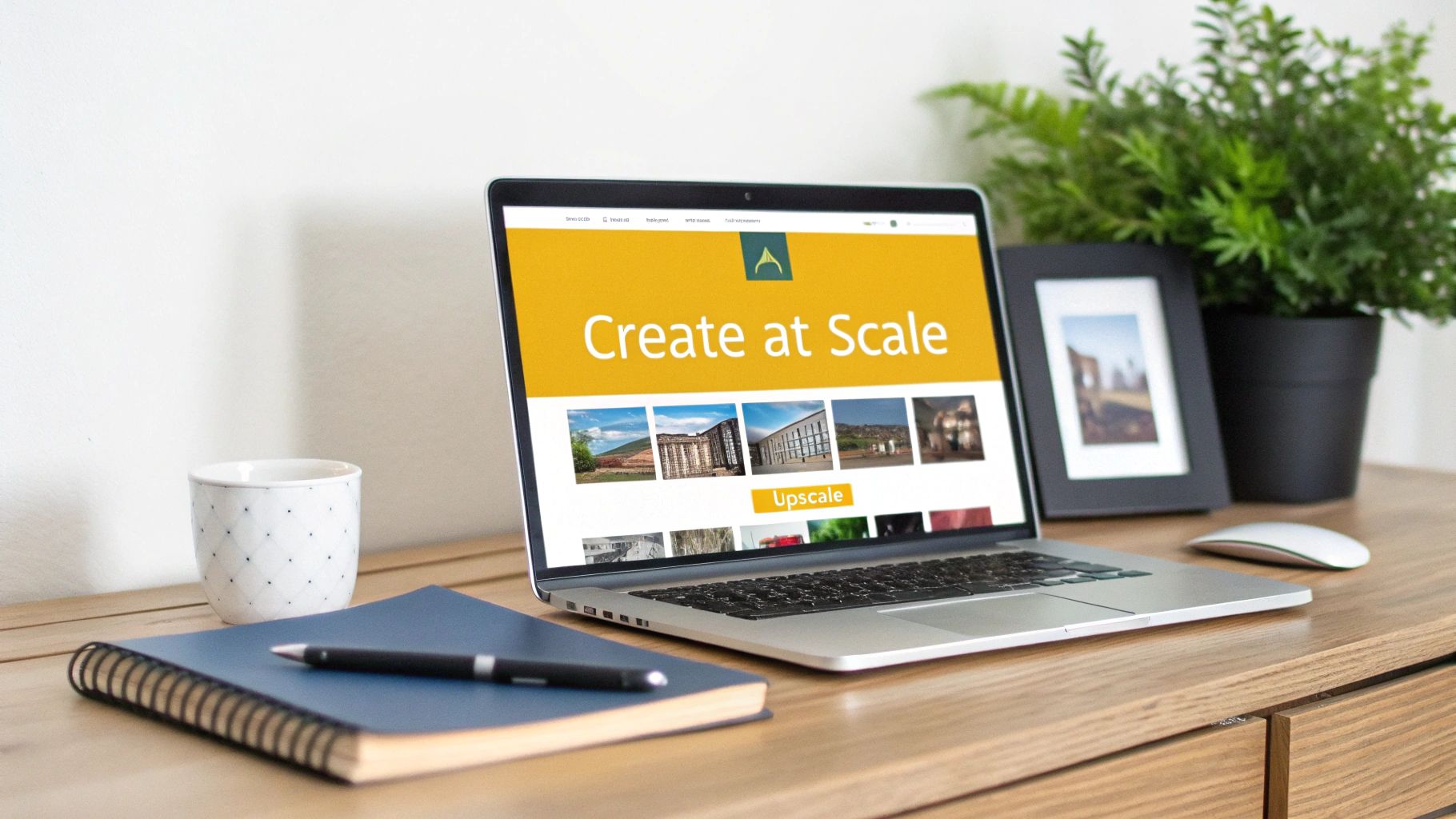
This centralized dashboard keeps the entire process—from model training to final export—in one place, making professional-grade content creation far more accessible.
Step 3: Refine and Upscale Your Favorites
After generating a batch, a few images will inevitably stand out. The next step is to polish them to perfection. PhotoMaxi has built-in tools for post-production, so you don't have to break your flow by switching over to another app.
You can make several key adjustments right away:
- Upscaling: Need an image for a high-resolution banner or even a print ad? You can upscale it to 4K or higher, which sharpens the detail and clarity without any pixelation or loss of quality.
- Relighting: If the mood isn't quite right, the relighting tool lets you completely change the lighting. A click or two can transform a bright, evenly-lit photo into a dramatic, shadowy portrait.
This integrated toolset is the secret sauce. You can move from a rough idea to a polished, print-ready asset without ever leaving the platform, which helps you stay in the creative zone.
Step 4: Repurpose Your Model for E-commerce
The real power of your trained AI model is its versatility. It's not just for personal portraits. Imagine you run a Shopify store selling custom jewelry. You can use that same model to create stunning product shots.
Just write a new prompt, like, "woman wearing a delicate gold necklace, close-up shot, soft focus background, elegant and minimalist style."
Instantly, your digital double becomes a product model, showcasing your merchandise in a high-end, professional context. This lets you generate an endless supply of fresh marketing visuals for your online store, social media ads, and email campaigns—all without the cost and logistical headaches of hiring a human model and booking a photoshoot. This is the core advantage of image-to-image AI for modern creators and merchants.
Navigating the Ethics of AI Image Generation
For all its creative power, image-to-image AI isn't magic. Building trust means we have to be honest about its current limitations and the serious questions it raises.
Let’s start with the basics: the tech isn't flawless. While the results can be mind-blowing, you'll still run into visual quirks and glitches. Developers call these "artifacts"—things like a hand with six fingers or an object that just looks a little off in the background. Learning to spot and work around these imperfections is part of mastering the tool.
A much bigger issue is data privacy, especially when you’re feeding personal photos into a model to train it. Think about it: your photos contain your biometric data. It's crucial to use a platform that takes security seriously, giving you complete confidence that your images are only used for their one intended purpose—to create your digital twin—and absolutely nothing else.
Copyright and Transparency
The conversation about AI and creativity is messy right now. Courts and lawmakers are trying to figure out who owns AI-generated art. Is it the person who wrote the prompt? The company that built the AI? Or does it belong to no one? Because the legal ground is still shifting, it's absolutely vital to choose a platform with crystal-clear terms for commercial use.
This uncertainty makes transparency a non-negotiable. If you're using AI-generated content for anything public, like marketing or news, disclosing it is the best way to build trust. It frames the technology for what it is: a powerful creative assistant, not a tool for deception.
By being upfront, we position image-to-image AI as a way to augment human creativity, not replace it. This approach encourages responsible innovation and allows creators and brands to use these powerful tools with both confidence and awareness.
Ultimately, the goal is to weave this technology into our creative work responsibly. By understanding its limits, demanding data privacy, staying aware of the copyright debates, and practicing transparency, we can make sure image-to-image AI remains a positive force for artists, entrepreneurs, and anyone with a story to tell.
Got Questions About Image-to-Image AI? We've Got Answers.
Even after getting the hang of the basics, you probably still have a few questions about how image-to-image AI works in the real world. Let's tackle some of the most common ones so you can start creating with total confidence.
How Can I Make Sure My AI Model Actually Looks Like Me Every Time?
This is the big one, right? Getting a consistent look is what separates a fun toy from a professional tool. It really boils down to two things.
First, you have to feed the AI good data. Your training photos are the foundation for everything. The model needs a variety of clear, well-lit pictures from different angles to learn your facial structure. Garbage in, garbage out, as they say.
Second, the platform you use makes a huge difference. A purpose-built tool like PhotoMaxi is designed specifically for this kind of consistency. Once you've created your personal model, you can use features like "image guidance" to force the AI to stick very closely to your core likeness. This solves one of the biggest headaches people have with more generic, all-purpose AI image generators.
Is It Okay to Use AI-Generated Images for My Business?
In most cases, yes, but you absolutely have to pay attention to the fine print. Whether you can use AI images commercially depends entirely on the terms of service of the tool you're using. A lot of free or experimental platforms explicitly forbid it or exist in a legal gray area, which could get your brand into hot water.
The smart move is to always pick a service that offers a clear commercial license. Platforms like PhotoMaxi have specific plans that grant you the legal rights to use your images for marketing, ads, product sales, or anything else business-related. Always read the terms before you post.
Taking a moment to check this gives you the green light to monetize your AI creations without looking over your shoulder for legal trouble down the road. It’s a small step that brings a lot of peace of mind.
What's the Difference Between Image-to-Image and AI Inpainting?
They both use AI to edit photos, but they're built for completely different jobs. Knowing when to use each one is key to an efficient workflow.
Image-to-image AI is about total transformation. It takes your source photo and re-imagines the entire thing based on your text prompt. You can change the style, the background, the clothing, the lighting—everything at once. Think of it as using your original photo as a rough sketch for a brand-new masterpiece.
AI inpainting, on the other hand, is like a surgical tool. You select a specific area of an image—say, a coffee mug on a table—and tell the AI to add, remove, or change only what's inside that box. The rest of the photo stays exactly the same, making it perfect for small fixes or targeted additions.
Can Image-to-Image AI Handle Complicated Scenes with Lots of People?
It can, but there are some strings attached. Modern AI models are getting surprisingly good at generating complex scenes with detailed backgrounds and multiple subjects. The real challenge, however, is keeping every single person's face consistent and accurate at the same time.
For the best results with group shots, a pro-level workflow often involves generating each person's AI model individually. Then, you can use editing software to combine them into one seamless final image. This gives you way more control over each person's likeness. The tech is improving fast, but for now, a one-person-at-a-time approach is the most reliable way to get high-quality commercial results.
Just How Fast Is This Technology Growing?
It’s exploding. Generative AI, the engine behind all this, is on a trajectory toward a trillion-dollar market. In 2025, the generative AI sector alone was valued at USD 53.7 billion, and it's projected to rocket to USD 988.4 billion by 2035.
This isn't just about big numbers; it means that powerful, studio-quality tools are now accessible to everyone. Millions of AI images are created every single day, and with 71% of social media users having a positive view of AI content, the demand is only going up. You can dive deeper into the numbers in this generative AI market analysis.
Ready to skip the photoshoots and start creating incredible visual content on your own terms? PhotoMaxi acts as your personal AI photographer, ready to turn any idea into reality. Generate hundreds of on-brand portraits, perfect product shots, and even AI-powered videos with unparalleled consistency and quality. Start creating with PhotoMaxi today!
Related Articles


Ready to Create Amazing AI Photos?
Join thousands of creators using PhotoMaxi to generate stunning AI-powered images and videos.
Get Started Free