
Your Guide to a Studio Portrait Professional Workflow
Getting that polished, studio portrait professional look used to mean booking an expensive studio and dealing with complicated lighting setups. Not anymore. Thanks to new workflows, especially those involving AI, anyone can create stunning, consistent headshots and brand photos quickly and without breaking the bank.
The New Era of Professional Studio Portraits
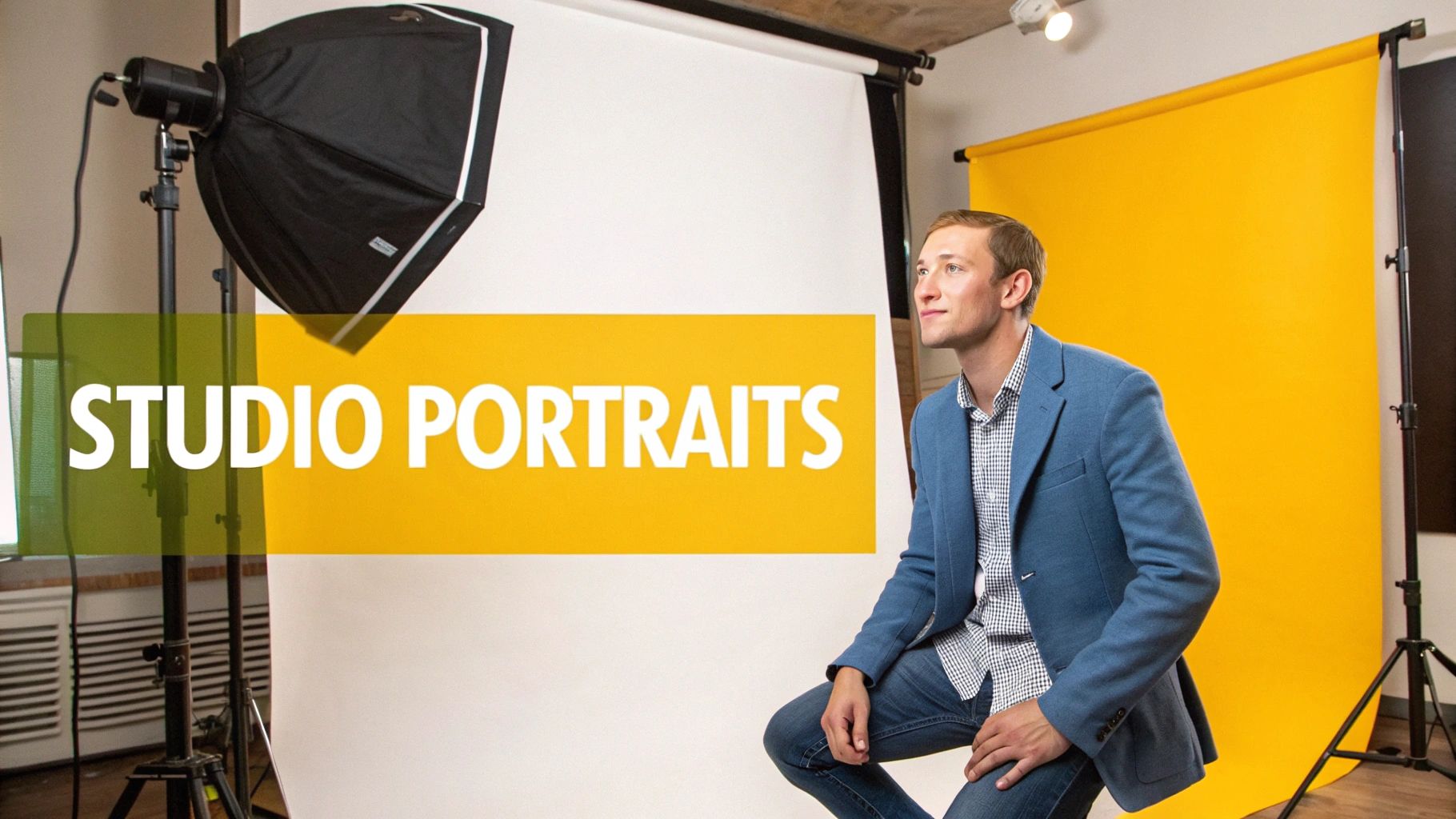
The days of needing to rent a high-end studio, hire a pricey photographer, and coordinate a whole production just for a few good portraits are fading. While traditional photoshoots certainly still have their place, a major shift is happening. This new way of working is all about efficiency, affordability, and creative control.
This guide is all about that modern approach, mixing timeless portrait principles with the incredible power of today's tech. We'll walk you through everything from the initial idea to a perfect final image that's ready for any campaign or social media profile. The aim is to put you firmly in the driver's seat of your visual identity.
Why a Modern Workflow Matters
Let's be real—the demand for great visual content is relentless. Brands need a constant supply of images for social media, websites, and ads. Professionals need sharp headshots for LinkedIn and personal branding. The problem with a traditional photoshoot is you often walk away with just a handful of usable images from one long, expensive session.
Adopting a more modern process gives you some serious advantages:
- Speed and Efficiency: You can generate dozens of unique, high-quality portraits in the time it used to take just to set up the lights for one shot.
- Cost Savings: Say goodbye to massive bills for studio rentals, equipment, and photographer fees. The savings are significant.
- Creative Freedom: Want to try out a dozen different backgrounds, outfits, or lighting styles? Now you can, without needing a physical set for each one.
- Unmatched Consistency: This is a big one. You can ensure every single image fits your brand's aesthetic perfectly, which is key for building a strong, recognizable identity.
This new workflow isn't about replacing photographers. It's about giving creators powerful tools that were once completely out of reach, making the studio portrait professional look accessible to everyone, on demand.
Introducing a Smarter Path with PhotoMaxi
Throughout this guide, we’ll use PhotoMaxi as our example to show you how each stage of this process can be simplified and enhanced. By starting with just a single photo, you can create a consistent AI model capable of generating an entire library of on-brand content.
You’re about to learn the fundamentals: how to build a creative vision, generate your core images, and add those final touches that make your portraits truly pop. For a more detailed look at how this technology is changing the industry, you can learn more about AI for photography in our dedicated article.
Crafting a Vision for Your Perfect Portrait
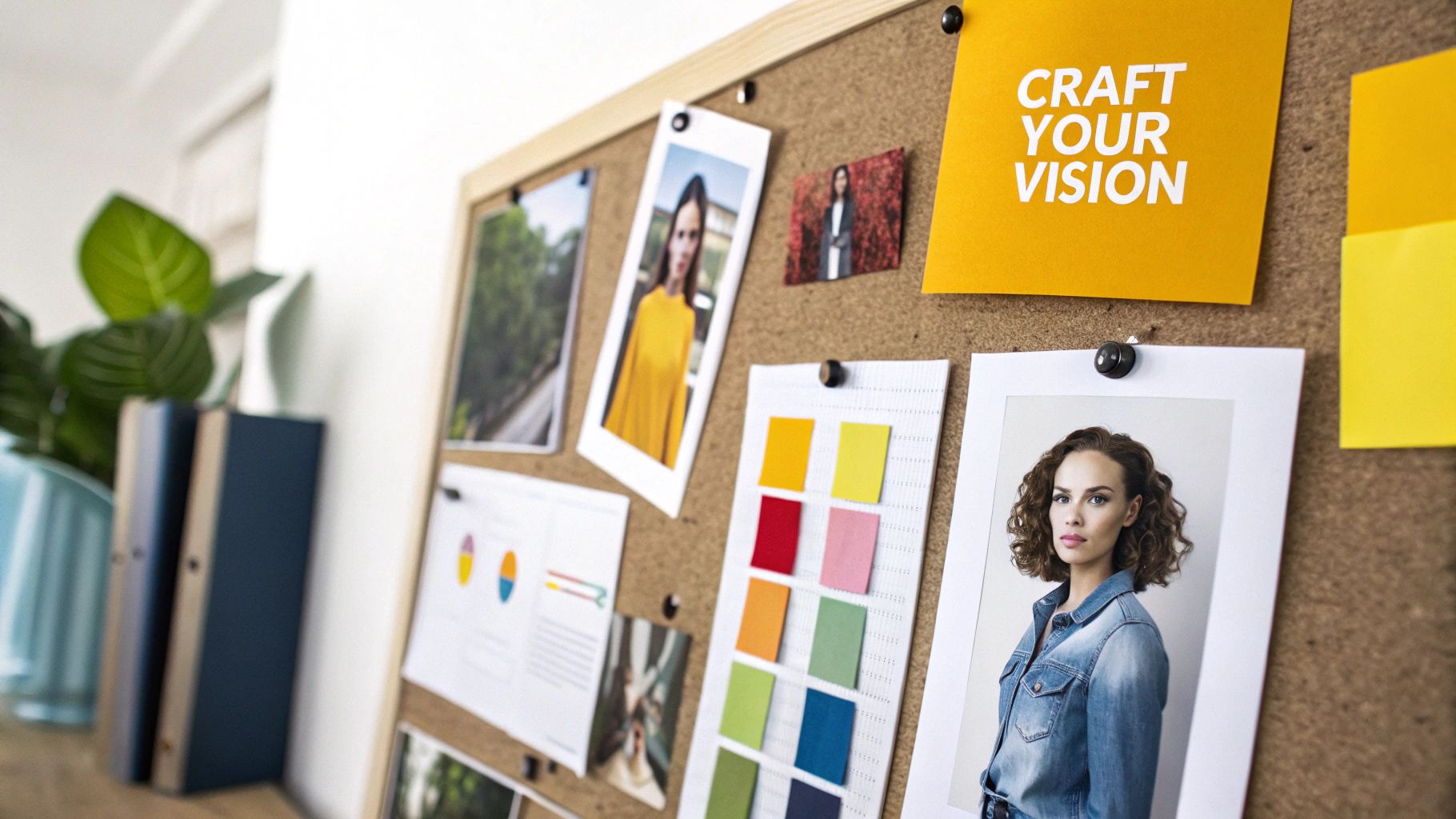
A truly standout studio portrait professional look is never just a lucky shot. It’s born from a clear idea—a vision that steers every choice you make, well before you even start thinking about lighting setups or camera settings. This initial planning stage is essentially your blueprint for a successful shoot.
The first question I always ask is simple: What is this portrait for? The answer changes absolutely everything. A headshot for a corporate law firm’s website needs a completely different vibe than a dynamic portrait for a personal trainer’s Instagram. One has to scream "trustworthy and serious," while the other needs to project "energy and motivation."
Getting this right is everything in a market driven by visual communication. It's no surprise that studio portrait services are the biggest slice of the photography industry in the US, driving a huge chunk of its projected $15.8 billion revenue for 2025. On a global scale, we're talking about a massive $20.6 billion market. That tells you just how much people and brands are willing to invest in getting their image perfect. You can find more photography industry statistics at ibisworld.com.
Build Your Visual Mood Board
Once you’ve nailed down the purpose, it's time to gather some inspiration. This is where a mood board becomes your best friend. Think of it as a collage of images, colors, textures, and styles that really define the look and feel you're aiming for. Don't limit yourself to just photos of people; sometimes an abstract texture or color swatch can capture the mood perfectly.
Whether you use Pinterest, a folder on your desktop, or an old-school corkboard, the goal is the same: create a visual North Star that keeps you focused.
- Lighting Styles: Hunt down examples of lighting that resonate with you. Is it soft and flattering, or are you going for something more dramatic with hard-edged shadows?
- Color Palettes: What colors speak to the brand or person? Pull together swatches that echo the right emotion—warm tones for approachability, cool tones for a more corporate, formal feel.
- Poses and Expressions: Find examples of poses that communicate the right message. A strong, direct gaze feels confident and powerful, whereas a slight head tilt can come across as more open and friendly.
Translate Your Vision Into Actionable Prompts
With a solid mood board in hand, you can start translating those creative ideas into concrete instructions for your AI workflow in PhotoMaxi. This is where your vision becomes a repeatable plan. Instead of throwing vague ideas at the wall, you’ll be crafting precise prompts that guide the AI exactly where you want it to go.
I always tell people to think of their AI prompt like they're talking to a highly skilled but very literal photographer. The more specific your instructions, the better your final image will match the vision you’ve so carefully put together.
For instance, rather than just asking for a generic "professional portrait," you can pull all the elements from your mood board into a much more powerful prompt.
Vague Prompt: "A professional portrait of a woman."
Targeted PhotoMaxi Prompt: "A headshot of a female tech CEO, confident and approachable expression, wearing a navy blue blazer. Set against a clean, out-of-focus office background with warm tones. Lighting should be soft, three-point studio style with a subtle catchlight in the eyes."
That level of detail ensures the AI understands not just the subject, but the emotion, the setting, and the exact photographic techniques you’re after. This is how you create a truly studio portrait professional image that hits the mark, every single time.
From Concept to Creation: Photography vs. AI
Once you've got your creative vision locked in, it's time to actually create your professional studio portraits. For decades, this meant one thing: booking studio time, hauling in gear, and meticulously setting up lights and cameras. But now, there’s another incredibly powerful option on the table—an AI workflow that offers amazing speed and creative freedom.
Let's look at how these two paths compare.
The Traditional Studio Path
Going the traditional route is all about the physical setup. A classic starting point for any portrait photographer is a three-point lighting arrangement. You’d have a key light as your main source, a fill light to soften shadows, and a backlight to separate your subject from the background, giving their features shape and depth.
Camera settings are just as critical. You'd likely reach for a lens with a wide aperture, something like f/2.8, to create that beautifully blurred background that makes the subject pop. To keep the image pristine and noise-free, you'd set your ISO to 100. It’s a proven formula, but one that absolutely requires technical know-how, expensive equipment, and a dedicated space to pull off.
The AI-Driven Alternative with PhotoMaxi
Now, let's switch gears and look at the AI workflow. This approach flips the script entirely, shifting the effort from technical execution to pure creative direction. Instead of physically moving lights or adjusting camera dials, you're guiding an intelligent system with carefully crafted instructions.
With a tool like PhotoMaxi, you start by creating a consistent AI model of your subject. This is surprisingly simple—you just upload a handful of good reference photos, and the system learns their likeness.
This model essentially becomes your digital talent, ready to star in any scene you can dream up. You feed it the detailed prompts we worked on earlier to control everything from the pose and expression to the wardrobe and background. The AI then gets to work, generating a portrait that matches your vision, no studio required.
The real magic here isn't just about saving a ton of time. It's about blowing the doors wide open on creative possibilities. You can experiment with a dozen different lighting styles—from dramatic Rembrandt to soft, high-key looks—in minutes. That’s something that would take an entire afternoon to set up and shoot in a physical studio.
This method also solves one of the most persistent headaches in AI image generation: getting a consistent, accurate face. PhotoMaxi is built from the ground up to nail character consistency, ensuring every portrait it generates actually looks like your subject, just in a different setting.
Comparing the Workflows
Let's get practical and lay out the differences between a traditional studio shoot and an AI-powered session. The contrast in time, cost, and overall complexity is pretty staggering.
Below is a quick comparison showing just how different these two approaches are when you break them down stage by stage.
Traditional Studio vs AI Portrait Workflow Comparison
| Stage | Traditional Studio Workflow | PhotoMaxi AI Workflow |
|---|---|---|
| Preparation | Booking studio, hiring photographer, arranging gear (2-5 days) | Uploading reference photos to train an AI model (15-30 minutes) |
| Creation | Photoshoot session, multiple takes, lighting adjustments (2-4 hours) | Writing prompts and generating dozens of image variations (30-60 minutes) |
| Cost | Studio rental, photographer fees, equipment costs ($500 - $2,000+) | Monthly subscription with a set number of credits (Starts under $50) |
| Output | A limited set of final images from the shoot (5-10 retouched photos) | A vast library of diverse, on-brand images (Hundreds of variations) |
The table really tells the story. An AI workflow massively cuts down on the time, money, and logistics needed to produce a high volume of professional images. For anyone who needs a constant stream of fresh visuals—marketers, small business owners, creators—this is a total game-changer. You can generate an entire campaign's worth of content for less than the price of a single traditional headshot, making that professional studio portrait look more accessible than ever before.
The Art of Polished Post-Production and Retouching
Getting the initial image is just the starting point; the real magic happens in post-production. This is where a good portrait becomes a great one. Think of it as the final polish that refines the details, perfects the mood, and truly brings your creative vision to life.
This used to be a world reserved for seasoned photo editors, but today's integrated tools make that level of refinement accessible to everyone. The goal isn't to create something fake, but to enhance what’s already there—tweaking colors, dialing in the light, and making sure every pixel is perfect for its final destination, whether that's an Instagram feed or a large-scale print.
It’s a critical step in a competitive field. In the U.S. alone, there are about 49,500 professional photographers, many of whom specialize in portrait work, all contributing to a market valued at a staggering $10.2 billion. You can find more interesting stats about the photography market on jacobrussellphotography.com.
This is where new workflows really start to show their power. Just look at the difference between a traditional studio shoot and a modern AI-powered process.
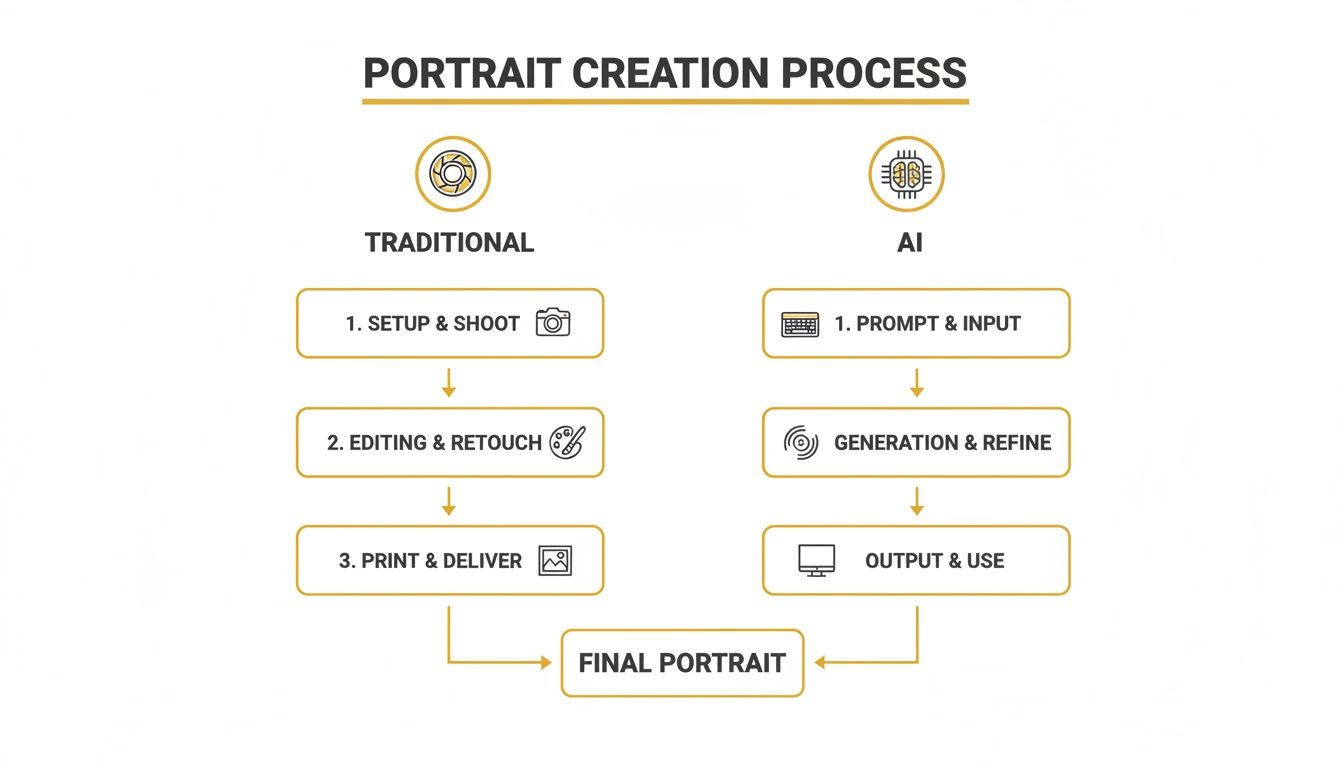
As you can see, AI can take a complex, multi-day process and boil it down to a single, focused session. The savings in time, energy, and logistics are massive.
Refining Light and Color with AI
Even with the most detailed prompt, sometimes the light just doesn't hit quite right. A shadow might be a little too harsh, or a highlight could use an extra pop to create that classic Rembrandt look. Instead of starting over, this is where you can lean on tools like PhotoMaxi’s AI Relighting.
Let's say you've got a portrait that's perfect in every way except for a flat key light. With AI Relighting, you’re back in control. You can:
- Move the light source to better define the subject's cheekbones.
- Boost the intensity for a high-energy, vibrant feel.
- Soften the shadows to create a more gentle and flattering look.
It’s like having a virtual studio at your fingertips, letting you adjust your setup long after the "shoot" is over. To see how this stacks up against other tools, take a look at our guide on the best AI photo editing software on the market.
Preparing Your Portrait for High-Resolution Output
Before you call it a day, you have to make sure your image is ready for the real world. A portrait destined for social media has completely different requirements than one being prepped for a large canvas print. The key here is resolution. A low-res image just won't cut it when you go to print; it'll look blurry, pixelated, and completely unprofessional.
Always upscale your image for its intended use. It’s a simple, final step that protects all your hard work and ensures your portrait looks sharp and professional, no matter how big it gets.
With PhotoMaxi’s built-in Upscaler, you can easily bump the resolution to meet professional printing standards, which are typically 300 DPI. The technology intelligently adds the necessary detail without making the image look soft or distorted, getting your work ready for anything from a magazine spread to a gallery wall.
Scaling Your Content for Commercial and Social Media Use
Getting that one perfect portrait is a great start, but what you really need is a deep well of on-brand content you can pull from at a moment's notice. Once you've nailed your hero image, the real magic begins when you scale up production. This is how you stay ahead and keep your channels fresh.
Forget about the old way of thinking—scheduling one expensive photoshoot for one specific look. A modern workflow lets you build out an entire content calendar from a single, efficient session. It’s a fundamental shift from creating one-offs to building a continuous visual pipeline.
From One Portrait to a Full Campaign
This is where a tool like PhotoMaxi really proves its worth. After your AI model is trained on your subject, you can generate dozens or even hundreds of variations. The best part? The character, lighting, and overall quality remain perfectly consistent.
Let's say you're planning a month-long social media push. You could easily generate a whole library of portraits that cover all your needs:
- Different Outfits: Create shots in business attire for LinkedIn, then switch to casual wear for Instagram, and maybe even some seasonal looks for upcoming holiday posts.
- Varied Expressions: You can generate a whole spectrum of emotions, from a confident, professional look to a warm, approachable smile, perfectly matching the tone of each platform and post.
- New Backgrounds: Instantly drop your subject into a sleek office, a bustling city street, or against a classic, clean studio backdrop without ever leaving your desk.
This kind of flexibility lets you build a massive visual library in a tiny fraction of the time a traditional shoot would demand. If you're looking for more ways to level up your strategy, check out our guide on the best tools for social media content creation.
Understanding Commercial Usage Rights
As you start producing more content, especially for your business, you have to think about usage rights. It's a critical detail that many people overlook. Using an image for commercial purposes without the right license can land you in serious legal and financial trouble—a common risk with many generic AI image tools.
The ability to create a studio portrait professional image is only half the battle. Ensuring you have the legal right to use it for marketing, advertising, and products is what turns a creative asset into a business tool.
Many AI platforms have very restrictive terms that completely forbid commercial use. For any brand, creator, or entrepreneur, choosing a service with crystal-clear licensing isn't just a good idea; it's essential. PhotoMaxi’s plans are built specifically to provide that legal clearance, giving you the confidence to use your images anywhere your business needs them.
This focus on commercial rights is absolutely vital. After all, the portrait photography market is a massive economic engine, generating an estimated $20.6 billion a year and accounting for nearly 20% of all professional photo specializations. You can see more about the photography industry's massive scale on behindmud.com. When you secure commercial rights, you’re not just making a picture—you’re creating a legally sound, monetizable asset for your brand.
Answering Your Top Portrait Questions
When you’re diving into creating portraits, whether with a camera or with AI, a few questions always seem to pop up. Getting straight answers can save you a ton of frustration and help you get the pro results you're after. Let's tackle some of the most common ones I hear.
"How do I make AI portraits actually look like me?"
Ah, the consistency problem. This is the biggest hurdle for most people using AI, but it's totally solvable if you use the right tools and a smart workflow. The trick is to work with a platform that's actually built for likeness, like PhotoMaxi.
You'll want to feed it several clear, high-quality photos of your subject from a few different angles. Think of it as giving the AI a solid reference library to work from. Then, when you're crafting your prompts, nail down the core features—the person's distinct look and the specific lighting style you want—and keep them consistent. From there, you can experiment by changing just one or two variables at a time, like the outfit or the background. This keeps the AI focused and stops it from going off the rails.
"What are the best export settings for a high-quality print?"
This one is absolutely critical. An image that looks perfectly sharp on a backlit screen can turn into a blurry, pixelated mess in print. You have to prep your file correctly before you even think about exporting.
The gold standard for professional printing is 300 DPI (dots per inch) at the final print size. Don't compromise on this. Settling for less will almost always result in a soft, amateur-looking print that just won't do your work justice.
After you've finished all your edits, the final step is to use a good upscaling tool. PhotoMaxi has one built right in, which is incredibly handy for boosting the pixel count without sacrificing detail. Always, and I mean always, export the final file in a lossless format like TIFF or a high-quality PNG. This ensures every last pixel and color makes it from your screen to the paper.
"Is it legal to use AI portraits for my business?"
This is a big one, and the answer is: it completely depends on the service you're using. Many of the free or general-purpose AI image tools have terms that flat-out forbid commercial use. If you use images from those platforms for your marketing, products, or ads, you could be opening your business up to some serious legal trouble.
For any kind of business use, you absolutely must use a platform that gives you explicit commercial rights. Services like PhotoMaxi were created with this in mind, offering plans that provide a clear license. This gives you the legal green light and the peace of mind to use your studio portrait professional images anywhere you need to, protecting both you and your brand.
Ready to create stunning, consistent, and commercially-ready portraits in just minutes? PhotoMaxi gives you the tools to produce an entire library of professional images without the cost or hassle of a traditional photoshoot. Start creating with PhotoMaxi today!
Related Articles


Ready to Create Amazing AI Photos?
Join thousands of creators using PhotoMaxi to generate stunning AI-powered images and videos.
Get Started Free