
Finding the Best AI Portrait Generator for Flawless Results
The best AI portrait generators walk a fine line between creating a precise facial likeness and offering genuine creative control. It’s all about producing professional, on-brand images without those classic AI artifacts we’ve all seen. Tools like PhotoMaxi are built for this, delivering consistent, high-quality results ready for social media campaigns, e-commerce, and marketing.
Finding an AI Portrait Generator That Actually Works
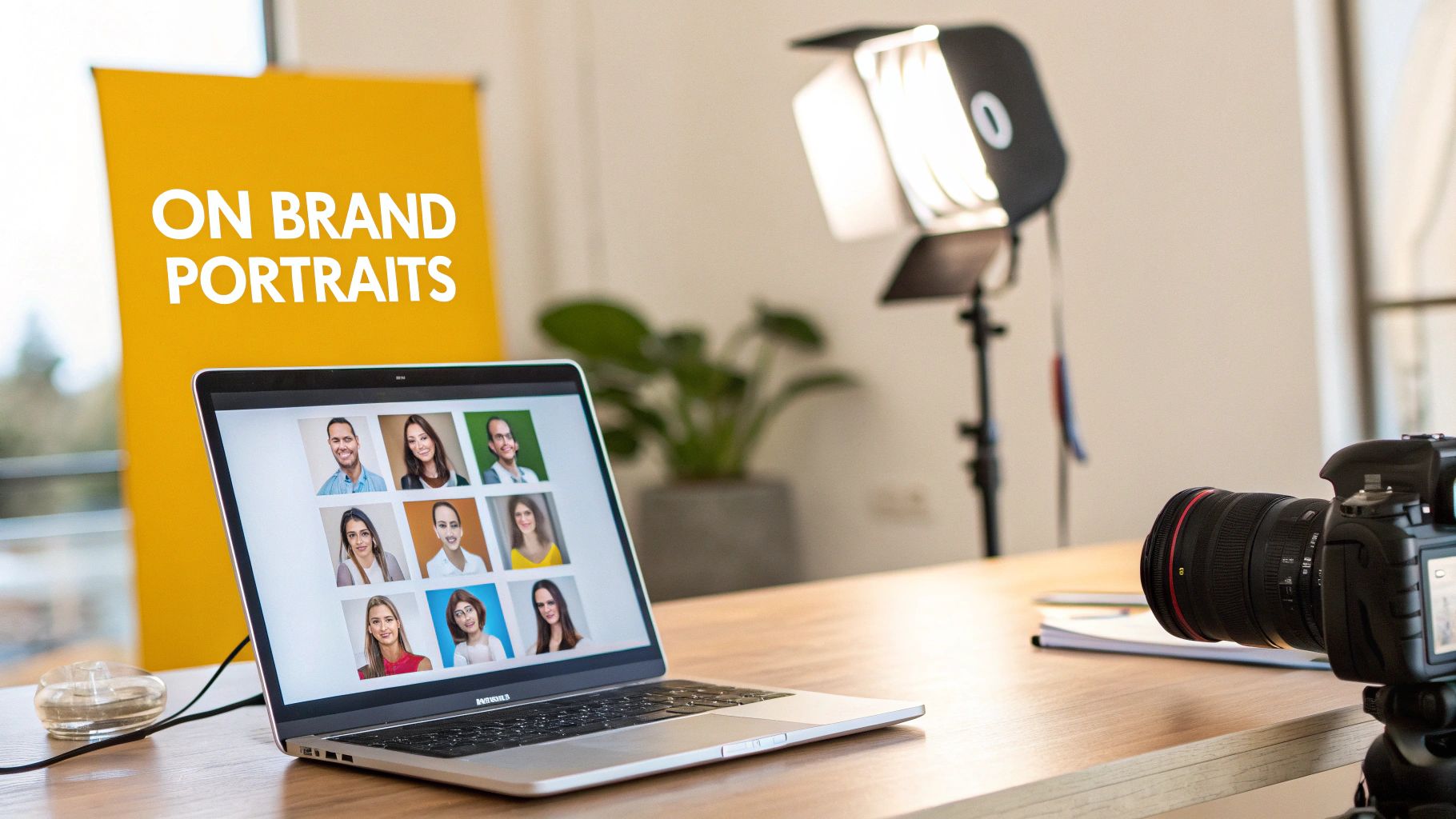
Picking an AI portrait tool can feel like rolling the dice. You’ve probably seen the bizarre outputs: distorted faces, six-fingered hands, and images that look nothing like the person you started with. The market is flooded with basic avatar makers, but if you need professional-grade results, you have to look for specific features that solve real problems.
The biggest hurdle for any AI is maintaining character consistency. This means the person in the portrait needs to look like the same person across different poses, lighting setups, and creative styles. It's where most tools fall flat, and it's an absolute must-have for anyone building a personal brand or running a business. Without it, creating a cohesive visual identity is impossible.
Beyond Basic Headshots
A truly useful AI portrait generator should feel less like a filter and more like a virtual photo studio. The real goal isn't just to make one decent picture; it's to generate an entire on-brand photoshoot from just a handful of reference images. This is a massive shortcut for content creators and marketing teams who need a constant supply of new visuals.
Think about it: you could generate a whole set of images for a social media campaign in minutes.
- Professional studio portraits with flawless lighting.
- Lifestyle shots in different settings, like a busy café or a modern office.
- Creative interpretations for a specific ad campaign or blog post.
This kind of power comes from having advanced controls. For example, PhotoMaxi includes tools for batch creation, so you can generate dozens of variations at once. You can also dial in the exact lighting and style you want with precise prompts, making sure every single image fits your brand’s aesthetic.
The real value of a professional AI tool is its reliability. You need a system that consistently produces high-quality, commercially viable images without the guesswork. It’s about saving the time and money you’d otherwise spend on a traditional photoshoot.
Another critical point is commercial usage rights. Many free or cheap AI tools have restrictive terms that prevent you from using the images for business. If you’re an influencer, agency, or business owner, you need explicit rights to use your portraits in ads, on products, or for client work. It’s essential for both monetization and legal protection.
Evaluating Your Options: Must-Haves vs. Nice-to-Haves
When you're comparing different AI portrait generators, it's easy to get lost in the feature lists. I've found it's best to separate the absolute essentials from the "nice-to-have" extras. The right tool will have a solid foundation of core features that guarantee quality and consistency.
Here's a quick breakdown of what I look for in a professional-grade tool:
Essential Features in a Professional AI Portrait Tool
| Feature | Why It Matters for Pro Results | Included in PhotoMaxi? |
|---|---|---|
| Character Consistency | Ensures the person looks the same across all generated images, which is non-negotiable for branding and professional use. | ✅ Yes |
| High-Resolution Output | Delivers crisp, print-ready images (4K+) suitable for websites, social media, and marketing materials without upscaling. | ✅ Yes |
| Batch Generation | Saves massive amounts of time by creating dozens of variations from a single prompt, letting you pick the best shots. | ✅ Yes |
| Commercial License | Provides clear legal rights to use the images for business purposes, including advertising, products, and client work. | ✅ Yes |
| Precise Prompt Control | Allows you to specify lighting, style, clothing, and background to match your exact creative vision and brand guidelines. | ✅ Yes |
| Multiple Style Options | Goes beyond basic headshots to offer diverse styles like photorealistic, cinematic, and artistic for varied content needs. | ✅ Yes |
| Privacy & Data Security | Guarantees your uploaded photos are used only for training your model and are not shared or stored indefinitely. | ✅ Yes |
While other features like community prompts or mobile apps can be handy, the ones in this table are the true difference-makers. They separate the serious tools from the casual apps and are what you need to rely on for any professional project. Getting these fundamentals right means you can trust the tool to deliver every time.
What to Look For When Choosing an AI Portrait Generator
Not all AI portrait generators are built the same. It's easy to get impressed by a few cherry-picked marketing examples, but when you're relying on a tool for professional work, you need to dig deeper into its core capabilities.
The absolute first thing to check is facial likeness. This is the biggest hurdle for most AI image tools. If the generator can’t keep your subject looking like themselves across different poses, lighting setups, and artistic styles, then it's a non-starter for any serious project. This is your non-negotiable benchmark for quality.
Creative and Technical Control
Once you've found a tool that can nail a person's identity, the next thing to look at is how much control it actually gives you. A great generator should feel less like a slot machine and more like a camera, giving you the power to fine-tune the final image.
Here's what that control looks like in practice:
- Advanced Prompting: Can you get really specific? I’m talking about using real photography terms like "shot on a 35mm lens" or "soft, diffused window lighting" and seeing the AI actually understand and execute. The difference should be obvious.
- Negative Prompts: This is a must-have for getting polished results. It lets you tell the AI what you don't want, which is perfect for cleaning up weird artifacts like extra fingers, distorted faces, or just getting rid of a color that clashes with your brand.
- Lighting Control: The ability to call out specific lighting is a game-changer. Commanding "dramatic Rembrandt lighting" or "bright, high-key studio light" is what separates a generic AI image from a professional-grade portrait that matches a specific creative vision.
A powerful AI portrait generator doesn't just create an image for you; it collaborates with you. The more control you have over the small details, the more professional and personalized your final portraits will be.
Workflow and Commercial Reality
For anyone using AI in a business context—whether you're a freelancer, an agency, or an e-commerce brand—how the tool fits into your workflow is just as critical as the images it produces. An amazing creative tool is useless if it's slow, clunky, or creates legal headaches.
Batch generation is a huge time-saver here. Being able to create dozens of variations from a single set of instructions means you can spend your time curating the best shots instead of manually prompting each one. It's a massive productivity boost. For a closer look at this, our guide on the best AI photo generator explores how batching can completely change your content pipeline.
And don't forget to read the fine print on commercial usage rights. A surprising number of tools limit you to personal use only, which means you can't legally use the images in ads, on products, or for any marketing. A professional-grade tool like PhotoMaxi gives you a clear, explicit commercial license. This isn't just a feature; it's peace of mind.
For Shopify store owners, direct integrations are another thing to look for, as they can turn a creative tool into a serious business asset for things like product photos or virtual try-ons. Focusing on these practical criteria will help you find a generator that delivers quality you can count on—and actually use for your business.
Crafting Your First AI Photoshoot
Alright, let's move from theory to actually creating something. This is where you get to see what a good AI portrait generator can really do. Your first photoshoot doesn't start with a clever prompt, but with the photos you feed the machine. Think of it this way: garbage in, garbage out. If you give the AI blurry, poorly-lit, or inconsistent photos, you're going to get distorted, weird-looking results.
Start by gathering a handful of your best photos. You're looking for clear, well-lit shots where your face is visible from a few different angles. Skip the ones with heavy shadows, sunglasses, or hats covering your features. Taking the time to get this foundation right is what allows the AI to learn your likeness accurately—and that's the whole game when it comes to creating professional, believable portraits.
Moving Beyond Generic Prompts
Once your training images are locked in, the real artistry begins: crafting your prompts. Forget basic commands like "a photo of a person." To get results that look like they came from a real studio, you have to talk to the AI like a photographer.
A simple formula can make all the difference. Instead of just asking for a picture, build your prompt with specific creative elements:
- Style: Start with "A cinematic shot..." or "An editorial fashion portrait..."
- Lighting: Add details like "...with soft golden hour lighting..." or "...dramatic Rembrandt side-lighting..."
- Environment: Give it a setting, like "...in a minimalist Scandinavian loft..." or "...on a neon-lit Tokyo street at night."
- Technical Details: Get specific with camera settings, like "...shot on a 35mm lens, f/1.8 aperture, shallow depth of field."
Putting it all together gives you a powerhouse prompt: “An editorial fashion portrait of a woman in a minimalist Scandinavian loft, with soft golden hour lighting from a large window, shot on a 35mm lens, f/1.8 aperture, shallow depth of field.” That level of detail gives the AI a clear roadmap, and you'll see a massive jump in the quality of your portraits. If you want a deeper dive, you can learn more about how to generate AI images from photos in our detailed guide.
The Power of Iterative Refinement
Your first attempt is almost never your final one. The secret to getting that perfect shot is to tweak, refine, and try again. If a portrait comes out too dark, add "bright, airy lighting" to your next prompt. If the style feels a bit bland, get more descriptive with "hyperrealistic" or "ethereal and dreamy." This back-and-forth is how you dial in the exact look you're after.
This process is a game-changer for brand campaigns where consistency is everything. With a tool like PhotoMaxi, you can generate a whole set of images for an Instagram campaign, all featuring the same model and maintaining a consistent mood and aesthetic. You can create dozens of variations, A/B test different looks, and cherry-pick the absolute best options for your audience.
The market for AI portrait generators has absolutely exploded, completely changing how creators and brands think about visual content. The niche for AI headshots alone shot past $350 million in 2023, largely because people need professional, affordable images. A traditional photoshoot can easily run $150–$450 for just a handful of pictures. In contrast, AI tools can deliver up to 120 high-quality portraits for under $80, cutting costs by as much as 90%. This incredible efficiency is why the entire AI image market is on track to hit $60.8 billion by 2030.
This flowchart breaks down the key things to look for when choosing an AI portrait tool you can rely on.
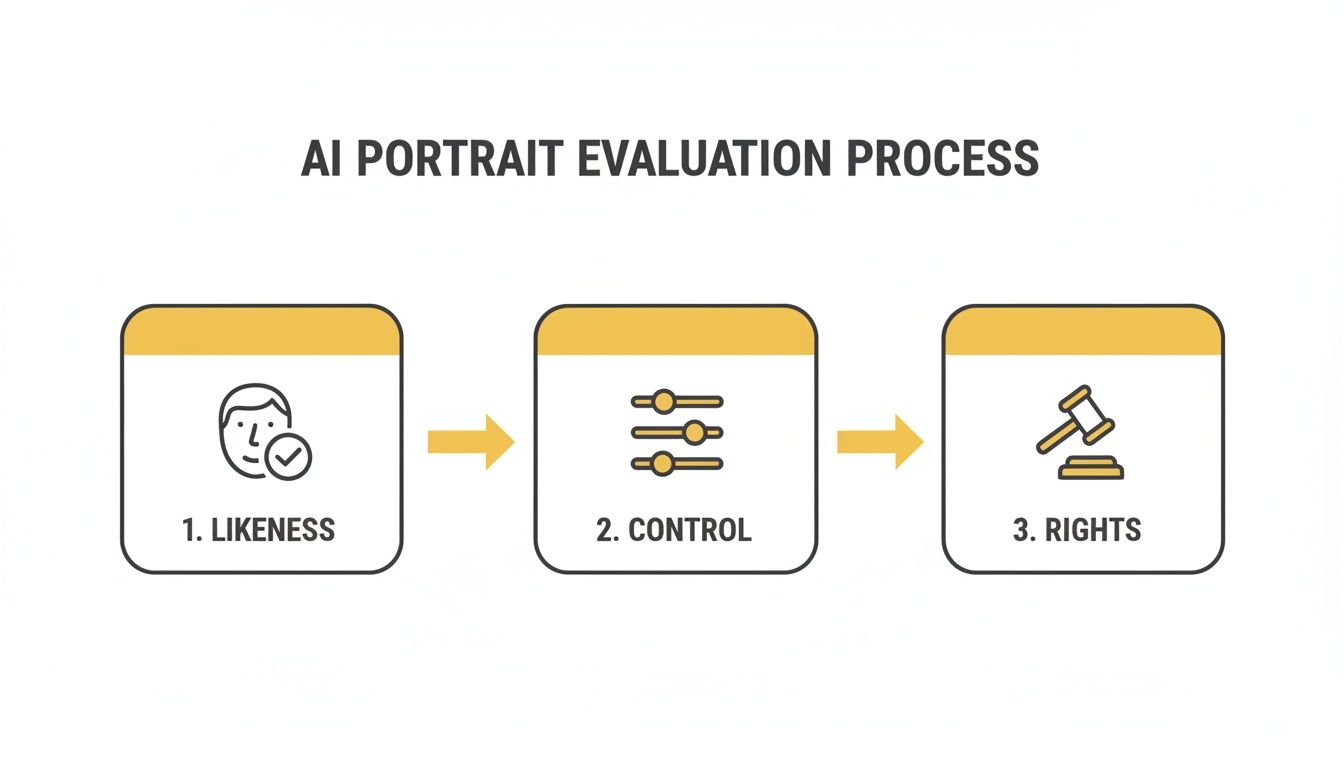
As the visual shows, true success comes from finding a balance between getting an accurate facial likeness, having fine-grained creative control, and understanding your commercial rights.
Pushing the Envelope: Advanced Techniques for Pro-Level Results
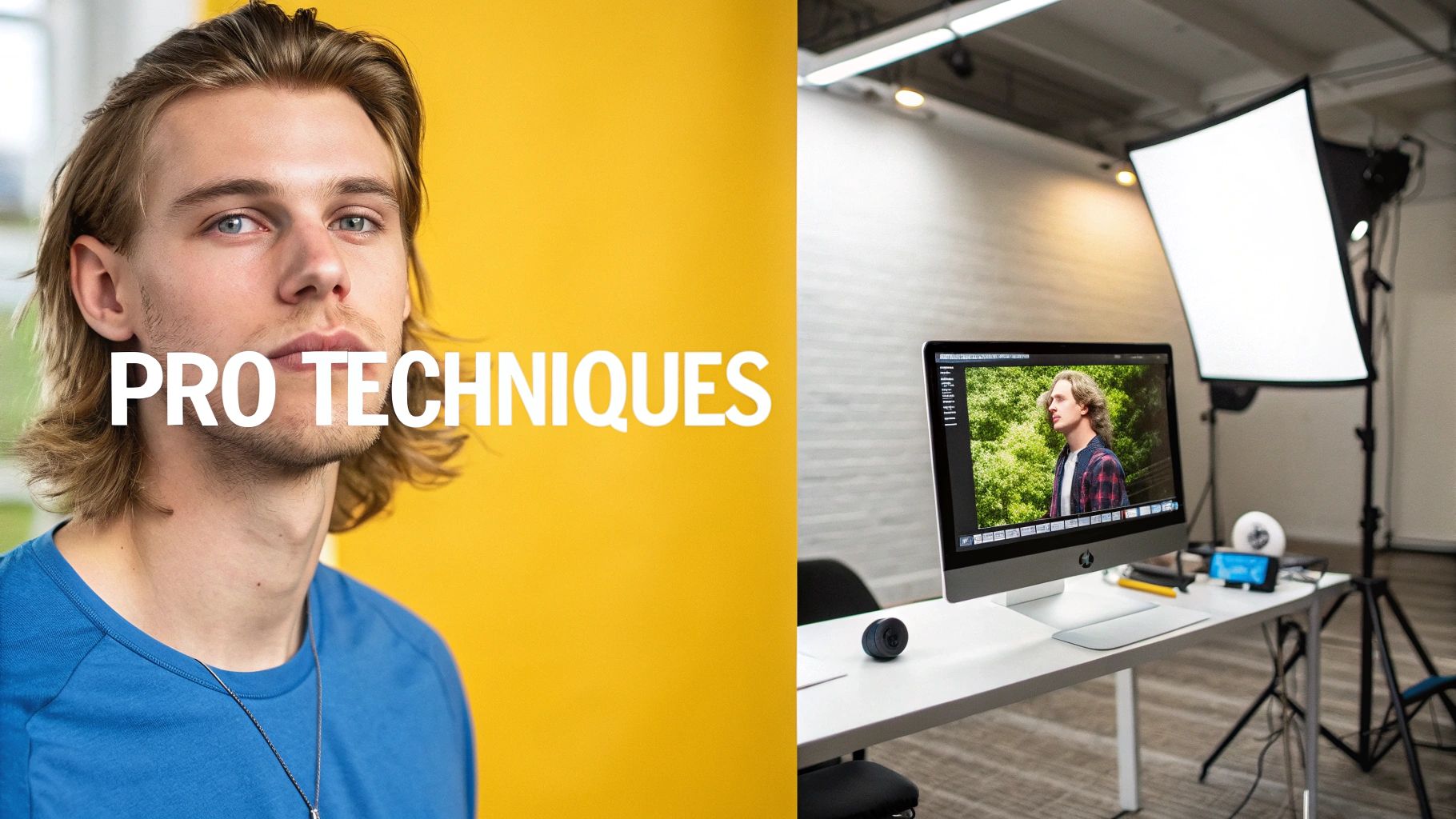
Once you've gotten the hang of writing good prompts, you're ready to explore the features that separate a basic tool from the best AI portrait generator. This is where you move beyond simple, static images and start creating dynamic, professional assets that work hard for your marketing, e-commerce, or social media.
One of the most powerful new tools in the kit is image-to-video. Think about it: you can take a striking AI portrait and instantly bring it to life as a short, cinematic clip. It’s a game-changer for creating content that grabs attention on platforms like TikTok or Instagram, where video is king. With a tool like PhotoMaxi, you can animate your AI self to create ads or stories that people actually stop and watch.
Fine-Tuning Your Visuals After the First Click
Even a fantastic AI portrait can use a little polish. The best platforms now come with post-generation editing tools that give you studio-level control, all without having to export to another piece of software.
Here’s what that looks like in practice:
- AI Relighting: This is a huge one. It lets you completely change the mood of an image after it's been generated. You can go from soft, warm lighting to dramatic, high-contrast shadows with a simple adjustment. This is incredibly handy for A/B testing different creative styles for your ads.
- Style Mixing: Ever wanted to see what a vintage film aesthetic looks like blended with a modern, high-fashion vibe? Style mixing allows you to combine different artistic influences, helping you forge a unique visual signature for your brand.
It's these kinds of tools that help you achieve truly https://photomaxi.com/blog/realistic-ai-photos because they provide that final layer of polish that makes an image feel completely authentic.
The real purpose of these advanced features is to get rid of creative compromises. You should never have to settle for "close enough." The right tool lets you dial in the exact look, feel, and format your project demands.
Smarter Workflows for E-commerce and Agencies
For any business, efficiency is just as crucial as quality. Modern AI portrait generators are now built to handle high-volume content creation, solving some of the biggest headaches for e-commerce brands and marketing agencies.
The virtual try-on feature is a perfect example. Shopify merchants using PhotoMaxi can generate countless images of their products on a diverse range of AI models. This means they can showcase apparel, jewelry, or accessories without ever booking a single, expensive photoshoot. It’s a direct response to the massive growth in e-commerce, which is a major force behind the AI image market.
And this market is absolutely booming. North America alone commands over 41% of the global share. The market as a whole is expected to jump from $9.10 billion in 2024 to a staggering $63.29 billion by 2030. Much of this growth comes from fashion and advertising, where businesses have seen up to a 30% lift in sales by using AI visuals for things like virtual try-ons.
Batch processing is another essential feature for agency workflows. Instead of creating images one by one, you can set up a single run to generate hundreds of on-brand assets for a social media campaign. You can knock out a month's worth of content in just a few hours, all while ensuring your brand style and character models remain perfectly consistent.
Navigating Commercial Rights and Licensing
So, you’ve created an amazing AI portrait. That’s great, but the work isn't done yet, especially if you plan to use it for more than just a new profile picture. This is where you wade into the often-murky waters of licensing and commercial rights. Trust me, this isn’t just fine print; it's the one thing that determines if you can legally make money from your art.
Many of the free or cheaper generators out there only give you a license for personal use. That means you can post the images on your own social media or use them as an avatar. But if you try to put them on merchandise, use them in an ad, or include them in any project that makes money, you could be in hot water.
Understanding Your Usage Rights
If you're a creator, an agency, or an e-commerce brand, getting commercial rights is absolutely essential. This is the explicit "go-ahead" from the AI service that you can use their images for your business. You have to dig into the terms of service for this—never just assume it’s included.
Here’s a quick guide on what to look for in the fine print:
- Royalty-Free: You’ll see this term everywhere. It means you pay once and can then use the image repeatedly across different projects without paying for each use. But be careful, this doesn't automatically mean you own the copyright.
- Commercial Use: The license needs to spell it out: "You can use these images for commercial purposes." This covers everything from marketing campaigns and product packaging to work you do for clients.
- Copyright Ownership: This is a big one. Some platforms will actually transfer the copyright to you, making you the legal owner. Others just grant you a license to use it while they retain ownership. That distinction is critical.
The bottom line is this: if you want to profit from your AI portraits, you need a platform that explicitly gives you the legal right to do so. If the terms of service are vague, consider it a major red flag.
Tools built for professionals, like PhotoMaxi, tackle this problem directly. Our plans come with clear commercial usage rights, so creators can build out entire campaigns and sell products without looking over their shoulder for legal trouble.
This is more important than ever. The demand for top-tier AI portrait generators is exploding, with the market expected to grow by $2.39 billion between 2024-2029. That's a staggering 31.5% CAGR. Businesses are jumping in because they're seeing a real return—some studies show up to $3.70 back for every dollar spent on AI. You can read more about the AI image generator market's massive growth to see just how big this is getting. With a platform like PhotoMaxi that offers clear licensing, you're set up to safely be a part of that boom.
Common Questions About AI Portrait Generators
As you dive into creating portraits with AI, you'll naturally run into a few questions. Getting a handle on these is what separates a fun experiment from producing consistently professional work. Let's walk through some of the most common hurdles I see people encounter.
The biggest one, by far, is likeness. If the final image doesn't actually look like the person, what's the point? Getting this right isn't magic; it boils down to the quality of the photos you feed the AI and how sophisticated its model is.
How Can I Make My AI Portraits Actually Look Like Me?
To nail a consistent likeness, you have to give the AI good source material to work with. Start by uploading several clear, high-resolution photos of the subject.
Think like a photographer here. You want photos in neutral, even lighting that show the face from a few different angles. Steer clear of heavy shadows, sunglasses, or anything that hides key facial features. A clean, well-lit shot is your best friend.
Once your source images are solid, choosing the right tool is the next piece of the puzzle. You need to find the best AI portrait generator that's been specifically built for face fidelity. Platforms like PhotoMaxi use advanced models trained to lock onto a person's core facial structure and maintain it across different styles and poses. This directly solves the "identity drift" problem—where a person’s features subtly change from one image to the next—which plagues more generic AI tools.
Can I Use AI Portraits for My Business Legally?
This is a huge one, and the answer is: it completely depends on the tool's terms of service. Many of the free or basic generators only grant you a license for personal, non-commercial use. That’s perfectly fine if you just want a new social media profile picture, but it can land you in serious legal hot water if you use those images for your business.
For any commercial purpose—we're talking marketing materials, social media ads, website banners, or product images—you absolutely must use a platform that gives you explicit commercial rights.
Don't ever assume commercial use is included. Professional services like PhotoMaxi build this right into their plans, offering clear commercial licenses so you can use the images you create for your business without looking over your shoulder for copyright issues.
What's the Best Way to Write Prompts for Realistic Portraits?
For realism, you have to get specific and think like a photographer. A vague prompt like "a portrait of a woman" is going to give you a generic, uninspired result. The key is to add details that guide the AI toward a specific look and feel.
I find it helps to use a formula that incorporates photographic terms. Try structuring your prompts like this:
- Action & Style: "A professional headshot of a woman..."
- Camera Details: "...shot on a 35mm lens, f/1.8 aperture, with a soft bokeh background..."
- Lighting: "...lit with soft studio lighting during golden hour..."
- Quality: "...photorealistic, high detail, sharp focus."
Sprinkling in keywords for lighting (like "dramatic side lighting" or "soft window light") and camera settings is what takes an image from good to great. A tool with advanced prompt controls will let you really dial in every element to get precise, stunning portraits every single time.
Ready to create stunning, on-brand portraits in minutes? PhotoMaxi gives you the consistency, control, and commercial rights you need to produce professional-quality visuals without the guesswork. Try it today and see how easy it is to generate your own virtual photoshoots at photomaxi.com.
Related Articles


Ready to Create Amazing AI Photos?
Join thousands of creators using PhotoMaxi to generate stunning AI-powered images and videos.
Get Started Free