
Your Guide to Flawless AI Generated Headshots
Imagine having a digital artist on call. You give this artist a handful of your everyday photos, and in return, they paint a brand-new, studio-quality portrait of you. They can put you in any setting, with any lighting, wearing any outfit you can think of. That's the essence of AI-generated headshots.
This isn't about slapping a filter on an old photo. It's about creating entirely original, photorealistic portraits from your existing pictures, giving professionals, creators, and businesses access to top-tier images without the hassle and cost of a traditional photoshoot.
What Are AI Generated Headshots and How Do They Work
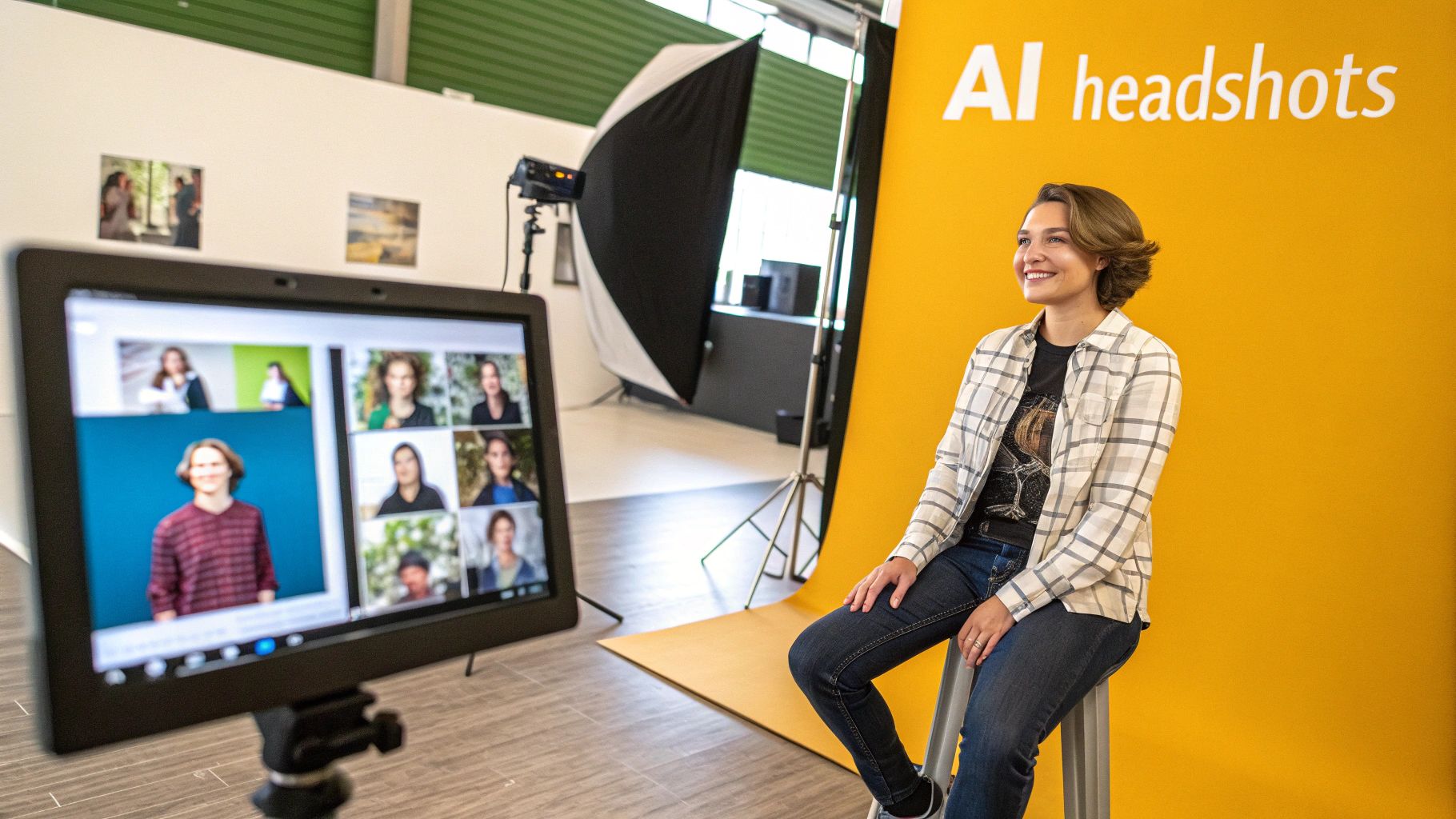
At its core, an AI headshot generator is a creative partner. It doesn't just tweak or touch up an image; it builds a completely new one from the ground up. This process is powered by sophisticated machine learning models trained on millions of images, giving them a deep understanding of what makes a good photograph—things like lighting, composition, and human anatomy.
When you upload your photos, the AI does more than just copy your face. It conducts a deep analysis, learning the unique contours of your facial structure, your common expressions, and your distinct features. It's essentially building a digital blueprint of you.
The Creative Process Behind the Code
Think of it like commissioning a portrait painter. First, you'd show the artist several photos of the person they need to paint, so they can get the likeness just right. Then, you’d give them instructions: "I want them in a sharp business suit, standing in a modern office," or "Paint a casual portrait with warm, golden-hour lighting." The artist then combines their knowledge of the subject with their artistic skills to create something new.
AI models follow a surprisingly similar path. The photos you upload are the reference material, and the text prompts or style settings you choose are the creative direction. The AI then gets to work, generating a unique image that blends your learned likeness with the specific scene and style you asked for.
This is what makes AI headshots so different from photo editing. You aren't just improving an existing picture; you're co-creating a brand new one with an AI. It unlocks a ton of possibilities, letting you produce content that would normally require a photographer, studio, and a full production crew.
Core Technologies Driving the Magic
Most of the magic in today's headshot generators comes from two primary types of AI models. You don't need a PhD to understand them; a couple of simple analogies do the trick. Knowing the difference helps explain why certain tools excel at specific tasks.
Here's a quick breakdown of the two main players.
Core Technologies Behind AI Headshots
| Technology | How It Works (Analogy) | Best For |
|---|---|---|
| Generative Adversarial Networks (GANs) | Think of two AIs in a contest: a forger and a detective. The forger creates images, and the detective tries to spot the fakes. They go back and forth, with the forger getting better and better at creating realistic images to fool the detective. | Producing incredibly crisp and photorealistic images, especially when you need to nail fine details like skin texture and lighting. |
| Diffusion Models | Imagine a sculptor who starts with a block of staticky, random noise. They slowly chip away, step-by-step, guided by your instructions, until a clear and coherent image emerges from the chaos. | Exploring a huge range of artistic styles and complex scenes. They offer amazing creative freedom and control over the final composition. |
Most top-tier platforms, including PhotoMaxi, now use a hybrid approach that blends the strengths of both technologies. This lets you get the best of both worlds: the stunning realism of GANs and the creative flexibility of diffusion models. It's this powerful foundation that turns a few casual selfies into a set of professional-grade assets.
Why AI Headshots Are Everywhere Now
The recent explosion in AI-generated headshots wasn't a fluke. It’s a direct answer to a massive shift in how we work, connect, and build our professional lives. Think about it: your first impression isn't a handshake anymore. It's a click on your LinkedIn profile, and that single moment can define how someone sees you.
Having a killer digital presence has gone from a nice-to-have to an absolute must. This new reality has created a huge need for professional photos that are not just good, but also versatile and easy to update.
For years, the old-school photoshoot was your only real option. And while a good photographer is worth their weight in gold, the process is a beast. You have to book the photographer, scout a location, and block out half a day. It's a major investment of time and money. That’s tough for one person, but for a remote team scattered across the globe? Getting a consistent look is a logistical nightmare.
This is where everything changed. Today's professional—whether you're a startup founder, a freelancer, or a corporate leader—needs more than one static headshot. You need a whole gallery of images for different platforms, speaking gigs, and articles, all while keeping your personal brand looking sharp and consistent.
Your Profile Picture Is Your New Front Door
The rise of remote work and the creator economy has completely rewritten the rules. Your online presence is your business card, your office, and your storefront all rolled into one. Your headshot? That's the sign above the door. It’s the very first thing that tells people who you are and what you're about, long before they read a single word.
Traditional photoshoots just can't keep up with this need for fresh, dynamic content. What happens when you get a new haircut, need a shot with a different background, or want to try a new vibe for your social media? You can't just drop another grand on a new session. This is the exact problem that AI-powered solutions were born to solve.
AI-generated headshots offer a flexible, affordable, and high-quality alternative. They give people and businesses the power to build a polished online brand without all the hassle of a traditional photoshoot.
Keeping Up with Modern Branding
The pressure to build a strong online brand has put a spotlight on profile pictures, especially on platforms like LinkedIn. It's a global phenomenon. Millions are using AI to create professional headshots that look just like them, only better.
But here's the catch: authenticity is everything. A recent industry report uncovered a fascinating tension. While 66% of U.S. recruiters admitted they feel a "trust gap" if they can tell a headshot is AI-generated, they often don't mind a polished, professional photo where the AI touch-up isn't obvious. This study, which surveyed over 1,000 professionals, shows that hiring managers want you to look real, but they also appreciate the quality and efficiency AI delivers. You can dive deeper into these professional branding trends if you're curious.
This delicate balance is what’s pushing the technology forward. The goal isn't to create a fake digital twin. It's about presenting the best version of yourself, consistently, everywhere you show up online. In that sense, AI tools have leveled the playing field, giving everyone access to studio-quality branding that used to be out of reach for most.
Practical Uses for Individuals and Businesses
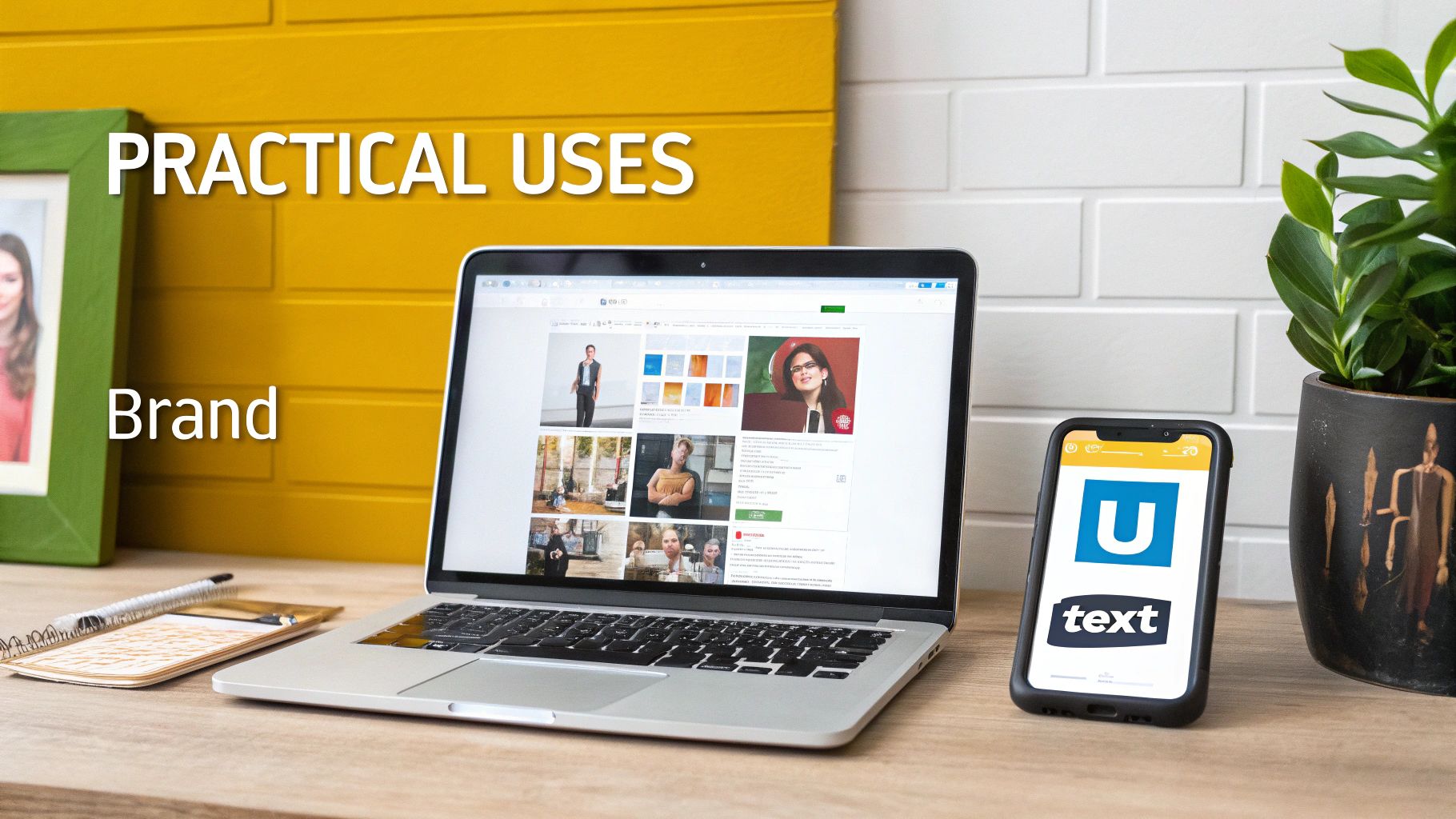
The real magic of AI-generated headshots is just how useful they are in the real world. This isn't some niche tech toy; it’s a practical tool that professionals and businesses are adopting to solve genuine branding and content problems. From solo creators to bustling marketing agencies, the applications are changing the way visual content gets made.
The core advantage is the same for everyone: getting access to a huge library of high-quality, on-brand images without the constant cost and logistical chaos of traditional photoshoots. It’s all about getting speed, variety, and consistency on a scale that used to be out of reach for most. This shift makes branding more dynamic and responsive, which is exactly what’s needed today.
For Content Creators and Influencers
If you’re building a personal brand, you know the content treadmill is relentless. Creators on platforms like Instagram, TikTok, and YouTube need a never-ending supply of fresh visuals, but booking a photoshoot for every single post or idea is totally impractical.
AI headshots solve this by providing a nearly infinite well of on-brand imagery. Think about it: you could generate dozens of photos for a new sponsorship, a blog post, or a podcast cover in just a few minutes. This lets creators keep a polished, professional look across all their channels without ever hitting the brakes on their production schedule.
Here’s how they’re using it:
- Social Media Content: Creating big batches of photos in different outfits and locations to fill out a content calendar for weeks at a time.
- Promotional Materials: Designing custom images for thumbnails, banners, and social media ads that all have a consistent, recognizable style.
- Brand Collaborations: Quickly producing visuals that match a partner's brand aesthetic, making sure joint campaigns look cohesive and sharp.
For Ecommerce and Retail Brands
In the cutthroat world of ecommerce, how your products look is everything. AI-generated imagery helps brands showcase their items on a diverse range of models without the staggering expense of hiring talent and coordinating shoots. This is a game-changer, especially for small and medium-sized businesses.
But it goes beyond just model shots. The tech is also paving the way for new kinds of customer experiences, like virtual try-on tools where a shopper can see how a product might look on them. These features remove a lot of the guesswork from online shopping and have been shown to seriously cut down on returns.
By generating realistic and diverse model imagery, ecommerce brands can better connect with their target audience, improve conversion rates, and lower the operational costs associated with traditional product photography.
For Marketing and Creative Agencies
Agencies are always juggling tight deadlines and even tighter budgets. The power to quickly create custom visuals for a client’s campaign is a massive advantage. Instead of falling back on the same old stock photos everyone has seen a million times, agencies can now create unique, on-brand images with AI-generated people who perfectly match the campaign’s target demographic.
This speeds up the whole creative workflow, from the first mockups to the final deliverables.
- Campaign Development: Quickly spinning up concept visuals and storyboards to pitch to clients.
- Unique Stock Photography: Producing a private library of stock photos exclusive to a client, which means no more licensing headaches or overused images.
- A/B Testing: Generating tons of variations of an ad creative to test which visuals actually connect with the audience.
For Professionals and Job Seekers
Your LinkedIn profile is often your professional handshake. A sharp, approachable headshot is absolutely critical for making a good first impression, but let's be honest—not everyone has a professional photographer on speed dial.
AI headshot generators give individuals the power to create polished profile pictures that communicate both competence and personality. You can play around with different styles, from a traditional corporate look to something more creative and relaxed, until you land on the perfect image that captures your personal brand. It really levels the playing field, giving everyone the tools they need to look their best online.
Getting Quality and Ethics Right
It's tempting to think you can get the perfect headshot with just a few clicks, but creating AI-generated images that actually elevate your professional brand takes a bit of know-how. The tech is incredible, but it's not magic. To really use these tools well, you have to get a handle on what makes a good image, what your legal rights are, and how to be transparent about it all.
The biggest hurdle is avoiding that creepy "uncanny valley" effect—where an image looks almost human, but something is just a little off. You’ve probably seen it before: weirdly shaped hands, skin that’s too smooth, or eyes that just look vacant. A great AI headshot has to get past this to look professional and authentic, not like a cheap, distracting fake.
This isn’t just about looking good; it has real-world consequences. A LinkedIn ‘Future of Recruiting’ report found that recruiters are paying more attention than ever to personality fit. If your headshot feels off or obviously artificial, it can create a flicker of distrust and hurt your chances before you even land an interview. Recent studies show how AI is changing professional branding and what recruiters are looking for.
How to Get Authentic and Professional Results
The first step is learning to spot the common little mistakes AI makes so you can avoid them. High-quality results don't just happen by accident. They come from using a solid platform and feeding it good source photos to begin with.
Here are three things to zero in on for better headshots:
- Does it actually look like you? This is non-negotiable. Some tools really struggle with consistency, producing a batch of images where you look like a different person in each one. Stick with platforms known for keeping your facial features consistent.
- Are there any tell-tale AI glitches? Zoom in and check the details. Are the fingers and hands shaped correctly? Does the fabric on your shirt look real? Does the background look natural? Tiny errors are dead giveaways that an image was made by a machine.
- Is the expression and lighting natural? The best AI headshots have some personality. You want a natural-looking expression and realistic lighting that looks good on you, not that overly-softened, generic lighting that screams "AI." For more on this, check out our guide on creating more realistic AI photos.
The goal isn’t to create a flawless, airbrushed version of yourself. It's to create a believable and professional one. Authenticity is what builds trust, and even the smartest AI needs your guidance to create an image that feels real.
Understanding Commercial Use and Legal Rights
Beyond the image itself, you absolutely have to know if you have the legal right to use your headshots for business. Not all AI generators give you the same permissions, and using a photo without the right license can land you in serious legal trouble later on.
Before you pay for anything, comb through the terms of service to see what they say about commercial use. This is critical if you plan to use the image for:
- Business Websites & Marketing: Anything that promotes your company, products, or services.
- Professional Profiles: Your LinkedIn profile or a corporate directory absolutely counts as commercial use.
- Paid Ads: Any image you use in a social media ad or other paid campaign.
This is why choosing a service like PhotoMaxi, which explicitly grants full commercial usage rights on paid plans, is so important. It gives you peace of mind, ensuring you own the images you create and can use them to build your brand without worrying about licensing issues. It’s a simple step that protects both your business and your professional reputation.
The Ethics of Being Transparent
Finally, there’s the growing conversation around transparency. Do you need to tell people your headshot was AI-generated? Right now, there aren’t any hard and fast rules, but the general feeling is that honesty is the best policy, especially when authenticity really matters.
For a personal LinkedIn profile, an AI-enhanced headshot that still looks like you is pretty much accepted. But if you’re a journalist, a public figure, or in any field where people expect complete authenticity, being upfront becomes much more important.
The key is to avoid misrepresenting yourself. Your AI headshot should be a polished but accurate reflection of who you are, not a digital costume that gives people the wrong impression. By taking a responsible approach, you can get all the benefits of the technology without breaking anyone's trust.
A Step-By-Step Workflow for Perfect AI Headshots
Getting a great AI generated headshot isn't magic; it’s about following a solid process. The quality of what you get out is directly tied to the quality of what you put in. By nailing a few key steps—choosing the right input photos, writing specific prompts, and making smart final tweaks—you can get incredible results every single time.
Think of it like briefing a human photographer. The more detailed your instructions and the better your reference shots, the closer they’ll get to your vision. It’s the exact same principle here, and it all starts with your source photos.
Preparing Your Input Photos
The AI model learns what you look like from the photos you upload, making this the single most important step. If you feed it blurry, low-res, or inconsistent pictures, the AI is going to have a hard time creating a believable likeness. Your goal is to give the model a clear and complete dataset of your face.
For the best possible outcome, your photo collection should have:
- A Variety of Angles: Mix it up with front-on shots, three-quarter views, and even side profiles. This helps the AI build a true 3D understanding of your facial structure.
- Different Lighting Conditions: Include photos taken in different kinds of light. Some in bright daylight, others in softer indoor settings. This teaches the AI how light and shadow fall across your features.
- A Range of Expressions: Don't just give it the same smile over and over. A mix of expressions—neutral, serious, laughing, thoughtful—helps the AI generate headshots that feel more dynamic and alive.
- Clear and Unobstructed Views: Make sure your face is the main event. Avoid photos with heavy shadows, sunglasses, hats, or other people crowding the frame. The AI needs a clean look.
Uploading between 10 to 20 high-quality photos that check these boxes gives the platform plenty of data to work with. This ensures the AI captures your unique likeness with high fidelity, which is the foundation for everything that comes next.
Crafting the Perfect Prompt
Once the AI knows your face, your prompt becomes the creative brief. A lazy prompt like "professional headshot" will only get you generic, uninspired images. To create something truly special, you need to give the AI specific, detailed instructions that guide its creative process. A great prompt is like being the director of your own photoshoot.
Instead of a simple description, think in layers. Start with the basics, then add details about the setting, lighting, what you're wearing, and even the camera style you're going for. This is what separates a generic AI photo from a compelling, custom portrait.
A well-crafted prompt is the difference between letting the AI guess what you want and telling it exactly what to create. Specificity is your greatest tool for controlling the outcome.
Let's look at how to evolve a simple prompt into something far more powerful. The table below shows how adding specific details can dramatically improve your results.
Prompting for Better Headshots
| Element to Control | Basic Prompt | Advanced Prompt |
|---|---|---|
| Attire & Style | "professional headshot" | "Headshot of a man in a navy blue business suit with a crisp white shirt, no tie." |
| Setting/Background | "headshot in an office" | "Headshot in a modern, minimalist office with a blurred background of large windows and city views." |
| Lighting | "photo with good lighting" | "Corporate headshot with soft, natural morning light coming from the side to create gentle shadows." |
| Camera & Photo Style | "photorealistic headshot" | "Photorealistic headshot, shot on a Canon EOS 5D Mark IV with an 85mm f/1.4 lens, shallow depth of field." |
Adding these layers of detail gives the AI a much clearer target to aim for, resulting in images that are far more aligned with your creative vision.
This next infographic maps out the key ethical considerations to keep in mind throughout the process.
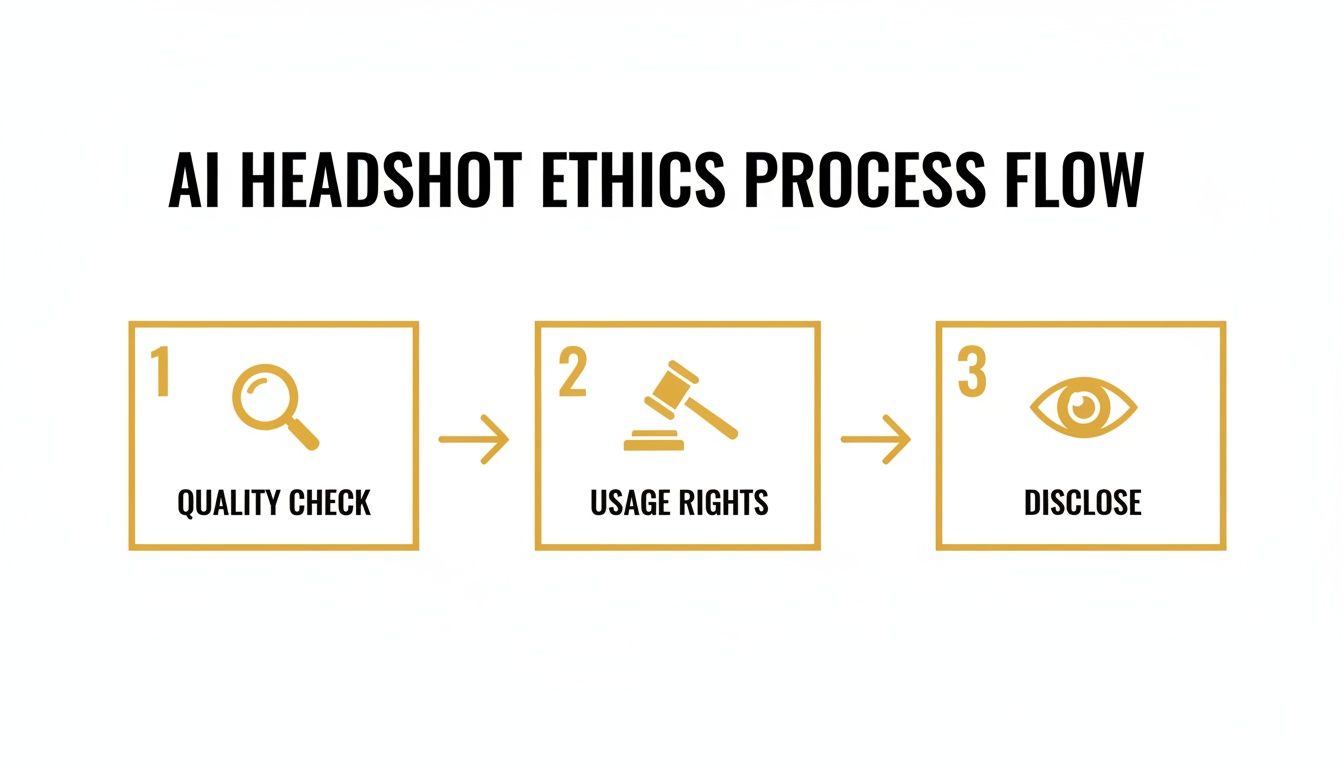
Thinking about quality, usage rights, and disclosure from the very beginning helps ensure you're using these powerful tools both responsibly and effectively.
Refining and Polishing Your Results
The first set of images the AI generates is rarely the final cut. The last step in any good workflow is to review the results and use the available tools to polish them into professional-grade assets. This is where you can fix small imperfections and really make your headshots shine. Platforms like PhotoMaxi usually provide an intuitive interface for these finishing touches.
Here's a quick refinement checklist:
- Upscaling for Quality: Most AI tools generate images at a standard web resolution. Use an upscaler to increase the pixel count, making the headshot sharp enough for high-res screens or even print.
- Checking for Artifacts: Get in close and scrutinize the details. Look for classic AI mistakes like misshapen hands, weird background elements, or unnatural skin textures. Reroll or edit any images that don’t pass the eye test.
- Adjusting Lighting and Color: Many platforms offer basic post-generation editing. You might want to tweak the brightness, contrast, or color temperature to perfectly match your brand’s aesthetic.
This final polish ensures your AI generated headshots aren't just cool, they're truly professional and ready for anything. For a deeper dive into what's possible, check out our guide on how to generate photos with AI, where we cover more advanced techniques. By following this simple workflow, you can turn a handful of selfies into a full portfolio of professional images designed just for you.
Why PhotoMaxi Delivers Superior Results
With the explosion of tools for creating AI generated headshots, it’s become obvious that they aren't all the same. So many people hit the same frustrating walls: results that look like a different person in every shot, weird AI artifacts that ruin the image, and confusing rules about how you can actually use the photos. It turns a cool idea into a total waste of time. We built PhotoMaxi from the ground up to fix these exact problems.
Our entire platform is engineered for consistency. We obsessed over the single most important part of a headshot: likeness fidelity. In simple terms, this means our AI is fine-tuned to keep your unique facial features the same in every single photo, no matter what style, outfit, or background you throw at it. You get a whole portfolio of options that all genuinely look like you.
Achieving True Studio Quality
Of course, a headshot needs to do more than just look like you—it has to look professional. A lot of the generic AI tools spit out images that are flat, weirdly smooth, or have those classic AI giveaways, like mangled hands and bizarre backgrounds. PhotoMaxi is different because it's designed to mimic the details of a real, high-end photoshoot.
Our models have been trained on huge libraries of professional photography, so they actually understand lighting, composition, and texture. This is how you can generate images with specific, sophisticated lighting—like the soft shadows of Rembrandt lighting or a clean, high-key look—that gives your photos depth and character. You end up with studio-quality shots without booking a studio.
Precision Control and a Streamlined Workflow
Getting the perfect shot shouldn't be a game of chance. While some tools have you crossing your fingers with vague prompts, PhotoMaxi puts you in the driver's seat. Our advanced prompting and settings give you the power to dial in the exact details, from the clothes you're wearing and the background setting to specific camera angles and lens effects.
We integrated this control into a workflow that just makes sense for creators and businesses. The whole process is intuitive, so you can go from uploading a few source photos to generating a complete, on-brand content library in no time. The platform is built for volume, making it easy to create a month's worth of social media content or a full set of team headshots in one go. Discover how PhotoMaxi can transform your content production and get you out of those creative bottlenecks.
The core difference is moving from a passive, unpredictable generation process to an active, creative one. PhotoMaxi empowers you to be the art director, ensuring the final images align perfectly with your vision and professional brand.
Clear Commercial Use for Your Business
One of the biggest—and most overlooked—headaches with AI generated headshots is figuring out if you can legally use them for your business. Many services have confusing terms that could land you in hot water if you use the images for marketing, on your company website, or even just on your LinkedIn profile.
We get rid of that ambiguity completely. PhotoMaxi’s paid plans come with clear, straightforward commercial usage rights. This gives you the freedom and peace of mind to use your custom, high-quality images to grow your brand and market your business without constantly looking over your shoulder. It’s a professional tool that comes with a professional-grade license.
Clearing Up Common Questions About AI Headshots
Even after getting a handle on the basics, you probably still have a few questions floating around. Let's tackle some of the most common things people ask when they're first dipping their toes into the world of AI-generated headshots.
Are My Uploaded Photos Safe?
It’s smart to be concerned about data privacy. Reputable platforms will only use your uploaded photos to do one thing: train the AI model on your specific facial features. They shouldn’t be used for anything else, and most services delete them after a set amount of time.
That said, not all services are created equal. You should always read the privacy policy of any tool you’re considering. Look for clear, transparent language about how your data is stored, handled, and ultimately, protected.
Can I Use AI Headshots for My Business?
This is a big one, and the answer comes down to the terms of service. Many of the free or cheaper generators only give you a personal use license. That means you can’t legally use those images for commercial purposes—not on your company website, not on your LinkedIn profile, and definitely not in marketing materials.
To stay on the right side of the law, always go with a service that explicitly grants a full commercial use license, usually as part of their paid plans. This is your green light to use the images to promote your brand without worrying about legal blowback down the road.
How Can I Make My Headshots Look Less Fake?
The goal is always authenticity, and avoiding that weird "uncanny valley" feeling is crucial. The best way to get natural-looking results is to start with a strong set of input photos. Give the AI a good variety of angles, expressions, and lighting conditions to work with, as this helps it build a much more accurate and believable model of your face.
Your prompts also play a huge role. Instead of just saying "professional headshot," try getting more descriptive. Phrases like "soft, natural morning light" or "a subtle, confident smile" can guide the AI toward a more realistic and compelling final image. And always, always give the final outputs a close look for weird AI artifacts—think misshapen hands, strange skin textures, or wonky eyes—and toss out any that don't pass the test.
Ready to create stunning, studio-quality visuals that are consistently on-brand? PhotoMaxi gives you the control and reliability you need to generate professional headshots and creative content in minutes, not weeks. Start your project today at https://photomaxi.com.
Related Articles


Ready to Create Amazing AI Photos?
Join thousands of creators using PhotoMaxi to generate stunning AI-powered images and videos.
Get Started Free