
AI Generated Product Images The Ultimate E-commerce Guide
Imagine having a world-class photography studio, ready to go 24/7, living right on your computer. That’s the reality AI-generated product images are creating for e-commerce brands today. It’s a complete game-changer, allowing you to turn a few simple product shots into thousands of unique, professional lifestyle photos in just minutes. We're moving away from expensive, time-consuming photoshoots and into an era of instant, on-demand visual creation.
The New Reality of E-commerce Photography
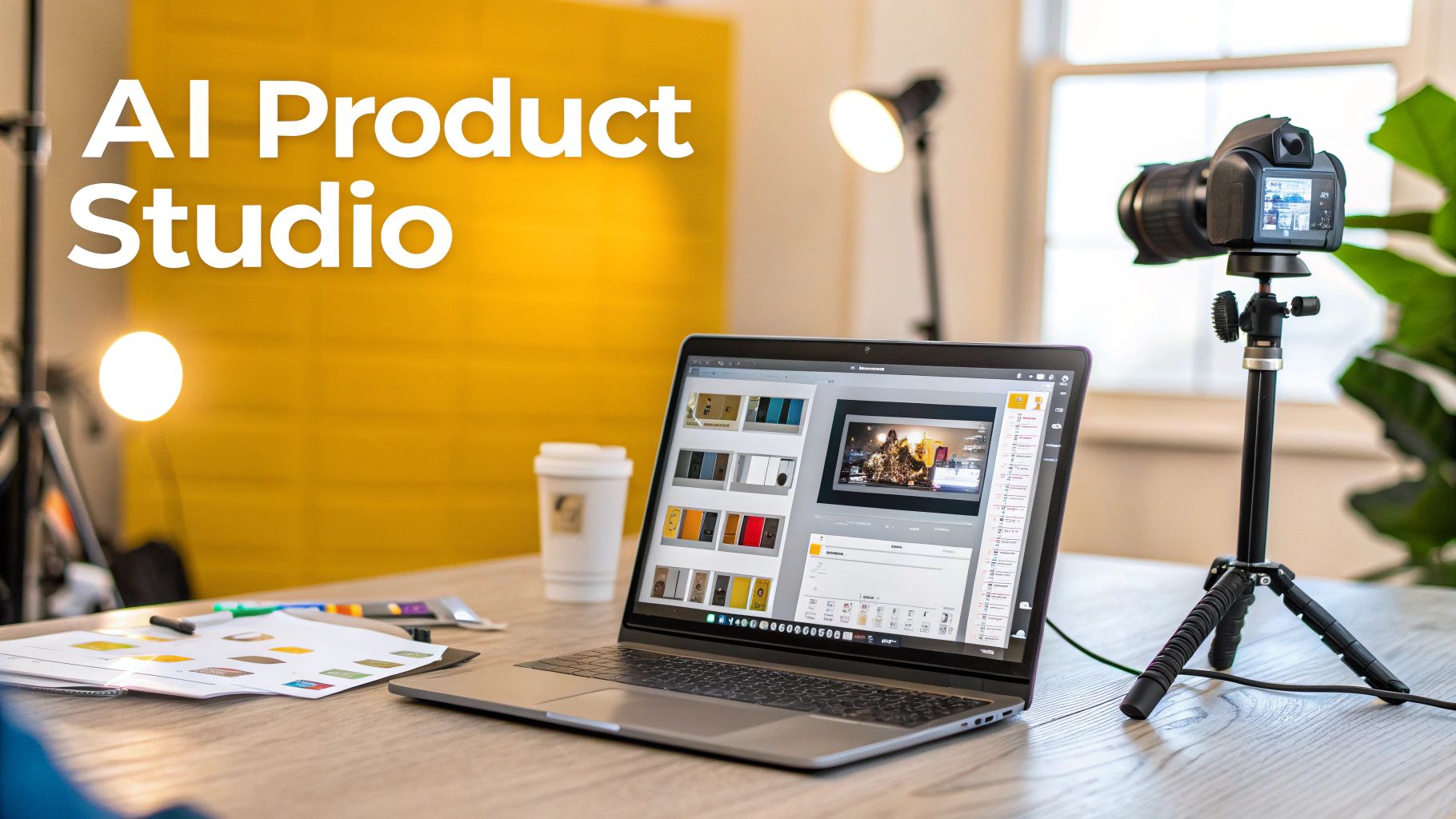
The days of juggling models, booking studios, and dealing with all the logistical headaches of a product shoot are starting to fade. AI image generation isn't some far-off idea; it’s a real-world tool that’s already reshaping product marketing for businesses of every size. This technology lets you take a single, clean photo of your product and drop it into a virtually endless variety of scenes, settings, and styles.
Think of it like an infinite creative canvas. You can show off a new handbag on a model walking through Paris, place a skincare bottle on a sleek marble countertop, or feature a watch on a hiker's wrist as the sun comes up—all without ever leaving your chair.
The Scale of AI Image Creation
The growth here is just mind-boggling. It took traditional photography 149 years to produce 15 billion images. Generative AI did it in about 1.5 years. Right now, an estimated 34 million AI images are created every single day, which shows just how massive and fast this visual revolution is. This isn't just a blip; it's a fundamental shift in how we create content.
This is more than just a cool trick; it's a serious strategic advantage. Brands using AI-powered visuals can jump on market trends in a flash, test new marketing ideas with incredible speed, and create tailored content for different customer groups. Tools like PhotoMaxi are built to make this powerful tech straightforward and effective, helping you solve common challenges like keeping all your images perfectly on-brand.
The core benefit is agility. Instead of planning a photoshoot weeks in advance, you can generate fresh, on-brand visuals for a new campaign in a single afternoon.
From Traditional to AI-Powered Workflows
This shift doesn't make human creativity obsolete—it enhances it. A traditional photoshoot demands a huge upfront investment of time, money, and resources. An AI workflow, on the other hand, lets you experiment and iterate rapidly at a tiny fraction of the cost.
This new approach makes high-quality product imagery accessible to everyone. Solo entrepreneurs and small Shopify stores can now produce visuals that look just as good as those from major brands with huge budgets. It really levels the playing field.
Of course, a great AI image starts with a great source photo. For anyone still working on their camera skills, learning how to take better product photos is the perfect first step. Ultimately, embracing AI-generated product images is about unlocking your creative potential and getting a real competitive edge in a very crowded market.
How AI Changes the Game for Your Business
While the tech behind AI-generated product images is fascinating, its real power is in the direct, measurable impact it has on your business. We're not just talking about making pretty pictures; we're talking about a fundamental shift in how you operate, market, and sell. This shift helps brands become faster, more creative, and far more efficient.
The first and most obvious win is the massive cost savings. Think about a traditional photoshoot: you're juggling expensive studio rentals, photographer fees, model bookings, and often, travel. AI essentially wipes those expenses off the board. Your "studio" is now a piece of software, ready to go whenever you are.
This frees up your budget for things that actually grow the business, like running more ads or investing in product development. Instead of sinking thousands into a single campaign shoot, you can create a massive library of top-notch visuals for a tiny fraction of the cost.
Get Your Products to Market in Record Time
In ecommerce, speed is everything. The brand that can launch a new product or jump on a trend the fastest often wins. The old way of doing things—with traditional photography—is painfully slow. It can easily take weeks, sometimes months, to get from an idea to the final images.
AI-generated images shrink that timeline from weeks down to a matter of hours. You can have a full set of professional, on-brand visuals ready for a product launch on the very same day you decide to push it live. This kind of speed is a massive advantage for seasonal promotions, flash sales, or responding to a competitor’s new launch.
Think about it: a new trend blows up on TikTok overnight. With a tool like PhotoMaxi, you can immediately generate lifestyle shots of your product fitting right into that trend. You can have a targeted ad campaign running before the buzz even has a chance to die down. For most brands, that level of responsiveness was pure fantasy until now.
This operational speed unshackles your marketing team. The production bottleneck that kills so many good ideas is gone, clearing the way for a constant stream of fresh, relevant content. We explore this further in our guide to AI tools for marketing teams.
Finally Unlock True Creative Freedom
Beyond just being faster and cheaper, AI opens up a world of creative possibilities that were simply too expensive to explore before. The high cost of photoshoots often meant playing it safe with just a few tried-and-true concepts. AI removes that fear of failure, letting you experiment endlessly without any financial risk.
You can test countless image variations to see what your audience actually responds to. This makes powerful A/B testing and personalization not just possible, but easy—and that directly impacts your sales.
Here’s a taste of what that creative freedom looks like in practice:
- Hyper-Personalization: Create different images for different customer segments. Show a winter jacket in a bustling city for one audience, and on a snowy mountaintop for another.
- Endless A/B Testing: Test dozens of different backgrounds, models, lighting setups, and angles to find the exact combination that gets the most clicks and conversions.
- Global Localization: Effortlessly adapt your visuals for international markets. Swap out models and backdrops to reflect local cultures without ever booking a plane ticket.
This constant cycle of testing and iterating gives you hard data on what your customers want to see, helping you build a smarter, more effective visual strategy. Your product photography is no longer a static, one-and-done expense. It becomes a dynamic engine for growth.
Can AI Product Photos Actually Stay On-Brand?
One of the biggest hang-ups brands have about AI-generated imagery is the fear of losing control. Can a machine truly capture your unique brand aesthetic? It’s a fair question. A jumbled mess of images with different styles can confuse customers and chip away at the trust you’ve worked so hard to build.
But here’s the thing: when you use AI correctly, maintaining a cohesive look isn't just possible—it’s one of its biggest advantages. The trick is to stop thinking of AI as a random image generator and start treating it like a highly skilled photographer who needs clear direction. You wouldn't send a human photographer to a shoot without a detailed creative brief, right? The same logic applies here.
Keeping Your Products and People Consistent
To really nail brand consistency, you need to get a handle on two key ideas: likeness fidelity and character consistency.
Likeness fidelity is all about how accurately the AI reproduces your actual product in a new scene. This is the most important part—your product has to look like your product. Thankfully, modern tools like PhotoMaxi are built for this. They use your original product photo as an anchor, making sure every detail—logos, textures, colors—stays true to life.
Character consistency is about keeping the same style, mood, and even the same "models" across a whole set of images. This is how you avoid that disjointed, one-off look. By sticking to the same core AI model and a structured set of prompts, you can generate a whole gallery of images that feel like they were all shot on the same day by the same team.
A recent study found that while 71% of shoppers couldn't tell a high-quality AI image from a real photo, their trust dropped instantly when small details like fabric texture or button colors were off. This proves that flawless execution and consistency are what really matter, not how the image was made.
It All Comes Down to the Prompt
Your primary tool for directing the AI is the text prompt. This is where you translate your brand’s style guide into concrete instructions for the machine. A vague prompt like "a woman holding a handbag" will get you a generic, uninspired result.
You have to be specific.
For instance, a luxury brand might write a prompt like this:
- "A candid shot of a woman with an elegant updo, wearing a minimalist black dress, holding our leather satchel in a modern art gallery with soft, diffused lighting."
Now, imagine a playful, younger brand. Their prompt would be completely different:
- "A vibrant, high-energy photo of a smiling woman with colorful hair, wearing streetwear, holding our canvas tote bag against a bright, graffiti-covered wall in Brooklyn, golden hour sunlight."
See the difference? By locking in details like lighting, mood, model style, and environment, you create a repeatable recipe for your brand’s visual identity. You can even upload a reference image to give the AI a visual target to aim for. This one-two punch of detailed text and a visual guide is how you create a cohesive and professional-looking product catalog.
To keep your AI-generated product images perfectly aligned, focus on these four elements every single time:
- Consistent Lighting: Always define the light source. Is it "soft morning light," "dramatic studio lighting," or a "warm golden hour glow?"
- Defined Color Palette: Weave your brand's primary and secondary colors directly into the prompt to keep everything feeling harmonious.
- Recurring Environments: Pick a few signature backdrops to create a consistent sense of place, like a "minimalist Scandinavian interior" or a "lush botanical garden."
- Uniform Angles and Composition: Tell the AI which camera angles to use. Simple commands like "eye-level shot" or "close-up detail shot" create a much more unified and professional feel.
Your Step-by-Step AI Product Photography Workflow
Alright, let's move from theory to action. This is where the real fun begins. To show you just how practical creating AI-generated product images can be, we'll walk through a complete workflow, from start to finish.
Imagine we're running a Shopify store called "Terra Candles." We've just launched a new lavender-scented candle and need some fresh lifestyle shots to show it off. The following steps mirror the straightforward process you'd find in a tool like PhotoMaxi, proving that any brand can create studio-quality visuals in minutes. It's a simple, repeatable formula for turning one product photo into a whole library of marketing assets.
Step 1: Start With a Clean Product Photo
Everything starts with a single, high-quality picture of your product. This isn't a fancy glamour shot—just a clean, well-lit photo of your item on a plain, neutral background. Think of it as a "packshot." This source image is the anchor for the AI; it provides all the critical data the system needs to place your product accurately into any new scene.
For Terra Candles, this would be a simple, front-on shot of their candle jar, making sure the label is perfectly clear. The AI uses this photo to learn the product's shape, texture, color, and branding, which ensures every image it creates has perfect likeness fidelity.
This whole process of keeping your brand look consistent can be boiled down to three core stages.
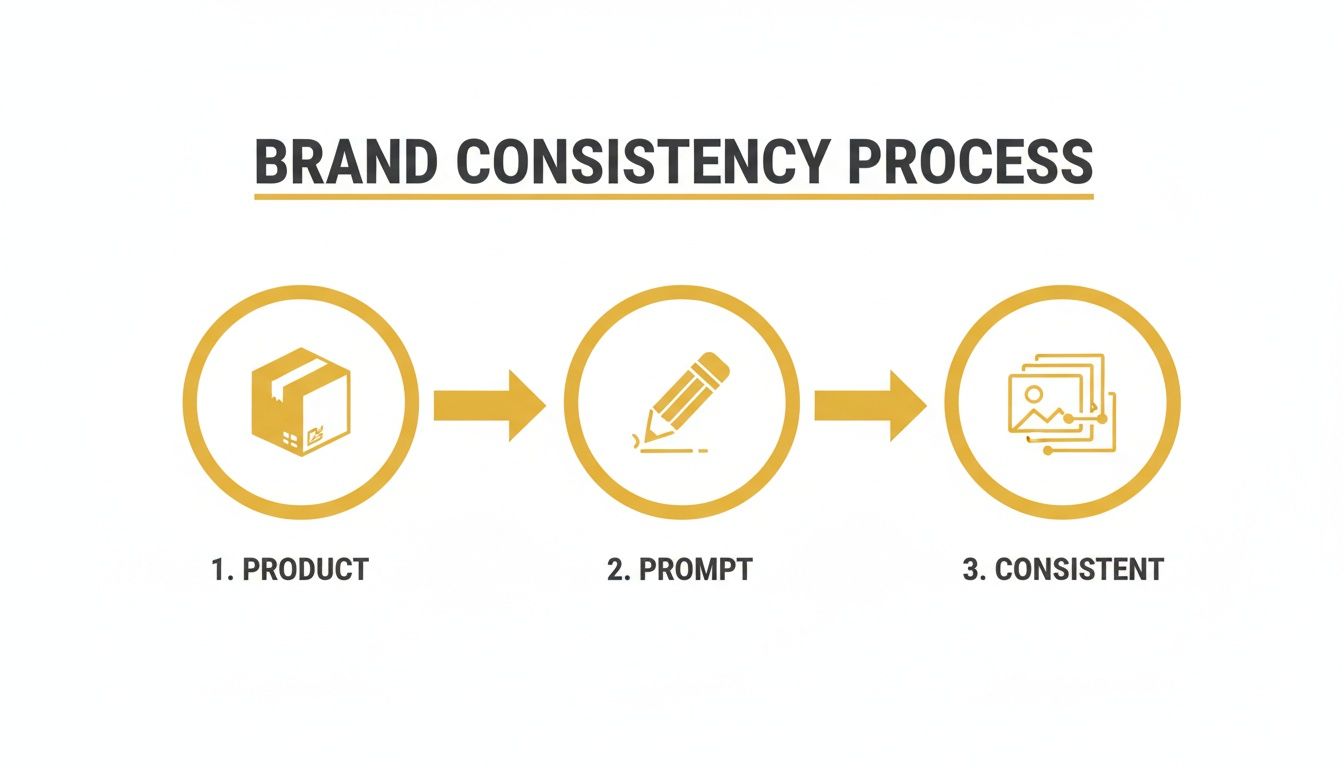
As you can see, brand consistency comes from that simple combination of an accurate product photo and a descriptive, on-brand prompt.
Step 2: Craft Your Creative Prompt
Once your product photo is uploaded, it's time to tell the AI what kind of world to build around it. You do this with a descriptive text prompt. Think of yourself as a creative director giving precise instructions to a photographer—the more detail you provide, the closer the result will be to what's in your head.
Let's say Terra Candles wants a cozy, relaxing vibe for its lavender candle. A lazy prompt like "candle on a table" won't get us far. A much better prompt would be:
"Product photo of a lavender candle on a rustic wooden coffee table next to a steaming mug of tea. Soft, warm morning light streams through a nearby window, illuminating dust motes in the air. A cozy, out-of-focus knitted blanket is visible in the background. Minimalist, serene, and calming mood."
This detailed prompt gives the AI specific directions on a few key creative elements:
- Setting: A rustic coffee table.
- Props: A steaming mug of tea and a knitted blanket.
- Lighting: Soft, warm morning light from a window.
- Mood: Minimalist, serene, and calming.
Step 3: Generate and Refine Your Variations
Now for the exciting part. Once you submit your prompt, the AI gets to work, generating multiple image variations based on your instructions. You won't get just one photo; you'll get a handful of different options, each with a slightly different composition, angle, or twist on your prompt.
This is where you get to play and iterate. Maybe one image has the perfect lighting, but you prefer the composition of another. You can select your favorite and generate more variations based on it, or you can go back and tweak your original prompt to nudge the AI closer to your ideal shot. For instance, Terra Candles could swap "steaming mug of tea" for "an open book and reading glasses" to tell a completely different story.
The ability to generate tons of options instantly is a massive advantage over traditional photography, where reshoots are a costly, time-sucking headache. You can explore dozens of creative avenues in just a few minutes, all at no extra cost. To get a better feel for this part of the process, check out our guide on how to generate AI images from a photo.
Step 4: Upscale and Deploy Your Final Images
Once you've landed on the perfect shot, the final step is to get it ready for the world. Most AI platforms generate initial images at a lower resolution to keep things fast. The last move is to upscale your chosen image, which bumps up its resolution and sharpens all the details, making it crystal clear and ready for your website, social media, or ad campaigns.
Tools like PhotoMaxi often have slick integrations with e-commerce platforms. For a Shopify store like Terra Candles, this means they can push their new, high-resolution lifestyle images directly to their product pages with just a couple of clicks. What used to be a week-long ordeal with photographers and editors now becomes a focused, ten-minute task.
Understanding Commercial Use and Licensing for AI Art
Using AI-generated images to sell your products isn't just a creative choice—it's a business decision with legal strings attached. The world of AI art is moving incredibly fast, but it's tangled up in a web of rules around copyright and commercial use that you absolutely need to understand before you start creating.
Jumping in without doing your homework is a huge risk. The whole thing really boils down to one critical question: do you actually have the legal right to use these images to make money? The answer depends entirely on the AI tool you're using.
The Big Difference: Personal vs. Commercial Use
A lot of AI image generators are built for fun—for personal projects, experimentation, or just messing around. Creating a cool background for your phone is one thing. Creating an ad that's going to drive sales for your Shopify store is a completely different ballgame. This is the line between personal and commercial use.
So what counts as commercial use? Pretty much anything intended for business, profit, or promotion. Think about it this way:
- Images on your e-commerce product pages? That’s commercial.
- The hero shot in your latest social media ad campaign? Definitely commercial.
- Visuals on your website, in marketing emails, or on brochures? Commercial.
- Even images on your product packaging fall into this category.
If an image is part of your sales funnel at any point, it's considered commercial use. And for that, you need a license that explicitly says you can do it.
Navigating the legal side of AI is not about limiting your creativity; it's about protecting your business. The only way to confidently use these amazing visuals is by making sure your AI provider gives you clear commercial usage rights. It’s that simple.
What to Look for in an AI Tool’s Terms
So, how do you know if you're good to go? You have to read the fine print. When you're checking out an AI image platform, dig into their terms of service or licensing agreement. You're looking for specific language that grants you a commercial license.
This is why you'll see so many professional platforms, including PhotoMaxi, offer different subscription tiers. Free or entry-level plans are often limited to personal, non-commercial use. To get the rights you need for your business, you'll almost always have to step up to a paid or business-focused plan. This isn't just an upsell; it's the legal mechanism that hands the usage rights over to you.
Think of a clear commercial license from a reputable service like PhotoMaxi as your legal shield. It’s your proof that you can use the visuals you generate across all your marketing channels without looking over your shoulder for a copyright claim. It's a small price to pay to avoid massive legal headaches down the road, freeing you up to focus on growing your business with incredible imagery.
Measuring the ROI of Your AI-Generated Visuals
So, you've started using AI-generated product images. How can you be sure the investment is actually paying off? The immediate cost savings from ditching expensive photoshoots are obvious, but that’s just the tip of the iceberg. The real value of AI visuals is tied to how they influence customer behavior and, ultimately, your bottom line.
To see the whole picture, you need to connect your new imagery to tangible business outcomes. Are more people adding products to their carts? Are conversion rates ticking up? To answer these questions, you need a solid plan for tracking and testing. Isolating the impact of your visuals is how you build a rock-solid business case for AI.
Key Metrics Beyond Cost Savings
To truly understand the impact, you need to look at how AI visuals affect the entire customer journey. Forget just looking at the production budget. It's time to monitor the engagement and conversion metrics that really matter.
Here are the most important KPIs to keep an eye on:
- Conversion Rate Lift: This is the big one. Does a product page with AI-generated lifestyle images convert visitors into buyers more effectively than one with your old, standard photos?
- Reduced Cart Abandonment: Great visuals build trust and give shoppers the confidence to click "buy." A noticeable drop in abandoned carts after updating your images is a huge win.
- Increased Add-to-Cart Rate: When a product looks more appealing, people are more likely to want it. If more visitors are adding items to their cart, your new images are doing their job.
- Higher Social Media Engagement: Look at likes, shares, comments, and click-throughs on social posts featuring your new AI content. This tells you if the visuals are actually stopping the scroll and driving traffic.
A luxury retailer, Milaner, put AI-powered on-model imagery to the test. The results were stunning: they saw a 157% increase in conversion rate and a 40% boost in shopper engagement. This is a perfect example of how high-quality AI visuals can directly fuel sales.
Setting Up a Simple A/B Test
The best way to get undeniable proof is to run an A/B test. It’s pretty straightforward: you show two versions of a product page to different groups of visitors at the same time and see which one performs better. This method eliminates the guesswork and shows you exactly what's working.
Here’s how you can run a simple A/B test on a Shopify store:
- Select a Control Product: Pick a product that uses your existing, traditional photography. This will be your "Version A."
- Create the AI Variant: Use a tool like PhotoMaxi to create a fresh set of compelling lifestyle images for that same product. This is your "Version B."
- Run the Test: Use a Shopify A/B testing app to split your traffic 50/50 between the two pages. Let the test run for a defined period, like two weeks, to gather enough data.
- Analyze the Results: Once the test is over, compare the conversion rates, add-to-cart numbers, and other key metrics. The data will give you a clear winner and tell you which visuals resonated most with your customers.
Following a methodical approach like this transforms your decision-making from instinct-based to data-driven. It gives you the concrete proof you need to justify further investment in AI-generated product images and helps you fine-tune your visual strategy for maximum impact.
Common Questions About AI Product Images
Whenever a new tool this powerful comes along, it's natural to have questions. When brands first start looking into AI-generated product images, a handful of concerns almost always pop up. Getting clear, straightforward answers is the only way to move forward with confidence.
Let's cut through the noise and tackle some of the most common questions marketers and ecommerce owners have. The answers are often simpler than you'd think.
Can AI Really Match Professional Quality?
Yes, it absolutely can. Modern AI tools are now capable of producing high-resolution, studio-quality images that are often indistinguishable from traditional photos. The real trick is using a platform that gives you granular control over things like lighting, style, and composition.
A great human photographer brings a unique artistic touch, no doubt. But AI delivers something else: incredible scale, speed, and cost-efficiency. You can create thousands of unique, on-brand images in the time it would take to set up a single photoshoot.
How Hard Is It to Learn?
Honestly, the learning curve is surprisingly gentle. Platforms like PhotoMaxi are designed with business users in mind, not tech wizards. Their interfaces are intuitive and guide you right through the process.
The main skill you need is describing what you want to see. If you can write a clear, descriptive sentence and provide a clean photo of your product, you can start generating professional images in a matter of minutes. No design or technical background required.
Are These Images Legally Safe for Business Use?
This is a big one, and the answer is crucial: it 100% depends on the service you use. To be safe, you must choose a platform that explicitly grants you commercial usage rights for every image you create. For any business, this is non-negotiable.
Reputable services will have specific plans that include a commercial license. This is your legal green light to use the images on your website, in social media ads, and across all your marketing campaigns without looking over your shoulder for copyright issues.
How Does AI Handle My Specific Product?
The best AI product photography tools don’t just make up your product from scratch—they build a new world around it. You start by uploading a clean, well-lit photo of your actual item. This becomes the AI's reference point.
This method ensures your product’s unique details, branding, and color are perfectly preserved. The AI then intelligently places your real product into a completely new synthetic environment, whether that's a lifestyle scene, on a model, or in a flat lay, all based on your text prompt. The likeness is always spot-on.
Ready to see how PhotoMaxi can change your product photography workflow? Start creating stunning, on-brand visuals in minutes and see the difference for yourself. Explore PhotoMaxi and begin your creative journey today!
Related Articles


Ready to Create Amazing AI Photos?
Join thousands of creators using PhotoMaxi to generate stunning AI-powered images and videos.
Get Started Free