
Your Guide to an AI Product Photo Generator
So, what exactly is an AI product photo generator? Think of it as a tool that lets you create entirely new, professional-grade product images without ever setting up a camera. You start with a simple photo of your product, add a text description of the scene you want, and the AI generates countless photorealistic images. It’s a game-changer that saves brands a fortune on traditional photoshoots.
How AI Product Photo Generators Work
Imagine an artist who has spent a lifetime studying millions of photographs, understanding every nuance of light, shadow, texture, and composition. Now, imagine you could describe any scene, and they could paint it for you with breathtaking realism. An AI product photo generator does something very similar, but its "artist" is a sophisticated algorithm.
At the heart of this technology are generative AI models, usually diffusion models. It's helpful to picture a sculptor starting with a block of random, staticky noise. This model has been trained on a massive library of images and their text descriptions, so it’s learned the deep connections between words like "wooden table" and the specific pixels that create that image.
When you upload a clean shot of your product and give it a text prompt—say, "a bottle of lotion on a marble countertop next to a white orchid"—the AI gets to work. It gradually refines that block of noise, step by step, chipping away at the randomness until it sculpts a clear image that perfectly matches your description, with your product placed seamlessly inside.
To give you a clearer picture, here's a quick breakdown of how these generators function and why they're so effective for e-commerce.
AI Product Photo Generation At a Glance
| Component | What It Does | Primary Benefit for E-commerce |
|---|---|---|
| Product Input | You upload a clear, isolated photo of your product (often with a transparent background). | You only need one good product photo to create unlimited variations. |
| Text Prompt Engine | You describe the desired background, style, and context using natural language. | Gives you complete creative control to match any campaign, season, or brand aesthetic. |
| Diffusion Model | The core AI builds a new image from scratch based on the prompt and your product photo. | Ensures realistic lighting, shadows, and reflections that make the scene believable. |
| Image Output | The generator produces a high-resolution, completely new image ready for use. | Dramatically reduces the time and cost associated with traditional photography. |
This table shows how each piece of the puzzle comes together to create a powerful tool for generating visual content on demand.
The Generative Process Explained
This isn't just a fancy cut-and-paste job. The AI isn't simply dropping your product onto a stock photo. Instead, it constructs the entire scene from the ground up, making sure the lighting, shadows, and even subtle reflections on your product look completely natural in the new environment. That’s what truly sets it apart from basic photo editing software.
This approach unlocks incredible creative freedom. An e-commerce brand can instantly generate visuals for every marketing channel without needing a single piece of physical gear.
- Product Shots: Create clean, studio-quality images with perfect lighting.
- Lifestyle Scenes: Place your products in real-world settings, from a cozy kitchen to a rugged outdoor landscape.
- Model Integration: Add AI-generated models to showcase apparel, accessories, or cosmetics in a relatable way.
The real magic of an AI product photo generator is its ability to build entire visual worlds on demand. It goes far beyond simple background replacement, becoming a strategic tool for crafting a powerful brand story.
Market Growth and Adoption
This technology isn't just a niche trend; it's reshaping how businesses create visual content. The global AI image generator market hit $8.7 billion in 2024 and is on track to explode to $60.8 billion by 2030, growing at a compound annual rate of 38.2%. This massive growth, tracked in reports from outlets like WizCommerce, shows just how quickly brands are turning to AI to produce high-quality visuals faster and more affordably than ever before.
The ability to create brand-new, believable scenes is what makes a realistic AI photo generator so essential for modern e-commerce. It empowers brands to produce a virtually endless stream of marketing assets—from social media posts to website banners and ad creatives—all from just one original product photo.
How AI Visuals Are Changing the E-commerce Game
In the incredibly crowded world of online retail, a product’s visual appeal isn't just a part of the sale—it is the sale. Great imagery is the digital equivalent of a customer picking up an item in a store, feeling its texture, and picturing it in their own life. This is where an AI product photo generator completely changes the rules.
The old way of creating a visual catalog was a marathon of logistics and expenses. Brands would pour weeks and huge budgets into planning photoshoots, hiring models, renting studios, and managing endless post-production. An AI generator takes that entire workflow and collapses it from weeks into hours, turning a costly chore into a nimble, data-driven marketing machine.
Slashing Costs and Accelerating Timelines
The first thing you'll notice when adopting AI for product visuals is the dramatic drop in operational overhead. Instead of juggling complex shoots, your team can generate an entire campaign's worth of images from a single desk. This isn't just about saving money; it’s about getting back time and resources that can be funneled back into growing the business.
Think about the traditional costs that just disappear:
- Studio and Equipment Rental: A professional studio setup can run into thousands per day. AI gets rid of this expense entirely.
- Photographer and Model Fees: Finding and paying for professional talent is a huge investment. AI gives you endless virtual models on demand.
- Travel and Logistics: Shipping products and coordinating teams for on-location shoots adds serious complexity and cost.
- Post-Production: Retouching and editing can easily take days or even weeks. An AI generator delivers images ready for use in minutes.
By knocking down these barriers, businesses can react to market trends with incredible speed, launching new visual campaigns almost overnight.
The Power of Infinite A/B Testing
One of the most powerful things an AI product photo generator unlocks is the ability to create endless visual variations for A/B testing. Does your product sell better on a clean, minimalist background or in a cozy, lived-in scene? Does it connect more with a younger model in a city setting or an older one in a natural environment?
Answering these questions used to demand multiple, expensive photoshoots. Now, a marketing team can generate dozens of different scenarios to test across different platforms and audiences.
By systematically testing different visual concepts, brands can pinpoint exactly which images drive the highest engagement and conversion rates, optimizing their marketing spend for maximum impact. This data-driven approach moves product photography from a creative guesswork to a precise science.
It's no surprise that e-commerce and retail have become the primary drivers for this technology's growth. The part of the AI image generator market that focuses specifically on e-commerce needs was valued at over $238 million in 2023. This boom is directly linked to the expansion of online retail, with U.S. e-commerce sales hitting roughly $289.2 billion in the first quarter of 2024 alone. For retailers, the key benefit is the sheer efficiency of producing huge volumes of customized product images fast. If you're curious about the market's trajectory, you can dive into this in-depth research by Fortune Business Insights.
Pre-Launch Marketing and Smarter Inventory
Imagine being able to market a product before a single unit has been manufactured. With an AI product photo generator, brands can create stunning marketing assets using just a digital render or a prototype photo. This gives you a massive strategic advantage, allowing you to gauge customer interest, run pre-order campaigns, and lock in sales before committing to a massive production run.
This capability also helps streamline inventory management and reduces the financial risk of launching new products. You can validate an idea with real-world visuals, making sure there’s genuine market demand before you invest heavily in stock. This proactive approach turns your visual assets into a powerful tool for market research and sales forecasting. Even if you're just starting out, our guide on how to take better product photos can give you a solid foundation for creating source images that AI can then take to the next level.
What to Look For in a Top-Tier AI Photo Generator
Choosing the right AI product photo generator isn't just about making pretty pictures. It's about finding a tool that can become a reliable workhorse for your business. With so many options out there, it's easy to get dazzled by features that sound cool but don't deliver real-world value. The best tools are built specifically for commerce, separating themselves from the more recreational image creators with a sharp focus on business needs.
Think of this section as your checklist for sorting the serious tools from the toys. We'll break down the non-negotiable features that ensure you’re not just making images, but driving sales, building trust, and streamlining your entire marketing workflow. It’s the difference between a point-and-shoot camera and a professional DSLR setup—both take photos, but only one gives you the control and quality you need for serious work.
High-Resolution Output and Photorealism
First and foremost, the single most important job of an AI photo generator is to create high-resolution, photorealistic images. This is non-negotiable. Grainy, blurry, or obviously fake photos will instantly kill customer trust and make your brand look amateur. Shoppers today expect to zoom in and inspect every detail—the texture of the fabric, the glint on a metal clasp, the accuracy of the color.
A professional-grade tool has to deliver resolutions high enough for website banners, product carousels, and even print ads without falling apart. But resolution is only half the story. The realism has to be there, too. The AI needs to be a master of light, shadow, and reflection, making your product look like it was shot in a real studio or on location. This is what convinces a customer of your product's quality before they can even touch it.
Brand and Model Consistency
One of the classic struggles with AI image generation is consistency. A hobbyist tool might create a masterpiece one minute and something completely different the next. For a brand, that kind of randomness is a huge problem. You need your entire product catalog to feel cohesive and professional.
This means your generator must let you define and save specific styles, lighting setups, and color palettes. The best platforms, like PhotoMaxi, take this a step further with character consistency. This feature is a game-changer, ensuring that any AI-generated model you use looks identical from one shot to the next. Suddenly, you have a recognizable "face" for your brand.
Without consistency, you're just creating a collection of random images. With it, you're building a cohesive brand identity that customers can recognize and trust, turning one-off visuals into a unified brand story.
Advanced Prompt Control and Customization
Simple text prompts are great for getting started, but a professional tool needs to hand you the creative reins. It should feel less like you're making a request and more like you're directing a photoshoot.
Look for these essential control features:
- Detailed Prompts: The ability to get granular with commands like "soft morning light coming from the left," "subtle shadows cast on a rustic oak table," or "minimalist Scandinavian decor in the background."
- Negative Prompts: Telling the AI what not to include is just as powerful. You can filter out "clutter," "unwanted reflections," or "blurry backgrounds" to dial in the perfect shot.
- Seed Numbers: A seed number acts like a unique fingerprint for a generated image. Reusing a seed lets you lock in the composition and style of a great shot while making minor tweaks.
These controls are what separate predictable, on-brand results from a creative roll of the dice. They give you the precision to bring your exact vision to life, every single time.
Batch Processing and Workflow Integrations
Time is money. A professional AI photo generator has to be built for efficiency and scale. Batch processing is an absolute must-have, letting you upload dozens of product images and apply the same scene or style to all of them at once. It can condense what used to be a week's worth of content creation into a single afternoon.
Beyond that, look for smart integrations with the platforms you already rely on, especially e-commerce hubs like Shopify. A direct integration can automate everything from updating product listings to resizing images for social media, syncing your visual assets directly to your store. This eliminates tedious manual work, slashes the risk of human error, and gets your products to market faster.
Clear Commercial Usage Rights
Last but certainly not least, you have to talk about the legal side of things. Not all AI-generated images are free for you to use in your business. Many of the free or cheaper tools have licensing terms that strictly forbid commercial use. Using one of their images on your storefront or in an ad could land you in serious legal trouble.
Any business-focused AI photo generator will offer clear and explicit commercial usage rights, typically as part of a paid subscription. Before you commit, always read the terms of service. This is a non-negotiable final check that protects your brand and ensures your investment is on solid legal ground.
Your Workflow From Prompt To Published Image
Knowing what an AI product photo generator can do is one thing, but seeing it in action is another entirely. The process of taking a single, plain product photo and turning it into a whole library of marketing-ready images is surprisingly simple. It basically turns what used to be a complicated and expensive creative process into an easy, repeatable workflow.
It all boils down to three main steps: upload your photo, write a description of the scene you want, and let the AI build the image for you.
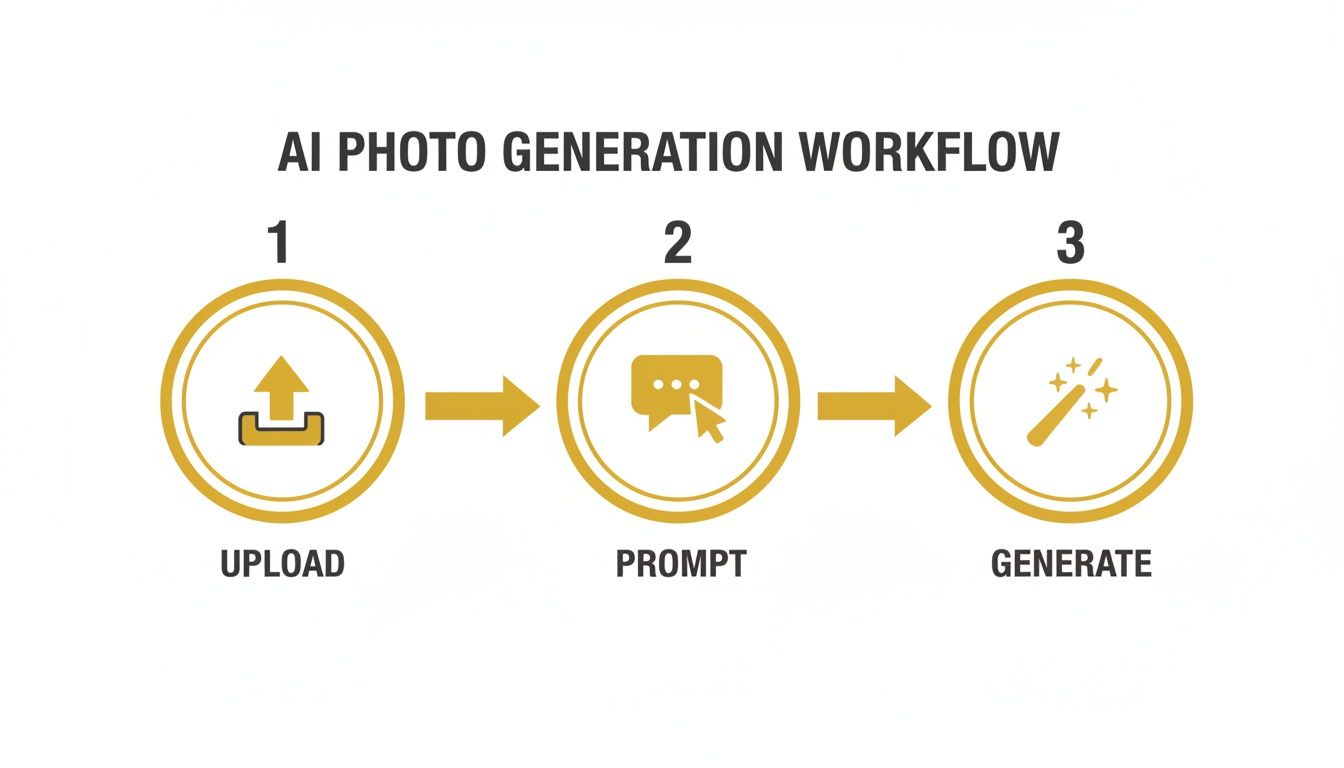
The diagram above shows just how linear and straightforward this is. This efficiency is exactly why brands can go from an idea to a finished, published image in a fraction of the time it would normally take.
Step 1: Uploading Your Product Image
Everything starts with a clean, high-quality picture of your product. For the absolute best results, you'll want to use an image with a transparent background—a PNG file is perfect for this. Think of it like giving an artist a perfectly prepped canvas; the better your starting material, the more impressive the final painting will be.
This one photo is all you need to create countless different scenes. No more setting up multiple shots with different angles or lighting. Just one clear, well-defined image gives the AI everything it needs to understand your product's shape, texture, and details.
Step 2: Crafting The Perfect Prompt
This is where you get to be the creative director. The text prompt is your set of instructions for the AI, and a well-written one gives you incredible control over every little detail in the final image.
A great prompt is more than just a few keywords; it paints a picture with words. It helps to break it down into a few key parts:
- Scene and Environment: Where is the product? Describe the setting, like a "minimalist kitchen with a white marble countertop" or an "outdoor scene on a rustic wooden picnic table."
- Lighting Conditions: What’s the mood? You can use terms like "soft morning light from the right side," "dramatic studio lighting," or "warm golden hour glow."
- Supporting Props: What else is in the shot? Add details to build context, such as "next to a steaming cup of coffee and a fresh croissant" or "surrounded by fresh lavender sprigs."
- Model and Pose: If a person is involved, describe their look and what they're doing. For example, "a woman with curly brown hair, laughing, holding the product."
Mastering the art of the prompt is how you go from just using an AI tool to directing a full-blown virtual photoshoot. Every word you add helps steer the AI closer to your exact vision.
If you're just getting started, our guide on how to generate photos with AI has some great foundational tips to get you going.
Step 3: Generation And Fine-Tuning
Once you’ve locked in your product image and prompt, the AI takes over. Platforms like PhotoMaxi, built to handle this at scale, can spit out several unique options from a single prompt in just a few seconds. This lets you quickly generate a dozen concepts and just pick the one that works best for your campaign.
Being able to create images in bulk like this is a massive advantage. You could literally create a month’s worth of social media content in a single afternoon just by tweaking your prompts and generating new scenes.
After the images are created, you can use built-in tools to upscale them for high-resolution displays or use relighting features to make final tweaks to the shadows and highlights.
To really appreciate the difference, let’s compare the workflows side-by-side.
Traditional vs AI Product Photography Workflow
| Stage | Traditional Photoshoot | AI Product Photo Generator |
|---|---|---|
| Pre-Production | Hire photographer, rent studio, source props, book models | Upload one product photo |
| Production | Multi-day photoshoot with crew and equipment | Write a text prompt |
| Post-Production | Weeks of editing, color correction, and retouching | Seconds of AI generation and minor tweaks |
| Revisions | Costly and time-consuming reshoots for new concepts | Simple prompt adjustments for new variations |
The table makes it crystal clear: the AI workflow is dramatically faster and more flexible, letting you create what you need, when you need it.
This speed is crucial as new tech like AR and VR drives up the demand for digital assets. Right now, over 4 million developers are building applications on advanced AI, a huge signal of where things are headed. For creative teams, this means replacing weeks of production with just a few hours of AI-guided work.
Achieving Consistent and On-Brand Imagery
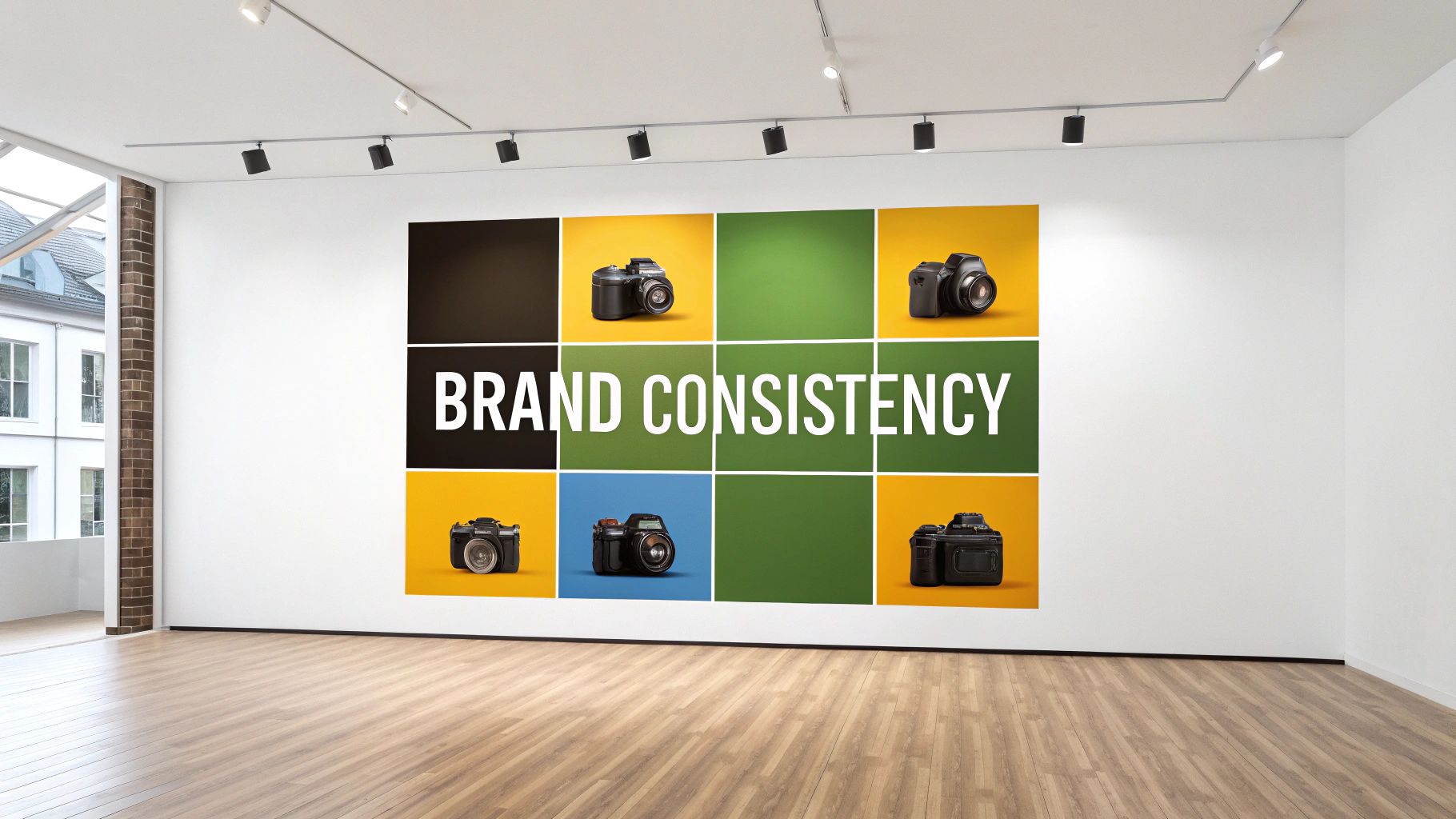
While the creative power of an AI product photo generator is exciting, its inherent randomness can be a major headache for a business. Brands are built on a consistent visual identity. If your images swing wildly from one style to another, you’re not just creating cool pictures—you’re eroding customer trust.
The real challenge isn't just generating images; it's directing a predictable, professional creative process. The goal is to establish a visual signature that customers instantly recognize. Every product photo, every social media post, and every email banner needs to look like it came from the same brand family. That’s how you build a polished, cohesive, and trustworthy online presence.
Training the AI on Your Brand Aesthetic
The first step is to teach the AI what your brand actually looks like. This isn’t about writing one-off prompts. It’s about creating a repeatable formula for your unique style. Any serious platform will let you lock in a specific look and feel that carries through every single image you create.
Think of your brand aesthetic as a recipe with a few key ingredients:
- Color Palette: You can get super specific with hex codes or use descriptive terms like "muted earth tones" or "vibrant pastels" to make sure every photo hits the right color notes.
- Lighting Style: The right lighting sets the mood. Are you going for "soft, diffused morning light," "dramatic, high-contrast studio lighting," or a "warm, golden-hour glow"? Define it once, and stick with it.
- Composition Rules: Tell the AI how to frame the shot. Maybe you want a "minimalist composition with lots of negative space" or a perfectly styled "top-down flat-lay."
By creating what is essentially a "style guide" for your prompts, you build a foundation. From there, every new visual doesn't just look good; it reinforces who you are.
Maintaining Model Likeness Across a Campaign
If you're selling anything that goes on a person—apparel, jewelry, cosmetics—you know how important a consistent model is. Seeing the same face across a campaign creates a narrative and gives your brand a recognizable human element. Unfortunately, most basic AI tools fall flat here, generating a completely different person with every prompt.
The ability to maintain character consistency is what separates the pro-level tools from the novelty image creators. It's the difference between a random assortment of pictures and a cohesive campaign with a believable AI-generated model.
This is exactly the kind of problem platforms like PhotoMaxi were built to solve. They have features designed to lock in a model's facial features and overall appearance across countless generations. This lets you create an entire lookbook or a full seasonal campaign where your virtual brand ambassador stays the same in every shot, adding some much-needed credibility and continuity.
Advanced Prompt Engineering and Control
Once you've nailed down your brand's core aesthetic, precise prompt engineering is how you maintain control day-to-day. You have to think like a director, not just someone making a request.
Using Negative Prompts: Sometimes, what you don't want is just as important as what you do. Negative prompts are your secret weapon for cleaning up an image. For instance, adding --no clutter, blurry background, harsh shadows can instantly push a generation toward the clean, minimalist look you're after.
Leveraging Seed Numbers: Think of a seed number as a unique serial number for a specific AI-generated image. Find a result with a composition you absolutely love? You can grab that seed number and use it again. This lets you reproduce the same core image while tweaking other parts of the prompt, giving you incredible control to create variations on a winning theme.
Your Implementation Checklist for Success
Jumping into AI-generated visuals for your products can feel like a massive leap. But with the right plan, it's actually a pretty manageable process. Bringing an AI product photo generator into your daily operations is really all about good preparation and having clear goals. I've put together this checklist to help you get it right from the start, sidestep the common pitfalls, and actually see a return on your investment quickly.
Think of this as your roadmap. Following these steps will take you from just tinkering with a new tool to building a solid, efficient system for creating all your visual content.
Define Your Primary Goals
Before you create a single image, you have to know what you're aiming for. What does "success" look like for your business? Your answer will dictate which tool you choose and how you'll know if it's actually working. Are you trying to slash your photography budget? Or maybe you just need to get new product shots live faster? Perhaps the goal is to test your products in new markets with localized imagery.
Get specific and set measurable targets. For example, your goal might be:
- Cut our traditional photography spending by 40% in the next six months.
- Reduce the time it takes to get social media images ready from a full week down to a single day.
- Boost conversion rates on our top product pages by 5% by A/B testing different backgrounds and scenes.
Choose the Right Generator and Prepare Your Assets
Once you know what you want to achieve, you can find a tool with the features to get you there. If keeping a consistent brand look is your main concern, you'll want a platform like PhotoMaxi that’s known for reliable character and style continuity. On the other hand, if you’re juggling thousands of SKUs, features like batch processing and a direct Shopify integration are absolute must-haves.
After you've picked your platform, it's time to gather your best product photos. The perfect starting point is a high-resolution image with a clean, transparent background, preferably in PNG format. Honestly, a quality source image is the single biggest factor in getting realistic, professional-looking results.
Getting this right isn't just about the tech. It's about matching the right tool to clear business goals and feeding it high-quality photos. This foundation ensures the AI is an asset, not a frustration.
Develop and Document Your Creative Process
Okay, this is where the magic happens. It's time to build a repeatable workflow for your team. This final step is what separates the dabblers from the pros who get consistent, on-brand results every single time.
- Create a Prompt Library: Don't start from scratch every time. Develop and save a set of pre-approved prompts that fit your brand. Document the specific keywords for your signature lighting style, color palette, and go-to scenes. This way, anyone on your team can jump in and create visuals that feel cohesive.
- Establish a Review System: Keep it simple. Designate one person as the final checkpoint to give images a quick look-over. This ensures everything meets your brand standards before it goes live.
- Understand Licensing Terms: This is a final check you absolutely cannot skip. Before you commit, double-check that your subscription plan gives you full commercial usage rights for every image you generate. This is what protects your business from legal headaches and gives you the freedom to use your new visuals anywhere you want.
Following this checklist helps turn what seems like a technical project into a smart, strategic move for your business.
Frequently Asked Questions
It's natural to have questions when you're thinking about bringing a new technology like an AI product photo generator into your workflow. After all, you're dealing with core parts of your business—your brand image and your legal protections.
Let's walk through some of the most common questions we hear from brands and creators. Think of this as a no-nonsense guide to help you get started with confidence.
Can I Legally Use AI-Generated Photos Commercially?
The short answer is yes, but it completely depends on the tool you're using. Many of the free AI generators you see online don't give you a commercial license, which means you'd be taking a huge legal risk using those images to sell anything.
This is where professional platforms designed for business come in. They almost always include commercial usage rights as a core part of their paid plans. Before you commit to any tool, make it a habit to read their licensing agreement. You need to be 100% certain you have the right to use the images on your storefront, in ads, and across your marketing channels.
How Do I Make AI Photos Match My Brand Style?
Getting your AI images to feel like your brand is all about two things: smart prompting and using a tool that offers fine-tuned control. The best way to nail this is by creating a simple "prompt style guide" for your brand.
This isn't as complicated as it sounds. Your guide just needs to list the specific words and phrases that define your look.
- Lighting: Do you prefer "soft morning light," "dramatic studio lighting," or a "warm golden hour" glow?
- Color Palette: Are you all about "muted earth tones," "vibrant pastels," or specific brand colors?
- Mood & Composition: Is your vibe "minimalist and serene" or more "energetic and bold"?
When you have a guide like this and use it with a platform built for consistency, the AI stops being a random generator and starts acting like a creative partner who already knows your brand's visual DNA.
Will AI-Generated Product Photos Look Fake?
The quality of AI images has come a long, long way in a very short time. Today's top-tier AI photo generators can create visuals that are practically impossible to tell apart from a professional photoshoot. The secret lies in using a quality platform and feeding it prompts filled with real-world details.
Don't just ask for a product on a table. Mention specific textures, subtle shadows, and believable environmental details. It makes a world of difference. Many professional tools also let you tweak things after the image is generated, like adjusting the lighting or sharpening the details. This level of control is what ensures your final images look authentic and help build customer trust, not raise eyebrows.
Ready to create stunning, on-brand product visuals in minutes? With PhotoMaxi, you can generate endless high-quality, commercially-licensed images that drive sales and build your brand. Start creating with PhotoMaxi today!
Related Articles


Ready to Create Amazing AI Photos?
Join thousands of creators using PhotoMaxi to generate stunning AI-powered images and videos.
Get Started Free