
Your Guide to a Realistic AI Image Generator
At its core, a realistic AI image generator is a tool that creates pictures so lifelike they're often mistaken for actual photographs. Imagine a digital artist who has spent a lifetime studying millions of photos—learning every nuance of light, texture, and composition—and can now paint a masterpiece for you in seconds, all from a simple text description.
The New Frontier of Visual Content Creation
For years, getting high-quality visuals meant one thing: a full-blown photoshoot. That involved expensive gear, complicated logistics, and a whole lot of waiting around. Whether you were shooting for an e-commerce catalog, a big marketing campaign, or just your social media feed, the entire process was a major drain on time and resources. Today, that entire model is being turned on its head.
A realistic AI image generator is essentially your own personal, on-demand photography studio. It gives creators, marketers, and brands a way to skip all the traditional hurdles and go straight from a creative idea to a finished, polished asset. This is more than just making pretty pictures; it’s a fundamental change in how we produce visual content.
The benefits are immediate and obvious:
- Drastically Reduced Costs: Forget about paying for photographers, models, locations, and equipment. You can save thousands of dollars on a single campaign.
- Unmatched Speed: You can generate an entire collection of on-brand images in minutes, not weeks. This puts your content creation and marketing efforts into overdrive.
- Boundless Creative Freedom: You can dream up any scene imaginable without worrying about physical limitations. Need a product shot on a remote beach or a model in a futuristic city? No problem.
Platforms like PhotoMaxi are leading the charge here, with a sharp focus on achieving genuine realism and, most importantly, character consistency—a notorious weak spot for many other tools. This guide will show you exactly how this technology works, how to get the most out of it, and how to put it to work for you.
Traditional Photography vs Realistic AI Generation
To really grasp the impact of this shift, it helps to see the old and new workflows side-by-side. The differences in cost, time, and flexibility are genuinely staggering.
| Factor | Traditional Photography | Realistic AI Image Generation |
|---|---|---|
| Time | Weeks to months (planning, shooting, editing) | Minutes to hours (prompting, generating, refining) |
| Cost | High (personnel, location, equipment rental) | Low (fixed subscription fee) |
| Flexibility | Limited to the shoot; reshoots are expensive | Infinite; change scenes, lighting, and styles instantly |
| Revisions | Difficult and costly | Simple and immediate |
This isn't just a fleeting trend; it’s a massive economic and creative evolution. The numbers tell the story: the AI-powered image generation tool market is set to skyrocket from USD 9.1 billion in 2025 to an incredible USD 272.8 billion by 2035. That's an annual growth rate of 40.5%.
This explosive growth proves just how much value businesses and individual creators are finding in these new tools. If you're curious, you can explore more insights on the AI image generation market growth to understand the full scope of this change.
How AI Learns to Create Lifelike Images
You don't need a computer science degree to grasp how a realistic AI image generator works. The simplest way to think about it is like teaching a digital apprentice the art of photography by showing it millions and millions of photos. The AI's job is to spot the patterns—how light bounces off a wet street, the fine texture of a wool sweater, or the subtle complexities of a human hand.
The whole system is built on powerful models that have been fed enormous libraries of real-world images. This visual training gives the AI a deep, almost instinctual sense of what makes a picture look real. Two main approaches are behind this incredible learning process.
The Artist and the Critic Duo
One of the most common and powerful techniques is the Generative Adversarial Network, or GAN. It’s easiest to imagine it as a partnership between an eager artist and a very picky art critic.
- The Artist (Generator): This part of the AI tries to create an image from scratch based on your text prompt. Its first few attempts will likely look messy and fake.
- The Critic (Discriminator): The critic has just one job: to look at the artist's work and decide if it's a real photograph or a fake.
These two are locked in a relentless feedback loop. The artist generates an image, the critic calls it out as a fake, and the artist goes back to the drawing board, learning from its mistakes. This cycle repeats millions of times, with the artist getting a little better with every attempt until its creations become so convincing that the critic can no longer tell the difference.
This constant competition is what pushes the AI to produce images with stunningly fine details. It's no surprise that GANs are a cornerstone of the market, making up 37.4% of the technology segment. They are the engine behind many of the hyper-realistic images you see, perfect for everything from product mockups to virtual fashion shoots. If you want to dive deeper, you can read the full research on the AI-powered image generation tool market.
Sculpting Masterpieces from Noise
The other popular method is called a Diffusion Model. This process is less like a painter and more like a sculptor who starts with a rough block of marble and carefully chips away to reveal the masterpiece inside.
A diffusion model starts with nothing but a field of random noise—think of the static on an old TV screen. From there, it works backward, slowly and methodically removing the noise step by step, guided by the instructions in your prompt. With each pass, a clear image begins to emerge from the chaos, just like a figure being carved out of a formless block. This gradual refinement is fantastic for creating images with rich textures and complex, organic compositions.
The chart below gives you a good visual of how these modern AI methods stack up against more traditional creative workflows.
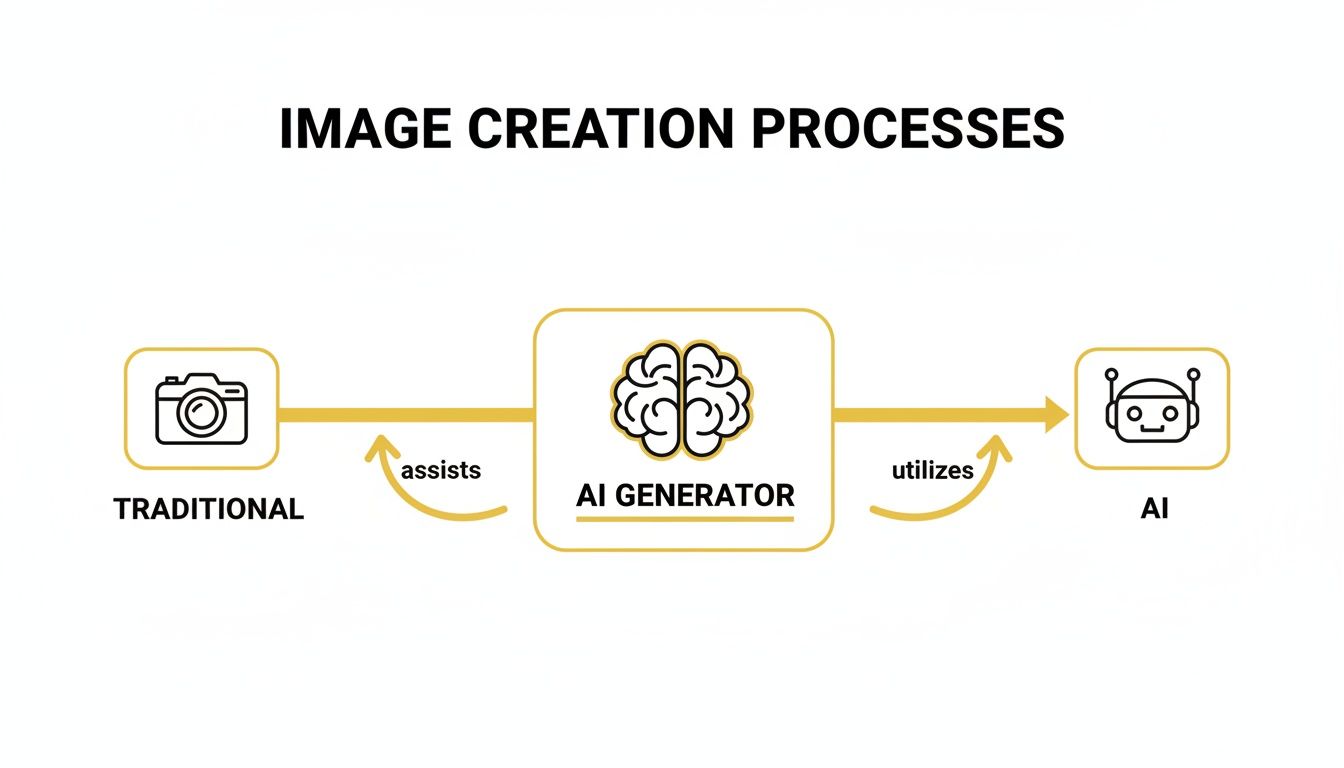
It shows a clear shift from a hands-on process involving a camera and editing software to a prompt-driven one where the AI does the heavy lifting.
The key takeaway is that both GANs and Diffusion Models are trained to understand the fundamental "rules" of our visual world. They learn not just what a cat looks like, but how its fur should catch the sunlight.
This deep training is what allows a top-tier realistic AI image generator like PhotoMaxi to create pictures with studio-quality lighting, accurate shadows, and consistent details. The AI isn't just mashing pixels together; it’s applying learned principles of physics and artistry to build a new reality from the ground up. To see how this applies to creating consistent characters or styles, check out our guide on how to create AI models for repeatable results.
Spotting a Truly Photorealistic AI Image
So, what separates a decent AI image from a masterpiece that could actually fool you? The gap between "good enough" and truly photorealistic all comes down to a handful of critical details. Learning to spot these tells will not only help you judge the quality of any realistic AI image generator but will also give you the know-how to create more polished and believable results yourself.
Think of it like becoming an art critic. Instead of just a quick glance, you learn to look closer at the brushstrokes, the way light plays across the canvas, and the overall composition. For AI images, this means getting past that initial "wow" factor and starting to notice the subtle signs of true digital craftsmanship.
The Five Pillars of Photorealism
To consistently create images that feel real, an AI needs to master five key areas. These are the pillars holding up the illusion of reality. If even one is weak, the whole image can feel "off" and artificial.
Pillar 1: Anatomical Accuracy
This is, without a doubt, the most infamous hurdle for AI. Early generators were notorious for spitting out people with six fingers, twisted limbs, or poses that defied physics. While the tech has come a long way, getting hands, feet, and joints right is still a challenge for many models.
A truly photorealistic image nails the anatomy. Proportions are correct, and body parts interact with the environment in a logical way. For instance, a hand gripping a cup should have fingers that wrap around it naturally, not just hover strangely beside it.
Pillar 2: Believable Lighting and Shadows
Light is everything in photography. It sets the mood, creates depth, and tells you where and when the photo was taken. A sophisticated AI understands the physics of light, from the soft, even glow of an overcast sky to the sharp, dramatic shadows of golden hour.
Always check the shadows. Are they pointing in the right direction? Do they have the right softness based on the light source? Reflections on surfaces like water or glass should also be accurate, mirroring the scene correctly. A common AI mistake is flat, uniform lighting that makes the subject look like a cardboard cutout pasted onto a background.
Pillar 3: Rich Textures and Details
Reality isn't smooth; it’s textured. Think about the fine grain of a wooden table, the tiny pores on skin, or the weave of a wool sweater. These are the details that sell the illusion. A top-tier realistic AI image generator doesn't just create a shape—it gives that shape a tangible surface.
Zoom in and inspect the fine details. Does a brick wall have subtle cracks and color variations? The absence of these micro-details is a dead giveaway that you're looking at a lower-quality AI generation.
An AI's ability to render complex textures is a direct reflection of its training data. The more high-resolution, real-world photos it has learned from, the better it becomes at recreating the intricate surfaces that make an image feel real.
Achieving Consistency and Composition
Beyond the individual elements, a photorealistic image has to work as a complete, coherent picture. This is where composition and consistency come in, transforming a collection of well-made objects into a compelling scene.
Pillar 4: Natural Composition
Professional photographers use principles like the rule of thirds, leading lines, and framing to guide your eye and create a balanced image. A smart AI learns these very same compositional rules by analyzing millions of professional photos.
A great AI-generated image never feels random. The subject will be placed thoughtfully in the frame, and the background elements will support the main focus instead of competing with it. It’s this sense of intentionality that separates an AI snapshot from what feels like a professionally crafted photograph.
Pillar 5: Character Consistency
For anyone in branding, marketing, or storytelling, this is the big one. Being able to generate the same person across multiple images, in different outfits and poses, is the holy grail. Most generic tools fall flat here, giving you a slightly different face with every new prompt.
This is a problem that more advanced platforms like PhotoMaxi are built to solve. By allowing you to train a dedicated AI model on a specific face from just a single photo, you can ensure every image you generate maintains a perfect, consistent likeness. This turns the AI from a random image creator into a reliable digital actor for your brand.
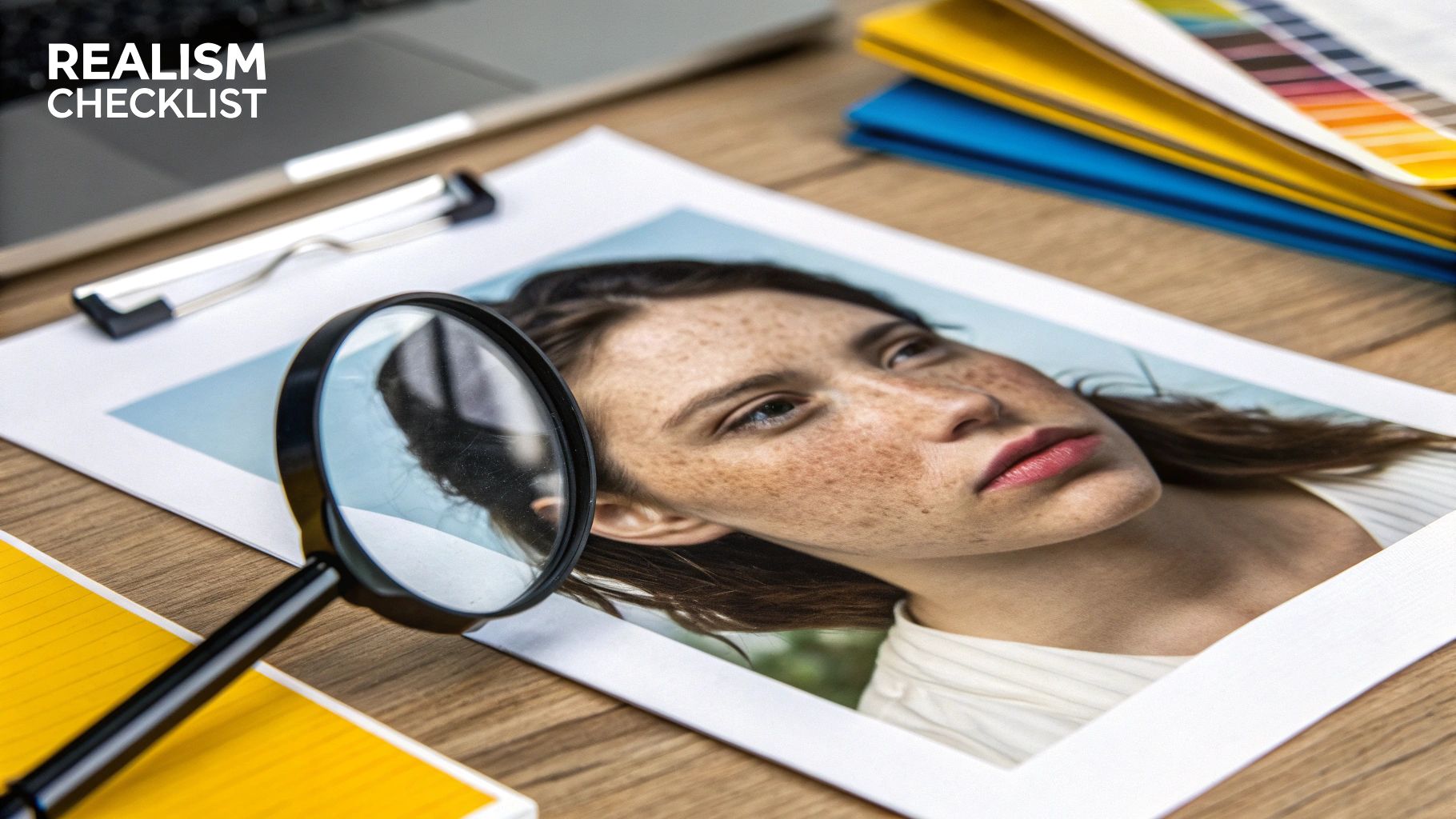
To help you put all this into practice, I’ve put together a quick checklist. Use it to critique your own creations or when evaluating a new AI tool.
Realism Checklist for AI-Generated Images
This table breaks down the key quality criteria and the common failure points to watch out for. It’s a handy reference for training your eye to spot what makes an AI image truly believable.
| Quality Criterion | What to Look For (Signs of Realism) | Common AI Failure Mode |
|---|---|---|
| Anatomy & Proportion | Correct number of fingers/toes, natural-looking joints, realistic body poses, symmetrical faces. | Extra or missing limbs, distorted hands, "uncanny valley" eyes, twisted or impossible body angles. |
| Lighting & Shadows | Shadows match the direction and intensity of the light source; realistic reflections on surfaces. | Flat or inconsistent lighting, multiple conflicting shadows, objects lacking shadows entirely. |
| Texture & Detail | Fine details are present on skin (pores), clothing (fabric weave), and surfaces (wood grain). | "Plastic" or overly smooth skin, blurry textures, lack of fine detail that makes surfaces look fake. |
| Composition | Follows established photography principles (e.g., rule of thirds), balanced, and visually appealing. | Subject is awkwardly placed, cluttered background, random or nonsensical arrangement of elements. |
| Overall Cohesion | All elements in the scene share the same art style, lighting, and level of detail. | Subject looks "pasted on" to the background, mismatched resolutions or art styles within one image. |
Keep this checklist in mind as you generate images. The more you practice looking for these details, the faster you’ll get at creating—and identifying—truly photorealistic AI art.
Putting Photorealistic AI Images to Work
Knowing the theory behind a realistic ai image generator is one thing, but seeing it in action is where you really grasp its power. Professionals in all sorts of industries are bringing this technology into their daily work—not just to cut costs, but to open up creative avenues that were once too expensive or just plain impossible. The potential here goes way beyond just making cool art; it's changing how businesses plan and create content.
The shift is happening everywhere, from small e-commerce shops to major marketing firms. Instead of wrangling complicated and pricey photoshoots, teams can now generate an entire library of on-brand visuals from a single dashboard. This agility means businesses can jump on market trends much faster and test out new creative ideas without the usual hit to their budget or timeline.
A Game-Changer for E-commerce and Product Photography
For any online store, great product photos are everything. They're the first impression you make and a huge part of a customer's decision to buy. The old way involved shipping products to a studio, hiring photographers, and then spending ages on editing to get that perfect shot on a clean white background.
A realistic AI image generator flips that whole process on its head. Now you can place your product in literally any setting you can dream up, and the product itself never has to leave the warehouse.
- Endless Background Options: Showcase a winter coat on a snowy mountain and then a swimsuit on a tropical beach, all in the same afternoon.
- Instant Lifestyle Shots: Go beyond the plain white background and show your product in use by AI-generated models that perfectly match your target audience.
- Virtual Try-Ons: For clothing brands, tools like PhotoMaxi can generate images of the same shirt on different AI models, giving shoppers a much better feel for fit and style.
Fueling Modern Marketing and Social Media
The hunger for fresh, eye-catching content on social media is never-ending. A brand might need dozens of unique visuals every single month just to keep its feeds lively and its followers engaged. Stock photos often feel stale and don't quite fit a specific brand's vibe, while constant photoshoots are a logistical and financial headache.
This is where AI image generation becomes a marketer's secret weapon. Think about creating a full month's worth of custom, on-brand social media visuals in just a couple of hours. With a tool like PhotoMaxi, you can use its batch creation and consistent character features to produce a whole series of images with the same AI model, building a recognizable face for your campaign and keeping your brand look consistent across every post.
The advertising and fashion industries are diving in headfirst. A report from Grand View Research sees the global AI image generator market growing from USD 349.6 million in 2023 to USD 1.08 billion by 2030. That explosive growth is largely fueled by things like virtual try-ons and social media content creation, which really shows you where the commercial demand is.
Perfecting Your Professional Image
It’s not just businesses, either. Individuals are finding some incredibly useful ways to apply this tech for personal branding. Getting a professional headshot used to mean booking a photographer, which could be pricey and a hassle to schedule.
Now, anyone can create a flawless, studio-quality headshot right from their own computer. By training an AI on a few of your own photos, you can generate a digital version of yourself and then place it in any professional setting, wearing any outfit you choose.
This is perfect for updating your LinkedIn profile, company website, or speaker bio without ever having to step in front of a camera. The ability to control the lighting, your expression, and the background gives you total command over your professional image. This same tech is also a breakthrough for photographers looking to offer new services, as you can read about in our article on how AI is transforming professional photography.
Mastering Prompts for Realistic Results
Creating a photorealistic image isn't just about having a powerful tool; it's about giving that tool the right instructions. Think of a realistic AI image generator as an incredibly talented artist who takes everything you say completely literally. It can paint anything you ask for, but it needs a clear and detailed brief to work from.
The single most important skill you can develop is prompt mastery. A vague, one-line request will almost always get you a generic, uninspired image. But a well-structured, descriptive prompt? That gives you precise control over every last detail, turning a fuzzy idea into a photo so real you could swear it was captured with a camera.
The Anatomy of a Perfect Prompt
So what does a great prompt actually look like? It’s built from several key ingredients that work together to paint a complete picture for the AI. By layering these elements, you leave less to chance and ensure the final image lines up perfectly with what you have in your head.
- Subject: This is your focal point. Get specific. Instead of just "a woman," try "a young woman with freckles and long auburn hair."
- Action: What's the subject doing? "A woman smiling" is a start, but "a woman laughing heartily while holding a steaming coffee mug" tells a much richer story.
- Setting: Where is this all happening? Don't just say "outside." Describe it: "sitting at a rustic wooden table in a sun-drenched Parisian cafe."
- Style and Mood: This sets the artistic direction. You can specify a feeling like "serene and peaceful" or a visual approach like "cinematic film still."
- Technical Details: Now for the fun part. This is where you speak the language of photography to command the AI with professional precision.
Here’s the secret sauce for next-level realism: use professional photography terms. The AI has been trained on millions of tagged photos, so it understands what you mean by "golden hour lighting" or "shallow depth of field" and knows exactly how to apply those concepts.
Let's see how adding these layers transforms a prompt from basic to brilliant.
Starter Prompt:
A photo of a man.
This is far too vague. The AI has to make a thousand guesses, and the result will probably be a generic, forgettable headshot.
Professional Prompt:
Professional headshot of a smiling 40-year-old businessman with short brown hair and glasses, wearing a navy blue suit. Golden hour lighting, shallow depth of field, shot on a Canon EOS R5 with a 35mm lens, hyperrealistic, high detail.
Night and day, right? This prompt gives the AI everything it needs: a crystal-clear subject, a specific mood (professional), and technical camera settings that dictate the final look. The result is a high-quality, believable image that meets your exact specifications.
Using Negative Prompts to Remove Flaws
Just as important as telling the AI what you want is telling it what you don't want. This is where negative prompts are a game-changer. They act as a filter, instructing the generator to steer clear of specific elements or styles that could torpedo the realism of your image.
Common things to add to a negative prompt include:
- Artistic Styles:
cartoon, anime, painting, illustration - Common Flaws:
deformed, extra fingers, blurry, low quality - Unwanted Elements:
text, watermark, logo
By adding a negative prompt like ugly, deformed, disfigured, blurry, worst quality, low quality, extra limbs, extra fingers, text, watermark, you can dramatically clean up your results and avoid those classic AI artifacts.
Platforms like PhotoMaxi make this incredibly easy by giving you separate, intuitive fields for both your main prompt and your negative prompt. To see how you can apply these techniques to your own photos, check out our guide on how to generate AI images from a photo.
Navigating the Legal and Ethical Questions
When you can create an image that looks just like a real photograph, it naturally brings up some tricky questions about ownership and ethics. Who actually owns a picture made by an AI? It’s a messy subject right now, and the rules are still being written, but it's something every business needs to think about.
The U.S. Copyright Office, for instance, has taken the stance that art made entirely by AI, without substantial human input, isn't eligible for copyright. That means just typing a prompt and hitting 'generate' might not give you the exclusive rights you'd expect from a traditional photograph.
This is exactly why the terms of service for the platform you use are so incredibly important.
Understanding Commercial Usage Rights
For any business, the real golden ticket isn't copyright—it's the commercial usage license. This is the explicit permission from the AI service that says you can legally use their images for things like ads, social media marketing, and on products you sell. Trying to do that without a proper license is just asking for legal trouble.
You absolutely have to pick a platform that gives you clear, unambiguous commercial rights. This creates a solid legal foundation for your work and protects your business from getting tangled up in ownership fights down the road.
This is a core reason a service like PhotoMaxi was developed for professional use. Our higher-tier plans come with straightforward commercial usage rights, so you can build out entire campaigns and product lines without constantly looking over your shoulder.
The Ethics of Synthetic Content
Legal issues are only half the battle; there are also the ethics to consider. Creating fake models or, even more seriously, depicting real people without their permission opens a can of worms related to deepfakes and the spread of misinformation.
The best policy is simply to be honest. If your brand is using AI-generated models in its marketing, be upfront about it. Transparency builds trust.
At the end of the day, a realistic AI image generator is a tool, and like any powerful tool, it needs to be used responsibly. That means finding a platform that not only gives you clear legal terms but also promotes ethical use, so you can focus on creating amazing things with confidence.
Answering Your Top Questions
Stepping into the world of AI image generation naturally brings up a lot of questions. From navigating legal rights to mastering technical tricks, let's break down some of the most common things people ask when they start using a realistic AI image generator.
Can I Legally Use AI-Generated Images for My Business?
The short answer is yes, but it all comes down to the fine print. The terms of service of the platform you're using are what really matter here.
Most professional-grade AI generators offer specific plans that grant you a commercial license. Think of this as the legal green light you need to use the images for marketing, product sales, or any other business activity. It's crucial to double-check your subscription terms to make sure you have these rights. Free or personal-use tools almost never include a commercial license, which could put your business in a tricky spot if you use their images for profit.
How Do I Keep a Consistent Face in Every Image?
This is one of the biggest headaches for anyone trying to create a series of images with the same person. Getting character consistency right is a major challenge for standard AI generators. The most effective way to solve this is by using a platform that lets you train the AI on a specific face.
PhotoMaxi was built from the ground up to nail this. You just upload a single photo, and the system creates a high-fidelity AI model of that person. This model then acts as a perfect reference, ensuring the face stays consistent across dozens of images, no matter how much you change the pose, lighting, or background.
Why Do Some AI Images Look Strange or Have Flaws?
We've all seen them—the images with six fingers, distorted faces, or bizarre textures. These "weird" results usually happen when the AI gets confused by complex anatomy or has to guess what you meant in a vague prompt. It’s a sign that the underlying model just hasn't seen enough examples of certain concepts to get them right every time.
You can get much better results by:
- Writing super-specific prompts: The more detail you feed the AI, the less it has to improvise.
- Using negative prompts: Tell the AI exactly what you don't want, like "deformed hands" or "blurry background."
- Choosing a quality generator: More advanced platforms simply have better models and often include tools to clean up minor flaws in the final image.
Do I Need a Powerful Computer to Generate Images?
Not anymore. While the AI models themselves are incredibly resource-hungry, nearly all modern realistic AI image generators run in the cloud. This means the heavy lifting happens on their powerful servers, not your local machine.
You can create incredible images right from a web browser on a standard laptop, desktop, or even your phone. It’s a game-changer that makes high-end image creation accessible to anyone, no matter what kind of computer they have.
Ready to create stunningly realistic images with perfect consistency? With PhotoMaxi, you can generate studio-quality visuals in minutes, not weeks. Try PhotoMaxi today and transform your creative workflow!
Related Articles


Ready to Create Amazing AI Photos?
Join thousands of creators using PhotoMaxi to generate stunning AI-powered images and videos.
Get Started Free