
AI Generated Portraits Your Guide to Creating Realistic Visuals
Imagine tapping into the skills of a seasoned digital artist at a moment’s notice. You supply a few snapshots, and within minutes, an entirely new portrait emerges—tailored to your style, mood, or brand. That’s the magic of AI generated portraits, turning everyday photos into fresh, high-quality visuals without stepping into a studio.
Understanding AI Generated Portraits
Think of an AI portrait generator as a creative partner. You feed it several reference images—like handing an artist a mood board—and it crafts a unique likeness that feels authentic. This goes beyond filters or simple retouches; it’s a shift in how we approach image creation.
Many professionals are already embracing this technology:
- Influencers craving a constant stream of eye-catching content
- E-commerce brands needing consistent model shots for products
- Entrepreneurs and executives who want polished headshots without hassle
Each portrait is generated on demand, giving you the freedom to explore different looks and settings in a matter of clicks.
Bridging The Gap In Content Creation
Before AI, creating studio-grade images meant juggling photographers, lighting rigs, and location hunts. That process could stretch over days—or even weeks—of planning and coordination.
Now, those barriers fade away. Whether you’re working solo or part of a large marketing team, AI Portrait Generation makes it possible to focus on creative direction instead of logistics. You decide the style; the system handles the heavy lifting.
With AI, you aren’t tied to one outfit or backdrop. You can spin out dozens of variations—each with its own vibe—without booking another shoot.
Traditional Photoshoots vs AI Portrait Generation
Below is a side-by-side look at how classic photography stacks up against AI-powered portrait creation.
Comparison at a Glance
This table highlights key differences in process, cost, time, and flexibility between the two approaches.
| Aspect | Traditional Photoshoot | AI Generated Portraits |
|---|---|---|
| Time Investment | Days or weeks for planning, shooting, and editing | Minutes to hours for setup and generation |
| Cost | High fees for photographer, studio rental, and gear | Subscription or per-image fees, often much lower |
| Flexibility | Limited by location, lighting, wardrobe | Unlimited styles, settings, and mood variations |
| Convenience | Requires on-site presence and scheduling | Accessible from anywhere with an internet connection |
| Revision Process | Expensive reshoots if you need changes | Generate new options instantly |
Even though traditional shoots deliver a hands-on, bespoke experience, AI gives you unmatched speed and variety. By blending both methods, you can push your visual storytelling further—without stretching your budget or calendar.
How AI Creates Your Perfect Portrait
Watching an AI generate a stunning portrait can feel like magic, but what’s happening behind the scenes is actually a fascinating, logical process. It's less about a magic wand and more like collaborating with a highly trained digital artist—one that has studied millions of images to understand what makes a face look like a face.
To get the most out of these tools and create truly compelling AI-generated portraits, it helps to peek under the hood and see how the engine actually works.
Generative Adversarial Networks: The Artist and The Critic
One of the trailblazing technologies in this space is the Generative Adversarial Network, or GAN. The best way to think about a GAN is to picture two AIs locked in a creative battle: one is an artist, and the other is a brutally honest art critic.
- The Generator (The Artist): This AI’s job is to create images from scratch. It starts by making what is essentially digital gibberish and tries to pass it off as a real portrait.
- The Discriminator (The Critic): This AI is the expert. It has been trained on a massive library of real human portraits and knows exactly what they should look like. Its only job is to spot fakes.
The artist shows its work to the critic, who either says, "Nope, that's a fake," or, "Hmm, that looks plausible." Every time the artist gets rejected, it learns and tries again, getting a little better with each attempt. This back-and-forth continues millions of times until the artist’s portraits are so good that the critic can no longer tell the difference between the AI's work and a real photograph.
Diffusion Models: The Digital Sculptor
Most of the newer AI portrait tools you see today use a different, more refined technique called Diffusion Models. This approach is less of a competition and more like watching a master sculptor at work. Imagine an artist starting with a chaotic block of marble and carefully chipping away until a perfect statue emerges.
A diffusion model does something similar, but in reverse. It starts with an image of pure digital noise—think of the static on an old TV screen. Then, guided by your text prompt, the AI methodically removes the noise, step by step, introducing structure, color, and detail. Each pass brings the image closer to a clean, coherent portrait, literally sculpting your vision out of digital chaos.
This methodical "sculpting" process is why diffusion models are so incredible at creating images with rich detail and nuance. They aren't just guessing; they are carefully constructing the portrait from the ground up, one meaningful pixel at a time.
From Your Photos to a Finished Portrait
While the technology is complex, the experience for you is designed to be incredibly simple. The entire journey from your idea to the final image is a smooth, straightforward workflow.
The infographic below breaks down the typical three-step process you'll go through.
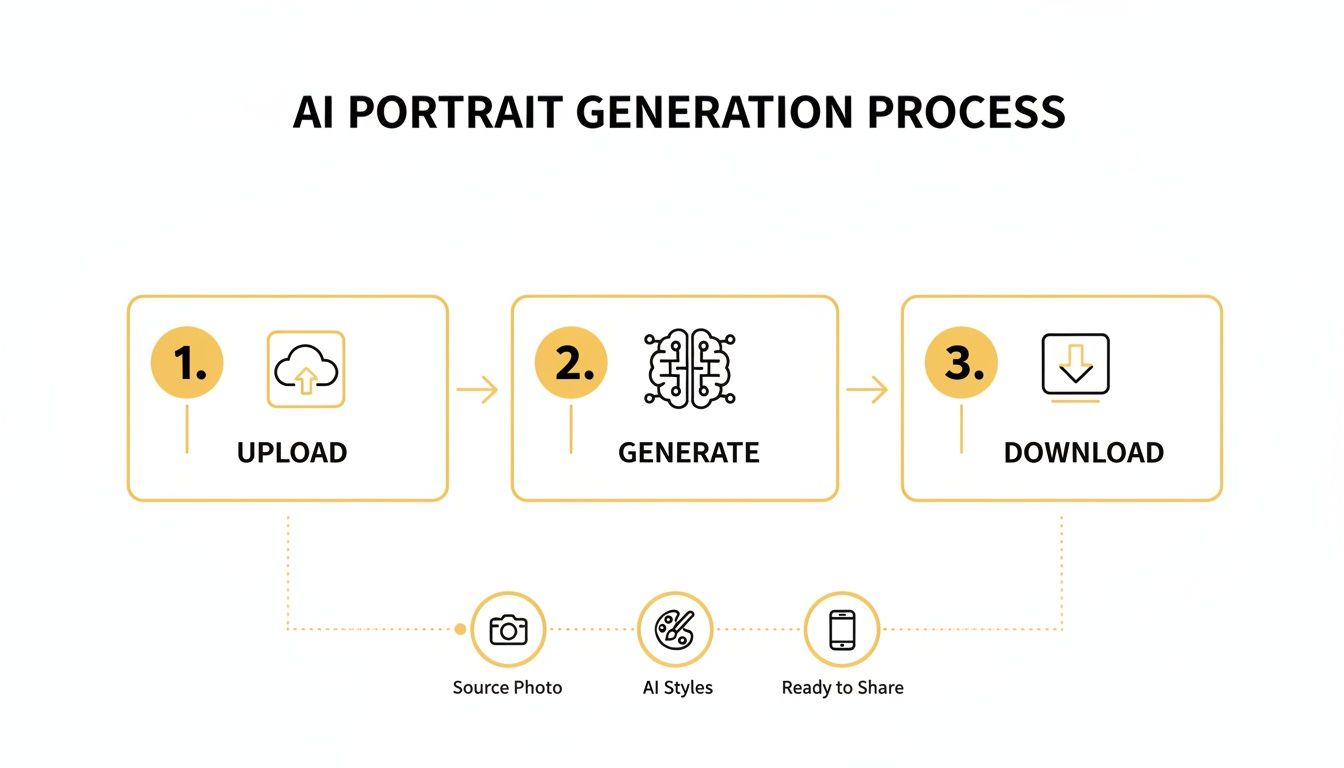
This flow shows how your raw materials—a handful of photos and a few descriptive words—are transformed into something entirely new.
In this creative partnership, you play the role of the director. You provide two key inputs that steer the AI:
- Reference Photos: First, you upload several pictures of yourself. The AI studies these to learn your unique facial structure, features, and overall likeness. This is how it ensures the final portrait actually looks like you.
- Text Prompts: This is your creative instruction. Here, you describe the style, mood, lighting, and setting you want. A prompt like, "professional headshot, warm studio lighting, smiling, dark blue background" gives the AI a clear set of directions to follow.
The AI then brilliantly merges the "who" (from your photos) with the "what" (from your prompt) to generate a portrait that captures both your likeness and your artistic vision. If you want to dive deeper, check out our guide on how to generate photos with AI. The better you understand this collaboration, the better your prompts will be—and the more amazing your results.
Where AI Portraits Are Making a Real-World Impact
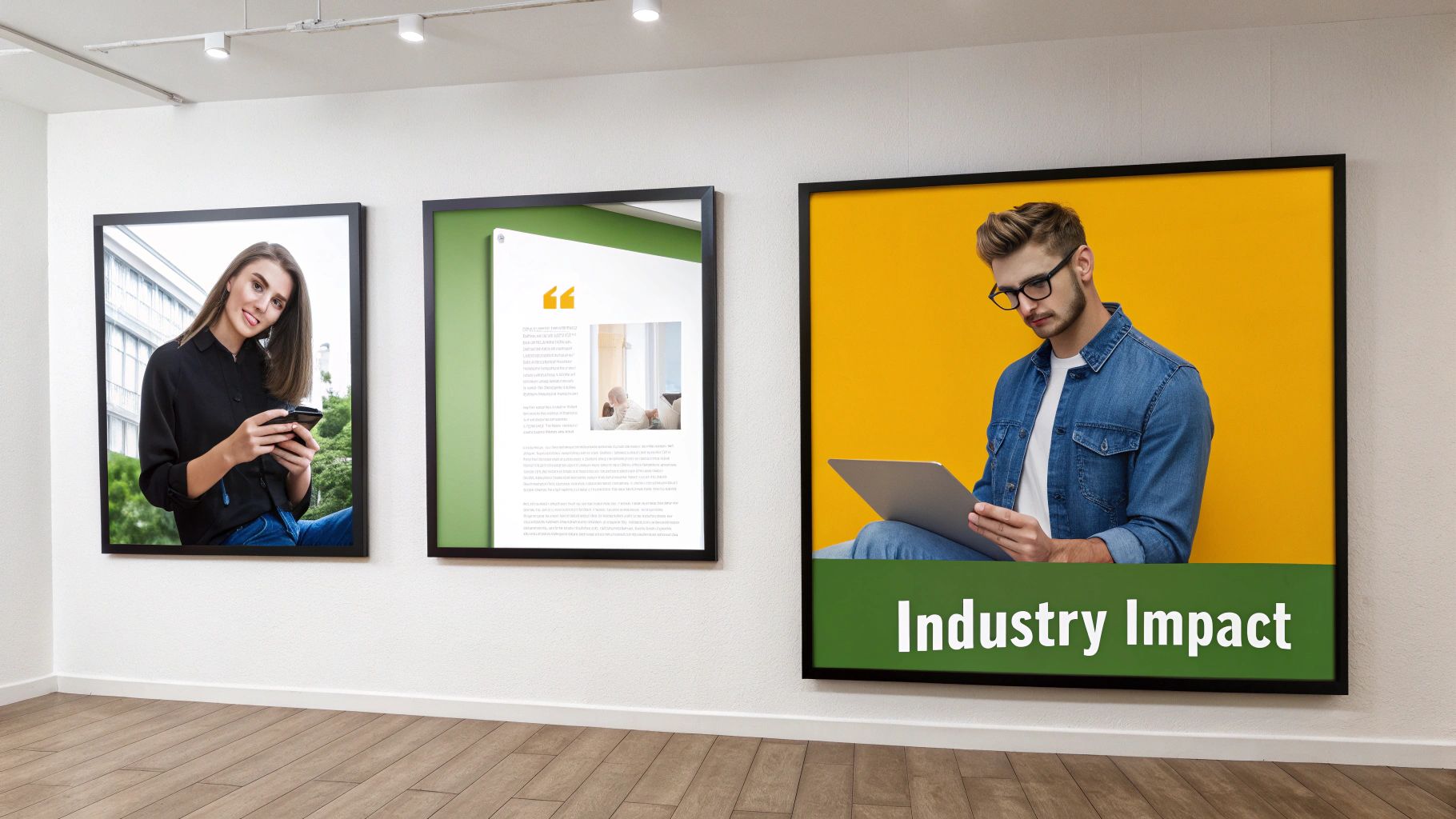
The tech behind AI generated portraits is fascinating, but its real value shines when you see how it solves actual problems. This isn't just about making cool avatars; it's a practical tool that’s already changing how people work across several industries. Businesses are quickly discovering that tasks once needing weeks of planning and a hefty budget can now be done in a fraction of the time.
From a solo creator trying to build a brand to a massive corporation launching a new campaign, AI portraits cut through the noise of time, money, and logistical headaches. They offer a kind of visual flexibility that just wasn't possible before, letting you switch up your creative direction without the painful costs of a traditional photoshoot. This shift is helping professionals everywhere produce better visual content, faster than ever.
A Never-Ending Content Stream for Social Media Creators
If you're an influencer or content creator, you know the pressure is always on. Your audience wants fresh, eye-catching visuals constantly, and keeping up can be a major drain on your time and wallet. AI portraits have become a secret weapon, letting you generate an endless supply of on-brand content from just a handful of your own photos.
Imagine taking a few selfies and turning them into dozens of unique portraits—different outfits, exotic locations, and artistic styles, all without leaving your desk. This isn't just about convenience; it's a huge strategic advantage. You can test new looks, create images for specific ad campaigns, and keep your feed looking polished without the endless cycle of photoshoots.
The results speak for themselves. AI-generated portraits have flooded social media, with some estimates suggesting that a staggering 71% of images on certain platforms are now AI-generated or edited. This trend blew up once the tools became easy enough for anyone to use, turning simple selfies into professional headshots and wildly creative avatars.
A Smarter Way to Create Ecommerce and Marketing Visuals
In the cutthroat world of ecommerce, how your product looks is everything. Brands need models to show off clothes, jewelry, or makeup, but organizing a separate photoshoot for every single item is a logistical nightmare. With AI, online stores can generate consistent product shots using virtual models, creating a clean, uniform look across their entire site.
This technology is also a huge win for marketing agencies. A campaign that used to take weeks of coordination—booking models, scouts, and editors—can now have its core visuals ready in hours. That speed means agencies can react to market trends and client feedback almost instantly.
Here are just a few ways it's being used:
- A/B Testing Ad Creatives: Marketers can generate multiple ad versions with different models, backgrounds, or styles to see what resonates most with their audience.
- Localizing Global Campaigns: A single campaign can be quickly adapted for different countries by generating portraits that reflect local demographics.
- Visualizing Concepts: Agencies can whip up realistic mockups to show clients exactly what a campaign will look like before anyone commits to a full-scale production.
By getting rid of the logistical hurdles, AI frees up creative teams to focus on what actually matters: the strategy and story behind the campaign. It turns a clunky, step-by-step process into a smooth, creative flow.
To get a better handle on this, check out our guide on the best AI tools for marketing teams, where we break down how these solutions are making a difference.
The Perfect Professional Headshot, Without the Hassle
First impressions count, and your professional headshot is often the first thing people see on LinkedIn or your company's website. But let's be honest, scheduling a proper headshot session is a pain, especially for busy professionals or remote teams. AI portrait generators completely sidestep this issue, letting you create a studio-quality headshot right from your computer.
All you have to do is upload a few casual photos of yourself, and the AI can generate polished, professional portraits with perfect lighting, business attire, and a clean background. It’s incredibly useful for:
- Job Seekers who need to project confidence and professionalism.
- Entrepreneurs who need a great-looking photo for their website, articles, and press kits.
- Corporate Teams that want a consistent, unified look for all employee profiles, no matter where they’re located.
Ultimately, AI generated portraits are making high-quality visuals accessible to everyone. By breaking down the old barriers of cost, time, and complexity, this technology is giving creators and businesses of all sizes the power to tell their stories with more creativity and impact.
Getting Your Portraits to Look Real and Consistent
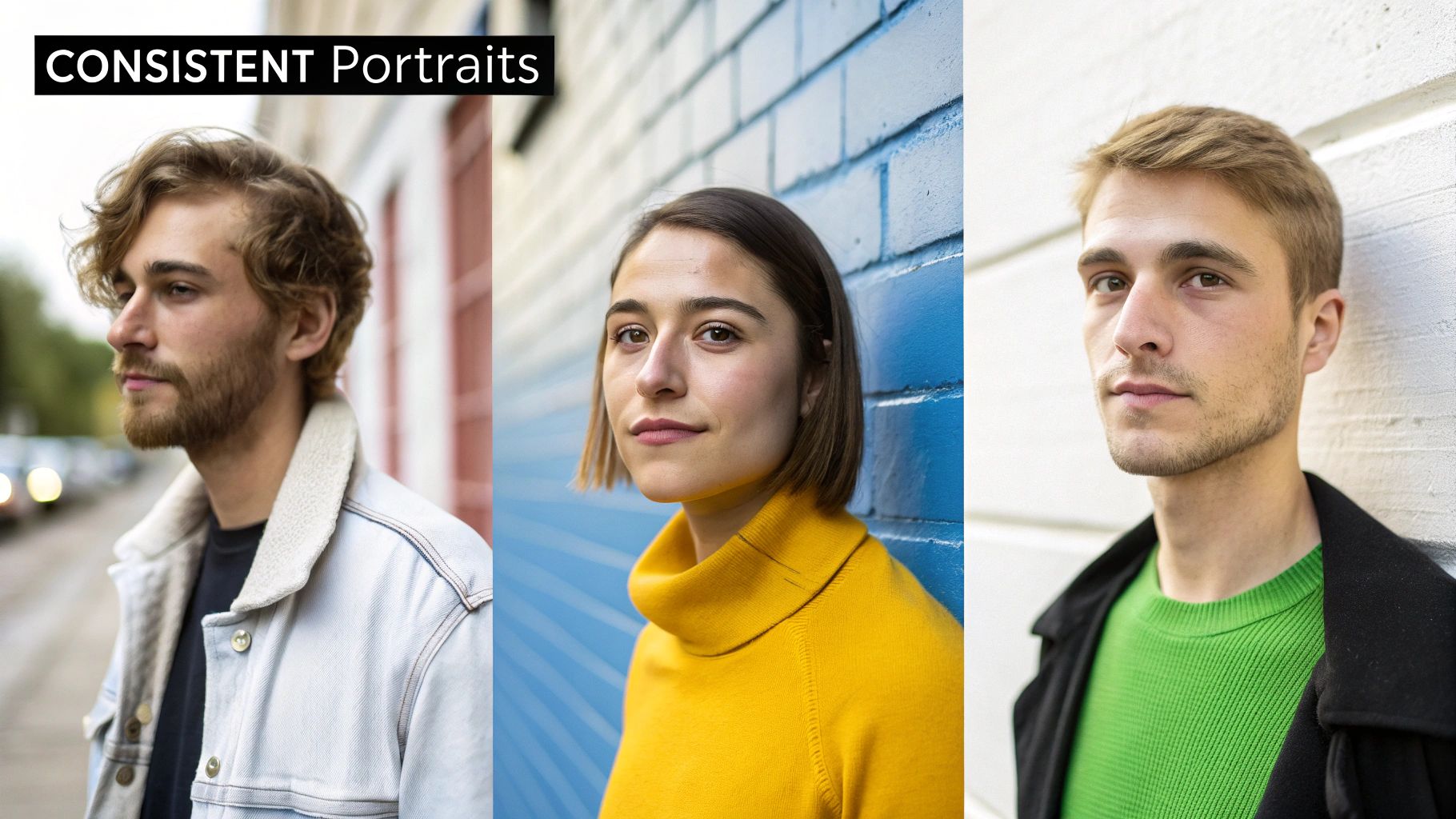
It’s one thing to get an AI to spit out an image that vaguely looks like you. But getting it to create a portrait that feels genuinely believable? That’s a different game entirely.
The secret sauce separating amateur results from professional-grade visuals usually boils down to a few key practices. It's all about steering the AI toward realism and away from the common traps that scream "this was made by a computer."
Our goal here is to sidestep the dreaded "uncanny valley"—that creepy zone where an image is almost human, but something is just off. This usually pops up as weirdly inconsistent facial features, strange digital artifacts, or a plastic, overly airbrushed skin texture. To get consistently high-quality AI-generated portraits, you have to master your inputs: both your reference photos and your text prompts.
Selecting Your Best Reference Photos
The AI learns your face from the photos you feed it. Simple as that. The quality of what you put in directly dictates the quality of what you get out.
Think of it like hiring a portrait artist. If you hand them a blurry, poorly lit selfie, you can't be surprised when the painting looks a bit strange. Give them a clear, well-lit portfolio, and you’re setting them up for success.
For the best results, stick to these guidelines:
- Use High-Resolution Images: Sharp, clear photos give the AI more data to work with. More data means a much more accurate likeness.
- Vary Your Angles: Don't just use straight-on selfies. Mix in three-quarter views and profiles so the AI can understand the 3D structure of your face.
- Show Different Expressions: Include photos of you smiling, looking neutral, or even looking serious. This gives the AI a wider emotional palette to draw from.
- Keep a Consistent Look: While variety in angles and expressions is great, try to use photos from the same general time period. Drastic changes in your appearance will only confuse the model.
Mastering the Art of the Prompt
If your photos tell the AI who to create, the text prompt tells it what to create. This is your chance to be the director of the photoshoot.
A lazy prompt like "a professional headshot" will give you something predictably generic. But a detailed, descriptive prompt gives you an incredible amount of control over the final image.
Your prompt is the most powerful tool for collaboration you have. By clearly describing the lighting, setting, style, and mood, you transform the AI from a simple generator into your personal digital photographer, executing your specific vision.
To write prompts that actually work, think in layers. Break your instructions down into these key components:
- Subject & Attire: What is the person wearing? Don’t just say "suit." Say, "a man in a navy blue business suit with a crisp white shirt."
- Setting & Background: Where are they? Instead of "outdoors," get specific: "in a modern office with a blurred city skyline visible through a large window."
- Lighting Conditions: This is absolutely critical for setting the mood. Specify things like "soft, warm morning light," "dramatic side lighting," or "bright, even studio lighting."
- Composition & Style: What kind of shot is it? Use photographer's terms like "close-up portrait," "candid shot," "photorealistic," or "cinematic style."
Essential Post-Generation Touch-Ups
The process isn't over when the AI finishes rendering. A few final tweaks can take a good portrait and make it truly great. Think of these post-generation steps as the final polish needed to meet professional standards.
For a deeper dive, our guide on creating realistic AI photos covers even more techniques.
Here are the key refinements you should know:
- Upscaling: Most AI tools generate images at a resolution that’s fine for social media but not much else. Upscaling software uses AI to intelligently increase the pixel count, making your portrait sharp enough for a high-res display or even for print.
- Relighting: Sometimes the lighting the AI creates just isn't quite right. With post-production tools, you can adjust the light source, punch up the highlights, or deepen the shadows to perfect the mood and guide the viewer's eye.
By combining killer reference photos, detailed prompts, and a little post-processing magic, you can consistently produce AI-generated portraits that are not only accurate but also artistically compelling.
Navigating the Legal and Ethical Landscape of AI Art
The explosion of AI-generated portraits has given us incredible creative tools, but it's also kicked off a complicated discussion about ownership, rights, and basic responsibility. As these tools become a regular part of our creative workflows, you need to know the rules of the road to use them confidently and ethically.
The whole debate really boils down to one tricky question: who actually owns an image created by an AI? The answer is still being worked out and often depends on the specific platform you’re using. Most services will grant you ownership or at least a broad license, but the details matter.
This legal gray area means you absolutely have to read the terms of service for any AI tool, especially if you’re using it for business. The line between personal and commercial use is a bright one, and you can't afford to ignore it.
Understanding Commercial Usage Rights
It's one thing to use an AI portrait for your personal social media profile, but it’s a completely different ballgame to use it as the face of a marketing campaign. Commercial usage rights are the permissions you need to legally use an image for any activity intended to make money.
Don't assume all AI platforms grant these rights automatically. Many free plans or entry-level tiers are strictly for personal use. Before you build an entire brand identity around a face that doesn't exist, you have to confirm that your subscription allows you to use it for commercial projects.
The rule of thumb is simple: if you plan to make money with an AI portrait, double-check that you have the legal right to do so. Overlooking this step can lead to serious legal and financial consequences down the line.
Digital Likeness and Building Trust
Beyond the legal fine print, there's the ethical side of the coin. When you create a portrait of a real person, you're dealing with their digital likeness. This comes with a heavy responsibility to represent them accurately and with their permission, steering clear of misleading deepfakes or misrepresentation.
There's also a growing conversation about how audiences see these images. The efficiency of AI is undeniable, but it creates a real tension with our desire for authenticity. While generative AI revenue is projected to hit over $1.3 trillion by 2032, this growth is happening at the same time as a huge wave of consumer skepticism.
The research shows a pretty clear divide: 78% of global consumers feel that AI-generated images can’t be considered truly authentic, putting a higher value on visuals made by humans. This "trust gap" isn’t just with consumers; 66% of recruiters admit they are wary of AI-generated headshots. If you want to dive deeper, you can read more about the cultural trends shaping AI and creativity.
The best way to close this gap is with transparency. Being upfront about when an image is AI-generated helps manage expectations and builds credibility. Using a high-quality, consistent tool like PhotoMaxi helps, too. By focusing on dependable facial likeness, it ensures your AI-generated portraits look professional and real, which goes a long way in overcoming the skepticism that comes with cheap, uncanny-looking AI visuals.
What's Next for Visual Content Creation?
The arrival of AI-generated portraits isn't just another tech trend—it’s a genuine shift in how we create and use images. Think of it as a great equalizer. It’s breaking down the walls that once made professional-quality visuals a luxury reserved for those with big budgets and a ton of gear.
For years, getting a great portrait meant hiring a photographer, booking a studio, and dealing with complex lighting. Now, anyone from a solo entrepreneur to a small business owner can get stunning results right from their laptop. This opens up the playing field, letting anyone with a good idea bring it to life without all the old headaches. It's about opportunity, pure and simple.
A New Creative Economy is Here
The financial ripple effect of this technology is already huge. It's completely reshaping the creative world. The global market for the generative AI that powers these tools was valued at an incredible USD 66.6 billion in 2023. And it’s not slowing down—projections show it could hit USD 207 billion by 2030.
In hot markets like the US, where the AI industry is on track to reach USD 300 billion by 2026, tools that can quickly generate sets of on-brand portraits are becoming non-negotiable. If you want to dive deeper into these numbers, PhotoRoom has some great insights on AI image statistics.
But this is about more than just big numbers; it’s about speed. A photoshoot that used to take weeks of planning and execution can now be done in a single afternoon. This allows for a kind of creative freedom and rapid-fire testing that was impossible just a few years ago, giving a massive edge to those who adapt.
How to Stay Ahead of the Curve
Let's be honest: getting comfortable with these tools isn't really optional anymore if you want to stay relevant. The future is a partnership between human creativity and AI-powered execution. By learning how to guide these systems, you not only speed up your work but also discover entirely new ways to express your ideas.
The real magic of AI isn't that it replaces artists, but that it empowers them. It takes care of the technical heavy lifting, so you can focus on what truly matters: your vision, your story, and the connection you want to make with your audience.
So, how do you get ready for what's coming?
- Play Around. Constantly. This tech changes almost daily. The best way to keep up is to jump in and experiment with new tools and features to see what they can do.
- Get Good at Prompting. Your most valuable new skill is learning how to describe what you want in plain language. The better your prompts, the better your results.
- Use AI with a Plan. Don't just use AI because it's the new shiny thing. Pinpoint real problems in your workflow—maybe you need more visual variety or faster turnarounds—and use AI to solve them.
The next wave of visual storytelling has already arrived. It’s more accessible, more flexible, and packed with more creative potential than we’ve ever seen. By embracing these tools now, you're not just keeping up; you're getting a head start on the future.
Got Questions About AI Portraits? We've Got Answers.
Jumping into AI-generated portraits can feel a bit like exploring new territory. The technology is evolving so quickly, and it’s totally normal to have questions about how it all comes together. Let's clear up some of the most common ones.
How Many Photos Do I Really Need to Get Started?
For a top-notch result, most AI portrait generators will ask you for 10-20 photos. That might sound like a lot, but there's a good reason for it.
Think of it this way: you're not just feeding the AI a single picture, you're teaching it to understand your face from every angle. The more reference photos you provide—with different lighting, expressions, and backgrounds—the better the AI can grasp your unique features. Skimping on this step is why some AI portraits end up looking a bit "off" or inconsistent.
Can I Actually Use These Portraits for My Business?
Yes, you absolutely can, but you have to pay attention to the fine print. This is probably one of the most critical questions to answer before you commit to a platform. Whether you can use an AI-generated portrait for commercial purposes boils down to the specific license you get with your plan.
- Personal Plans: These are usually more affordable (or even free) but come with a major catch: you can’t use the images for anything that makes money.
- Commercial Plans: These are built for business. They give you the legal green light to use your portraits in marketing campaigns, on your website, for product branding, you name it.
Always, always read the terms of service. Seriously. Assuming you have commercial rights without checking can land your business in hot water. A quick five-minute read can save you a massive headache later.
Just How Realistic Can These Portraits Get?
They can get shockingly realistic. We've come a long way from the early days of AI art that often looked waxy or fell into that creepy "uncanny valley." Today's best tools can produce images that are virtually indistinguishable from professional photographs.
The secret sauce is a mix of two things: the power of the AI model itself and how well you guide it. Your input matters. Providing sharp, clear reference photos and writing detailed prompts—think "soft, natural morning light" or "photorealistic, 4k detail"—tells the AI exactly what you're aiming for. The technology is there, but your direction brings it to life.
What's the Difference Between an AI Portrait and a Deepfake?
This is a really important distinction to understand. An AI portrait is a brand-new image created from scratch. It uses your likeness as inspiration to place a synthetic "you" into a new scene, style, or outfit. The whole point is creative and artistic expression.
A deepfake, on the other hand, is all about manipulation. It takes your face and digitally pastes it onto an existing photo or video of someone else, often without their permission. The intent behind a deepfake is usually to deceive or create malicious content. While the tech might be related, their purpose and ethics are night and day. AI portrait tools are built for creativity, not deception.
Ready to create stunning, consistent visuals without the hassle of a traditional photoshoot? PhotoMaxi is your personal AI photographer, turning a few of your photos into endless studio-quality portraits. Generate on-brand content, professional headshots, and creative visuals in minutes. Explore what's possible at https://photomaxi.com.
Related Articles


Ready to Create Amazing AI Photos?
Join thousands of creators using PhotoMaxi to generate stunning AI-powered images and videos.
Get Started Free