
Create Flawless Graduation Studio Photos With AI
Graduation photos are one of those timeless traditions, but let's be honest—the process can be a real headache. Between the high costs and the logistical nightmare of a traditional studio session, getting those perfect shots is often more stressful than it needs to be.
This guide walks you through a completely different approach. We're going to show you how you can use AI to generate countless high-quality graduation studio photos, all from the comfort of your home.
The New Reality of Graduation Photos
For years, the formula for graduation portraits was set in stone: book a studio, scramble to fit it into your schedule, and then pick from a handful of pricey photo packages. It’s a rigid process that doesn’t leave much room for your own style or creativity to shine through.
Thankfully, technology has finally caught up, offering a much more flexible and personal way to capture this huge milestone.
The Problem with Traditional Photoshoots
The demand for these photos is absolutely massive. Photography companies snap pictures of nearly 2 million graduates annually across thousands of events. But this high-volume business model often comes with a steep price tag, with some packages easily costing more than $40 per photo.
This pricing leads to what economists call a 'deadweight loss'—a situation where high costs mean only about 10% of students actually end up buying their photos. Think of all those memories left on the table. A quick search online shows just how frustrated people are with this outdated system.
It's clear that graduates are looking for something better. They want:
- Affordability: Access to great photos that don't drain their bank accounts.
- Creative Control: The freedom to pick their own poses, backgrounds, and overall vibe.
- Convenience: A simple process that works with their schedule, no studio appointments required.
The old way of getting graduation photos is broken. It's expensive, inconvenient, and creatively restrictive, forcing you to settle for generic shots that don't reflect your personality.
A Modern Solution with AI
This is where AI platforms like PhotoMaxi are completely changing the game. By simply uploading a single photo of yourself, you can generate an endless variety of professional-looking graduation studio pictures.
Suddenly, you're the director. You get to choose everything from the lighting and backdrop to the exact pose and cap and gown style. If you want to dive deeper into the tech, you can explore our guide on AI for photography to see how it all works.
This new approach puts the power right back where it belongs: in your hands. It’s a modern, instant, and deeply personal way to create portraits that truly celebrate your incredible achievement.
Here’s a quick look at how the two approaches stack up.
Traditional Photoshoot vs AI Generation
| Factor | Traditional Photoshoot | AI Generation with PhotoMaxi |
|---|---|---|
| Cost | High, often exceeding $40 per photo | Low, fixed price for unlimited generations |
| Convenience | Requires booking appointments and travel | Instant, accessible from anywhere |
| Variety | Limited to a few shots and backgrounds | Endless possibilities for poses, outfits, and scenes |
| Creative Control | Minimal, directed by the photographer | Full control over every aspect of the image |
| Time Investment | Hours for travel, the shoot, and selection | Minutes to upload a photo and generate results |
Ultimately, AI generation gives you the freedom and affordability that traditional methods simply can't match, letting you create the exact photos you've envisioned without compromise.
Planning Your Photoshoot Vision
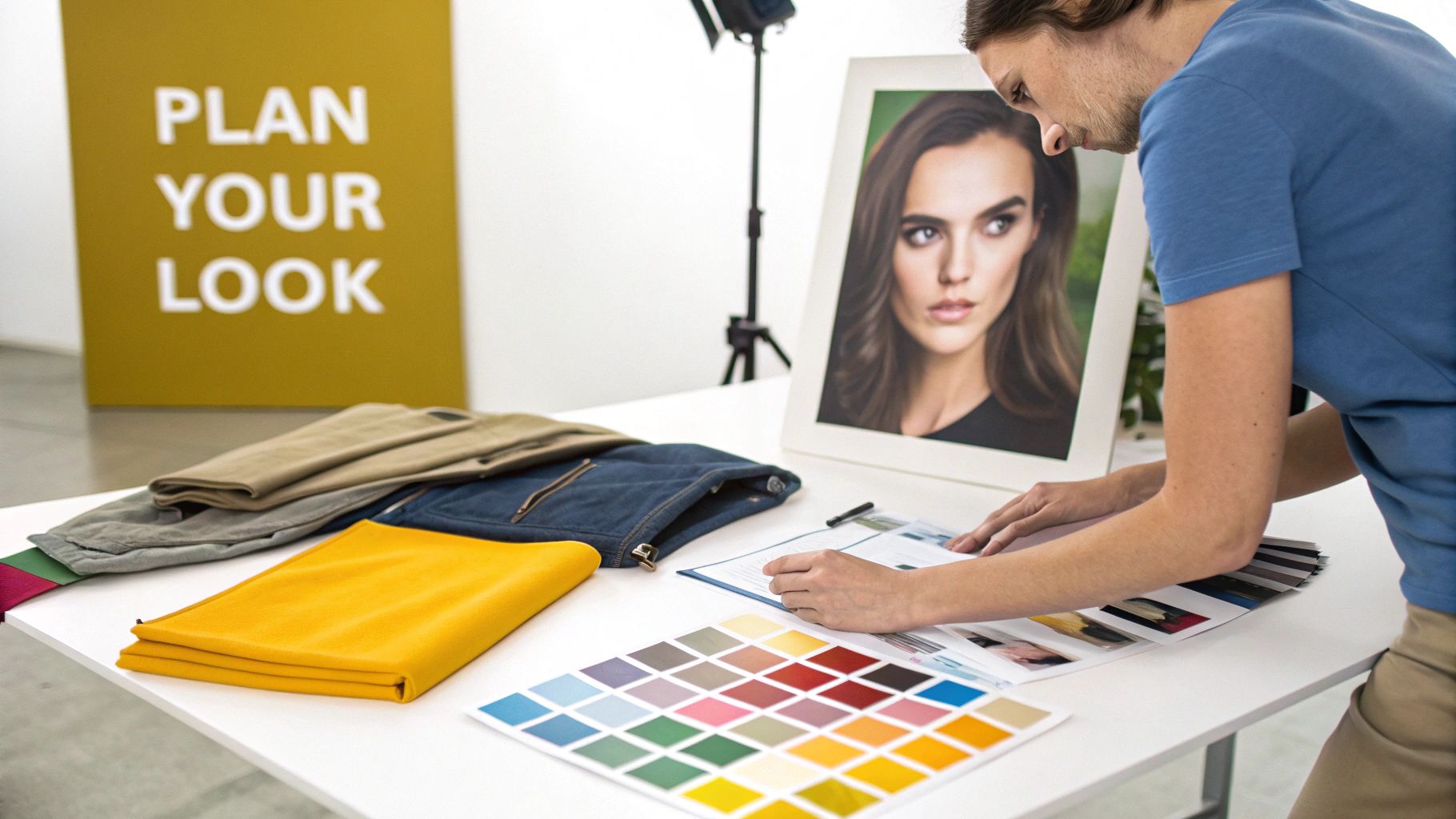
Before you even think about generating an image, you need a plan. Taking a few moments to nail down your creative direction is easily the most important part of the process. You're the art director here, and this initial prep work is what makes your final graduation studio photos feel cohesive and personal, not just a bunch of random pictures.
First up, what’s the mood? Are you going for that classic, formal portrait with a timeless vibe? Or maybe something more modern and celebratory, bursting with personality? The vibe you choose will steer every other decision you make, from the outfit to the background.
Define Your Style and Color Palette
Your outfit and colors really set the tone for the entire shoot. A traditional cap and gown is a fantastic starting point, but AI gives you the freedom to get creative. Why not pair your regalia with a sharp suit, a stunning dress, or something that subtly nods to your major?
Think about a color palette that works with your school colors, not against them. If your school’s colors are a bold blue and gold, for instance, a neutral outfit in cream or charcoal gray will really make your sash or stole pop.
Here are a few ideas to get you started:
- Classic & Timeless: Go for neutral backdrops (think gray, beige, or off-white), simple, elegant clothing under the gown, and soft, flattering light.
- Modern & Bold: Play with vibrant background colors, more dynamic poses, and fashion-forward outfits that let your personal style shine.
- School Spirited: Weave in school colors tastefully. This could be in your clothing, the background, or even with props like a pennant or class ring.
A little planning here ensures every photo in your gallery tells a piece of the same story.
Select the Perfect Source Photo
Every great AI portrait starts with a high-quality source photo. This is the image the AI studies to learn your facial features, so its quality has a massive impact on how realistic your final pictures will be. Don't rush this; finding the right photo is the secret to getting a result you'll love.
The better your source photo, the more the AI has to work with. A high-resolution, well-lit image where your face is clearly visible and unobstructed is the key to generating realistic and consistent results.
You'll want a photo where you're looking straight at the camera, with your hair pulled back from your face. Avoid anything with harsh shadows, sunglasses, or hats that hide your features. Honestly, a simple headshot taken with a smartphone in good natural light usually works perfectly.
Ultimately, a clear source image is the single most important piece of the puzzle for creating believable graduation studio photos that actually look like you.
Writing Prompts for Perfect Graduation Portraits
Getting an AI to create the exact graduation studio photo you're picturing is a bit of an art. Just typing in "graduation photo" will get you... well, a generic graduation photo. The real magic happens when you craft a detailed prompt that works like a creative brief, telling the AI precisely what you want.
This is where you shift from just using a tool to actually directing a photoshoot. By getting specific with the key elements, you take control over the mood, the composition, and the style of every image.
The Anatomy of a Powerful Prompt
A really effective prompt isn't one long, rambling sentence. It’s built from a few core components that you layer together. Instead of a vague request, you're giving the AI clear instructions on the subject, the setting, and even the camera work. You're essentially painting a picture with your words.
Think about these essential building blocks for every prompt:
- Subject & Pose: What is the graduate doing? Don't just say they're in the photo. Are they "smiling warmly at the camera," "proudly holding a diploma," or "tossing their graduation cap in the air"? The more specific, the better.
- Attire: Describe exactly what they're wearing. "A classic black cap and gown with a blue and gold honors sash, layered over a crisp white collared shirt."
- Lighting: This is your secret weapon for setting the mood. Use photographer’s terms like "soft, diffused studio light," "dramatic Rembrandt lighting from the side," or "bright and airy window light."
- Background: Where are they? It could be "against a textured gray studio backdrop," "in front of a warm, out-of-focus bookshelf," or on a "clean, white seamless background."
- Shot Type & Angle: Tell the AI where to put the virtual camera. Is it a "medium close-up shot," a "full-body portrait," or maybe an empowering "low-angle shot looking up at the subject"?
This is the kind of detail that turns a basic AI-generated image into something that feels truly photorealistic. If you're curious about the tech behind this, we've got a great guide on how to create a photorealistic AI image generator that really understands what you're asking for.
The screenshot below from the PhotoMaxi interface shows how these different pieces come together to produce a highly specific result.
You can see how every element, from the artistic style to the camera angle, helps shape a more intentional and polished final image.
Real-World Prompt Examples
Let’s get practical. The difference between a lazy prompt and a well-crafted one is night and day. A strong prompt leaves almost nothing to chance, giving the AI a clear roadmap to follow.
Key Takeaway: Your prompt is the single most important tool you have for achieving consistent, high-quality results. The more specific your instructions, the more professional and predictable your output will be.
Here’s a quick comparison to show you just how big of an impact the details make:
| Basic Prompt | Detailed Prompt |
|---|---|
| Graduate in cap and gown | A medium close-up shot of a female graduate with blonde hair, wearing a black cap and gown, smiling confidently at the camera. Soft, diffused studio light from the right. Set against a textured, dark gray studio backdrop. Photorealistic style, 8k resolution. |
| Man holding diploma | Full-body portrait of a male graduate sitting on a wooden stool, holding a rolled-up diploma tied with a red ribbon. He is looking off-camera with a thoughtful expression. The setting is a studio with warm, golden-hour lighting and a simple beige background. |
It's no surprise that the portrait photography market, which includes graduation studio photos, is a massive $20.6 billion global industry. This huge demand is fueled by life’s big moments, where families want to capture polished, professional memories. And while a staggering 92.5% of all photos are now snapped on smartphones, graduation portraits are one of those areas where nothing beats true professional quality—which is exactly why learning to create them this way is such a valuable skill. If you want to dig deeper, check out these insights on the photography services market to see the full picture.
One of the best things about using AI for your graduation studio photos is the ability to create an entire set of images that all feel like they belong together. Forget worrying about small changes in lighting or an outfit looking slightly different from one shot to the next. You can generate dozens of on-brand, professional-quality pictures that look like they came from a single, seamless photoshoot.
This is a complete game-changer, especially if you're planning a beautiful Instagram carousel or a full gallery to share with family and friends.
It all comes down to crafting one really good, flexible prompt that you can use as a template. Once you've got that solid foundation in place, you can make tiny, specific tweaks to get different poses and expressions without ever losing that consistent feel. It’s the secret to making your whole collection look like it was shot in the same professional session.
Build Your Base Prompt
Your first move is to create what I call a "base prompt." This is your master set of instructions, defining all the non-negotiable parts of your photo series. It’s where you lock in the aesthetic you planned out earlier—the lighting, the background, and the critical details of the graduate's appearance and outfit.
Think of it like setting up your virtual photo studio before the model even arrives. A solid base prompt might look something like this:
- Subject: A female graduate with blonde hair, wearing a black cap and gown over a white collared shirt.
- Lighting: Soft, diffused studio light coming from the right side.
- Background: A textured, dark gray studio backdrop.
- Style: Photorealistic, professional portrait, 8k resolution.
This prompt nails down all the consistent elements. The graduate, her outfit, the light source, and the background will now stay the same in every single image, giving you that polished, cohesive look.
Iterate with Small, Smart Changes
Once your base prompt is locked in, creating variety is surprisingly simple. You just keep that core prompt exactly as it is and only change the small parts that describe the action or pose. This method gives you incredible control, letting you generate a whole series of photos that genuinely look like they belong together.
Let’s run with the example from above. You could create an entire gallery just by swapping out one single phrase for each new shot:
- Shot 1: "...smiling confidently at the camera."
- Shot 2: "...holding a rolled-up diploma tied with a red ribbon."
- Shot 3: "...looking off-camera with a thoughtful, reflective expression."
- Shot 4: "...adjusting her graduation cap with one hand."
Each of these tiny adjustments gives you a completely new photo, but the high-quality studio aesthetic remains identical across the board.
The trick to a consistent series isn't writing dozens of totally different prompts. It's about writing one great prompt and then making small, intentional tweaks to generate a variety of poses and expressions within that single, cohesive scene.
This approach is incredibly powerful when you need content for a specific purpose, like a marketing campaign or a brand project. Imagine a small business owner who needs a dozen graduation-themed images for social media posts. They could generate a whole set featuring their AI model, all with a consistent brand feel. The model’s face, the lighting, and the background stay uniform, creating a professional and instantly recognizable campaign. It’s just a smarter, faster way to produce a huge volume of top-tier creative assets for any project.
Adding the Final Polish in Post-Processing
Even a fantastic AI-generated image can use a little fine-tuning before it's ready for the spotlight. This final step, post-processing, is where you really bring your graduation studio photos to life. Forget needing complicated tools like Photoshop; often, the best editing features are already built into the platform you used to create the images.
With just a few tweaks, you can make small but meaningful adjustments to things like color, clarity, and lighting. This is the secret to giving your entire photo gallery that polished, cohesive look that screams professional. It ensures every single image is ready for printing, framing, or sharing online.
Upscaling for Crystal-Clear Prints
One of the most essential post-processing tricks is using an upscaler. AI often generates images at a resolution that looks great on a screen, but if you or your client want to print that perfect shot for an announcement or a frame, you’ll need a lot more detail. Upscaling intelligently adds pixels to the image, keeping it sharp and clean even when printed in larger formats.
This step gives you the confidence to send that favorite shot off to the printer, knowing it will look just as crisp on paper as it does on your monitor. It’s what turns a digital file into a tangible keepsake.
Getting Creative with Relighting
Now for the fun part. Relighting tools let you completely transform the mood of a photo after it’s been generated. You can take a standard, evenly lit studio portrait and turn it into something dramatic and creative, full of deep shadows and striking highlights.
- Shift the light source: Try moving the virtual light from the front to the side. You'll instantly see more depth and character pop.
- Set the mood: You can soften the light for a warm, almost nostalgic glow, or you can crank up the contrast for a bold, high-fashion vibe.
- Fix inconsistencies: If one photo in a series just feels a bit off from the others, relighting can be the perfect way to bring it back in line.
Diving into the best AI photo editing software will open up a world of powerful tools for making these kinds of creative adjustments. This flexibility is what allows you to truly nail the exact vision you had in mind.
This diagram breaks down the straightforward, three-step process for generating a consistent set of AI photos.
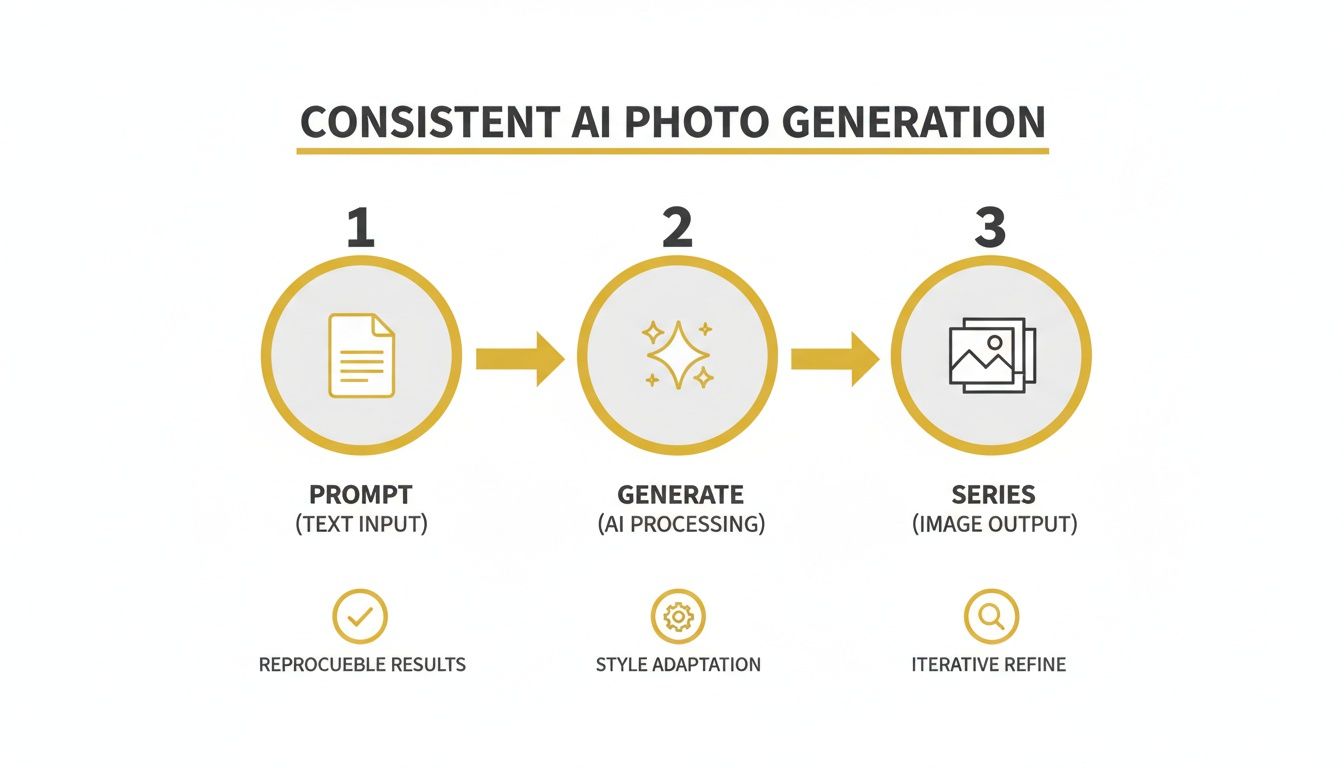
As you can see, it all starts with a solid, detailed prompt. That’s the foundation for creating a series of images that feel cohesive and perfectly on-brand.
The demand for great graduation photography is just one piece of a bigger picture in the education world, where top-notch visuals for things like yearbooks and school marketing are more important than ever. In fact, photographer employment in the U.S. is expected to grow 4% from 2022 to 2032, showing there's a real, steady need for skilled pros who specialize in niches like this. A recent report that surveyed over 44,000 parents and educators really drives home the value they place on quality photography.
Your work isn’t done when the image is generated. A few minutes in post-processing—upscaling for print and relighting for mood—is what elevates a good photo into a cherished memory.
Think of this final stage as your chance to add that last layer of artistry. By getting comfortable with these simple tools, you can ensure your graduation studio photos are not just technically sound but also emotionally impactful and beautifully finished.
Your Top Questions About AI Graduation Photos, Answered
Diving into AI for something as personal as graduation photos is a big step, and it's totally normal to have a few questions. This isn't your typical photoshoot, after all. We've heard all the common concerns and curiosities, so let's clear the air and get you comfortable with the whole process.
Think of this as a quick chat to iron out the details before you start creating.
Will The AI Photos Actually Look Like Me?
This is the big one, isn't it? And the answer is a confident yes. The entire system is built to prioritize a reliable facial likeness above everything else. As long as you give it a clear, well-lit photo of yourself to learn from, the AI locks onto your unique features to make sure the final images are truly you.
This is a huge leap past the "weird hands and wonky faces" era of AI. The goal here is to deliver professional portraits that capture your likeness accurately, so you get photos you're proud to share for this once-in-a-lifetime moment.
Can I Use These Photos for My Business or Brand?
Absolutely. This is where things get really interesting for entrepreneurs, influencers, or anyone with a side hustle. Many plans, including those on PhotoMaxi, come with full commercial usage rights. This means you can create a whole graduation-themed marketing campaign without booking a single expensive commercial shoot.
Imagine having a library of on-brand visuals ready for your social media, website, or digital ads. Just be sure to double-check the terms of your specific plan to understand the licensing details before you go live.
Is It Complicated to Create Different Poses?
Not in the slightest. In fact, this is one of the most liberating parts of the process. You don't need to know anything about posing or photography. You just have to describe what you want to see.
For example, you can type in simple prompts like:
- "Full body shot of a graduate in cap and gown, tossing cap in the air, in front of a university library."
- "Close-up portrait, graduate smiling and holding a diploma, looking proudly at the camera."
The AI does all the heavy lifting, translating your words into a finished image. You have total creative control to try out any pose or scene you can dream up, without having to awkwardly hold a pose yourself.
Creating a variety of dynamic poses is as simple as describing what you want to see. The AI handles the complex work of rendering the scene, so you can focus entirely on the creative direction.
How Do I Get Photos Ready for Printing?
This is another step that's been made incredibly straightforward. Once you’ve generated an image you love, you'll find built-in tools designed to get it print-ready. The key feature here is the upscaler.
With a click, the upscaler increases the photo's resolution, making it sharp and clear enough for high-quality printing. That means the shot you generate for your Instagram feed can just as easily become a large, framed print for your parents' wall. Everything you need is right there in one place.
Ready to create stunning, personalized graduation photos without the studio hassle? With PhotoMaxi, you can generate an endless gallery of professional portraits in minutes. Take control of your photoshoot and celebrate your achievement your way.
Start creating your perfect graduation photos today at https://photomaxi.com.
Related Articles


Ready to Create Amazing AI Photos?
Join thousands of creators using PhotoMaxi to generate stunning AI-powered images and videos.
Get Started Free