
Creating a Realistic AI Image From Prompt to Masterpiece
A realistic AI image is a picture generated by artificial intelligence that could easily be mistaken for a real photograph. The magic is in the details—these images capture things like authentic lighting, complex textures, and genuine human expressions, pushing them far beyond simple digital art and into the realm of true photorealism.
How AI Is Redefining Photorealistic Imagery
We've entered a fascinating new era of visual creation, one where the line between a camera lens and an AI algorithm is getting incredibly blurry. But creating a realistic AI image that actually stops someone in their tracks takes more than just a few keywords. It's about knowing what separates a decent render from a jaw-dropping one.
This guide is here to pull back the curtain on the whole process. We'll explore how AI learns to master the tiny details that trick our eyes, from the way light and shadow play across a surface to the subtle textures of different materials and the flicker of emotion in a portrait.
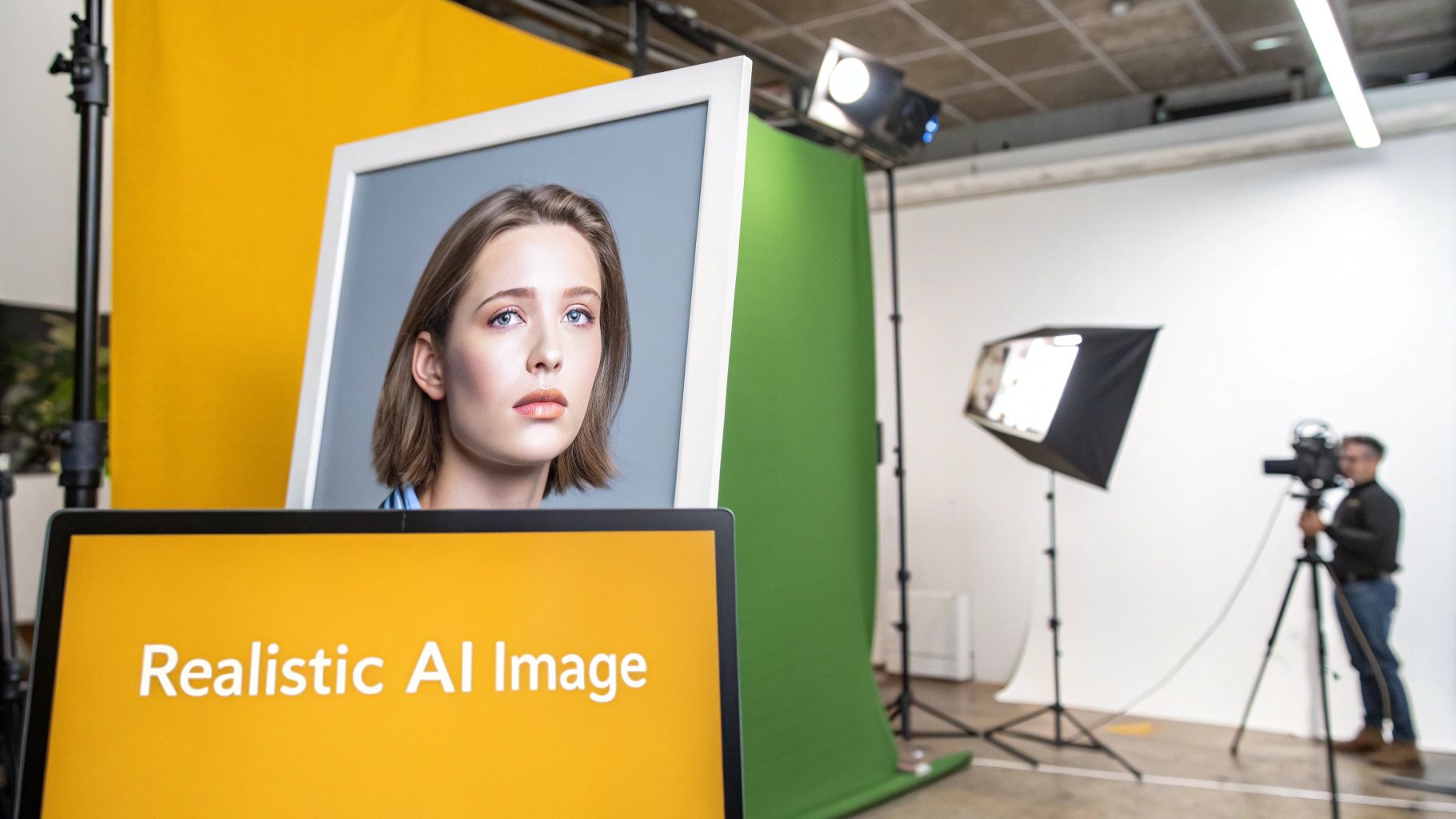
The Blueprint for Digital Artists
Consider this your personal blueprint for leveling up from a casual user to a skilled digital artist. The goal is to arm you with the insights and workflows you need to produce consistently high-quality visuals. For influencers, marketers, or e-commerce brands, getting this right is a serious competitive advantage.
And this isn't a niche trend; it's a massive shift. The market for creative industries using AI-generated realistic images is projected to hit $2.4 billion in 2025—a huge jump from $1.5 billion in 2023. This explosive growth signals a real change in content creation, with 78% of designers already weaving AI into their day-to-day work. You can dig deeper into these AI market trends and see how they're reshaping creative fields.
Introducing a Smarter Workflow
As we go, we'll also show you how PhotoMaxi can be a powerful partner in this journey. It’s built to solve the common frustrations that creators run into with other generators, offering a level of control and consistency that’s hard to find elsewhere.
The ultimate goal is to turn your creative vision into a pixel-perfect reality. With the right tools and techniques, you can eliminate the guesswork and produce studio-quality images that align perfectly with your brand and message.
We’ll keep our focus on practical, real-world applications. For instance, we'll demonstrate how features like guaranteed facial likeness can transform a single photo of a person into an entire library of on-brand content. This approach condenses weeks of production work into a few hours, giving you higher quality for less cost and finally letting you bring your biggest ideas to life.
How AI Learns to Recreate Reality
To get a truly realistic AI image, you have to first get a feel for how the AI "thinks." Think of it like an apprentice artist who has spent a lifetime studying millions of photographs. They’ve obsessed over every detail—the way morning light glows, the specific texture of weathered wood, or how a real smile crinkles the corners of the eyes. This is essentially how modern AI models learn.
These models, most often Diffusion Models, are trained on absolutely massive datasets. We're talking billions of images, each paired with a text description. The AI’s job during training is to build connections between words like "golden hour" and the visual patterns that define it. It isn't just memorizing pictures; it's creating a deep, complex understanding of how language translates to light, color, and form.
The whole process is like learning a visual language from the ground up. The AI takes a clean image, breaks it down into digital "noise," and then learns how to perfectly reverse the process. By repeating this millions of times, it becomes a master at building a photorealistic scene from nothing but static, guided only by your text prompt.
The Foundation: It All Starts with Training Data
The quality of any AI-generated image comes down to the quality of its education—the data it was trained on. If a model learns from a limited or poor-quality set of images, its ability to generate a believable realistic AI image will be weak. It’ll probably struggle with tricky textures, natural lighting, or diverse human faces.
On the other hand, a model trained on a vast, high-resolution dataset has a much richer visual vocabulary to work with. It just gets the subtle details that make an image feel authentic. This is precisely why different AI image generators can give you wildly different results for the exact same prompt; they’re all working from a different knowledge base.
A well-curated dataset gives the AI the ability to render:
- Diverse Subjects: People, objects, and places from all over the world.
- Complex Lighting: Everything from the harsh glare of a midday sun to the soft glow of a candlelit dinner.
- Intricate Textures: The difference between the slick surface of glass and the rough grain of a stone wall.
This foundational training is what allows platforms like PhotoMaxi to perform so well. They build on top of powerful, expertly trained models, giving you a solid starting point for incredible images.
From Text Prompts to Visual Reality
When you write a prompt, you're handing the AI a creative brief. The model takes your words, translates them into a mathematical concept, and uses that as a map to guide the image out of that initial noisy state. It’s a step-by-step refinement process.
Think of it like a sculptor who starts with a formless block of marble. Each word in your prompt acts like a chisel, chipping away the excess to slowly reveal the final, detailed shape. The more specific your instructions, the more precise the final sculpture.
For instance, a vague prompt like "woman on a beach" leaves a lot to the AI's imagination, which often leads to a generic image. But a detailed prompt like, "cinematic photo of a woman with windswept hair on a volcanic black sand beach at sunset, dramatic clouds," gives the AI a much clearer roadmap. It uses every single descriptor to shape the final picture, making sure the result matches your vision. This journey from text to pixels is the magic behind every convincing realistic AI image.
Your Guide to Mastering Lifelike AI Image Creation
So, you understand the theory, but how do you actually make a truly believable, realistic AI image? It’s not about getting lucky with a prompt. It’s a skill, and like any skill, it’s built on a handful of core techniques. Think of these as the tools in your digital art kit—the methods you’ll combine to turn a simple idea into something stunningly photorealistic.
We're going to break down the five key pillars that make or break the realism of your images. Getting these right will help you generate professional-grade results every single time and avoid the common mistakes that make AI art feel, well, artificial.
The Art of Prompt Engineering
The absolute bedrock of creating great AI images is prompt engineering. This is simply the art of telling the AI exactly what you want to see. A vague prompt gets you a vague, generic image. A detailed, well-thought-out prompt, on the other hand, acts like a perfect blueprint for the AI to follow.
Imagine you’re a film director on set. You wouldn’t just tell your crew, "film a person in a city." You'd specify the mood, the lighting, the exact camera angle, and every little detail about the character. That’s how you need to think about your prompts.
To level up your prompt game, start adding layers of detail:
- Subject and Action: Be crystal clear about who or what is in the scene and what they're doing.
- Environment and Setting: Describe the background, location, and time of day with rich, descriptive words.
- Lighting and Mood: Use phrases like “dramatic rim lighting,” “soft morning glow,” or “cinematic, moody atmosphere.”
- Artistic Style: Specify the look you’re after, like “photorealistic,” “shot on 35mm film,” or “DSLR photo.”
The more specific you are, the better the result. To see how these elements all work together, check out our guide packed with AI image prompt examples.
Achieving Perfect Likeness and Consistency
Here’s a common frustration: you generate a fantastic portrait, but the next image of the "same" person looks like a distant cousin at best. Creating a consistent face across multiple images is one of the biggest headaches with most AI generators. It makes building a brand campaign or a cohesive social media feed feel almost impossible.
This is where specialized tools really shine. Platforms like PhotoMaxi were built specifically to solve this problem. All it takes is a single reference photo to create a reliable "digital twin" of a person.
This means every single realistic AI image you generate will have the same, recognizable face. It locks in your brand consistency and narrative continuity without forcing you to spend hours re-rolling prompts and hoping for the best.
This is a complete game-changer for e-commerce brands needing to show products on a consistent model, or for influencers who need to maintain a cohesive personal brand online.
Advanced Post-Processing Techniques
Often, the raw image from the AI is just your first draft. The final, crucial layer of believability comes from post-processing techniques like upscaling and relighting. Upscaling is more than just making the image bigger; it intelligently sharpens details and adds clarity, turning a standard-res file into a high-quality asset ready for professional use.
Relighting is another powerful trick. It lets you digitally tweak the light sources in your image after it’s been generated. You can change the light's direction, color, or intensity to create a different mood or blend your subject seamlessly into a new background. These finishing touches are what separate a quick render from a polished, professional photograph.
Top-tier models are pushing the boundaries of what's possible here. OpenAI's GPT Image 1.5, for example, is a major player, earning a top LM Arena score of 1264 for its incredible photorealism. This just shows how the best models are getting exceptionally good at understanding the nuances of lighting and facial details that trick the human eye. You can find more details on the best AI image generators of 2026.
To help you keep these techniques straight, here's a quick summary of what they do and how to use them.
Core Techniques for Realistic AI Images
| Technique | What It Achieves | Pro-Tip Example |
|---|---|---|
| Prompt Engineering | Gives the AI a clear, detailed blueprint of your vision. | Go beyond "woman in a cafe" to "cinematic photo of a woman with red hair, soft morning light, coffee shop with bokeh background, shot on 35mm film." |
| Face Likeness | Ensures a consistent, recognizable face across multiple images. | Use a tool like PhotoMaxi with a single reference photo to create a reliable "digital twin" for all your generations. |
| Upscaling/Relighting | Adds professional polish by enhancing resolution and adjusting light. | Upscale your final image to 4K and use a relighting tool to add a subtle "rim light" for a more dramatic effect. |
| Composition | Guides the viewer's eye and creates a more engaging image. | Add "rule of thirds" to your prompt to place your subject off-center for a more dynamic and visually pleasing shot. |
| Texture & Materials | Renders surfaces that look and feel authentic to the viewer. | Instead of "leather jacket," specify "worn, cracked black leather biker jacket with silver zippers" to get realistic detail. |
Mastering these five areas will give you a tremendous amount of control over your creative output.
Mastering Composition and Framing
The classic rules of photography haven't gone anywhere. A strong composition is still the key to telling a compelling story with an image, and you can guide the AI by including these principles right in your prompts.
Here are a few timeless techniques to work into your workflow:
- Rule of Thirds: Place important elements off-center to create a more balanced, dynamic feel. (e.g., "woman standing on the left third of the frame")
- Leading Lines: Use roads, fences, or rivers to draw the viewer’s eye toward your subject. (e.g., "a long road leading towards the mountains")
- Depth of Field: Create a sense of three-dimensional space by blurring the background. (e.g., "portrait with a shallow depth of field, bokeh background")
Crafting Material and Texture Realism
Finally, let's talk about texture. The human eye is incredibly skilled at spotting things that look fake. The final touch of believability often comes down to getting the materials right—the subtle pores on skin, the delicate weave of a silk shirt, or the rough grain of a wooden table.
This is another place where specificity in your prompt is crucial. Don't just ask for a "leather jacket." Ask for a "worn, cracked black leather biker jacket with silver zippers." That level of detail pushes the AI to generate surfaces that don't just look right, but feel authentic. It's that final, critical touch that sells the entire illusion.
Putting Theory into Practice with PhotoMaxi
Knowing the theory behind a realistic AI image is one thing. Actually putting it into practice without tearing your hair out? That's another beast entirely. This is where we bridge the gap, translating all those complex concepts into a simple, repeatable workflow that just works.
Let's walk through how a platform like PhotoMaxi bundles these powerful techniques into a single, seamless process. The idea is to go from one single photo of a person to a whole library of on-brand images, minus the usual headaches of AI generation. It’s about making professional-grade image creation fast, consistent, and accessible to everyone, not just tech wizards.
This simple visual breaks down the journey from an idea to a finished, polished image.
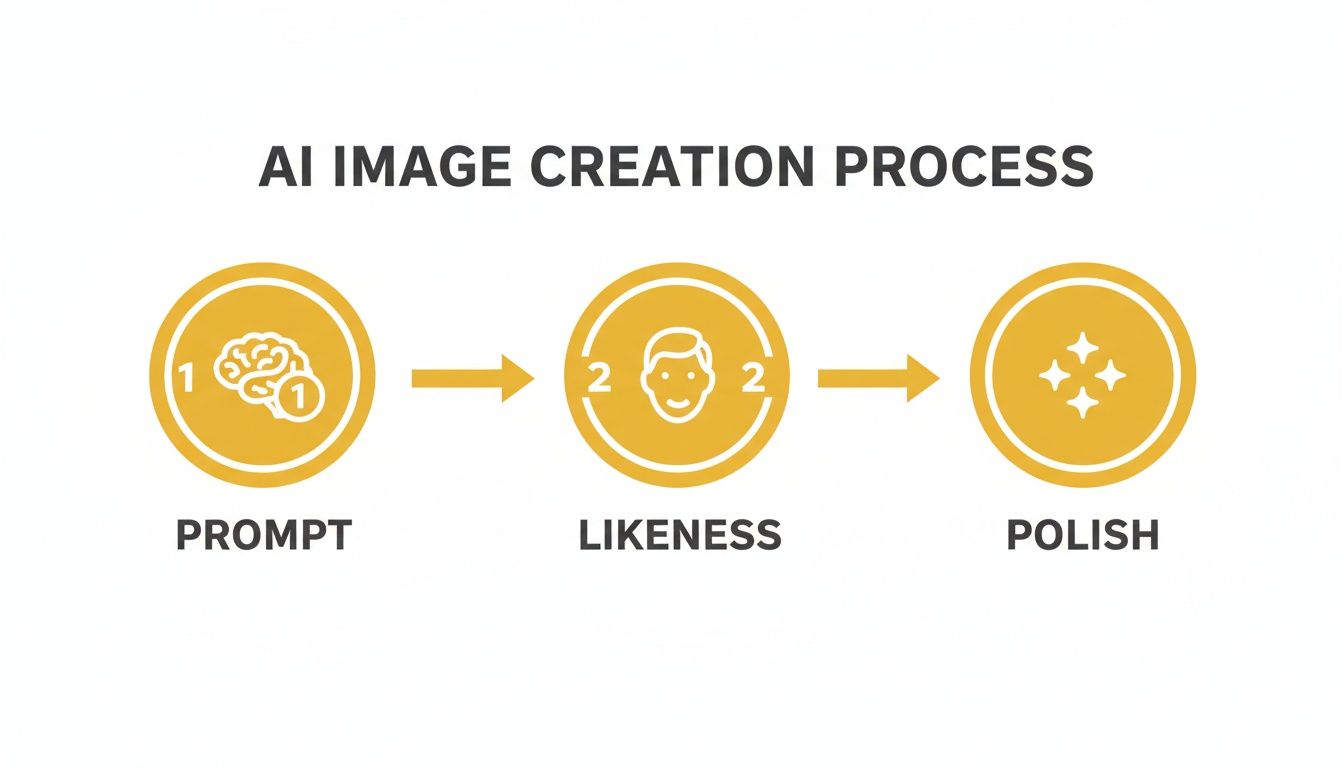
As you can see, it all boils down to three core stages: crafting a great Prompt, locking in the facial Likeness, and adding the final Polish with built-in tools.
Step 1: Start with a Single Photo
It all begins with just one, good-quality photograph. Seriously, that’s it. This single image is the anchor, giving the AI all the data it needs to create a consistent “digital twin” of the person. Forget the old days of needing dozens of reference shots from every conceivable angle. A clear, well-lit portrait is all the system needs to learn someone’s unique facial features.
This is a massive time-saver. Think about it: an e-commerce brand can create an entire product catalog featuring the same virtual model, keeping everything perfectly on-brand. An influencer can generate a whole series of stunning travel photos for a campaign without ever leaving their desk.
Step 2: Craft Your Scene with Smart Prompts
Once the likeness is locked in, it's time to play director. This is where your prompt engineering skills shine. You get to combine descriptions of the environment, the action, the lighting, and the overall style to build the exact image you have in your head.
Here are a couple of real-world examples to show you what I mean:
- For a Fashion Brand: "A full-body shot of my model wearing a red silk dress, standing on a cobblestone street in Paris, soft morning light, Eiffel Tower blurred in the background, photorealistic, shot on a Canon EOS 5D."
- For a Fitness Influencer: "My model in athletic gear, running on a beach during a vibrant sunset, dynamic motion blur, dramatic coastal background, high-energy, cinematic style."
See how each prompt acts like a complete blueprint? It tells the AI not just what to create, but how to create it. That's the secret to getting a predictable, high-quality result every time.
The key is layering specific instructions. By defining the subject, setting, lighting, and camera style, you move from generating a random picture to directing a virtual photoshoot with precision and creative control.
This level of direction turns the AI from a simple image generator into a creative partner that actually executes your vision.
Step 3: Generate and Polish Instantly
After you’ve nailed the prompt, the final step is to generate and refine your images. With a tool like PhotoMaxi, you can use features like batch creation to produce an entire set of photos at once, saving countless hours. You could generate dozens of variations for an A/B test or create a full month's worth of social media content in one go.
Better yet, integrated post-processing tools handle the final touches for you. No more exporting images to another program to get that professional quality.
These built-in features usually handle things like:
- Automatic Upscaling: Every image is sharpened and boosted to a high resolution, so it’s ready for anything from a web banner to a print ad.
- Intelligent Relighting: You can tweak the lighting after the image has been created to perfect the mood or match it to different backgrounds.
- Editing Controls: Fine-tune details like color balance and contrast without ever leaving the platform.
This all-in-one workflow is designed for pure efficiency. It takes what would normally be a multi-day, multi-software process involving photographers, models, and editors, and condenses it into a few simple clicks. The result is a library of perfectly consistent, on-brand, and utterly realistic AI image assets, ready for you to use anywhere.
Troubleshooting Common AI Image Generation Issues
Even with the best AI tools, you're going to run into some quirks. Getting that perfect realistic AI image often feels more like an art than a science, and a big part of that art is learning how to troubleshoot. When your results are just a little off, it’s usually because of a few common hangups that, once you know them, are pretty simple to fix.
Let's dive into the most frequent frustrations and I'll give you some clear, practical ways to solve them. From weird artifacts to faces that change from one image to the next, understanding why these things happen is the first step to creating flawless work.
Escaping the Uncanny Valley
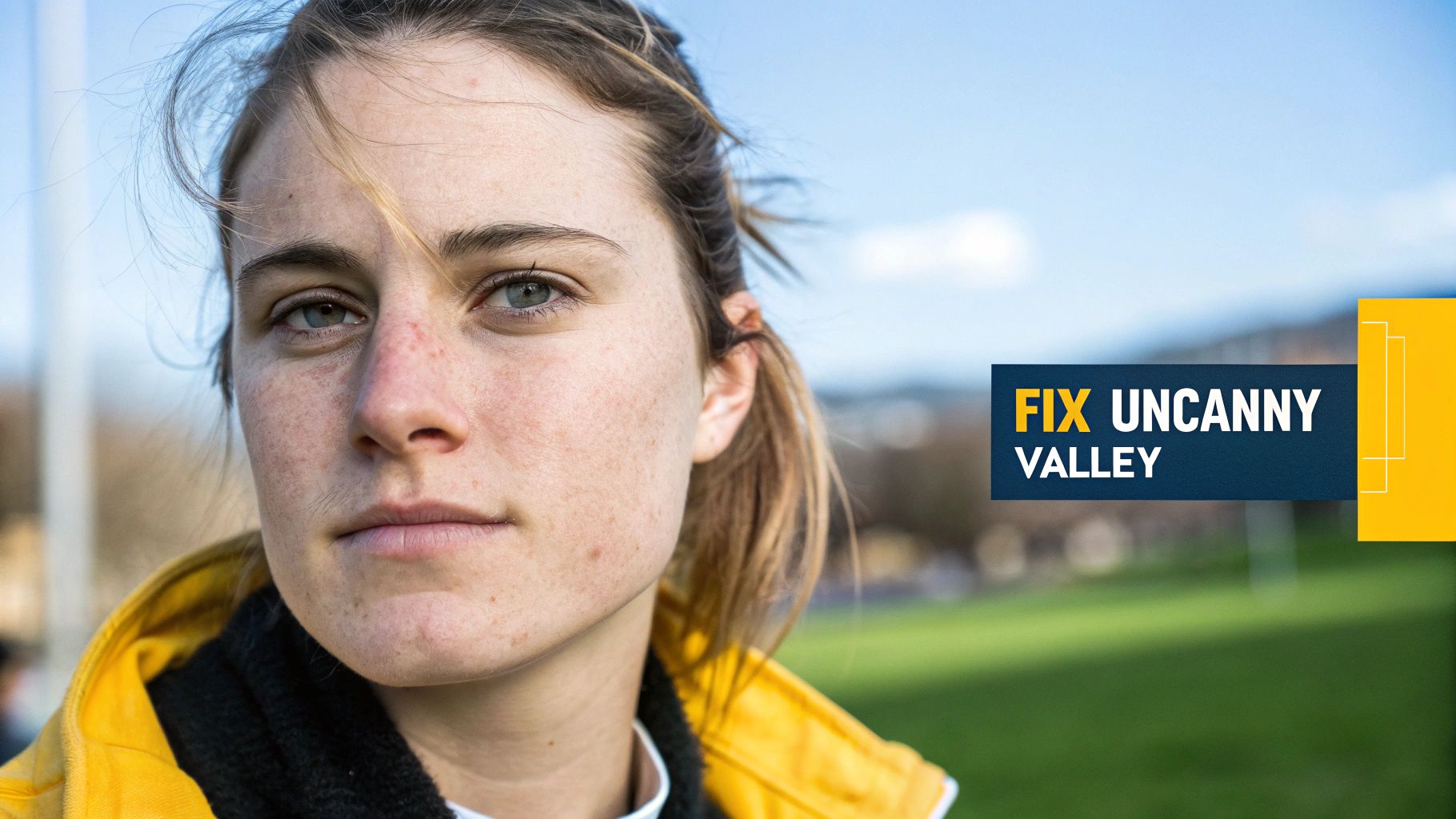
One of the biggest hurdles is the dreaded uncanny valley. It’s that creepy feeling you get when an image is almost perfect, but some small detail is just plain wrong. Maybe the eyes don’t quite focus, the skin is unnaturally smooth, or the smile doesn't reach the eyes. This happens because the AI is just mimicking patterns from its training data without truly understanding human anatomy or emotion.
The fix? Get more specific with humanizing details in your prompt. Try making these kinds of adjustments:
- Add Imperfections: Instead of asking for "perfect skin," try "skin with subtle pores and freckles."
- Specify Emotion: Don't just say "smiling." Go for something more descriptive, like "a genuine, soft smile."
- Refine Lighting: Describe how the light hits the face. For example, "soft morning light creating gentle shadows."
These small tweaks guide the AI away from a sterile, doll-like look and nudge it toward something that feels genuinely human.
Fixing Distorted Hands and Limbs
Ah, the classic AI problem: mangled hands and weird-looking limbs. This is one of the most common giveaways of an AI-generated image. Hands are incredibly complex, and the AI's training data is filled with them in countless different positions, which makes it tough for the model to learn a consistent structure. The result? A stunning portrait with a six-fingered hand or an arm bent at an impossible angle.
The best way to deal with this is often through iteration or by using negative prompts. By adding something like
--no extra fingers, distorted limbsto your prompt, you're explicitly telling the AI what to leave out. If your tool doesn't support negative prompts, simply regenerating the image a few times with a slightly different seed can often do the trick.
Solving Inconsistent Faces Across a Series
Trying to create a set of images featuring the exact same person is a massive headache with most standard AI tools. This makes it almost impossible to create consistent branded content or tell a story across multiple shots. Generic models just cook up a new face for every render, even when you use the exact same prompt.
This is precisely the kind of problem a specialized platform like PhotoMaxi was built to solve. By using a single reference photo of a person, PhotoMaxi's technology creates a "digital twin." This ensures every realistic AI image you generate has the same, consistent facial likeness. For creators and brands, this feature alone solves one of the biggest pain points in AI image generation.
The good news is that AI models are constantly improving their ability to produce realistic and consistent outputs. By January 2026, models like OpenAI's gpt-image-1.5-high-fidelity are expected to set new standards for both efficiency and realism, making these common issues less frequent. This kind of progress is why AI is becoming such a powerful tool for creatives, as experts have noted. You can find out more about the most efficient text-to-image AI models. And if blurry or low-resolution images are your main issue, you might want to check out our guide to the best free AI image upscaler tools available.
Navigating the Commercial and Ethical Landscape
You've just created a stunning, photorealistic AI image. That's a huge win. But what happens next is just as important—how do you use it correctly, legally, and ethically? This new frontier of AI-generated content is exciting, but it comes with a new rulebook that every creator and business needs to know inside and out.
The second you decide to use that image for something other than showing your friends—say, in a marketing campaign, on a product, or in an ad—you've officially entered the realm of commercial use. And this is where licensing becomes everything.
Understanding Copyright and Commercial Use
With a regular photograph, the copyright typically belongs to the photographer. Simple enough. But with AI images, things can get a bit murky. The legal ownership often comes down to the fine print in the terms of service of the AI tool you used, a detail that’s easy to miss but critical to understand.
Many free or basic-tier AI generators only give you a personal use license. That means you’re free to post the image on your personal Instagram, but you absolutely cannot use it to sell a t-shirt or promote your business. Trying to do so could land you in legal hot water.
For anyone running a business, using a platform that offers clear, unambiguous commercial rights isn't just a good idea—it's essential.
This is precisely why services like PhotoMaxi are structured for professional use. Our higher-tier plans explicitly grant you a full commercial license. This gives you the legal peace of mind to use your images in any business context, protecting your brand from risk.
The Ethics of Synthetic Media
Beyond the legal lines, there's a vital conversation happening around the ethical side of AI content. As these images become virtually identical to real photos, the risk of misuse—like creating deceptive deepfakes or spreading misinformation—grows. This is a core part of the larger topic of synthetic media. To get a deeper handle on this, check out our guide on what synthetic media is and what it means for all of us.
For any creator or brand, the best policy is simple: be transparent.
Best Practices for Responsible Use
Building trust with your audience is the name of the game. Being open about your use of AI isn't just about avoiding problems; it can actually become a compelling part of your brand's story.
Here are a few practices to put into place:
- Always Disclose: If an image was made with AI, think about adding a small disclaimer or a hashtag like #AIgenerated. It sets clear expectations and shows you respect your audience.
- Verify Your Rights: Before you hit "publish" on a commercial project, go back and double-check the terms of your AI platform. Make sure you have the license you need.
- Avoid Misrepresentation: Never use AI images to fake an endorsement, create a misleading scenario, or do anything that could harm a person or another brand's reputation.
By making these principles part of your workflow, you can tap into the incredible power of AI to create visuals that wow your audience, all while operating with integrity and building lasting trust.
Got Questions About Realistic AI Images? We've Got Answers.
Let's tackle some of the most common questions creators and business owners have when they start diving into the world of realistic AI images. We'll cover everything from legal rights to getting that perfect, consistent look.
Can I Actually Use These Images for My Business?
This is a big one, and the short answer is: it depends entirely on the tool you're using. Many free AI image generators come with a major catch—they only grant you a license for personal use. That means you can't legally use those images for ads, product mockups, or anything that makes you money.
For any kind of commercial work, you absolutely need a service that gives you a clear commercial license. That’s exactly why platforms like PhotoMaxi exist. Our higher-tier plans are built for business, giving you the legal peace of mind to use your images anywhere you need them, from social media campaigns to e-commerce listings.
How Many Photos Do I Need to Get a Consistent Face?
You might have heard that you need to upload a whole gallery of photos to get a consistent face, but thankfully, that's old news. The best tools have streamlined this process, so you don't have to spend hours sourcing and uploading images.
With PhotoMaxi, for instance, all it takes is one good, clear photo to create a "digital twin." From that single image, you can generate thousands of new pictures with a face you can count on. It's a simple solution to one of the trickiest problems in AI image creation.
The biggest mistake beginners make is writing vague, one-line prompts and expecting magic. A great realistic AI image comes from detailed instructions that describe the subject, lighting, environment, and camera style with precision. Iterating and refining these details is key.
Is This Really Cheaper Than a Photoshoot?
Without a doubt. For small businesses, solo creators, or marketing teams on a tight budget, AI image generation is a game-changer. Think about the costs of a traditional photoshoot: hiring a photographer, booking models, renting a studio, and paying for editing. It can easily run into thousands of dollars for just one campaign.
AI flips that model on its head. Instead of a massive one-time expense, you get unlimited creative potential for a simple, predictable monthly fee. It's a much more scalable and budget-friendly way to keep a steady stream of high-quality, on-brand visuals coming.
Ready to create stunning, consistent, and commercially-ready realistic AI images in minutes? With PhotoMaxi, all you need is one photo to unlock a world of creative potential. Start your free trial today and experience the future of content creation.
Related Articles


Ready to Create Amazing AI Photos?
Join thousands of creators using PhotoMaxi to generate stunning AI-powered images and videos.
Get Started Free